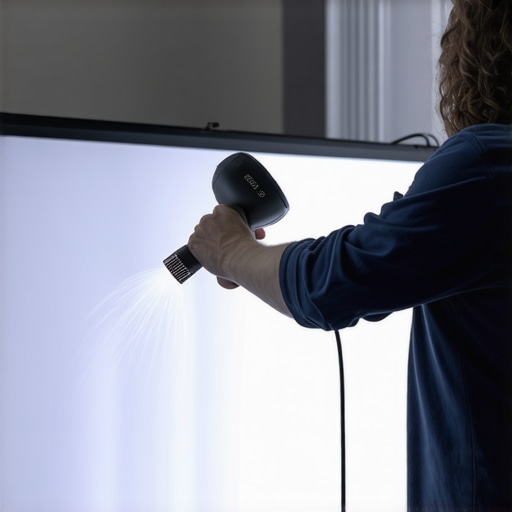
Ever had that sinking feeling when your brand-new projection screen isn’t perfectly smooth? I remember the first time I unrolled my pull-down screen, only to be greeted by stubborn wrinkles and wavy edges that just wouldn’t lay flat. It was frustrating, and honestly, it dampened my entire viewing experience. I’ve learned the hard way that there’s more to fixing screen wrinkles than just pulling the fabric down and hoping for the best. That lightbulb moment led me to discover effective, proven techniques that can smooth out those pesky imperfections quickly and reliably.
Why Wrinkles Matter More Than You Think
Wrinkles and waves on your projection screen don’t just look bad—they can significantly affect your image quality. Distortions caused by uneven surfaces reduce contrast, cause light diffusion issues, and can ruin your viewing immersion. Not to mention, they make your setup look unprofessional or unkempt.
Many enthusiasts overlook these imperfections, thinking they’re just cosmetic issues. However, studies show that even minor irregularities can lead to a loss in image clarity and color accuracy, especially with 4K and 8K projectors. The key is to learn quick, effective hacks that can restore that smooth, flat surface—saving you hundreds of dollars on expert repairs or replacement screens.
Early on, I made a mistake by ignoring the tensioning system of my pull-down screen, assuming that gravity alone would do the trick. It wasn’t until I read more about proper tensioning techniques that I realized how important correct tension and installation are for preventing wrinkles. If you’re struggling with this, I recommend checking out the difference between fixed frame and pull-down screens to understand your options better.
Now, let’s dive into some tried-and-true methods to get your screen perfectly flat—fast!
Tighten the Tension with a Proper Installation
When I first tackled my wrinkled pull-down screen, I realized that a loose mounting caused most issues. Secure the brackets firmly into the wall or ceiling using appropriate anchors, ensuring no movement of the frame. Use a level to double-check that the screen hangs straight—this prevents lopsided wrinkles from forming over time. I recommend reviewing the fixed frame setup tips for a comprehensive overview of mounting best practices.
Stretch and Smooth Out the Fabric
Next, unroll your screen in a clean, dust-free space. Use a friend or make yourself a makeshift team—applying even tension is crucial. Grab some clamps or masking tape to hold the fabric taut at one end while you gradually work your way across, smoothing out wrinkles with your hand or a soft squeegee. Think of it like stretching a drumhead—you want even tension without over-tightening, which can cause permanent distortions. I once spent hours trying to fix a stubborn crease, but gently stretching and re-hanging the fabric eventually flattened it out instead of creating new wrinkles.
Adjust Spring Tension Carefully
If your screen pulls down, the tension of the retraction spring is vital. Too loose, and the fabric sags or waves; too tight, and it warps or causes edge curl. To adjust, locate the tensioning screw or mechanism often accessible at the side or bottom of the housing. Turn it incrementally—small adjustments matter. My experience shows that tightening slightly and testing the pull-down multiple times yields optimal tension, resulting in a flat surface. For detailed techniques, check out tensioning fixes.
Use a Tensioning System
For ongoing wrinkle prevention, consider installing a tensioning system like lateral tension wires or adjustable tensioning bars. These are like tuning guitar strings—they keep the fabric tight across the entire surface. During my last setup, adding side tensioners dramatically reduced edge curl and wave formation, especially in humid conditions. Refer to tensioning system tutorials for detailed guidance.
Maintain and Revisit Regularly
Finally, your effort shouldn’t end once the screen is smooth. Over time, tension can relax or shift, causing wrinkles to reappear. Periodically check mounting screws and tensioners, and re-tighten if necessary. Keep the fabric clean by gently vacuuming or wiping with a soft cloth—dirt accumulates and can cause fabric to sag unevenly. I found that a quick monthly check keeps my projection surface crisp and wrinkle-free, ensuring the highest image quality. For more image-enhancing tips, visit image quality strategies.
While many home theater enthusiasts focus on choosing the right type of screen material or the optimal gain, there’s a lesser-known but critical aspect that often trips up even seasoned users: the subtle interplay of screen surface textures, ambient lighting, and projector calibration. Contrary to popular belief, it’s not just about picking a high-gain or low-gain screen; understanding how these elements work together can dramatically enhance your viewing experience.
Why do some screens appear washed out despite high brightness levels?
This phenomenon isn’t merely about brightness—they often result from mismatched screen gain and ambient light conditions. For example, a high-gain screen amplifies light, but in a bright room, it can lead to glare and loss of contrast, creating a washed-out picture. Conversely, a low-gain screen combined with aggressive projector calibration can provide richer blacks and better shadow detail. External studies, like those from this resource, emphasize the importance of matching screen gain to room lighting for optimal image quality.
Many enthusiasts fall into the trap of assuming that a higher gain always means better picture brightness. However, the real trick lies in understanding the nuanced role of gain in balancing brightness, contrast, and viewing angles. For instance, in a wide seating arrangement, a higher gain might cause hotspots or limited viewing angles, distorting the image’s uniformity. Therefore, selecting the right gain isn’t a matter of maximum brightness but a precise calibration tailored to your room’s specifics.
Another common misconception involves the surface texture of the screen. Matte finishes are often dismissed for not producing vivid images, but in well-controlled lighting environments, they can significantly reduce washout and glare. On the other hand, ambient light-rejecting (ALR) screens, like those utilizing specialized textures, excel in bright rooms but can introduce a ‘washed-out’ appearance if not properly installed or if the texture isn’t suited for your projector’s luminance levels. Tutorials like this guide help clarify how to match surface textures with projector specifications and room lighting.
Moreover, many overlook the importance of projector calibration—color temperature, gamma settings, and contrast ratios—all of which interact with the screen’s properties to produce the final image. Even the best screen can underperform if the projector isn’t correctly configured. It’s vital to approach the setup holistically rather than isolating the screen from the projector’s calibration settings.
In summary, achieving optimal picture quality requires more than just picking a screen or adjusting your projector capriciously. Dive into the nuanced relationship between gain, surface texture, ambient lighting, and calibration. Doing so transforms your home theater from average to exceptional. For more expert insights, visit this comprehensive guide. Have you ever fallen into this trap? Let me know in the comments!
Keeping your projection screen in top shape over time requires the right tools and a bit of know-how. Personally, I swear by a digital level app on my smartphone, such as Bubble Level, which helps me ensure that my fixed frame or pull-down screens remain perfectly aligned. Unlike traditional spirit levels, these apps provide instant feedback and can be used in tight spots or at odd angles, making regular maintenance simpler and more precise.
For a deeper understanding of proper installation and ongoing care, I refer to the comprehensive guide on professional projection screen setup. It emphasizes using a laser measuring tool during initial installation to achieve perfect flatness and tension, which are crucial for long-term wrinkle prevention.
Another gadget I highly recommend is a microfiber cloth with isopropyl alcohol to gently clean the screen surface without damaging delicate textures. Regular cleaning prevents dust buildup that can cause uneven fabric sagging or surface imperfections. I avoid harsh chemicals to preserve ALR or specialty surface textures, which can be sensitive to acids or abrasives.
When it comes to ongoing adjustments, an adjustable tensioning system like lateral tension wires is invaluable. During installation, I used a set from Screen Innovations, which feature fine-tuning knobs allowing you to tighten or loosen fabric tension as needed, especially in humid environments where material may slack over time. As I observed in this post, consistent tensioning prevents waves and edge curl, keeping the surface uniformly flat.
In the future, I predict that integrated electronic tensioning systems, controllable via smartphone apps, will become standard for high-end screens. These systems can automatically adjust tension based on sensor feedback, reducing manual effort and ensuring peak performance year-round.
How do I maintain my projection screen’s cleanliness and tension over time? I schedule monthly visual inspections, using a small hand-held mirror to check edges for sagging or curling and a laser level to confirm proper alignment. Re-tightening tension wires or replacing worn springs every few years ensures the fabric remains taut, preventing wrinkles or waves from reappearing. For detailed guidance, I recommend reviewing this resource.
Don’t overlook the importance of monitoring environmental factors—humidity and temperature fluctuations can affect tension stability. Using a dehumidifier in humid climates or a climate-controlled room helps maintain consistent tension. In high-tech home theater setups, integrating sensors that alert you to changes in room conditions can be a game-changer.
Ultimately, investing in quality tools like laser measures, tensioning systems, and proper cleaning supplies, combined with regular inspections, prolongs your projection screen’s life and ensures optimal image quality. Start by trying out an adjustable tensioning system; it can significantly reduce maintenance effort and keep your screen looking flawless for years. Dive into this detailed guide for more expert tips and elevate your home theater experience.
What I Wish I Knew Before Fixing My Screen
The biggest revelation for me was realizing that proper tensioning is everything. I once thought gently pulling the fabric was enough, only to discover that uneven tension causes waves. Learning to set consistent tension across the entire surface, especially using tensioning systems, transformed my setup and saved countless hours of frustration.
Another lesson was understanding the delicate balance between screen gain and ambient light. High-gain screens may seem ideal for brightness but can lead to glare and contrast loss in bright rooms. Recognizing room-specific needs and matching them with the right gain made a noticeable difference in image quality, especially with 2026’s ultra-bright projectors.
The importance of precise measurements hit me hard. Using tools like laser measuring devices and digital levels, I could mount my screen with confidence, avoiding common pitfalls that lead to wrinkles or misalignment. Investing in these tools turned what once felt like guesswork into a straightforward process.
My Go-To Tools and Resources for Success
For anyone serious about perfecting their projection setup, I recommend starting with a digital level app like Bubble Level; it’s an affordable way to ensure always-perfect alignment. A laser measuring toolkit, such as a Bosch cross-line laser, provides pinpoint accuracy, especially during initial installation. I’ll also vouch for [this detailed guide] on tensioning to troubleshoot persistent waves. For broader learning, the comprehensive articles on image quality and screen gain optimization have been invaluable in refining my entire setup.
Keep Your Projection Dream Alive
Don’t let the technical challenges hold you back from creating your perfect home theater. Start small—try adjusting tensioning wires or re-level your screen—and build up your expertise over time. Every tweak gets you closer to a smooth, wrinkle-free surface that will elevate your viewing experience at home. Remember, the journey to optimal projection is ongoing, but with the right tools, knowledge, and patience, you can achieve professional-quality results. Ready to take the next step? Share your current challenges or questions below and let’s transform your space together!
No Responses