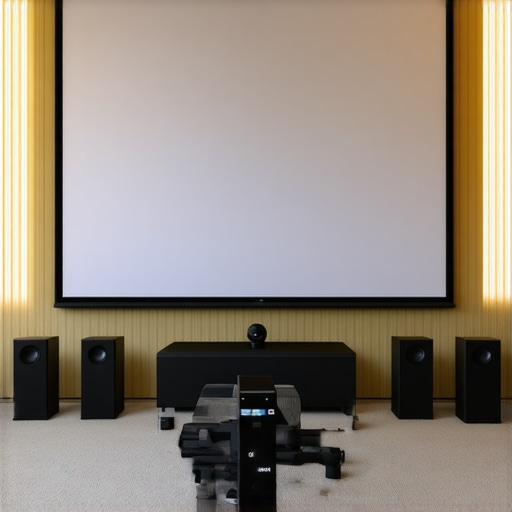
Have you ever set up a home theater only to realize that your bright room turns your crisp, vibrant projection into a dull, washed-out display? I remember the moment I faced this exact frustration. My excitement for movie nights was dampened by the glare and poor contrast, making me question if my investment was worth it. That lightbulb moment led me down a rabbit hole of research, trying to find a solution that would finally let me enjoy movies in my daylight-filled living room. If you’ve been there, you’re not alone—and I promise there’s a way to fix it.
Why Bright Rooms Need Special Screens
Most standard projection screens struggle in rooms with lots of ambient light. No matter how advanced your projector is, a bright environment can wash out the picture, leaving you with a lackluster view. That’s where high-gain and ALR (ambient light rejecting) screens come into play. They’re designed specifically to combat the challenges of bright settings, giving you a clear, vibrant image even when the sun is shining through your windows. But choosing the right screen can feel overwhelming because there’s so much conflicting advice out there.
Are ALR Screens Really Worth the Hype?
Initially, I thought ALR screens were just another gimmick. I made the mistake early on of buying a cheap, generic model without doing my homework. The result? A slightly better picture, but nothing close to what I needed for my bright room. It wasn’t until I dove into detailed guides, like proven strategies for enhancing image quality, that I learned the importance of selecting a high-quality ALR screen tailored for my environment. Trust me, the difference between a good and a great screen is night and day, especially in bright rooms.
If you’re tired of squinting at your projector on sunny days or feeling disappointed with your home theater setup, stay tuned. We’re about to explore exactly what makes the best fixed frame and ALR screens for bright rooms, and how you can transform your viewing experience. Whether you’re a casual viewer or a die-hard cinephile, understanding these essentials will help you make smarter choices and finally enjoy a high-quality projection no matter the lighting conditions.
Pick the Right Screen Material and Gain
Start by selecting a high-quality ALR (ambient light rejecting) screen designed for bright environments. These screens use specialized surfaces that reflect projected light towards viewers while absorbing or deflecting ambient light, much like how a mirror works but in a way that enhances contrast. When I first tried a generic screen, the picture looked washed out, but upgrading to a dedicated ALR model transformed my viewing experience. For detailed guidance on choosing the best ALR screens, check out this resource.
Calculate and Optimize Screen Gain
Screen gain measures how much light the screen reflects back to the viewer. A higher gain (2.0 or above) can boost brightness but may introduce hot-spotting—where the center appears brighter than the edges. To avoid this, analyze your room’s lighting and seating arrangement. Use a screen gain calculator to find the optimal balance. I experimented with different gains in my setup, starting with a 1.8 gain screen, which offered a nice brightness boost without sacrificing image uniformity. Remember, the goal is to maximize brightness without creating uneven visuals.
Position Your Screen Strategically
Mount your fixed frame screen at eye level for the best viewing angle. Use a level and measuring tape to ensure perfect alignment. When I installed mine, I used a step-by-step installation guide to avoid crooked mounting. Proper positioning ensures that the light reflects evenly and maintains image clarity, especially in bright rooms where any tilt or misalignment can be magnified by ambient light.
Seal the Room to Minimize Ambient Light
While the focus is on the screen itself, controlling ambient light is equally critical. Use blackout curtains, blinds, or even strategic furniture placement to reduce sunlight and interior lighting that hits the screen surface. I added blackout curtains to my windows and noticed an immediate improvement in contrast and color richness. Remember, a high-gain or ALR screen works best when the room’s lighting is managed effectively.
Test and Fine-Tune Your Setup
Once everything is installed, test your setup during different times of the day. Observe how the image reacts to ambient light and adjust your room’s lighting, screen position, or gain as needed. I kept a calibration tool handy and made small tweaks until I achieved a bright, vibrant picture that held up in daylight. For advanced calibration tips, see this detailed strategy. Your goal is to create a setup where the projected image remains sharp and vivid, even in challenging lighting conditions.
Even seasoned home theater enthusiasts can fall into traps when optimizing their projection setup, especially in bright environments. One of the most pervasive misconceptions is relying solely on high-gain screens without considering the nuanced interplay of ambient light, screen technology, and room configuration. Many believe that a high-gain screen automatically guarantees a vibrant, contrast-rich image, but in practice, this can lead to glare hotspots and uneven brightness that diminish the viewing experience. It’s crucial to understand that gain isn’t a one-size-fits-all metric; selecting the wrong gain for your room can backfire, creating more problems than it solves.
Another common mistake is neglecting to calibrate your projector and screen setup after installation. Many assume that once everything is aligned physically, their job is done. However, the ambient light conditions in your room can fluctuate throughout the day, requiring ongoing adjustments. Advanced users know that calibrating contrast, brightness, and color settings in conjunction with screen gain and placement is essential for achieving optimal results. For guidance on fine-tuning your setup, check out this resource.
Why does screen placement matter more than you think?
Positioning your screen at the correct height and angle is often underestimated. A misaligned screen not only affects the overall picture but can cause uneven light reflection, especially with high-gain or ALR screens that are sensitive to viewing angles. For instance, if the screen is too high or tilted, viewers seated at different angles may experience color washout or reduced contrast. This is particularly critical in bright rooms where every detail counts. To avoid such pitfalls, use a detailed installation guide to ensure precise positioning.
Additionally, many overlook the importance of room treatment in conjunction with screen choice. Blackout curtains, strategic furniture placement, and even wall color can significantly influence the perceived contrast and brightness. A high-quality ALR screen paired with a well-controlled environment can outperform a premium projector in a poorly treated room. Remember, the goal is harmony between all elements—screen, projector, room, and lighting control—to produce the best possible image.
Have you ever fallen into this trap? Let me know in the comments. Mastering these nuances will elevate your home theater experience far beyond basic setup and help you enjoy stunning visuals even in bright settings.
Once you’ve optimized your projection system with the right screen and projector, keeping everything functioning smoothly over time is crucial. Regular maintenance ensures your setup continues to deliver stunning visuals and avoids costly repairs. I personally schedule routine checks and cleaning to prevent dust buildup on lenses and screens, which can diminish image clarity. Using the right tools and following best practices can extend the lifespan of your equipment and keep your home theater performing at its best.
Tools I recommend for upkeep
First, invest in a high-quality microfiber cloth and lens cleaning solution specifically designed for optical equipment. I always keep a set handy because dust and fingerprints are inevitable and can cause spots or glare. For more thorough cleaning, a portable air blower helps eliminate dust from projector vents and hard-to-reach spots without risking scratches. When I noticed slight color inconsistencies, I used a calibration disc and software like CalMAN to fine-tune my projector’s settings, which I highly recommend for anyone serious about picture quality.
In addition, a laser-based meter can be a game-changer for measuring ambient light levels and screen brightness. When I first started, I used a basic lux meter, but upgrading to a dedicated display light meter allowed me to precisely compare ambient conditions with my calibrated settings. This tool helps maintain consistent viewing conditions, especially if you have fluctuating lighting or plan to scale your setup over time.
How do I maintain image quality over time?
Regular calibration is key. Even if your setup initially looks perfect, ambient light and projector bulb brightness can shift. Scheduling a bi-annual calibration session—either manually or with professional help—can keep your image crisp. Also, replacing projector bulbs before they burn out or dim significantly maintains brightness and contrast. Many projectors have indicator lights to warn you when replacement is due, but I prefer to track hours manually using a dedicated log or app. This proactive approach prevents performance drops and prolongs bulb life.
The future of maintenance tools points towards smart, integrated solutions. For example, some projectors now feature built-in sensors that automatically adjust brightness based on room lighting, reducing manual calibration needs. As technology advances, expect even more intelligent systems that monitor and optimize your setup remotely, making maintenance almost effortless.
Why is regular maintenance vital for scaling your setup?
If you plan to expand your home theater or upgrade components, consistent upkeep becomes even more important. A well-maintained system scales smoothly without unexpected hiccups. Keep your screens clean, calibrate regularly, and monitor environmental conditions to ensure every upgrade integrates seamlessly. For detailed guidance on how to prepare your system for future upgrades, explore this comprehensive blueprint. Staying proactive with maintenance not only preserves your current investment but also paves the way for future enhancements with minimal disruption.
Make your maintenance routine a habit, and you’ll enjoy stunning visuals for years to come. Take the first step today by checking your projector’s bulb hours or giving your screen a quick clean—small actions that have a big impact.
Throughout my journey into home theater setups, I learned that the real secret to crisp, vibrant projection in bright rooms lies in more than just choosing a high-end projector. The true game-changer was understanding the nuances of screen technology, placement, and room management. If you’re tired of washed-out images and want to enjoy movies in daylight or well-lit spaces, these insider lessons will elevate your setup beyond the basics.
Why I Stopped Falling for Common Myths
One of the hardest lessons I learned was that high-gain screens aren’t a magic bullet. I initially believed that a gain of 2.0 or more would automatically solve my brightness issues. However, I soon discovered that hot-spotting and reduced viewing angles can ruin the experience. It took trial, error, and research, like reading expert insights on ALR screens, to realize that the right gain depends heavily on your room’s specifics. Tailoring gain and positioning is essential for balanced visuals.
How Precise Room Control Transformed My Viewing Quality
Controlling ambient light isn’t just about blackout curtains; it’s about creating an environment where your high-quality fixed frame or ALR screen can truly shine. I found that strategic furniture placement, wall paint, and even the direction of light sources made a noticeable difference. Upgrading to blackout curtains and using a comprehensive setup guide helped me achieve contrast levels I’d only dreamed of in a normally bright room. This holistic approach unlocked the full potential of my projection system.
What I Wish I Knew About Maintaining Image Brilliance
Regular calibration and maintenance are often overlooked but are vital for consistent performance. I learned to schedule bi-annual calibration using tools like proven calibration strategies. Replacing bulbs proactively and keeping my screen clean with microfiber cloths kept colors accurate and brightness levels stable. I also invested in a laser meter to monitor ambient light fluctuations, ensuring my setup remained optimal even as seasons changed. These small habits kept my visuals sharp and vibrant over time.
Curated Resources That Elevated My Setup
For those eager to refine their home theater, I highly recommend exploring a few key resources. First, the best ALR and fixed frame screens for 2024 helped me choose the right technology. The ultimate guide to pull-down and ALR screens offered insights into space-specific solutions. For detailed room setup tips, the installation guide was invaluable. These resources are trusted because they combine expert advice with real-world testing, saving me countless troubleshooting hours.
Embrace Your Role as a Home Theater Innovator
Now, the exciting part: your turn. Whether you’re just starting or upgrading an existing system, remember that perfect projection in bright rooms is achievable through patience, experimentation, and leveraging the right tools. High-quality fixed frame or ALR screens, combined with room management, can turn any space into a cinematic haven. Don’t wait for perfect conditions—start today, tweak your setup, and enjoy the stunning visuals you deserve.
What’s been your biggest challenge with projection in bright rooms? Share your experiences below—I’d love to hear your story and help you troubleshoot!
One Response