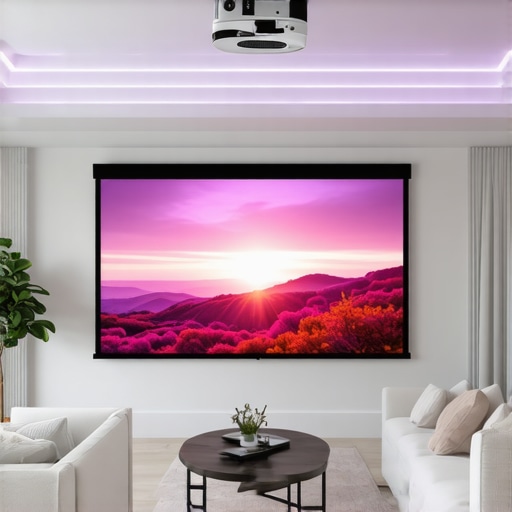
I remember the moment clearly. I was finally setting up my dream home theater, surrounded by the latest gadgets and a massive projection system. But when I turned everything on, I was hit with a glaring issue: the image was washed out, dull, and barely visible in the bright afternoon sunlight streaming through the windows. It was such a frustrating situation that I almost gave up on my project. That was my lightbulb moment — I realized that choosing the right projection screen is absolutely crucial, especially if your room isn’t perfectly dark or has a lot of ambient light.
Why Bright Rooms Need Special Screens
Most people assume that a good projector alone will do the trick. But in bright rooms, the real challenge is managing light. Standard screens often struggle to produce vivid, sharp images when there’s a lot of ambient light bouncing around. That’s where specialized technology like ALR (Ambient Light Rejection) and high-gain fixed frame screens come into play. They’re designed to combat these issues, helping you enjoy a theater-quality picture even during the day or in well-lit spaces. Trust me, getting this right makes all the difference.
Is the Hype Around ALR Screens Justified?
I used to think these high-tech screens were overhyped — just marketing buzz. My early mistake was assuming all screens are created equal. It wasn’t until I tried an ALR screen that I saw the real difference. The improvement was astonishing, with brighter colors and more contrast, even with the lights on. But not all ALR screens are the same, and choosing the right one can be overwhelming. Want to avoid wasting money? I’ll walk you through what to look for and how to pick the best options for your space.
If you’re tired of squinting at washed-out images or struggling with glare, you’re in the right place. I’ll share my personal insights, backed by research and experience, to help you navigate the maze of screen choices. From fixed frame setups to advanced ALR technologies, I’ll cover everything you need to know to transform your bright room into a cinematic paradise. Ready to stop fighting sunlight and start enjoying stunning picture quality? Let’s dive into the details that will make your home theater shine—literally.
Select the Right Screen Type for Your Bright Room
Start by choosing a fixed frame or pull-down screen designed specifically for ambient light. Fixed frame screens tend to offer a more stable, warp-free surface, which is essential for sharp images. If you prefer a retractable option, opt for a high-gain motorized pull-down screen with a durable, reflective surface. To ensure you’re making the best choice, compare different types at Projection Screen Types.
Prioritize High-Gain and ALR Technologies
For bright rooms, high-gain screens are your best friends. They amplify the projector’s brightness, making images pop even under challenging lighting conditions. Look for screens with a gain of 2.0 or higher, but beware of hotspots—an uneven brightness across the screen. ALR (Ambient Light Rejection) technology is a game-changer. It uses specialized surfaces to reflect projected light directly back to your eyes while absorbing or deflecting ambient light. This results in a clearer, more vibrant picture regardless of sunlight or room illumination. To understand the latest trends, check ALR Screen Breakthroughs.
Optimize Your Screen Placement and Setup
Proper installation is crucial for maximizing image quality. Mount your fixed frame or pull-down screen at the optimal height—ideally at eye level when seated. Ensure the screen is perfectly flat and taut to avoid wrinkles or warping, which can distort the image. Use a level and measure carefully, following the guidelines at Installation Guide. Keep ambient light sources away from the screen’s surface and use blackout curtains if possible. A well-placed setup minimizes glare and enhances contrast.
Choose the Right Gain and Material for Your Environment
Matching your screen gain to your projector’s brightness and your room’s lighting conditions is key. Higher gain surfaces reflect more light, increasing perceived brightness but reducing viewing angles. If your seating is fixed and close, a high-gain screen works perfectly. For wider seating arrangements, opt for a screen with a moderate gain to maintain uniformity. Consult Screen Gain Insights to learn how to fine-tune your setup.
Leverage Professional Calibration Techniques
Once your screen and projector are set up, calibrate your system for maximum clarity and color accuracy. Use a calibration disc or hire a professional. Proper calibration ensures your bright room setup produces rich blacks, accurate colors, and sharp details. For detailed calibration strategies, visit Image Quality Tips.
Regular Maintenance and Testing
Keep your screen clean and free of dust to prevent image distortion. Test your setup periodically by displaying test patterns and adjusting as needed. This ongoing effort maintains peak performance, ensuring your bright room projection remains stunning year-round. For more maintenance advice, see Maintenance Tips.
Many home theater enthusiasts believe that selecting the latest projector with high lumens is enough to ensure a stunning picture in bright rooms. However, this is a misconception that can lead to costly mistakes. One of the most overlooked nuances is the critical role played by the projection screen itself. While choosing a high-gain or ALR (Ambient Light Rejection) screen is essential, many forget to match the screen’s properties precisely with their environment and projector capabilities. For example, a screen with too high a gain can cause hotspots and uneven brightness, detracting from overall image quality. This common oversight can be avoided by understanding the specific trade-offs involved in screen gain and surface texture, which directly impact viewing angles and image uniformity. For advanced setups, it’s advisable to consult detailed guides like Understanding Screen Gain to fine-tune your selection.
Another mistake that many make is underestimating the importance of proper installation and calibration. Even the best screen can underperform if it’s warped, wrinkled, or poorly aligned. For example, an improperly mounted fixed frame or a slack pull-down screen can distort the image, reducing sharpness and contrast. Professional installation, following detailed guidelines such as Installation Tips, can prevent these issues. Furthermore, calibration isn’t a one-time task; ambient light conditions change, and so should your settings. Regularly testing and adjusting your system with test patterns ensures consistent performance and prevents image washout, especially in rooms with variable lighting.
Advanced users might also fall into the trap of over-relying on technological hype. For instance, believing that a high-end projector alone will compensate for a subpar screen surface can be a costly mistake. The synergy between the projector and the screen determines the final image quality. As experts note, selecting a surface that complements your projector’s brightness and contrast profile is crucial for achieving the desired realism. For those who want to delve deeper, exploring Projection Screen Types can help you make informed decisions tailored to your room’s unique conditions.
Is Bigger Always Better or Can Size Be a Pitfall?
Many enthusiasts think bigger screens automatically mean better viewing experience, but this isn’t always true. An oversized screen in a small room can cause eye strain, and in bright rooms, it might exacerbate glare issues. Proper sizing involves considering your seating distance, room dimensions, and ambient light levels. For example, a screen that’s too large relative to your seating can reduce perceived contrast and color vibrancy, especially if the surface isn’t optimized for ambient light. To get this right, consult room-specific guidelines or professional advice to avoid the trap of oversized screens that diminish overall image quality. Remember, the goal is a balanced setup where every component works harmoniously for optimal brightness, contrast, and clarity. If you’re unsure, check Pull-Down Screen Tips for size and gain recommendations.
In summary, avoiding these common pitfalls — mismatched gain, poor installation, overhyped technology, and improper sizing — can dramatically improve your bright room projection experience. Take the time to understand the nuances, invest in quality setup, and regularly calibrate your system. Your home theater will thank you with images that are vivid, sharp, and true to life, even in challenging lighting conditions. Have you ever fallen into this trap? Let me know in the comments.
How do I maintain my projection setup over time?
Maintaining your home theater projection system is essential to keep that stunning picture quality consistent. I personally rely on a combination of regular cleaning, calibration, and monitoring tools to ensure everything stays in top shape. For instance, I use a microfiber cloth and a gentle cleaning solution to wipe down my projection screen monthly, which prevents dust and smudges from dulling the image. Additionally, I schedule quarterly calibration sessions using tools like the Datacolor SpyderX Elite to fine-tune color accuracy and brightness, especially important if ambient light conditions change. These calibration tools are my go-to because they provide precise, repeatable results that professional calibrators would charge a premium for, but now I can do it myself at home.
Moreover, I keep an eye on the projector’s lamp life and replace it proactively before it dims too much, which can cause color shifts and reduced brightness. Most projectors have a lamp hours counter, but I also rely on software like LightBulbMonitor, which tracks usage and alerts me when it’s time for a replacement. Ensuring proper ventilation and avoiding overheating is another aspect I don’t overlook—dust buildup can cause overheating and reduce component lifespan. Regularly checking and cleaning the fan filters prevents this issue, extending your equipment’s longevity.
Looking ahead, I believe the trend in projection maintenance will lean toward smarter, integrated systems that automatically calibrate and diagnose issues. Future projectors might feature built-in sensors that detect dust, lamp degradation, or color drift and adjust settings in real-time, minimizing manual intervention. For now, though, combining routine cleaning, calibration, and proactive lamp management keeps my system performing at its best. If you’re looking for a comprehensive approach, I highly recommend consulting the detailed strategies for enhancing image quality to develop your maintenance routine.
Tools I Recommend for Long-Term Performance
Beyond the basics, I swear by my SpyderX Elite calibration device and a high-quality microfiber cloth. The calibration device ensures consistent color accuracy and brightness, which is crucial in rooms with changing ambient light. For cleaning, I use a microfiber cloth designed for delicate surfaces, avoiding any abrasive materials that could scratch the screen or lens. I also keep a small can of compressed air nearby to blow out dust from vents and projector filters. These tools are invaluable because they allow me to catch issues early before they impact viewing quality.
For software, I use the CalMAN calibration suite, which provides advanced control over display settings and helps achieve professional-grade results. While it’s more complex than simple tools, it’s worth the learning curve if you’re serious about maintaining top-tier image quality over the years. Incorporating these tools into a regular maintenance schedule ensures your home theater remains vibrant, sharp, and immersive for many years to come.
Keep in mind that as technology evolves, so will the tools available to homeowners. I predict that in the near future, smarter projectors with self-maintenance features will become standard, reducing the need for manual calibration. Until then, investing in quality calibration devices and following a disciplined maintenance routine will keep your projection system functioning flawlessly. Don’t forget to check out the comprehensive maintenance strategies for more tips on how to keep your setup performing at its peak.
What I Wish I Knew Before Choosing My Projection Screen
- One of my biggest lightbulb moments was realizing that the surface material and gain of a projection screen can make or break your viewing experience, especially in bright rooms. I once bought a high-gain screen without understanding how hotspots could ruin my image, and I paid the price.
- Trusting technology hype over practical needs is a common trap. I used to believe a projector with high lumens alone would cut it, but the screen’s properties are just as crucial. Matching the screen’s surface to your projector’s brightness and contrast makes all the difference.
- Proper installation is often overlooked. Even the best screen can underperform if warped or misaligned. I learned this the hard way after struggling with a wrinkled pull-down screen that distorted the picture.
- Size matters, but bigger isn’t always better. I once installed a massive screen in a small room, and it overwhelmed the space, causing glare and eye strain. Careful sizing based on your room and seating distance is essential.
- Calibration isn’t a one-and-done task. Regular adjustments, especially when ambient light conditions change, keep images crisp and colors accurate. I now schedule quarterly calibrations to maintain quality.
My Essential Toolkit for Bright Room Projection
- Projection Screen Types: I recommend exploring fixed frame or pull-down screens designed for ambient light, like those detailed at Projection Screen Types.
- ALR Technology: For bright rooms, ALR screens are game-changers. They reflect projector light directly to your eyes while blocking ambient light, as explained in ALR Screen Breakthroughs.
- Calibration Devices: I use the Datacolor SpyderX Elite to ensure color accuracy and brightness, which is crucial for maintaining image quality over time.
- Cleaning Supplies: A microfiber cloth and compressed air keep my screen dust-free, preserving clarity and contrast.
- Regular Testing: Using test patterns helps me spot issues early and adjust settings accordingly, as recommended at Image Quality Tips.
Let’s Turn Bright Rooms Into Home Theater Havens
Don’t let ambient light ruin your projection experience. By understanding the nuances of screen gain, surface materials, and proper setup, you can achieve stunning visuals even in challenging lighting conditions. Start small, experiment with different screen types, and keep calibration routine — your perfect bright-room home theater awaits. Ready to elevate your viewing game? Dive into the resources and tools that will transform your space and keep your images sharp, vibrant, and immersive.
4 Responses
Reading this post really resonated with my own experience setting up a home theater in a sunny room. I initially thought that upgrading to a brighter projector would solve my visibility issues, but I overlooked the importance of the screen surface and gain. After switching to an ALR fixed frame screen with a moderate gain, the difference was night and day—colors became more vivid, and glare was significantly reduced even during the brightest afternoons. It’s fascinating how much of a difference the right screen can make in managing ambient light. I’ve also learned that proper installation and calibration are just as crucial, especially in rooms with unpredictable lighting conditions. I’m curious, has anyone experimented with combining different screen surfaces or adjusting gain levels to optimize for specific lighting environments? I’d love to hear how others have fine-tuned their setups for the best picture quality.
This post really highlights a problem I’ve struggled with for quite a while. I used to think that my projector’s brightness was enough, but in my bright living room, the image always looked washed out during the day. I finally decided to switch to an ALR screen with a higher gain surface, and WOW, what a difference! The picture became much more vibrant and contrast-rich, even with the curtains open. I also learned that proper calibration made a huge difference—initially, I just set it and forgot about it, but returning to calibration helped fine-tune the colors and contrast for my specific room lighting. One thing I’m curious about—has anyone tried combining different screen materials or adjust_gain settings to further optimize performance? I’d love to hear if there are specific surfaces or brands that work best in certain lighting conditions. It seems like the key to a great bright-room setup is understanding how to balance gain, ambient light, and calibration for your space.
Reading through this post really hit home for me, especially the part about proper screen placement and calibration. I initially underestimated the importance of mounting the screen perfectly flat and at the right height, which caused some noticeable image distortion. After re-installing my fixed frame, following detailed guidelines similar to those linked, the improvement was incredible. It’s amazing how small adjustments can make a significant difference in image quality, particularly in rooms with ambient light challenges.
Regarding the choice of screen surface, I’ve found that experimenting with different materials and gains has a profound impact. I started with a standard matte surface but switched to a high-gain ALR screen with a textured surface, which really enhanced contrast and color vibrancy during daylight hours. Have others here tried combining different surface textures or layering filters to further improve visibility in bright rooms? I’d love to know what innovative tweaks you’ve all experimented with.
This post hits the nail on the head regarding contemporary home theater setups in bright rooms. I remember struggling just like the author before realizing how critical a good ALR screen is for managing ambient light. One thing I found interesting is the balance between gain and viewing angles; higher gain screens can improve brightness but often at the cost of limited angles. I experimented with different materials and found that textured surfaces, while good for contrast, can sometimes cause unwanted reflections if not chosen carefully. Calibration is indeed the secret sauce—getting the colors right then makes the image pop, especially in well-lit spaces. I’m curious, have others noticed significant differences when combining different screen coatings or layering filters? Also, how do you typically decide on the ideal screen size versus room size? Would love to hear more tips from the community on optimizing brightness and picture clarity in sunlight-filled rooms.