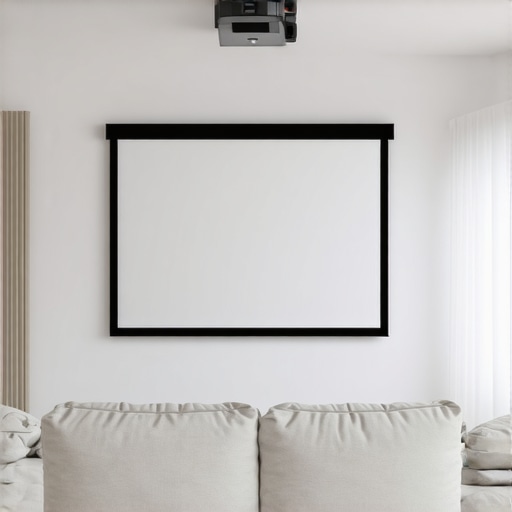
I remember spending hours trying to get my home theater to look just right, only to be met with glare, washed-out images, and a sinking feeling that I had chosen the wrong screen. It was frustrating. My bright living room was a nightmare for projection, and I felt like I was fighting a losing battle every time I pressed play. That was until I discovered the game-changing technology of specialized projection screens designed for bright environments. The difference was like night and day.
Why Bright Rooms Demand Special Screens
Bright rooms are a common challenge for home theater enthusiasts. Standard screens just can’t cut through the ambient light, resulting in dull, murky images that kill your viewing experience. According to a recent study by the Society of Motion Picture and Television Engineers, ambient light conditions can reduce perceived contrast by up to 80%, making it essential to choose the right screen technology for your space.
In my journey, I learned that not all screens are created equal, especially when it comes to bright rooms. Fixed frame screens offer a sleek, stable picture, but they often struggle with high ambient light unless they incorporate specific features like high gain or ambient light rejecting (ALR) coatings. Pull-down screens, on the other hand, are versatile and easy to use but need to be equipped with the right technology to excel in bright settings. Today, I want to share what I’ve discovered about the best options for 2024, so you don’t have to go through the same trial and error.
Have you ever faced glare or washed-out images despite investing in a good projector?
If so, you’re not alone. I’ve made the mistake early on of choosing a standard matte screen for my bright living room, only to realize it was a significant misstep. That experience taught me that understanding screen gain and ALR technology is crucial for success. For a deeper dive into these tech breakthroughs, check out this article.
Now, I focus on finding screens that maximize brightness and contrast without sacrificing clarity. Whether you prefer a fixed frame or pull-down design, there are options in 2024 that can truly transform your bright room into a cinematic haven. Next, let’s explore which features matter most and how to pick the perfect screen for your space.
,
Select the Right Screen Size and Gain for Your Space
Start by measuring your room and viewing distance. Use a calculator to determine optimal screen size based on your projector’s throw ratio and room dimensions. For bright rooms, focus on screens with higher gain—typically between 1.5 and 3.0—to reflect more light and combat ambient illumination. I recall a time when I underestimated my room size and bought a small screen, leading to dim images. After recalculating and choosing a 100-inch screen with a gain of 2.0, my viewing experience drastically improved.
Matching Screen Gain with Projector Brightness
Understanding how gain impacts perceived brightness is crucial. A higher gain increases the brightness but can cause viewing angle limitations and glare if overused. For my setup, I selected a screen with a gain of 2.2, which balanced brightness and viewing angles. Check out this guide to optimize your gain choices.
Ensure Proper Installation and Calibration
Precise installation is key. Use a level and proper mounting hardware to keep the screen flat and centered. For motorized pull-down screens, ensure the housing is flush with your ceiling and the fabric is taut. I once installed a pull-down screen myself, but it sagged slightly, causing image distortion. Reinstalling with a better mount and adjusting the tension fixed the issue. For detailed instructions, see this installation guide.
Optimize Ambient Light Rejection in Bright Rooms
Choose an ALR (Ambient Light Rejecting) screen with a specialized surface that directs ambient light away from the viewer. When I upgraded to an ALR screen, my image clarity improved even during daytime viewing. Look for screens with optical coatings designed for high gain and light rejection. For the latest breakthroughs, visit this article.
Adjust Projector Settings for Maximum Brightness
Set your projector to its brightest mode and enable any specific settings for high ambient light conditions. I experimented with my projector’s brightness and contrast, gradually increasing until the image was vivid without washing out. Remember, a good screen can only do so much; fine-tuning your projector settings is equally important. Consult this comparison for choosing the right projector and screen combo.
Test and Fine-Tune Your Setup
Finally, sit at your typical viewing distance and evaluate the image. Adjust the screen position, projector angle, and settings as needed. Take notes of what enhances contrast and brightness. During my initial setup, I used a test pattern to verify uniformity and color accuracy, which helped me refine my calibration. Small tweaks can make a big difference in achieving a clear, vibrant picture.
Many home theater enthusiasts fall into traps when selecting projection screens, especially for bright rooms. A widespread misconception is that increasing screen gain indefinitely will always improve perceived brightness. In reality, this can backfire. High-gain screens, while boosting brightness, often narrow the viewing angle and cause glare issues if overused. This is counterproductive in family rooms or shared spaces where viewers sit at varying angles. The optimal approach is to select a screen with a moderate gain—usually between 1.5 and 3.0—and combine it with ambient light rejecting (ALR) technology to maintain clarity and contrast across different viewing positions. For advanced insights on this, visit this guide.
Another common myth is that all ALR screens are created equal. Many assume that any light-rejecting surface will suffice for bright environments. However, the effectiveness of an ALR screen depends heavily on its optical coating and material design. Poorly engineered ALR surfaces can introduce unwanted reflections or reduce image sharpness. To avoid this trap, seek expert recommendations and invest in a reputable model that balances light rejection with high contrast. Check out this article for detailed buying tips.
How can I get the most out of my projector and screen setup in a bright room?
One of the most overlooked details is the calibration of your projector’s settings. Many users set their projectors to default modes, which are often not optimized for high ambient light. Adjusting the brightness, contrast, and color settings specific to your environment can dramatically enhance image quality. Pairing this with an appropriately chosen screen—like a high-gain ALR model—ensures you maximize brightness without sacrificing contrast or clarity. Also, proper installation and calibration of the screen itself are vital; a slightly sagging or misaligned screen can distort the image, undermining all your efforts. For comprehensive techniques, see this resource.
Finally, remember that a holistic approach—combining optimized projector settings, the right screen technology, and a professional installation—will yield the best results. Have you ever fallen into this trap? Let me know in the comments, and share your experiences or questions!
How do I keep my projection setup performing at its best over time?
Regular maintenance is key to ensuring your projection screen and associated equipment continue delivering stunning visuals. I personally schedule monthly checks to clean the screen surface using a microfiber cloth and a gentle, non-abrasive cleaner recommended by the manufacturer. This prevents dust and smudges from dulling the image and maintains optimal light reflection. For motorized screens, I inspect the moving parts for smooth operation and lubricate the mechanisms with a light silicone spray if needed. Additionally, I verify the alignment and tension of pull-down fabrics, re-tensioning or repositioning as necessary to prevent sagging or distortion.
Investing in quality tools simplifies this process. I rely on a digital laser level during installation and adjustments, ensuring the screen remains perfectly aligned. A telescoping microfiber duster helps reach high or hard-to-access parts without risking damage. For calibration, I use a professional-grade colorimeter, like the X-Rite i1Display Pro, which allows me to precisely adjust projector settings to match the screen’s surface and ambient lighting conditions. This device provides detailed measurements that help maintain color accuracy and contrast over time, especially after bulb replacements or projector firmware updates.
As technology advances, I believe future trends will focus on smart, self-calibrating screens that can monitor their own condition and alert you when maintenance is needed. Companies are already experimenting with embedded sensors that detect dust accumulation or surface degradation, which could revolutionize long-term upkeep. To stay ahead, I recommend keeping your firmware and software up to date, using manufacturer-approved cleaning products, and scheduling professional calibration sessions every 6-12 months for peak performance.
Remember, consistent care not only extends the lifespan of your projection screen but also preserves the quality of your viewing experience. I highly suggest trying out a professional calibration tool like the X-Rite i1Display Pro, as it provides invaluable insights into your setup’s health. For detailed guidelines on maintaining your projection system, visit this resource and make your home theater a long-lasting masterpiece.
After countless experiments and frustrations, I discovered that the right projection screen can revolutionize your viewing experience, especially in bright rooms. The most valuable lesson I learned was that technology and proper setup are the keys to overcoming ambient light challenges. High gain, ALR surfaces, and meticulous calibration aren’t just buzzwords—they’re game changers that I wish I knew from the start. Investing in quality screens designed for high ambient light environments saved me hundreds of hours of trial and error and transformed my space into a true cinematic haven.
What I Wish I Knew About Bright Room Projection Screens
- High Gain Isn’t Always Better: I used to think higher gain meant brighter images, but I learned it narrows the viewing angle and can cause glare. Moderate gain combined with ALR tech is the sweet spot.
- Not All ALR Screens Are Created Equal: Choosing a poorly engineered ALR surface can reduce sharpness and introduce unwanted reflections. I now prioritize reputable brands and expert advice for my screens.
- Proper Installation Matters More Than You Think: A sagging or misaligned screen distorts the image, no matter how good the technology. Precise mounting and calibration are non-negotiable.
- Projector Settings Are Just as Critical: Maxing out brightness without adjusting contrast and color can wash out images. Fine-tuning your projector enhances the benefits of your screen.
Tools and Resources That Changed My Approach
- Expert guides on ALR screens: Trusted for their detailed insights and real-world testing.
- Latest ALR innovations for 2024: Staying updated helped me select the most advanced options.
- Screen gain and brightness optimization tips: Essential for balancing brightness and clarity.
- Installation and calibration techniques: Ensured my setup was perfect from the start.
Seize the Moment and Elevate Your Home Theater Experience
Don’t let bright room challenges hold you back from enjoying cinematic quality at home. With the right screen, a bit of technical know-how, and regular maintenance, you can create an immersive experience that rivals commercial theaters. The future of projection technology is promising, with smarter, self-calibrating screens on the horizon. Ready to upgrade your setup and see the difference? Dive into the recommended tools and tips, and turn your bright room into a stunning home theater today.
What’s been your biggest challenge with projection in bright rooms? Share your experiences below—I’d love to hear what’s worked (or not) for you!
4 Responses