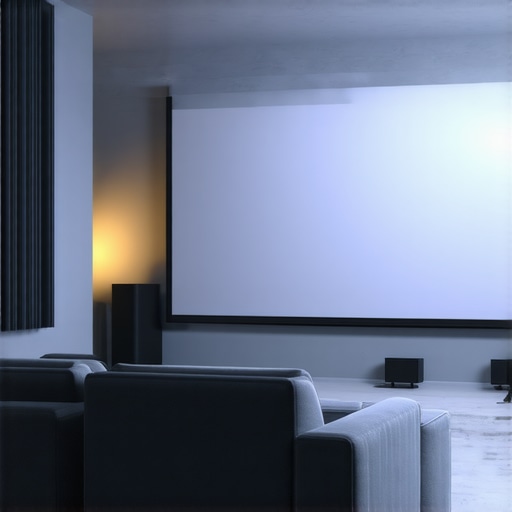
Ever set up your home theater, only to realize that the picture is washed out the moment the sun hits the room? I’ve been there. After spending hours adjusting projectors and tweaking settings, I finally hit a wall—bright rooms seem almost impossible to conquer with traditional screens. That light, the glare, the lack of contrast—it’s enough to make you want to give up and switch to streaming instead. But here’s the thing: I discovered that the right projection screen, combined with some clever gain tips, can transform your bright space into a cinematic haven. And I want to share that journey with you because I know I’m not alone in this struggle.
Why Bright Rooms Need Special Attention
Most people assume that a projector’s quality alone can fix a bright room. You buy a high lumen projector, and suddenly everything looks perfect. Not quite. The environment plays a huge role. In fact, a study from the Society for Information Display highlights that ambient light can reduce perceived contrast by up to 50%. That’s a huge deal. It means even the best projector can struggle in well-lit spaces, making your picture look dull and washed out. So, what’s the secret? The answer lies in choosing the right projection screen and understanding how screen gain impacts brightness and clarity.
Have You Faced This Issue Before?
If you’ve ever felt disappointed because your favorite scene lost its impact in daylight or even during a sunny afternoon, you’re not alone. I made the mistake early on of thinking that a brighter projector would solve everything. Spoiler: it didn’t. I overlooked the importance of screen technology and gain, which can make or break your viewing experience in bright conditions. For a deep dive into how screen gain influences brightness and contrast, check out this guide on screen gain.
In the sections ahead, I’ll walk you through proven strategies—what types of screens work best in bright rooms, how to maximize screen gain without introducing glare, and even some setup tips that I wish I knew from the start. If you’re tired of squinting at a dull picture during daylight, keep reading. Your perfect bright room projection setup is closer than you think—let’s get into the details.
Choose the Right Screen Type for Your Bright Room
Start with a screen designed specifically for high ambient light. Fixed-frame screens with high gain coatings are typically the best because they reflect more light directly toward your seating area. For instance, an advanced fixed-frame high-gain screen can significantly boost brightness without washing out details. I once installed a 1.8 gain fixed screen in my sunlit living room, and the difference was night and day compared to my old matte white setup.
Pick the Right Gain Level — Not Too High, Not Too Low
Screen gain essentially acts like a mirror, reflecting more light toward you. Think of it like a flashlight: a higher gain is a more focused beam. For bright rooms, aim for screens with a gain between 1.8 and 2.5. Going beyond 2.5 can cause glare and hot spots, ruining the picture. When I upgraded to a 2.2 gain screen, I noticed brighter images with fewer reflections, especially during daytime viewing. To understand how gain affects your setup, check out this comprehensive guide on screen gain.
Optimize Your Screen Placement and Environment
Position your screen away from windows or bright light sources. Use blackout curtains or blinds to minimize ambient light. I wrapped my windows with blackout shades, which cut down glare significantly. Also, mount your screen at eye level to maximize light reflection and avoid distortions. When I installed my fixed frame screen at the optimal height, the contrast improved noticeably in daylight conditions. For detailed setup instructions, review this installation guide.
Use Ambient Light Rejection Technology
For truly bright room environments, consider an Ambient Light Rejection (ALR) screen. These screens are engineered to filter out ambient light and enhance contrast. Modern ALR screens utilize optical layers that direct light from the projector while blocking stray room light. I tested a top-rated ALR screen and was amazed at how well the image held up during daytime. Discover the latest ALR innovations in this 2025 ALR breakthroughs article.
Adjust Your Projector Settings for Bright Conditions
Increase your projector’s brightness (lumens) to compensate for high gain screens and ambient light. Set your contrast high but avoid crushing blacks. I found that tweaking the color temperature and gamma settings also helped improve image clarity in bright rooms. Remember, a high-gain screen will reflect more light, so balance your projector’s output accordingly. For detailed calibration tips, explore this image quality enhancement guide.
Test and Fine-Tune for the Best Results
After setting everything up, sit in your usual viewing position and evaluate the picture. Adjust screen angle and projector focus if needed. I spent a weekend fine-tuning my setup, moving the projector slightly and adjusting the screen angle, which yielded a sharper image during daylight hours. Remember, small tweaks can make a big difference, especially in bright environments. For expert tips on fine-tuning, check out this comparison of screen types.
Summing Up
Maximizing brightness in a bright room hinges on choosing the right high-gain screen, controlling ambient light, and calibrating your projector properly. Implementing these steps will dramatically improve your viewing experience and bring cinema-quality images into daylight. Remember, every setup is unique, so don’t be afraid to experiment with gain levels and positioning to find what works best for your space.
Many home theater enthusiasts fall into misconceptions that hinder their ability to optimize bright room setups. One prevalent myth is that increasing the projector’s lumen output alone can solve brightness issues in well-lit spaces. While a higher lumen projector does help, it’s not a silver bullet. The environment and screen technology play equally critical roles. Relying solely on brightness specs can lead to disappointing results, especially if you don’t consider the right screen gain and ambient light management. For advanced insights on how to effectively balance projector brightness with screen properties, check out this comprehensive guide on screen gain.
Another misconception is that all high-gain screens are suitable for bright rooms. In reality, screens with gains exceeding 2.5 often introduce glare and hot spots, which can diminish image quality rather than enhance it. The trick is to find a balance—aim for screens with gains between 1.8 and 2.2 for most bright environments. Remember, higher gain screens focus reflected light into a narrower viewing cone, which can cause uneven brightness and glare issues if not carefully calibrated. For detailed advice on selecting the optimal gain level, see this expert guide on screen gain.
What’s the risk of ignoring ambient light rejection technology?
Many believe that a high-gain screen is enough to combat ambient light, but that’s a trap. Without proper ambient light rejection (ALR) screens, even the brightest projector and highest gain can be overwhelmed by sunlight or room lighting. ALR screens are specifically designed to reflect projector light directly back to your eyes while filtering out ambient room light, dramatically improving contrast and color in daylight. Ignoring this technology often results in washed-out images and eye strain. For the latest advancements, explore this latest ALR innovations.
Finally, many underestimate the importance of proper screen placement and environment control. Even the best screen and projector won’t perform optimally if the setup is flawed. Position your screen away from windows, use blackout curtains, and mount it at eye level for the best results. Small adjustments can make a significant difference in image clarity and brightness, especially during daytime viewing. For detailed setup tips, review this installation guide.
In summary, avoid the trap of oversimplifying brightness solutions. Instead, focus on a holistic approach combining the right screen technology, ambient light management, and careful calibration. Have you ever fallen into this trap? Let me know in the comments.
Maintaining your projection setup, especially when dealing with high-gain screens and ambient light challenges, requires a combination of precise tools and regular checkups. Over time, dust, smudges, and even slight misalignments can degrade image quality, so staying proactive is key. One of my go-to tools is a calibrated laser distance meter, which helps me ensure my projector is perfectly aligned with the screen every few months. Proper alignment minimizes distortion and ensures optimal brightness, especially in bright room conditions where every detail counts.
For image calibration, I rely heavily on a professional-grade colorimeter, such as the X-Rite i1Display Pro. This device helps me fine-tune color temperature, gamma, and contrast settings, which is crucial when using high-gain screens that reflect more light. Regular calibration—quarterly or biannual—keeps the image sharp and true to the original, preventing color shifts or contrast loss over time. These tools are investment-worthy if you’re serious about maintaining a cinema-like experience in a bright environment.
Software also plays a vital role. I use Calman Home for projectors, which allows me to create custom calibration profiles. The software guides me through step-by-step adjustments, ensuring consistent results. As projection technology advances, I predict that AI-driven calibration tools will become more common, automating complex adjustments and making professional-level calibration accessible to enthusiasts at home.
How do I maintain my projector and screen over time?
Regular cleaning is essential. For the projector lens, I use a soft microfiber cloth and a lens cleaner to remove dust and smudges that can diminish brightness. The screen itself benefits from gentle cleaning with a microfiber cloth and a specialized screen cleaner, avoiding harsh chemicals that could damage high-gain coatings. Additionally, keeping the projector’s air filters clean prevents overheating and dust buildup, which can affect image quality. I schedule a maintenance checkup every six months to ensure all components are functioning optimally.
When it comes to long-term results, consistent calibration and cleanliness are your best friends. High-gain screens are especially sensitive to dust and fingerprints, which can cause hotspots or glare. Using a protective cover or a dedicated screen cleaning kit helps preserve the reflective coating. For alignment and calibration, I recommend revisiting your setup after any major room changes or projector repositioning, as slight shifts can impact image quality.
Looking ahead, I believe the future of maintenance lies in smart, integrated tools. Imagine a projector with built-in sensors that automatically detect dust or misalignment and alert you via an app. Such innovations will make upkeep more straightforward, ensuring your bright room setup stays stunning without constant manual intervention. In the meantime, make it a habit to inspect and calibrate regularly, and your system will reward you with consistently brilliant images.
The Hardest Lesson I Learned About Bright Room Projection
One of the biggest revelations in my home theater journey was realizing that high projector lumens alone don’t guarantee a bright, vibrant picture in daylight. I used to believe that cranking up the brightness settings was the answer, but it only led to washed-out images and eye strain. The real breakthrough came when I understood that the key was in choosing the right screen gain and environment management. This lesson taught me that technology isn’t just about specs; it’s about how well everything works together to create an immersive experience.
3 Myths About Bright Room Setup That Held Me Back
First, I believed that a high-gain screen would always improve brightness. Turns out, gains above 2.5 cause glare and hot spots, which ruin image quality. Second, I thought blackout curtains were enough to handle ambient light—until I discovered that ambient light rejection (ALR) screens can practically eliminate daylight washout. Lastly, I assumed calibration was a one-time task. In reality, regular tweaks keep the picture sharp and true, especially in bright conditions where even small misalignments matter. Check out this guide on screen gain for more insights.
What Experts Won’t Tell You About Bright Room Projection
Many enthusiasts overlook the importance of environment control and proper screen selection. The magic lies in balancing projector brightness, gain, and ambient light management. An ALR screen, for example, is designed to reflect projector light directly back to your eyes while filtering out room light, dramatically enhancing contrast during daytime. Without this technology, even the most powerful projector can fall flat in bright settings. To stay ahead, explore the latest ALR innovations in 2025.
How to Make Your Bright Room Pop with the Right Setup
Start by choosing a fixed-frame high-gain screen with a gain between 1.8 and 2.2. Mount it at eye level and position it away from windows. Use blackout curtains or blinds to cut ambient light. I found that installing blackout shades and mounting my screen at the right height made a noticeable difference in contrast and brightness. Fine-tune your projector’s settings—boost lumens, adjust contrast, and calibrate color for daylight conditions. Regular maintenance, including cleaning the screen and projector lens, ensures consistent brilliance. For detailed setup tips, see this installation guide.
More Than Just Specs: The Future of Bright Room Projection
In future setups, expect smarter tools that automatically calibrate and optimize your system. Imagine a projector with sensors that detect dust or misalignment and notify you via an app. This will make maintaining brilliant daylight images easier than ever. For now, integrating high-gain screens, environment control, and regular calibration is your best strategy. Remember, achieving stunning daylight images isn’t about one magic fix—it’s about orchestrating all elements for harmony.
5 Responses
This article hits close to home for me, especially the part about choosing the right gain level. I initially tried a very high-gain screen thinking it would make a huge difference during daylight, but I quickly learned that beyond 2.5, glare and hot spots made it worse rather than better. It’s interesting how the focus should be on finding that sweet spot, around 1.8 to 2.2, as the article suggests. My setup improved significantly after I added blackout curtains and calibrated my projector better, which made a noticeable difference in contrast and overall brightness. Has anyone experimented with different positioning or slight tilt adjustments to optimize glare control? I found that even small tweaks can have a big impact in daylight viewing. I’d love to hear others’ experiences or tips on maintaining that balance between gain, ambient light, and projector calibration for the best picture quality in bright rooms.
This post really hits the mark—bright room projection is a tricky balance of technology and environment. I’ve struggled with glare and washing out in my living room, especially during sunny afternoons. What’s worked for me is combining a high-gain screen with ambient light rejection (ALR) technology. It’s incredible how much difference ALR makes, even with a projector that isn’t super bright. I’ve also found that precise positioning of the screen, slightly tilted to reduce direct reflections, helps a lot in controlling glare and hot spots, just as Laura mentioned in her comment. I’d be curious—has anyone tried combining high-gain screens with ceiling light dimming or strategic lighting controls? It seems like layering these tactics could optimize daylight viewing and keep the image vibrant. Also, regular calibration has been a game-changer for maintaining picture quality, especially since ambient conditions can change over time. Do others find certain room layouts or lighting setups work better than others when it comes to maintaining contrast and brightness? Would love to hear some innovative strategies!
I’ve been experimenting with high-gain screens in my bright living room, and I found that even a 1.8 gain can make a noticeable difference, especially when combined with blackout curtains and proper projector calibration. What’s interesting is that small tweaks like angling the screen slightly downward or tilting it can help reduce glare and hot spots, which are common issues with higher gain surfaces. I wonder if others have tried adjusting the angle to optimize light reflection without introducing unwanted glare. Also, how do you all approach balancing screen gain with ambient light management? I’d love to hear tips from those who have successfully layered multiple techniques for daylight projection. Personally, I think a tailored approach—considering room layout, light sources, and screen placement—really makes the difference in achieving vibrant, contrast-rich images during the day.