Have you ever set up a home theater only to realize your projector’s image is washed out, or the screen wrinkles and distracts instead of impressing? I vividly remember my first attempt at installing a pull-down screen—thinking it would be straightforward. Turns out, I chose the wrong type, and the entire setup looked amateurish, killing the movie vibe. That lightbulb moment made me realize how crucial the right projection screen is for truly enjoying a cinematic experience at home.
Why Picking the Right Screen Matters More Than Ever
In 2024, with so many options—fixed frames, pull-downs, motorized, and advanced screen technologies—the choice can be overwhelming. But here’s the thing: your screen is the foundation of your home theater. It’s not just about size; it’s about how well it displays brightness, clarity, and color. A poor choice can turn your favorite films into a blurry, dull mess. Conversely, the right screen can elevate your viewing from average to spectacular, making every night movie night feel like a trip to the cinema.
And let’s be honest—if you’re like me, you’ve probably faced frustration trying to optimize image quality without understanding how screen technology impacts brightness and clarity. I made the mistake early on of assuming all screens are created equal. Spoiler: they’re not. That’s why I started digging into how different types—like fixed frame or pull-down—and features like screen gain can dramatically change your experience. Want to avoid my early mistakes? Stick with me, and I’ll guide you through the essentials to find your perfect fit.
Is Bigger Always Better or Is There More to Consider?
One mistake I made was obsessing over screen size without considering ambient light or the type of projector I was using. That led to disappointment, especially in a brighter room. As research shows, choosing the right screen technology can compensate for high ambient light, ensuring sharp, vibrant images even during daytime viewing. For more insights, check out proven strategies for enhancing image quality.
So, if you’ve ever felt overwhelmed or uncertain about what screen technology to pick, you’re not alone. The good news? You don’t have to guess anymore. In this guide, I’ll cover everything you need to know—types, features, and how to avoid common pitfalls—so you can transform your home entertainment setup into a true cinematic sanctuary. Ready to dive into the details? Let’s get started with the basics of screen types and what makes each one unique.
Start with Accurate Measurements
Before purchasing or installing your projection screen, measure your room carefully. Use a tape measure to determine the ideal viewing distance and height for comfortable viewing. Think of this step as laying the foundation of a building—precision here ensures everything else falls into place. I once rushed this step, resulting in a screen that was too high, causing neck strain during long movies. The fix? Re-measuring and adjusting the installation height to eye level. For detailed measurement techniques, visit fixed frame screen installation guide. 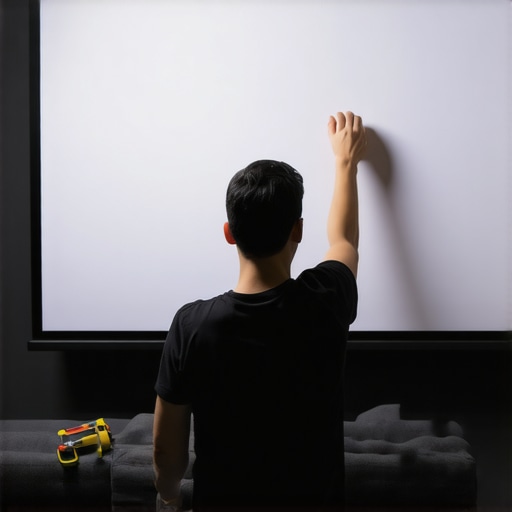
Select the Right Screen Type for Your Space
Decide between a fixed frame or pull-down screen based on your room’s setup. Fixed frame screens are like a picture frame—they stay in place and offer a sleek, taut surface ideal for dedicated home theaters. Pull-down screens are more flexible, resembling a window shade—perfect for multi-purpose rooms or spaces with limited installation options. I once installed a pull-down in my living room, and the smooth retractable feature saved space when not in use. To compare these options, check out projection screen types.
Evaluate Screen Gain for Brightness and Clarity
Screen gain measures how much light the screen reflects back. A higher gain (like 2.0 or above) boosts brightness, which is crucial in rooms with ambient light. Conversely, a lower gain (around 1.0) provides wider viewing angles, ideal for seating arrangements with multiple viewers. I experimented with a high-gain screen during a sunny afternoon, and the image remained vivid without needing to dim the lights. To optimize your setup, learn how to select the right gain at screen gain insights.
Mounting and Installation Techniques
Proper mounting is essential for image quality and longevity. Fixed frame screens require secure wall or ceiling mounts, which are like installing a flat-screen TV—precise alignment matters. Pull-down screens often come with brackets for ceiling or wall mounting, similar to hanging a curtain rod. Use a level during installation to ensure a perfectly flat surface; a crooked screen affects image uniformity. I recommend reviewing the setup blueprint for detailed mounting tips.
Optimize for Ambient Light
Ambient light can wash out your image, so consider screen technology and placement carefully. High-gain screens can help maintain brightness in bright rooms, but positioning your projector away from windows reduces glare. I added blackout curtains and adjusted projector placement, which dramatically improved clarity. For advanced solutions, explore ALR screen innovations.
Fine-Tune Your System for Best Results
After installation, calibration is key. Use a calibration disc or professional tools to adjust contrast, brightness, and color for optimal performance. This step is like tuning a musical instrument—small adjustments can make a big difference. I once neglected calibration, resulting in dull colors; after fine-tuning, my images popped with vibrant hues. For detailed calibration procedures, see image quality enhancement techniques.
Many home theater enthusiasts assume that selecting the largest screen or the most popular technology guarantees a cinematic experience. However, this misconception can lead to costly mistakes and subpar viewing quality. Let’s dig deeper into what most people get wrong about projection screens and how you can sidestep these pitfalls to optimize your setup.
Why Bigger Isn’t Always Better for Your Projection Screen
It’s tempting to think that a larger screen automatically translates to a more immersive experience. Yet, without considering your room’s dimensions, ambient light, and projector capabilities, a massive screen can actually diminish image quality. For instance, if your room isn’t designed for a large projection surface, you might end up with distorted images, eye strain, or uneven focus. The ideal size balances your room size with optimal viewing distance, which can be calculated with the help of our installation guide. Keep in mind, bigger isn’t always better—precision in measurement matters more.
Common Myth: All Screens Are Created Equal
A prevalent misconception is that any projection screen will do. In reality, the technology behind screen surfaces—such as gain, material, and finish—significantly impacts brightness, contrast, and color accuracy. For example, many overlook the importance of screen gain, which reflects how well your screen handles ambient light. Choosing a high-gain surface in a bright room can dramatically enhance visibility, but it may reduce viewing angles. Conversely, low-gain screens excel in wider angles but require darker environments. Understanding these nuances helps you make smarter choices, rather than relying on aesthetics alone.
What Advanced Users Often Overlook
For seasoned home theater enthusiasts, one subtle mistake is neglecting the impact of mounting and alignment. Even a slight tilt or misalignment can cause focus issues and uneven image quality, which is especially problematic with fixed frame screens. Proper installation—using a level and precise measurements—is crucial. For expert tips, review our setup blueprint. Additionally, overlooking ambient light management can ruin an otherwise perfect setup. High-gain screens can help in bright rooms, but they won’t compensate for poor projector placement or excessive light intrusion. For a comprehensive approach, explore the latest ALR screen innovations.
Have you ever fallen into this trap? Let me know in the comments.
Maintaining your projection screen isn’t just about cleaning it now and then; it’s about adopting a systematic approach that ensures consistent quality over years. From choosing the right tools to regular checks, I’ve learned that a proactive maintenance routine keeps your home theater experience crisp and vibrant. One of my go-to tools is a microfiber cloth—gentle yet effective at removing dust and fingerprints without damaging the surface. For stubborn spots, I prefer a mixture of distilled water and a few drops of mild dish soap, applied with a soft cloth, avoiding any abrasive cleaners that can scratch or degrade the screen material. Regularly inspecting the mounting hardware is also crucial. Over time, mounting brackets can loosen due to vibrations or temperature changes, which might skew the image or cause sagging. Tightening these periodically keeps your screen perfectly aligned. For advanced calibration, I use a colorimeter like the i1Display Pro, which provides precise measurements to fine-tune contrast, brightness, and color profiles—ensuring your image remains as intended. As projection technology evolves, I predict that future tools will incorporate automated calibration features, making long-term maintenance even easier. If you want to get serious about your setup, I recommend trying out professional calibration devices; they’re a game-changer for maintaining image fidelity. Remember, a well-maintained screen not only looks better but also extends its lifespan, saving you money and hassle in the long run.
The Hardest Lesson I Learned About Projection Screens
One of the toughest truths I faced was realizing that bigger isn’t always better. I once bought a massive screen without considering my room’s dimensions, which resulted in distorted images and eye strain. The lesson? Precision in measurement and understanding your space’s limits make all the difference. It’s easy to get caught up in the allure of a larger display, but the best home theaters are built around harmony between screen size, room size, and projector capabilities.
3 Myths About Projection Screens That Held Me Back
I used to believe that all projection screens are created equal, which led me to overlook critical differences like gain and material. I also thought high-gain screens were only for bright rooms, but they can be game-changers in controlling ambient light in darker spaces. Lastly, I assumed that professional calibration was unnecessary — until I saw how much it improved my picture quality. These misconceptions slowed my progress until I learned to question and research before making decisions.
What Experts Won’t Tell You About Choosing Screens
Many top-tier home theater pros keep secret how vital proper mounting and alignment are. Even a slight tilt can cause focus issues or uneven images. Another insider tip? The importance of managing ambient light with the right screen technology and placement — it’s often overlooked but crucial for clarity. Finally, investing in quality calibration tools or professional services can dramatically extend your screen’s lifespan and performance, ensuring you get the most out of your setup year after year.
My Essential Toolkit for Home Theater Screen Setup
To achieve professional results, I rely on tools like a high-quality level, a calibrated measuring tape, and a microfiber cloth for regular cleaning. For fine-tuning, I use a colorimeter such as the i1Display Pro — it’s a game-changer for perfecting contrast, brightness, and color. Additionally, I consult trusted resources like the fixed frame screen installation guide to ensure my setup is precise and durable. These tools and guides have transformed my home theater into a true cinematic experience.
Your Turn to Shine with Projection Screens
Now that you know some of the hidden truths and expert tips about projection screens, it’s your move. Whether you’re upgrading or starting from scratch, focus on measurement, technology, and calibration to create a space that rivals the cinema. Remember, a well-chosen and maintained screen can make every movie night extraordinary. Don’t be afraid to experiment and learn — your perfect home theater is within reach.
Have you ever struggled with finding the right screen size or technology? Share your experience below and let’s elevate our home theaters together!
One Response
Reading through this guide really resonated with me, especially the part about measuring your space carefully before choosing a screen. I once blindly picked a large screen for my living room without considering the actual room size or ambient light conditions, which resulted in an uncomfortable viewing experience. Since then, I’ve learned that proper measurement and understanding your environment make all the difference in optimal image quality.
I also found the section on screen gain intriguing. In my case, I’ve struggled with glare during daytime viewing, but switching to a higher gain screen helped brighten the image significantly without increasing the projector brightness. Have others here experimented with gain settings in their rooms? I’d love to hear what worked best for different lighting situations. It’s amazing how small adjustments like these can elevate the entire home theater experience.