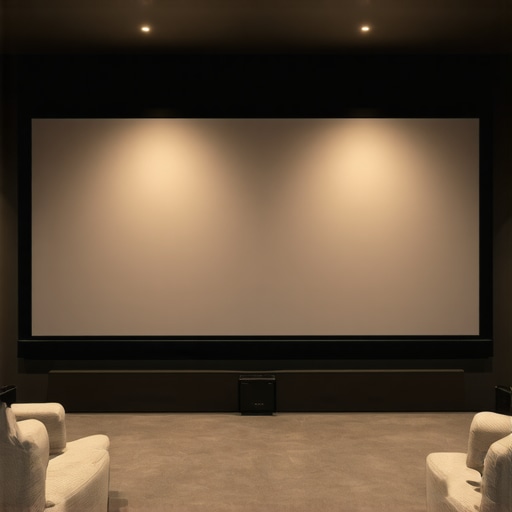
Ever sat in your home theater, watching your favorite movie, only to be disappointed by washed-out colors and dim images when the lights are on? I’ve been there, frustrated and questioning if I’d ever get that perfect cinematic feel at home. That light glare and poor contrast made me realize I was missing out on a crucial piece of the puzzle—screen technology that can handle bright rooms without sacrificing image quality. It was a lightbulb moment that led me down a path of discovery about ALR screens and the magic of screen gain in 2024.
Why Bright Rooms Need Special Screen Solutions
Most of us don’t have dark, dedicated cinema rooms. Many living rooms and multi-purpose spaces are filled with ambient light—daylight streaming through windows, ceiling lights, or even outdoor glare. Traditional screens struggle under these conditions, resulting in images that look dull and washed out. That’s where Ambient Light Rejection (ALR) screens come into play. They’re designed to reject ambient light, keeping your picture bright, crisp, and colorful even in less-than-ideal lighting conditions. And with the rapid advancement of ALR screen technology in 2024, the capabilities are better than ever.
But here’s the thing—choosing the right screen isn’t just about picking a fancy material. It’s about understanding how screen gain impacts brightness and contrast. Higher gain screens reflect more light toward the viewer, making them perfect for bright rooms, but they can also cause glare if not chosen carefully. My early mistake was assuming all high-gain screens would give me the brightness I needed—only to find out I was dealing with hot spots and uneven images. Trust me, it’s a common pitfall, but one you can avoid by making informed decisions. To get the full scoop on how to optimize brightness and clarity, check out this detailed guide on screen gain and image quality.
Is the Hype Around ALR Screens and Screen Gain Justified?
That’s the big question, isn’t it? And honestly, I was skeptical at first. I thought, “Will these fancy screens really make a difference?” or “Is it just marketing hype?” Well, after some trial and error, I found that high-quality ALR screens combined with the right gain can truly transform your viewing experience. They’re especially effective in bright environments where traditional screens just can’t keep up. But, not all ALR screens are created equal. Some excel in clarity and brightness, while others might introduce unwanted reflections or color shifts. That’s why I recommend doing your homework and exploring expert reviews and comparisons—like the ones you can find in our top ALR screen options for 2024.
So, if you’re tired of squinting at dull images in your bright living room, or if you just want that cinematic punch without darkening your whole space, stay tuned. We’re about to dive into the specific features and technologies that can help you pick the perfect screen for your setup. Believe me, the right choice can elevate your home theater from good to spectacular.
Select the Right Projection Screen Type
Before diving into gain specifics, identify which screen type suits your space. Fixed frame screens offer stability and a sleek look, ideal for dedicated theaters. Pull-down screens provide flexibility and ease of use, perfect for multi-purpose rooms. Decide based on your space’s layout and how often you plan to use the projector. For bright rooms, a high-gain fixed frame screen can maximize brightness without sacrificing contrast. Learn more about projection screen types.
Determine the Optimal Screen Gain
Think of screen gain as how much light your screen reflects back—like a mirror versus a matte wall. Higher gain screens (above 1.5) reflect more light, making images brighter in ambient-lit rooms. However, they can cause hot spots—bright areas that ruin uniformity. In my experience, starting with a gain of about 1.8 gave me a bright, vibrant picture without noticeable hot spots. For more detailed insights, check out understanding screen gain.
Match Gain with Your Projector’s Brightness
Align your screen gain with your projector’s lumen output. For example, if your projector is rated at 2,000 lumens, a gain of 1.8 can boost perceived brightness effectively. Think of it like adjusting your car’s headlights—more lumens and higher gain both increase visibility but too much can cause glare. During my setup, I used a 1.8 gain screen with a 2,200 lumen projector, which resulted in a crisp image even in daylight. Want to fine-tune your setup? Visit expert tips for choosing ALR screens.
Implement Effective Screen Placement
Proper placement ensures the best image quality. Mount your screen at eye level and angle it slightly to avoid reflections. When I installed mine, I used a level and measured carefully to prevent distortion. Also, consider ambient light sources—use drapes or blinds to control sunlight and reduce glare, especially if using a high-gain screen. For detailed installation techniques, check professional setup blueprint.
Test and Adjust for Best Performance
After installation, test your setup under typical lighting conditions. Adjust projector settings—brightness, contrast, and color—until the image looks optimal. I recommend calibrating your projector with a colorimeter for precise results. Play around with the screen angle slightly if hot spots or uneven brightness appear. Remember, small tweaks can significantly improve image uniformity and clarity. For advanced calibration tips, explore image quality enhancement strategies.
Keep Up with the Latest ALR Advancements
ALR technology evolves rapidly. In 2024, new materials and coatings improve ambient light rejection and gain performance simultaneously. Stay informed about breakthroughs by visiting latest ALR innovations. These can further enhance your viewing experience, especially in challenging lighting environments.
Many home theater enthusiasts fall into misconceptions about ambient light rejection (ALR) screens and screen gain, often leading to suboptimal setups. Let’s uncover the most persistent myths and reveal the nuanced truths that can elevate your viewing experience. Contrary to popular belief, higher gain doesn’t automatically mean better brightness or contrast. In fact, over-relying on high-gain screens can introduce glare, hot spots, and uneven image uniformity, especially in larger screens or irregular room layouts. The key is understanding the relationship between gain, projector brightness, and room conditions. When properly matched, a gain of about 1.8 often provides optimal brightness without the drawbacks of excessive hot spots.
Many assume all ALR screens are created equal, but the truth is, not all ALR coatings and materials offer the same level of ambient light rejection or color accuracy. Some cheaper options may result in color shifts or reflections that distort the image, undermining your investment. Advanced ALR screens in 2024 incorporate cutting-edge coatings and nanomaterials that enhance ambient light rejection while preserving color fidelity. It’s a delicate balance—seeking the best of both worlds requires careful research and expert guidance.
Why Do Many Overestimate the Power of High Gain
This is a trap I see many falling into: believing that a super high gain (above 3.0) will automatically turn their room into a bright, vibrant cinema. The reality? Such screens are prone to severe hot spots and glare, especially if the projector isn’t powerful enough or if the room’s ambient light isn’t controlled. The latest research shows that moderate gain screens (around 1.8–2.0) combined with effective ambient light management deliver a much more satisfying experience without the visual artifacts caused by extreme gain values.
Another misconception is that ALR screens are only for dedicated dark rooms. Actually, high-quality ALR screens can perform remarkably well in rooms with abundant ambient light, but only if the right technology and setup are used. This is why I strongly recommend consulting expert insights when selecting your screen—there’s a lot more nuance than most realize.
Have you ever fallen into this trap? Let me know in the comments. Remember, optimizing your home theater isn’t about chasing the highest gain or the latest hype, but about understanding how all the pieces fit together—room conditions, projector specs, and screen technology. Doing so ensures you get the most immersive, vibrant picture possible.
How do I keep my projection setup in top shape over time?
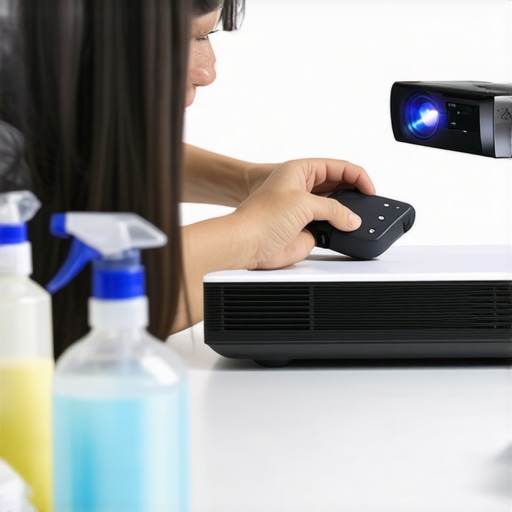
Ensuring your home theater screen remains pristine and functional requires a combination of regular maintenance, the right tools, and proactive care. I personally rely on a few key strategies and equipment to keep my setup performing optimally. First, I use a high-quality microfiber cloth and a gentle, screen-safe cleaner to regularly wipe down the projection surface, preventing dust and smudges from degrading image quality. For delicate coatings, I avoid harsh chemicals and opt for products recommended by manufacturers, which you can find detailed in our proven strategies for enhancing image quality.
Calibration tools are essential for maintaining consistent brightness, contrast, and color accuracy. I use a colorimeter like the X-Rite i1Display Pro, which helps me fine-tune my projector settings after any technical adjustments or seasonal lighting changes. Regular calibration ensures that the image remains vibrant and true to the source, especially important when dealing with high-gain or ALR screens that can reveal even subtle shifts in projector output.
In addition to cleaning and calibration, I recommend keeping a detailed log of your setup changes, including projector bulb hours and filter replacements. Projector bulbs typically need replacing every 2,000 to 3,000 hours; neglecting this can cause dim images and color shifts. When the time comes, I use genuine replacement lamps from trusted vendors, which prolongs the lifespan and performance of my projector.
As technology advances, I predict that smart maintenance tools, like automated calibration systems and AI-driven diagnostics, will become more mainstream. These innovations will make it easier for enthusiasts to keep their setups in peak condition without extensive technical knowledge. Stay informed about the latest developments by following updates from reputable sources and manufacturers.
To keep your system working flawlessly, consider implementing a routine maintenance schedule: clean the screen monthly, calibrate every six months, and replace projector lamps as needed. Also, investing in quality tools like a calibration device and gentle cleaning supplies can save you headaches and ensure long-lasting performance. Remember, a well-maintained home theater isn’t just about initial setup but ongoing care—so take the time to keep everything in top shape. For expert guidance on specific maintenance practices, visit our contact page.
The Hardest Lesson I Learned About Bright Room Projection
One of the biggest revelations for me was realizing that not all high-gain screens are created equal. I initially thought that a gain of 3.0 or higher would solve all my brightness issues, but I quickly discovered that this often led to glare and hot spots. The true key is in the nuanced balance—matching screen gain with your projector’s lumen output and room conditions. This was a lightbulb moment that drastically improved my setup, and I want you to avoid the same mistake by exploring screen gain and image quality.
Three Myths About ALR Screens That Held Me Back
I used to believe that ALR screens could completely eliminate ambient light issues, but that’s not entirely true. The truth is, the effectiveness of an ALR screen depends heavily on the material, coating, and how well it’s matched to your environment. Some cheaper options can introduce distortions or color shifts, which ruin the image. High-quality ALR screens in 2024 have incorporated advanced nanomaterials and coatings that preserve color fidelity while rejecting ambient light, a game-changer I highly recommend exploring in our latest ALR innovations.
What Experts Won’t Tell You About Screen Gain in Bright Rooms
Many home theater enthusiasts fall into the trap of overestimating high gain. I’ve seen setups with gain above 3.0 cause severe glare and uneven brightness, especially when the projector isn’t powerful enough. The sweet spot for most bright room setups is a gain around 1.8 to 2.0—that’s where you get maximum brightness without sacrificing image uniformity. For detailed insights on how to optimize this balance, check out our comprehensive guide.
My Essential Toolkit for Bright Room Projection
Over the years, I’ve learned that regular maintenance and calibration are vital for preserving image quality. I use a microfiber cloth and gentle, screen-safe cleaner to keep my screen dust-free. For calibration, a device like the X-Rite i1Display Pro helps me fine-tune my projector’s settings to match the screen perfectly. Regular bulb replacements and keeping ambient light sources in check are also keys to long-term success. If you want to keep your setup in top shape, I recommend following these proven maintenance strategies.
Your Turn to Elevate Your Home Theater
Embracing the right combination of ALR screen technology and screen gain can truly revolutionize your viewing experience, especially in bright rooms. It’s about understanding the nuances, doing your research, and making informed choices. The future of projection in bright environments is bright indeed, and I encourage you to take action now. Your perfect cinematic experience is within reach—don’t let ambient light hold you back any longer.
What’s been your biggest challenge when setting up a projection screen in a bright room? Share your story below—I’d love to hear it!
2 Responses