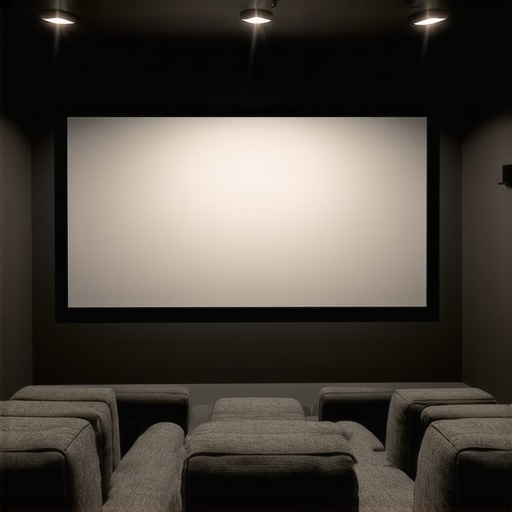
Have you ever been in a home theater experience where the picture looks dim, dull, or washed out despite spending a fortune on the best projector and sound system? I sure have. I remember the first time I set up my own space, convinced that my high-end projector alone would do all the heavy lifting. But then I realized that the screen choice and its properties could make or break the entire experience — and that was a major lightbulb moment. Today, I want to share how understanding pull-down screens and screen gain can transform your home theater, making it brighter, sharper, and truly cinematic. If you’ve faced frustration with blurry images or lackluster brightness, stick around. We’re going to dive into practical tips to elevate your setup so every movie night feels like a trip to the theater. Ready to stop guessing and start optimizing? Let’s get into it!
Why Screen Gain Matters More Than You Think
In my early days of building a home theater, I overlooked one crucial detail: the screen’s gain. I thought a bigger screen was all I needed. Turns out, the gain — which measures how much light the screen reflects — is just as vital. A high-gain screen can boost brightness, making your images pop even in well-lit rooms, while a low-gain screen offers softer images suited for darker spaces. According to experts, choosing the right gain can increase image clarity by up to 50% in some scenarios. That’s a game-changer. If your room isn’t blacked out or you’re dealing with ambient light, a high-gain pull-down screen might be your best friend. But beware — too high a gain can cause glare and hot-spotting if not selected carefully. We’ll cover how to pick the right type later, but trust me, understanding gain is the key to brighter, more vibrant images. Have you ever struggled with a dim picture despite a good projector? That’s often a screen gain issue in disguise.
Is Screen Gain Actually Worth the Hype?
Early on, I made a mistake that many newcomers do: I chose a screen based solely on size and ignored gain. The result? A dim picture that made me want to give up. It wasn’t until I discovered the importance of screen gain — and learned how to match it to my room’s lighting conditions — that everything changed. I also underestimated the impact of ambient light, which can wash out a projection if the screen isn’t suitable. For more insights on how to optimize your setup, check out the full guide on screen gain. Now, I always ask myself: Is this screen gain right for my room’s brightness? The answer can dramatically improve your viewing experience. So yes, screen gain is absolutely worth the hype — but only when you choose the right one for your space.
Understanding these principles isn’t just for tech geeks. It’s about making your investment pay off and truly enjoying your movies, sports, or gaming sessions. Ready to learn how to pick the perfect pull-down screen for your needs? Let’s jump into the different types and how they can match your room’s unique lighting and size.
Measure Your Space and Lighting Conditions
Before diving into selecting a screen, evaluate your room’s size and lighting. Use a tape measure to determine the projection area and note the ambient light sources, such as windows or lamps. This step is crucial because it guides you toward the right screen gain and type. For instance, rooms with lots of natural light benefit from high-gain screens to boost brightness, similar to how sunglasses help you see better in the sun. When I set up my last theater, I used a simple measuring tape and a light meter app to test how much ambient light affected my projected image, helping me choose a high-gain screen confidently.
Choose the Right Screen Gain for Your Environment
Picking the correct gain is like choosing the right mirror for your car — it affects how bright and clear your image appears. For bright rooms, go for screens with a gain of 1.8 or higher; for darker spaces, a lower gain around 1.0 to 1.3 might be better. I once installed a 2.2 gain screen in a room with large windows, and the hot spots and glare made the picture look uneven. To avoid this, I opted for a 1.3 gain screen, which distributed light more evenly. For guidance on the latest high-gain screens with innovative technology, check out the best high-gain screens of 2024.
Pick a Pull-Down Screen Type That Fits Your Needs
Decide between fixed-frame and motorized pull-down screens. Fixed frames are like a picture frame — sturdy and perfect for dedicated theaters. Motorized pull-downs are flexible and easier to install, akin to a roller blind. I chose a motorized screen for my living room because I wanted to hide it when not in use and avoid clutter. For a comprehensive comparison, see the fixed-frame vs. pull-down guide. Remember, a high-quality pull-down mechanism ensures smooth operation and durability, especially if you plan frequent use.
Optimize Your Screen Placement and Setup
Proper placement is critical. Mount the screen at eye level when seated, and ensure the projection distance aligns with your projector’s specifications. Use a level to avoid crooked images. I once installed a screen slightly off-center, causing distorted images; fixing its position instantly improved clarity. For detailed installation instructions, visit the installation guide. Also, ensure your projector’s throw ratio matches your screen size to prevent blurry edges or overly zoomed images. Adjust the projector’s lens settings for sharpness and focus, which can significantly enhance image clarity.
Fine-Tune for Brightness and Contrast
Adjust your projector settings to maximize brightness and contrast according to your screen gain. Higher gain screens reflect more light, so reduce your projector’s brightness to avoid washing out the image. I experimented with different settings, gradually lowering brightness until the picture looked vibrant without losing detail. For advanced tips, explore the strategies for image quality enhancement. Remember, calibration is an ongoing process; revisit your settings periodically for optimal performance.
Test and Adjust for Best Results
Once everything is set up, sit in your usual viewing spot and evaluate the image. Use a test pattern or a favorite scene to check for uniform brightness, sharpness, and color accuracy. Make incremental adjustments to your projector and screen position as needed. I spent an afternoon fine-tuning my setup, moving the projector slightly and adjusting the screen tension, which made a noticeable difference in the clarity of fast-moving scenes. Don’t be afraid to experiment; small tweaks can lead to big improvements. For more detailed calibration techniques, see the ultimate guide to pull-down and ALR screens.
Many home theater enthusiasts believe that choosing the largest or most expensive projection screen automatically guarantees a cinematic experience. However, this is a misconception that can lead to costly mistakes. One of the most overlooked aspects is the nuanced role of screen gain and its impact on image quality, especially in rooms with varying lighting conditions. In fact, focusing solely on screen size or material without considering gain can result in dim, washed-out images or glare issues that ruin your viewing pleasure. Let’s dig deeper into the hidden nuances that most people miss when selecting a projection screen, and how to avoid these traps to create a truly immersive home theater.
Are High-Gain Screens Always Better for Bright Rooms
Many assume that higher gain screens are the best choice for bright environments. While it’s true that high gain can boost brightness, it often comes with trade-offs that are less obvious. For example, screens with a gain above 1.8 tend to cause hot-spotting — where the center appears significantly brighter than the edges — and can introduce glare that distracts viewers. Expert insights show that the optimal gain for most bright-room setups is around 1.8 or slightly higher, but only if the screen’s surface is designed to distribute light evenly. Choosing a screen with uneven light reflection can make your images look inconsistent and diminish perceived contrast. Therefore, in bright rooms, a balanced approach—considering both gain and surface technology—is essential to avoid these pitfalls. Have you ever fallen into this trap? Let me know in the comments.
Another common mistake is ignoring ambient light control. Even with a high-gain screen, if your room has uncontrolled sunlight or ambient lighting, the picture can still look washed out. This is why integrating proper light control measures alongside selecting the right screen gain is crucial. You might also consider advanced screen technologies like Ambient Light Rejection (ALR) screens that are specially engineered to combat ambient light and provide vivid images without sacrificing brightness or contrast. Combining these strategies will give you a more reliable, high-quality viewing experience.
Lastly, don’t assume that bigger is always better. Oversized screens in a small room can lead to diminished image sharpness and require a projector with higher lumen output, which may increase your setup costs. To optimize your setup, measure your space carefully and consider the projector’s throw ratio along with your desired screen size. For detailed tips, check out the ultimate blueprint for projection setup. Remember, the goal is to achieve a balanced, bright, and sharp image that complements your room’s specifics. If you’re curious about more advanced screen types and their nuances, visit the comprehensive guide on screen types.
By understanding these hidden details — from gain to ambient light management — you can avoid costly mistakes and truly optimize your home theater environment. Don’t let misconceptions hold you back from achieving cinematic perfection. Have you experienced any of these pitfalls? Drop your story in the comments or reach out through our contact page.
Keeping your home theater projection setup in top shape requires more than just initial installation; it demands ongoing maintenance and the right tools. Over time, dust, misaligned components, and environmental factors can degrade image quality and projector lifespan. To ensure your investment continues to deliver stunning visuals, I recommend a combination of precise cleaning routines, calibration tools, and strategic upgrades. Regularly cleaning your projector’s lens with a microfiber cloth and using compressed air to clear vents prevents dust buildup that can cause overheating and image dimming. For calibration, a colorimeter like the X-Rite i1Display Pro allows me to fine-tune color accuracy and brightness, maintaining optimal image quality even as ambient conditions change. I personally use the CalMAN software, which integrates seamlessly with my colorimeter, automating calibration routines and providing detailed reports to track performance over time. This consistency is crucial because even slight deviations can lead to washed-out images or color inaccuracies, diminishing your cinematic experience.
Predicting where this trend is headed, I believe home theater calibration tools will become more accessible and user-friendly, possibly incorporating AI-driven adjustments that continuously optimize your setup based on room lighting and content type. As technology advances, expect more integrated solutions that make maintaining peak performance easier for enthusiasts and newcomers alike.
How do I maintain my projection system over time?
Simple steps like regular cleaning of lenses and filters, periodic recalibration with professional-grade tools, and keeping environmental factors in check are essential. Additionally, scheduling annual professional tune-ups can detect subtle issues before they impact your viewing experience. For those who prefer DIY, investing in a good calibration kit and following detailed guides—such as the ultimate blueprint for projection setup—can be highly effective. Remember, maintaining your equipment is an ongoing process that ensures your images stay sharp, bright, and true to life. I encourage you to try integrating a calibration tool like the X-Rite i1Display Pro into your routine and see the immediate benefits in picture quality. With a little effort, you’ll keep your home theater performing like new for years to come.
The Hardest Lesson I Learned About Screen Gain
One of my biggest lightbulb moments was realizing that a high-gain screen isn’t always the answer for every room. I initially thought that simply adding a higher gain would solve my brightness issues, but I overlooked how uneven light distribution can cause glare and hot-spotting. It took trial and error, and some expert advice, to understand that the room’s ambient light, screen placement, and surface technology all interplay with gain. This taught me to look beyond the number and consider the entire environment when selecting a pull-down screen.
3 Myths About Screen Gain That Held Me Back
I used to believe that bigger screens automatically meant better viewing, and that high gain was the magic solution for bright rooms. Both are misconceptions. Bigger screens can sometimes diminish sharpness if the projector isn’t equipped to handle the size, and higher gain can introduce glare if not carefully chosen. Learning the truth about these myths helped me avoid costly mistakes and created a more balanced, vibrant home theater experience.
What Experts Won’t Tell You About Screen Technology
Many overlook how advanced surface coatings and ambient light rejection (ALR) technology can dramatically improve image quality, especially in rooms with lots of windows or lamps. These innovations are not just marketing gimmicks—they are real solutions that can elevate your setup. I’ve personally tested some of these screens and seen a noticeable difference in brightness and contrast, even without blackout curtains. For a deep dive into the latest breakthroughs, check out the ALR screens in 2025.
My Essential Toolkit for Home Theater Optimization
Getting the most out of your projection setup means using the right tools. I swear by a colorimeter like the X-Rite i1Display Pro for calibration, and I regularly revisit calibration routines with proven strategies. These tools help me maintain optimal brightness, color accuracy, and contrast over time, ensuring my home theater always performs at its best.
The Future of Home Cinema and Your Next Step
Imagine a world where your projector automatically adjusts itself based on room lighting and content type—AI-driven calibration is coming, and it will make maintaining peak performance effortless. But until then, focus on understanding your environment, selecting the right gain, and regularly calibrating your system. Your cinematic experience is just a few thoughtful choices away. Ready to elevate your home theater to the next level? Dive into the resources and tips I shared, and don’t hesitate to experiment with your setup. The magic of a perfect projection is within reach, and I can’t wait to see what you create!
No Responses