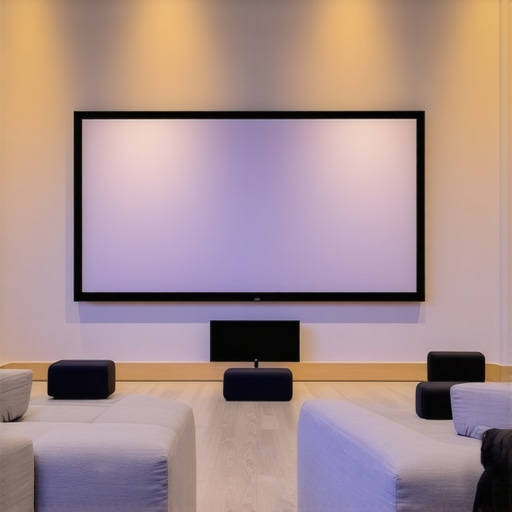
Have you ever been excited to set up your home theater, only to be disappointed when your screen washes out under the bright sunlight or overhead lights? I used to think that a good projector and a dark room were enough. But then I faced a frustrating moment when my projector’s image looked dull and faded in my well-lit living room. It was a lightbulb moment for me—literally. I realized that my choice of projection screen and understanding of screen gain could make or break my viewing experience, especially in bright environments.
Why Bright Room Viewing Gets Trickier Than You Think
Most people assume that a high-quality projector alone can handle any lighting condition. But the truth is, the environment you watch in makes a huge difference. Bright rooms demand special screens that can combat ambient light without sacrificing picture quality. It’s not just about making the image brighter; it’s about maintaining clarity, contrast, and color accuracy in challenging lighting.
One of the game-changing concepts I discovered early on was screen gain. Simply put, screen gain measures how much light a screen reflects. A higher gain means a brighter image, which is perfect for bright rooms. However, too high a gain can cause hotspots and glare, so it’s about finding that sweet spot. I learned that selecting the right screen isn’t just about chasing the highest gain but understanding what works best for my specific space and projector.
If you’ve ever struggled with washed-out images or glare that ruins your movie night, you’re not alone. Many enthusiasts jump into the world of projection without grasping the importance of screen technology and gain. I made that mistake myself—buying a flashy screen with high gain without considering the room’s lighting or how the projector’s brightness interacts with it. It was a costly lesson, but it pushed me to dig deeper into the technical details that truly matter.
What You Will Discover Today
In this post, I’ll share practical tips and insights on choosing the best projection screens for bright rooms. We’ll explore different types of screens, what screen gain really means, and how to optimize your setup for maximum brightness and clarity. Whether you’re upgrading your current system or starting fresh, these insights will help you avoid common pitfalls and make smarter decisions—so your home theater looks incredible even during the brightest days.
Is Screen Gain Overhyped or Really Worth It?
Many people worry that high-gain screens will produce glare or hotspots. I used to think so too—until I learned how to choose and position them properly. A high gain isn’t a magic bullet; it’s a tool that, if used correctly, can transform your bright-room experience. Early in my journey, I mistakenly bought a super high-gain screen without understanding the optimal setup. That mistake led to glare issues and uneven brightness. Now, I always recommend understanding the specifics of your room and projector before making a purchase. For a deeper dive into how screen gain works and what options are available, check out this guide.
Stay with me, because once you get a handle on these concepts, you’ll see your projector’s potential in any lighting condition—bright or not. Ready to learn how to maximize your viewing pleasure? Let’s get started with the essentials of choosing the right screen for bright rooms!
Choose the Right Screen Type for Your Bright Room
Start by selecting a projection screen designed for high ambient light. Fixed frame screens with specialized surfaces or pull-down screens with ambient light rejection (ALR) technology are excellent choices. I once installed a basic white screen in my brightly lit living room, which resulted in washed-out images. Later, I upgraded to an ALR fixed frame screen, and the improvement was immediate. For detailed comparisons, see this guide.
Determine the Ideal Screen Gain for Your Environment
Understanding screen gain is crucial. Think of gain like a mirror’s reflectivity: higher gain reflects more light, making the image brighter in well-lit rooms. However, too high a gain (above 2.0) can cause hotspots and glare. For a bright room, aim for a gain between 1.3 and 1.8. I once used a 2.2 gain screen expecting maximum brightness, but it caused glare issues during movies. Reducing the gain to 1.5 balanced brightness and image uniformity. For more insights, check this article.
Position Your Screen and Projector Strategically
Proper placement significantly impacts brightness and clarity. Mount the screen on a wall away from direct light sources and avoid reflective surfaces nearby. Position your projector at an optimal distance to fill the screen without over- or under-shooting the image size. I once struggled with a projector placed too close, causing a small, overly bright image. Moving it back improved uniformity. Use the setup blueprint for precise positioning.
Optimize Ambient Light Control
Control ambient light by adding curtains, blinds, or dimmable fixtures. Even high-gain screens need some control over ambient light to prevent glare and hotspots. I installed blackout curtains in my living room, which made a noticeable difference in image contrast. This simple step enhances the effectiveness of your high-gain screen.
Adjust Your Projector Settings for Bright Environments
Set your projector to a higher brightness (lumens) mode. Increase contrast and tweak color settings to compensate for ambient light. I found that boosting projector brightness by 20-30% and adjusting contrast improved visibility without washing out colors. Consult your projector’s manual or a calibration guide for best practices.
Test and Fine-Tune Your Setup
After initial setup, run test patterns and real content to evaluate image quality. Look for hotspots, glare, or washed-out areas. Adjust projector angle, screen position, or gain as needed. I once spent an evening tweaking my setup, which involved small shifts of my projector and slight adjustments to screen positioning. The result was a crisp, bright image with even illumination across the screen.
Many home theater enthusiasts fall into misconceptions that can hinder their setup, especially when it comes to projection screens, ALR technology, fixed frame designs, pull-down options, and understanding screen gain. Let’s dig deeper into some of these pitfalls and clarify the nuances that often go unnoticed.
Are High-Gain Screens Always Better for Bright Rooms?
While it’s tempting to assume that higher gain screens automatically translate to a brighter, more vibrant picture, this is a misconception. Many believe that a gain of 2.0 or more will double the brightness, but in reality, it can lead to hotspots, glare, and uneven illumination. The key is to understand that gain affects the angle of reflected light; high gain screens reflect more light directly toward the viewer, which can cause uneven brightness if not properly positioned. Experts recommend sticking to a gain between 1.3 and 1.8 for most bright-room applications, balancing brightness with image uniformity. For a detailed comparison, check out this guide.
Myth: ALR Screens Are a Silver Bullet for Bright Environments
Many assume that ambient light rejection (ALR) screens can completely eliminate the problems caused by ambient light. However, this technology is not magic. ALR screens work by rejecting light from specific angles, especially overhead or side lighting, but their effectiveness depends on room layout, projector placement, and lighting control. Moreover, some ALR screens can reduce contrast and color accuracy if not chosen carefully. The secret lies in selecting a high-quality ALR screen designed for your environment, and combining it with proper room light management. For expert insights, explore this article.
Advanced Question: How Do Different Screen Materials Impact Brightness and Color?
Beyond gain and ALR features, the material of the projection screen itself plays a crucial role in image quality. Matte white surfaces are traditional and versatile but can suffer in brightness in well-lit rooms. High-contrast materials or specialized fabrics can enhance color saturation and contrast, especially in bright conditions. For instance, ambient light rejecting surfaces with optical layers can significantly improve brightness and color fidelity. Choosing the right material involves understanding your projector’s lumens output, room lighting, and desired picture quality. For a comprehensive breakdown, visit this resource.
Finally, avoid the trap of oversimplifying your setup. A common mistake is buying a high-gain screen expecting instant results without considering room lighting, projector specs, and placement. The best projection experience emerges from a balanced approach—understanding the interplay between screen gain, technology, and environment. Have you ever fallen into this trap? Let me know in the comments.
Maintaining your projection screen and associated equipment is essential for preserving image quality and ensuring long-term performance. Over time, dust, fingerprints, and even environmental factors can degrade the surface of your fixed frame, pull-down, or ALR screen, affecting brightness and clarity. Regular upkeep not only extends the lifespan of your investment but also guarantees consistent viewing experiences. To achieve this, I rely on specific tools and methods that have proven effective in my own setup.
Use the Right Cleaning Tools and Techniques
Gentle microfiber cloths are my go-to for cleaning the screen surface. I avoid abrasive materials that could scratch or damage the material, especially for specialized surfaces like optical or ALR fabrics. When cleaning, I lightly dampen the cloth with distilled water or a mild, non-ammonia cleaner designed for screens. I never spray liquids directly onto the surface, as this can seep into the fabric or frame mechanisms. Regular cleaning, perhaps once a month, keeps dust and fingerprints at bay, maintaining optimal reflectivity and contrast.
Implement Routine Calibration and Setup Checks
Calibration tools like the Datacolor Spyder series or X-Rite i1Display are invaluable for fine-tuning projector settings. I use these annually to recalibrate contrast, brightness, and color balance, especially after any adjustments or environmental changes. Proper calibration ensures that the projected image matches the screen’s capabilities, preserving details and color accuracy, particularly in bright environments where every lumen counts.
Monitor Environmental Factors
Keeping humidity levels stable and avoiding direct sunlight or heat sources near your setup prevents deterioration of the screen’s surface and frame. Dehumidifiers or air purifiers can help control dust and mold, which can settle on the fabric or frame. In my experience, a dedicated projection room with controlled lighting and temperature significantly reduces maintenance needs and prolongs the life of high-gain or ALR screens.
Schedule Professional Inspections and Repairs
If you notice persistent issues such as uneven brightness or surface damage, consulting a professional installer or technician is wise. They can perform detailed inspections, realign the screen, or replace worn components. For instance, the blueprint for professional setup includes routine maintenance steps that I follow to keep everything running smoothly.
Future Trends in Screen Maintenance
Looking ahead, I predict that advances in self-cleaning surfaces and smart calibration technologies will become more mainstream. These innovations could allow screens to automatically detect dirt or damage and adjust their properties or alert you for maintenance. Meanwhile, incorporating IoT-enabled sensors into your setup can provide real-time feedback on environmental conditions, helping maintain optimal viewing conditions without much manual effort.
Don’t Forget to Test Your Setup Regularly
Running test patterns or live content periodically helps catch issues early. Small adjustments to projector alignment, brightness, or even room lighting can make a significant difference in image quality. I recommend setting a quarterly reminder to evaluate your system and apply any necessary tweaks.
Take Action Now
If you haven’t yet, try investing in a good calibration tool and schedule a routine cleaning. These small steps can dramatically improve your projection experience and extend your screen’s lifespan. Remember, a well-maintained setup is the foundation of a stunning home theater. For more detailed guidance on maintenance routines, visit this resource.
3 Lessons That Changed How I Approach Projection Setup
- Don’t Oversimplify Gain: I once thought a high gain meant a better picture in bright rooms. Turns out, gains above 1.8 often cause hotspots. The real trick is balancing gain with room layout. Now, I focus on the perfect middle ground for even brightness across the screen.
- Room Light Control Is Key: Adding blackout curtains transformed my viewing experience. No matter how good your screen or projector, ambient light will sabotage contrast and color. Proper lighting control is my secret weapon for stunning images.
- Projector Placement Matters More Than You Think: I used to place my projector too close, causing glare and uneven brightness. Moving it back and adjusting the angle improved clarity dramatically. Proper positioning is the foundation of a crisp, bright image.
- Choosing the Right Screen Material Can Make or Break Brightness: I upgraded from matte white to an optical ALR surface, and the difference in color saturation and contrast was astonishing. The material’s optical properties amplify projector brightness, especially in bright rooms.
My Go-To Resources for Projection Perfection
- Expert guide on ALR screens: I trust this for understanding how to select the best ALR technology for my environment. It helped me avoid common pitfalls.
- Screen gain explained: This article clarified how gain affects brightness and hotspots. It’s essential reading for anyone serious about bright-room projection.
- Setup blueprint: I use this as my checklist for positioning and calibration. It makes a complex process straightforward.
- Top ALR screens for bright rooms: This helped me choose my current screen, balancing gain, material, and ambient light rejection.
The Future of Bright Room Projection Is Exciting
Now, with advances in ALR technology and smart calibration tools, achieving perfect brightness and contrast in bright environments feels more accessible than ever. I encourage you to experiment with different screens, position your projector thoughtfully, and control your ambient light. The joy of a crisp, vibrant image in a bright room is just a few smart choices away.
What’s your biggest challenge when setting up a projection system in a bright room? Share your experience below, and let’s learn together!
3 Responses
This post really hits home for me because I’ve been battling glare issues in my living room with a standard white screen. After upgrading to an ambient light rejecting (ALR) screen, the difference was night and day, especially during daytime viewing. I learned that not only the type of screen but also proper positioning and room lighting control are crucial. One challenge I faced was balancing the screen gain—initially, I went with a high gain of 2.0, thinking it would maximize brightness, but the hotspots drove me crazy. Lowering it to around 1.5 made a huge difference in uniformity.
I wonder, for those of you who have used ALR screens, how do you handle room lighting—have you found any particular strategies or fixtures that work best without creating glare on the screen? Additionally, what’s been your experience with different screen materials affecting color saturation and contrast in bright environments?
I completely relate to the challenges described here. When I first set up my home theater, I underestimated the importance of room lighting and screen material, which led to washed-out images in daylight hours. Upgrading to an ALR screen made a huge difference, particularly because it helped reject side and overhead ambient light. I’ve found that installing blackout curtains and choosing a screen with a nuanced gain—around 1.5—gave me the best balance between brightness and uniformity.
One thing I struggled with initially was projector placement; I placed mine too close, which caused glare and hotspots. Moving it back to the recommended distance significantly improved image quality. For those dealing with bright rooms, I’d recommend experimenting with projector positioning alongside selecting a screen that’s suited for ambient light. How have others found balancing projector placement with screen gain to avoid hotspots? Any tips for managing glare without sacrificing brightness? It’s all about finding the right mix tailored to your unique space.
This post resonates really well with my recent experience upgrading my home theater setup. I used to think that more lumens from the projector alone could handle my bright living room, but I quickly realized that the screen’s gain and material played crucial roles too. I experimented with a high-gain screen but ended up with hotspots and glare, which was frustrating. After switching to a screen with a gain around 1.5 and adding blackout curtains, the picture quality improved dramatically, even during daytime. What I found most effective was adjusting the projector’s position for uniform brightness, rather than just relying on the screen. It made me wonder—how do you all handle the delicate balance between projector placement and screen gain? Are there specific techniques you’ve found to minimize hotspot issues without losing brightness? I believe that understanding this interplay is key to creating the perfect bright-room setup that truly pops without glare or washed-out colors.