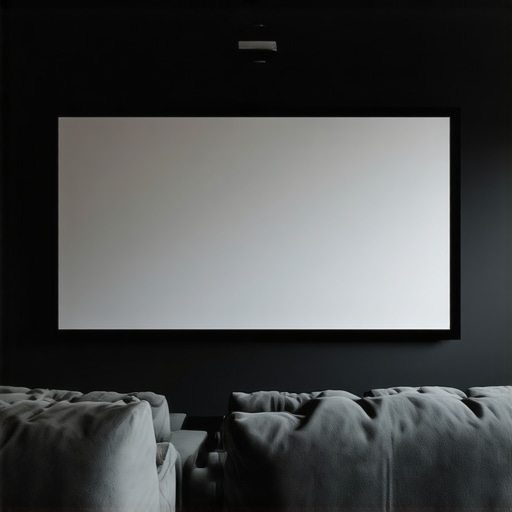
Ever spent hours fiddling with your projector setup, only to be disappointed by washed-out colors or glare that ruins your movie night? I remember the exact moment I realized my old pull-down screen just wasn’t cutting it in my bright living room. The vibrant colors I craved were fading into dullness, and I kept blaming my projector. Turns out, the problem was my screen choice — a mistake I made early on that many home theater enthusiasts also stumble into.
Why Your Screen Matters More Than You Think
The screen is the unsung hero of your home theater. It’s not just a surface to project onto; it’s a critical component that influences brightness, contrast, and color accuracy. When I first started, I underestimated the importance of screen technology. I thought any screen would do, especially with a decent projector. But I soon found out that the right screen, particularly one with the right gain and ALR (Ambient Light Rejection) properties, can transform your viewing experience.
If you’re tired of squinting at your screen or settling for subpar image quality, then understanding these technologies can be a game-changer. I’ll show you how to select the perfect fixed frame or ALR screen for your space, backed by my personal journey and expert insights. For example, did you know that high-gain screens can significantly improve brightness in rooms with ambient light? You can read more about this in this comprehensive guide.
Is the hype around ALR screens really worth it?
Early on, I fell for the hype that ALR screens are a miracle for bright rooms. I bought one without proper research and ended up disappointed because I didn’t understand the different types of ALR technology or how gain impacts picture quality. That mistake taught me that not all ALR screens are created equal, and choosing the wrong one can actually diminish your image clarity instead of enhancing it. Fortunately, I discovered that with the right knowledge, you can avoid these pitfalls and select a screen that truly matches your needs. Want to learn how to avoid common mistakes and pick the best screen for your setup? Check out these expert tips.
Choose the Right Screen Type for Your Space
Start by selecting the appropriate screen type. If you have a dedicated home theater with controlled lighting, a fixed frame screen offers stability and a sleek look. For rooms with ambient light, consider a pull-down screen with high gain or ALR technology. I once installed a pull-down screen in my living room and immediately noticed the difference in brightness and clarity, especially during daytime viewing.
Identify Your Room’s Lighting Conditions
Assess your room’s ambient light. Bright rooms require screens with high gain or ALR coatings that reject ambient light and boost brightness. Use a light meter or simply observe how much natural light enters during peak hours. For my setup, I measured the light levels and opted for an ALR screen with a gain of 1.8, which significantly improved contrast and color vibrancy.
Calculate the Ideal Gain for Your Screen
Screen gain determines how much light is reflected. A gain of 1.0 gives an even, matte finish; higher gains (1.5-3.0) boost brightness but can cause hot-spotting. Think of gain like a mirror—higher gain screens act like a mirror, reflecting more light in a concentrated area. I tested a 2.0 gain screen by temporarily attaching reflective material to my existing screen frame. The result was a much brighter picture, but I noticed some hot-spotting during scenes with uniform colors, so I adjusted accordingly.
Understand ALR Technology and Its Benefits
Ambient Light Rejection (ALR) screens are designed to reject ambient light and preserve contrast. They work like a semi-permeable barrier that allows the projector’s image to shine through while blocking room light. I chose an ALR screen with a breakthrough coating after reading this guide, which explained recent innovations in ALR tech. This choice drastically improved my viewing experience during daytime and in well-lit rooms.
Properly Install Your Fixed Frame or Pull-Down Screen
Accurate installation is crucial. For fixed frame screens, ensure the frame is level and mounted securely to prevent sagging. When installing a pull-down screen, make sure it’s flush against the ceiling or wall and that the housing is aligned perfectly. I followed this installation guide to avoid common pitfalls. During my first attempt, I misaligned the brackets, causing the screen to hang unevenly, but after re-adjusting, the image was perfectly rectangular.
Test and Adjust for Optimal Image Quality
Once installed, test with test patterns and real content. Adjust the projector’s keystone, focus, and zoom to align with the screen edges. Use calibration tools or professional calibration to fine-tune brightness, contrast, and color accuracy. I used a calibration disc and a colorimeter to optimize my setup, resulting in sharper images and accurate colors. Remember, small adjustments can make a big difference in picture quality.
Maintain Your Screen for Long-Lasting Performance
Regular cleaning with a microfiber cloth and avoiding harsh cleaners will keep your screen pristine. Check the mounting periodically to ensure it remains secure. I clean my screen monthly and inspect the mounting brackets to prevent sagging or damage, especially after seasonal changes that cause temperature fluctuations. Proper maintenance preserves image clarity and extends your investment’s lifespan.
By following these concrete steps—selecting the right screen type, understanding gain, leveraging ALR tech, precise installation, and ongoing maintenance—you can create a bright-room home theater that rivals commercial cinemas. Remember, each room is unique, so tailor these techniques to your specific environment for the best results. For more detailed guidance, explore this comparison of projection screen types.
Many home theater enthusiasts fall into traps that hinder their setup’s potential, often because of misconceptions about projection screens, ALR technology, or screen gain. Let’s dig deeper into what most people get wrong and uncover some nuanced truths that can elevate your viewing experience. Have you ever fallen into this trap? Let me know in the comments.
Why Bigger Isn’t Always Better When Choosing a Screen
One widespread myth is that larger screens automatically mean better immersion. While size matters, many forget that the screen’s gain and technology heavily influence image quality. A massive, high-gain screen in a room with uncontrolled lighting can lead to washed-out images or hot-spotting, which ruins clarity. Conversely, a well-chosen smaller screen with appropriate gain and ALR tech can outperform a larger, poorly suited option. This is especially true in rooms with ambient light where the technology can make or break the viewing experience. For expert insights, check out this guide.
Debunking the Bright Room Myth: Is ALR Always the Answer?
Many assume that ALR screens are the ultimate fix for bright rooms. While ALR technology can significantly improve contrast and color in ambient light, it’s not a silver bullet. Not all ALR screens are created equal; some coatings reflect ambient light in ways that diminish overall contrast or produce uneven brightness. My mistake was choosing a generic ALR screen without understanding the specific technology or how gain impacts image uniformity. The breakthrough in ALR tech, detailed in this article, shows that selecting the right ALR screen tailored to your room’s light profile is critical. Otherwise, you risk diminishing your image clarity rather than enhancing it.
Screen Gain and Hot-Spotting: The Hidden Trap
Many overlook how high gain can cause uneven brightness, known as hot-spotting, especially during scenes with uniform colors. For example, a gain of 2.0 may boost brightness but can create a brighter center, distracting viewers and reducing overall image quality. This is a nuanced aspect often missed by beginners who equate higher gain with better brightness. The key is to balance gain with room conditions and projector specs. An optimal approach involves testing gain levels, as I did with a temporary reflective surface, and adjusting accordingly. For detailed strategies, see this resource.
What Advanced Users Need to Know About Fixing and Installing Screens
Beyond choosing the right technology, installation quality can make or break your setup. Misaligned brackets or uneven mounting can cause image distortions that are hard to detect initially. Professional calibration, including keystone and focus adjustments, ensures that every pixel is optimized. Even seasoned enthusiasts sometimes ignore proper mounting, leading to sagging or skewed images. For tips on precise installation, visit this guide. Remember, investing in proper setup and calibration is just as important as selecting the right screen.
How do I keep my projection setup running smoothly over time
Maintaining your projection screen, whether it’s an ALR, fixed frame, or pull-down model, is crucial for preserving image quality and extending its lifespan. From regular cleaning to calibration, small proactive steps can save you a lot of trouble down the line. One of my favorite tools for upkeep is a high-quality microfiber cloth, which gently removes dust and fingerprints without scratching the surface. I avoid harsh cleaners entirely—just a damp cloth is enough—since chemicals can damage specialized coatings on ALR screens and high-gain surfaces.
For more stubborn spots or smudges, I use a mild, pH-neutral cleaner specifically designed for delicate surfaces. Applying it with a soft cloth ensures even cleaning without streaks or residue. Regular maintenance not only keeps the screen looking sharp but also prevents the buildup of debris that can cause uneven reflections or hot-spotting, especially on high-gain screens.
Tools I recommend for optimal screen care
Beyond microfiber cloths, I rely on a digital light meter to assess ambient light levels and monitor how well my ALR or high-gain screen performs in different conditions. This device helps me decide if I need to tweak my room’s lighting or consider upgrading my screen gain for better brightness and contrast. For calibration, I prefer software like CalMAN or LightSpace, which work with colorimeters to fine-tune projector settings for color accuracy and optimal contrast. I personally use a X-Rite i1Display Pro, which provides precise readings and is compatible with many calibration programs.
Another essential tool is a level or laser leveling device during installation. Proper alignment ensures the image is perfectly rectangular and prevents distortions that can compromise your viewing experience. I often revisit my setup with a leveling tool, especially after seasonal changes that cause temperature fluctuations and slight shifts in mounting hardware.
Looking ahead: The future of maintenance technology
As technology advances, I predict that smart calibration systems and automated cleaning solutions will become more mainstream. Imagine a future where your projector and screen communicate with each other and automatically adjust for optimal performance, or robotic cleaners that gently vacuum and wipe your screen without human intervention. Staying updated with the latest innovations, like the breakthroughs in ALR tech highlighted in this article, will help you make informed decisions about upgrades and maintenance strategies.
How do I maintain my projection screen over time
Regularly inspecting your screen’s mounting, tightening any loose brackets, and checking for sagging or warping are simple yet effective ways to keep it in top shape. If you notice uneven brightness or hot-spotting, consider recalibrating your projector or adjusting screen gain settings, which can be done with tools like the X-Rite i1Display Pro and calibration software. Scheduling routine cleanings and calibrations every six to twelve months ensures your setup remains vibrant and clear. Don’t forget to explore professional calibration services if you want the absolute best results, especially for high-end screens or complex environments.
Try implementing a quarterly maintenance routine that includes cleaning, calibration, and physical inspection. This proactive approach will preserve your investment and keep your home theater experience consistently stunning. For detailed guidance, I recommend reviewing this resource.
What I Wish I Knew About Projection Screens Before Starting
One of the toughest lessons I learned was that not all projection screens are created equal—especially when trying to combat ambient light. I once bought a large, inexpensive screen, thinking size would compensate for everything. Turns out, the technology behind the screen—like gain and ALR coatings—matters far more than dimensions. My biggest breakthrough came when I realized that choosing a high-gain, ambient light rejecting (ALR) screen tailored to my room’s lighting conditions transformed my viewing experience.
Another lesson was that installation quality can make or break your setup. I had to re-mount my fixed frame screen twice because uneven brackets caused distortions. Precise alignment and secure mounting are non-negotiable if you want crisp, undistorted images. And, of course, ongoing calibration with tools like a colorimeter can keep your image sharp over time, preventing dullness or color shifts.
Tools and Resources I Trust for Projection Setup
If you’re serious about getting this right, I recommend using a high-quality microfiber cloth for regular cleaning and a digital light meter to assess room conditions. For calibration, software like CalMAN paired with a X-Rite i1Display Pro has been invaluable for me, ensuring accurate colors and contrast. To understand the nuances of screen gain and ALR, I turn to comprehensive guides like this resource. For installation tips, this guide has saved me from common pitfalls.
Seize the Moment and Elevate Your Home Theater Experience
The journey to a perfect bright-room projection setup is ongoing but incredibly rewarding. With the right screen technology, precise installation, and regular maintenance, you can enjoy cinema-quality images even in challenging lighting conditions. Don’t be afraid to experiment with gain levels or explore newer ALR innovations—your ideal setup is out there waiting. Start today, and transform your space into a vibrant home theater that shines in every detail.
What’s been your biggest challenge in choosing or installing a projection screen? Share your story below and let’s learn together!
No Responses