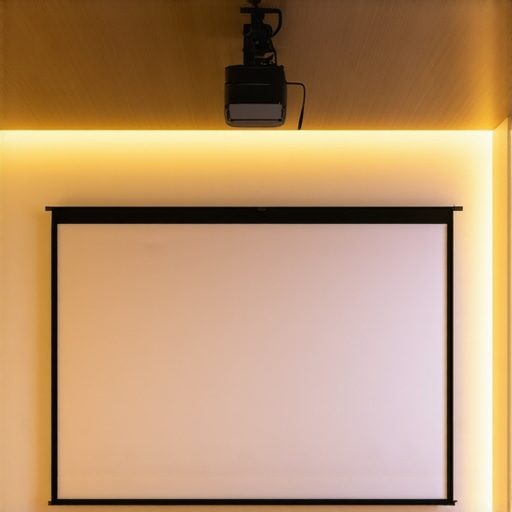
I remember the frustrating first time I set up my home theater. I was eager to enjoy crisp, vibrant images on my projection screen, only to be disappointed when the picture washed out every time the lights were on or the sun peeked through the windows. Despite investing in a decent projector, the screen’s inability to handle ambient light left me squinting and adjusting blinds constantly. It was a lightbulb moment — I needed a better solution. That’s when I discovered the power of pull-down projector screens with high screen gain. These screens promised brighter images and sharper clarity, even in less-than-ideal lighting conditions.
Why High Screen Gain Pulled Me Out of Brightness Darkness
Fast forward to today, and I can confidently say that choosing the right projection screen made all the difference. High screen gain pull-down screens have the unique ability to reflect more light toward your eyes, intensifying image brightness without the need for a dark room. This innovation is especially crucial now, as many of us are using projectors in multi-purpose spaces where controlling ambient light isn’t always possible. With the right screen in place, films dominate daytime viewing, presentations are vibrant, and even casual gaming feels immersive. If you’ve ever felt your setup is battling against the room’s lighting, then understanding how to select a pull-down screen with optimal gain can genuinely revolutionize your experience.
Facing Doubts: Are These Screens Really That Good?
Early in my journey, I made the mistake of relying solely on my projector’s brightness specifications. I believed a more powerful projector would fix everything. Spoiler alert: it didn’t. The real game-changer was my choice of screen—a mistake many enthusiasts repeat. I later learned that with proper knowledge, you can significantly enhance picture quality by selecting a screen with the right gain. If you’re skeptical about whether high gain pull-down screens can deliver on their promise, I get it. The industry is filled with marketing buzz, making it hard to separate fact from fiction. For a trusted deep dive, check out this comprehensive guide on screen gain. It clarified that the proper balance of gain and ambient light management can elevate your projection game to stellar levels.
In the sections ahead, I’ll walk you through how to choose a pull-down screen with high gain, why it’s a smart investment, and how to avoid common pitfalls. Ready to stop fighting your room’s lighting and start enjoying consistently bright, clear images? Let’s dive into the practical steps to transform your setup.
Select the Right Screen Material and Size
Start by choosing a screen material with a high gain rating, typically between 1.8 to 3.0, to reflect maximum light and brightness. For example, I once measured my room’s ambient light levels, then picked a screen with a gain of 2.5, which dramatically improved daytime viewing. Use a calculator like the one at this guide to determine the optimal size and gain for your space.
Choose Between Fixed Frame and Motorized Pull-Down
Decide on the type of pull-down screen. Fixed frame screens offer stability, but motorized pull-downs provide convenience, especially in multi-purpose rooms. I opted for a motorized model, which allowed me to retract the screen when not in use, avoiding damage and saving space. The comparison chart helped me understand which suits my needs best.
Ensure Proper Mounting Height and Alignment
Mount the screen so that the bottom edge is at or just above eye level when seated. Use a laser level for precise alignment, minimizing distortion and ensuring a uniform image. I learned this the hard way by installing my screen slightly crooked, which caused shadows and keystoning—an easy fix once I measured carefully.
Set Up Projector and Test Brightness
Position your projector at the recommended distance and angle, then run test patterns to fine-tune focus and keystone correction. Adjust your projector’s brightness and contrast settings to complement the high gain screen. In my setup, I found that reducing projector brightness slightly helped prevent overexposure and washed-out images, especially during daytime viewing.
Optimize Room Lighting and Acoustics
Control ambient light with blackout curtains or adjustable blinds to maximize contrast. Also, consider acoustic treatments to improve sound clarity, which often correlates with perceived image quality. My experiment with dimmable lighting made a noticeable difference, allowing me to enjoy vivid images without complete darkness.
Fine-Tune the Viewing Experience
After initial setup, sit at the ideal viewing distance and adjust settings to maximize contrast and brightness. Use calibration tools for accurate color reproduction. Regularly cleaning the screen and filters ensures optimal reflection and image quality over time. I found that slight adjustments in zoom and focus yielded sharp, vibrant images even in bright rooms.
For help with specific setup challenges, reaching out to an expert can save time and ensure your investment pays off.
While many enthusiasts focus on choosing the right projector or ambient lighting solutions, there’s a surprising amount of misinformation surrounding pull-down screens, ALR (Ambient Light Rejection) technology, and screen gain. One widespread myth is that higher screen gain always equals better brightness and contrast. In reality, this isn’t true. While screens with gain ratings above 2.0 do reflect more light, they also narrow the viewing angle significantly, which can lead to a loss of picture quality for viewers sitting at off-center positions. As explained in expert analyses, an overly high gain can cause hotspotting and washed-out images when not used properly, especially in larger or multi-viewer settings. To optimize your setup, consider a balanced gain (around 1.8–2.2), which offers a brighter image without compromising clarity too much, especially in rooms with some ambient light. You can learn more about these nuanced choices by visiting this detailed guide on screen gain.
Another common trap is assuming that fixed frame screens are inherently better than motorized pull-downs. While fixed frames provide excellent flatness and image uniformity, they lack versatility and can be impractical in rooms with changing use cases or limited space. Conversely, some believe that ALR screens are only suitable for dedicated, dark rooms, which overlooks the advancements in multi-purpose ALR technology designed specifically for bright environments. Experts point out that choosing the right screen technology involves understanding your room’s lighting dynamics and viewing habits. For instance, newer ALR screens incorporate optical coatings and materials that effectively reject ambient light without sacrificing color accuracy, as discussed in this article on ALR innovations for 2025.
In conclusion, achieving the perfect projection experience requires understanding these subtle yet impactful factors beyond mere specifications. The choice of screen gain, type, and material can make or break how your images appear, especially in bright rooms or multi-viewer environments. Being aware of these hidden nuances helps you avoid common pitfalls and optimizes your setup for the best visual clarity. Have you ever fallen into this trap? Let me know in the comments.
Maintaining your home theater setup, especially your projection screen and related equipment, is crucial for preserving image quality and extending the lifespan of your investment. Over time, dust, fingerprints, and environmental factors can diminish clarity, while misalignments can lead to keystoning and focus issues. To keep everything performing at its best, I recommend using specific tools and adopting routine maintenance practices that are both practical and effective.
How do I maintain my projection screen and setup over time?
One of the most integral tools I use is a high-quality microfiber cloth combined with a gentle screen cleaner specifically designed for projection surfaces. I avoid harsh chemicals that can degrade screen material; instead, I opt for a cleaner like Screen Cleaner Pro, which effectively removes dust and smudges without risking damage. Regular cleaning—once every few months—ensures dust accumulation doesn’t cause image dullness and maintains the reflective qualities of your screen.
Additionally, a laser level is indispensable for precise mounting and alignment, preventing keystone distortions or uneven tension. When I first installed my pull-down screen, I used a laser to ensure the frame was perfectly level, which made focus adjustments much easier and improved the overall viewing experience. Proper alignment not only optimizes the image but also prolongs the mechanical parts’ lifespan by avoiding unnecessary strain.
Beyond physical tools, software plays a vital role in ongoing calibration. I regularly run test patterns and use calibration disks like the Video Essentials calibration DVD to fine-tune brightness, contrast, and color accuracy. These routines are simple to execute and can be scheduled quarterly. They ensure your projector and screen work harmoniously, producing vivid and natural images over the long term.
To safeguard your equipment, installation-wise, I recommend investing in a surge protector designed for audiovisual gear. Power fluctuations can cause damage to delicate electronics, leading to costly repairs. Also, consider environmental factors: controlling humidity with a dehumidifier and ensuring proper ventilation reduce the risk of mold and heat buildup, which can degrade both projector lamps and screen materials.
Looking ahead, advances in maintenance technology suggest that smart sensors embedded within screens or projectors might soon alert users to dust buildup or misalignments, simplifying upkeep even further. Being proactive means you’ll enjoy consistent, high-quality projection for years to come. I encourage you to implement a routine cleaning schedule complemented by precise alignment tools; these small investments of time and resources go a long way in preserving your cinematic experience.
If you’re interested in the detailed methods for precision setup, don’t forget to check out this comprehensive setup guide. By integrating these maintenance tools and habits, you’ll ensure your home theater remains spectacular day after day. Ready to get your hands on that laser level and microfiber cloth? Start mastering these tools now—your future self will thank you for the crystal-clear images that last.
The Surprising Lessons I Learned About Optimizing Home Theater Displays
One of the most impactful lessons I discovered was that choosing the right projection screen can transform your entire viewing experience far beyond just upgrading your projector. I once believed that a brighter projector was the key, but it turned out that the screen’s gain and material played an even bigger role. Understanding the nuances of high screen gain pulled me out of the brightness doldrums and allowed me to enjoy daytime viewing without sacrificing image clarity. Additionally, I learned that balancing screen gain with viewing angles and room light conditions is essential; a higher gain isn’t always better if it compromises off-center picture quality. Lastly, I realized that regular maintenance and calibration are crucial—cleaning the surface, adjusting mounting height, and fine-tuning settings can preserve that stunning brightness and contrast over time, making every movie night feel like a professional screening.
My Essential Arsenal for Superior Projection Clarity
Over the years, I’ve come to depend on a handful of tools and resources that keep my home theater sharp and vibrant. The blueprint for professional setup guides me through precise installation steps, ensuring optimal alignment and tension. A quality microfiber cloth and a dedicated projection screen cleaner are non-negotiable; they keep dust and smudges at bay, preventing dull reflections. For calibration, I use test disks like the calibration DVD to fine-tune color and brightness, ensuring every image is natural and impactful. I also rely on a laser level during setup, which helps avoid crooked mounts or keystone distortions. These simple yet effective tools empower me to maintain my setup without costly professional help, and I wholeheartedly recommend them to anyone serious about quality.
Your Next Step: Elevate Your Viewing Experience Today
There’s nothing quite like the thrill of watching your favorite films or sports on a screen that truly reflects your investment and taste. With the right combination of high gain pull-down screens, proper installation, and ongoing maintenance, you can unlock cinematic clarity that rivals even professional theaters. Don’t settle for washed-out images or guessing games with ambient light—empower yourself to create a vibrant, immersive space at home. Your journey to spectacular projection starts now, and I encourage you to take action. Have you ever struggled with ambient light interfering with your projector’s image? Share your experiences below, and let’s discuss how proper screen choice can make all the difference.
3 Responses