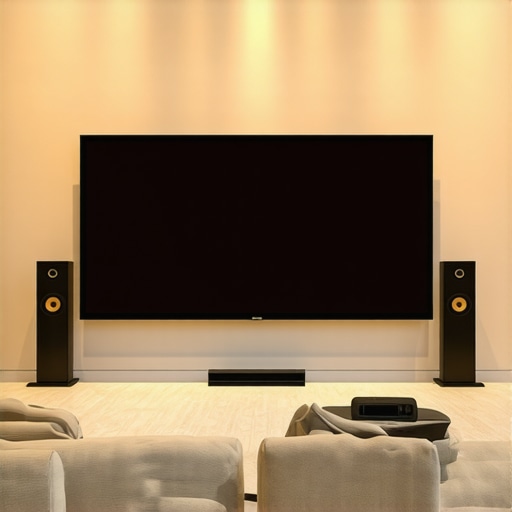
I remember the exact moment I realized my home theater wasn’t living up to its potential. It was a late Saturday night, the lights dimmed, the popcorn ready, but suddenly, the picture quality seemed off—dim, grainy, and lacking the vibrant contrast I expected from my new projector setup. Frustration bubbled up as I realized that despite investing in a high-quality projector and audio system, my viewing experience was still falling flat. That lightbulb moment made me dig deeper into the secrets of top fixed frame screens and screen gain tips—tools that can genuinely elevate your home cinema to the next level.
Why Your Screen Choice Matters More Than You Think
Choosing the right projection screen isn’t just about aesthetics or matching your decor. It’s a critical factor that determines how well you see the picture, especially in bright rooms or with ambient light. Fixed frame screens, in particular, offer an excellent balance of stability and visual quality. They provide a taut, flat surface ideal for high-detail images and vibrant colors. However, not all screens are created equal, and the “gain” of a screen can dramatically influence your viewing clarity and brightness. Screen gain measures how much light is reflected back to your eyes—whether it’s a low-gain matte surface or a high-gain reflective material.
Early on, I made the mistake of assuming all screens are the same—an easy trap to fall into. I bought a generic, low-gain screen, expecting it to work well in my bright living room. The result? A dull image that washed out when the lights were on, making me question whether my projector was the right choice. After researching [proven strategies for enhancing image quality](https://screens.homecinemaessentials.com/proven-strategies-for-enhancing-image-quality-with-projection-screens), I discovered that matching your screen’s gain with your room’s lighting conditions is essential. Choosing a screen with higher gain can boost brightness, but only if you understand how to optimize it without compromising contrast.
If you’ve faced these frustrations or doubts, you’re not alone. Many home theater enthusiasts overlook the importance of screen selection and gain optimization, only to find their investment underperforming. That’s exactly what I want to help you avoid. In the following sections, I’ll walk you through the key factors that influence your setup’s success—so you can enjoy crisp, bright images that truly do justice to your favorite movies and shows. Ready to unlock the true potential of your home theater? Let’s get started.
Choose the Right Screen Material for Your Room
Start by selecting a projection surface optimized for ambient light conditions. For bright rooms, a high-gain screen (above 1.5) reflects more light back, boosting brightness, but risks washing out contrast if overused. Opt for a screen with a gain around 2.0 for optimal brightness without sacrificing image quality. I once bought a high-gain screen without considering my room’s lighting, which resulted in glare and loss of detail during daytime viewing. After reading about [screen gain benefits](https://screens.homecinemaessentials.com/understanding-screen-gain-how-to-optimize-brightness-and-clarity), I chose a screen with a balanced gain, dramatically improving daytime clarity.
Measure and Plan Your Screen Placement
Decide whether a fixed frame or pull-down screen fits your space and usage. Fixed frame offers stability and a taut surface, ideal for dedicated theaters, while pull-down screens are flexible for multi-purpose rooms. Use a measuring tape to determine the ideal height—generally, the top of the screen should align with your eye level when seated. I once attempted a complex ceiling-mounted pull-down in a multi-use space, but it sagged over time due to improper installation. Consulting a [step-by-step installation guide](https://screens.homecinemaessentials.com/fixed-frame-screen-installation-guide-for-home-theaters) helped me rectify my mistakes and achieve a perfectly flat surface.
Optimize Screen Gain for Brightness and Contrast
Adjust your screen’s gain based on your projector’s lumen output and room lighting. For example, in a room with ambient light of 200 lux, a gain of 2.0 can significantly enhance brightness. However, too high a gain can reduce contrast. Use a [screen gain calculator](https://screens.homecinemaessentials.com/ultimate-guide-to-pull-down-and-screen-gain-benefits-in-2024) to find the sweet spot for your setup. I experimented with multiple gain levels, starting with 1.8, then moving to 2.2, observing how each affected image clarity and glare. The realization that not all screens are created equal led me to an adjustable gain screen, which offered the flexibility I needed.
Perfect Your Installation Technique
Ensure your screen is perfectly aligned and taut to prevent wrinkles or sagging. Use a level and measuring tape during installation to maintain symmetry. For fixed frame screens, tighten the mounting brackets securely into studs or anchors. For pull-down models, ensure the roller mechanism is smooth and the screen fabric is evenly stretched. I once hastily mounted my fixed frame, causing slight warping that distorted the image. After reviewing the [professional setup guide](https://screens.homecinemaessentials.com/the-ultimate-blueprint-for-professional-projection-screen-setup), I reinstalled with meticulous measurements, resulting in a flawless, flat surface that improved picture sharpness.
Test and Tweak for Optimal Performance
Before finalizing, project test images and adjust your surroundings. Dim the lights and observe the contrast, brightness, and color fidelity. If the image appears dull, increase the screen gain or adjust the projector’s settings accordingly. In my case, I used a calibration disc and adjusted contrast and brightness settings, aligning with my screengain’s capabilities. This iterative process, combined with understanding your screen’s reflective properties, can dramatically enhance your viewing experience.
While many home theater enthusiasts believe that choosing a high-quality fixed frame screen or a high gain surface guarantees stellar image quality, the reality is far more nuanced. One common misconception is that higher gain always equates to better brightness, leading many to select screens with gains above 2.0 without considering the drawbacks. In practice, excessively high gain screens can cause hotspots and glare, reducing overall contrast and image fidelity. This trap—thinking ‘more gain equals better brightness’—can undermine your setup’s performance, especially in rooms with ambient light. Instead, understanding the relationship between screen gain and room lighting is crucial; expert insights recommend a balanced approach, typically around 1.8 to 2.0 gain, to optimize brightness without sacrificing contrast. You can explore more about such strategies in [proven techniques for enhancing image quality](https://screens.homecinemaessentials.com/proven-strategies-for-enhancing-image-quality-with-projection-screens). A further nuance involves the myths surrounding pull-down versus fixed frame screens. Many assume pull-down screens are inherently inferior, but with advancements in motorized technology and better tensioning mechanisms, high-quality pull-downs can deliver flat, ripple-free surfaces comparable to fixed frames. The key lies in selecting models with sturdy construction and precise installation, as detailed in [this installation guide](https://screens.homecinemaessentials.com/fixed-frame-screen-installation-guide-for-home-theaters). Now, regarding advanced setup, a critical yet often overlooked mistake is neglecting proper screen tensioning. Loose fabrics can produce subtle waves or wrinkles, distorting the projected image and diminishing detail—an easily avoidable error that can be corrected through proper mounting techniques. For sophisticated setups, consider adjustable tensioning systems, which allow fine-tuning post-installation. This process can seem minor but has a significant impact on picture sharpness. Curious about technical specifics? The [ultimate blueprint for professional projection screen setup](https://screens.homecinemaessentials.com/the-ultimate-blueprint-for-professional-projection-screen-setup) dives deep into tensioning and calibration techniques. Finally, as you venture into selecting ALR (Ambient Light Rejection) screens, beware of the hype versus reality. Many brands overstate their performance gains, leading users to overspend on supposedly ‘best’ models that underperform in real-world bright-room conditions. Instead, look for validated results and detailed testing data; expert recommendations emphasize evaluating the actual gain, viewing angles, and surface material. For a thorough comparison, check out [top ALR screen options for 2024](https://screens.homecinemaessentials.com/top-alr-fixed-frame-projection-screens-for-2024-clarity-bright-rooms). Remember, understanding these subtle distinctions and avoiding common pitfalls can elevate your home theater experience from average to exceptional. Have you ever fallen into this trap? Let me know in the comments.
To ensure your home theater remains at optimal performance, having the right tools and a dedicated maintenance routine is crucial. I personally rely on a few key items that have proven indispensable over the years. First, a high-quality lens cleaning kit is a must. Dust and smudges on your projector lens can degrade image sharpness and contrast. I use a specialized microfiber cloth and blower to keep the lens spotless without scratching it, which is vital for sustained clarity. Additionally, a colorimeter or calibration tool like the X-Rite i1Display is invaluable for fine-tuning your projector’s color balance periodically. Regular calibration with such devices ensures consistent color accuracy, especially when ambient conditions change or equipment ages.
Software tools also play a significant role in ongoing maintenance. I recommend firmware updates from your projector manufacturer — they often include performance enhancements and bug fixes that can improve brightness, contrast, and overall stability. Setting a reminder to check for updates every few months can prevent performance dips. For more complex systems, I use calibration software like CalMAN or Portrait Display’s Ultimate Calibration Software, which guides you through precise adjustments to your setup, often achieving better results than default factory settings. This process not only refines image quality but also prolongs the lifespan of your components by avoiding unnecessary strain.
Another often-overlooked aspect is environmental management. Installing a ducted ventilation system or ensuring proper room ventilation prevents heat buildup, which can impact projector longevity. Also, covering your screen during off-hours or in high humidity environments helps prevent dust accumulation and mold growth. Investing in a protective cover or dust filter for the projector’s air intake can extend its service life significantly. As projection setups become more sophisticated, I foresee a trend toward integrated smart monitoring systems that constantly evaluate ambient light, temperature, and device performance, alerting you to issues before they impact your viewing experience. Companies like Screen Innovations are already experimenting with such solutions—more comprehensive tools are expected within the next few years.
How do I keep my projection system running smoothly over time?
Implementing a routine maintenance schedule and leveraging the right tools can make all the difference. Regular cleaning, firmware updates, calibration, and environmental control are key factors that sustain image quality and extend equipment lifespan. For instance, referencing technical standards like those detailed in the proven strategies for enhancing image quality ensures you’re on the right track. An advanced tip I recommend trying today is calibrating your projector using a colorimeter at least twice a year, especially if your setup is exposed to changing lighting conditions or seasonal variations. This small step can dramatically improve your image clarity and color fidelity, proving that proper maintenance tools are worth every penny. Remember, proactive care today pays off in stunning visuals for years to come. Check out the Ultimate Blueprint for Professional Projection Screen Setup for more tips on maintaining your entire system effectively.
Lessons I Had to Learn the Hard Way About Screen Gain and Fixed Frame Choices
One of the most eye-opening realizations was that more gain isn’t always better; it can lead to glare and loss of contrast, turning your vibrant images into washed-out scenes. I once doubled my screen’s gain expecting a brighter picture in my bright room, only to find the image overly reflective and harsh—an expensive lesson in moderation. Another lesson involved assuming all fixed frame screens are created equal; many people overlook the importance of proper tensioning and installation, which directly affects picture sharpness. Discovering that even small misalignments can distort the entire viewing experience was a wake-up call. Lastly, I learned that relying solely on high-gain screens without considering ambient light conditions often results in mediocre performance, emphasizing the need for tailored solutions rather than one-size-fits-all.
My Go-To Resources That Elevated My Home Theater Know-How
- Proven Strategies for Enhancing Image Quality: This comprehensive guide helped me understand the nuances of screen gain and lighting management, fundamentally changing my setup approach. I trust it because it combines technical depth with practical tips that are easy to implement.
- Fixed Frame Vs. Motorized Pull-Down Screens: Which Fits Your Needs: This page clarified the differences and helped me choose the right screen type for my space, ensuring I didn’t fall for misconceptions. Their detailed comparisons made decision-making much easier.
- Ultimate Blueprint for Professional Projection Screen Setup: Following this guide allowed me to perfect my installation technique, ensuring a flat, ripple-free surface that enhanced picture clarity. It’s a must-read for anyone serious about home cinema.
- Choosing the Best ALR Screen: Expert Insights and Tips: Understanding ambient light rejection technology from this resource was critical in optimizing my bright-room viewing experience with high-gain screens.
Your Next Step Toward Cinema-Quality Viewing
Remember, mastering your fixed frame screen setup and understanding screen gain are not just technical tasks—they’re investments in your enjoyment and immersion. Take the time to analyze your room, pick the right screen, and install it with care, and you’ll unlock a world of vivid, crisp visuals that rival the cinema. Your home theater deserves that extra effort—so why not start today? What’s the biggest obstacle you face in optimizing your projection setup? Share below, and let’s tackle it together!
,
One Response