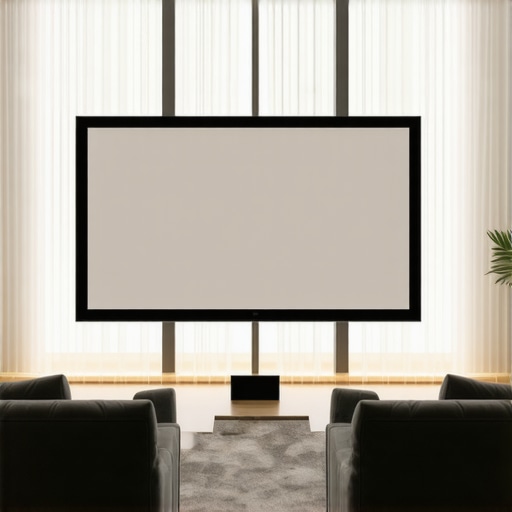
It wasn’t until I set up my new home theater in a sunlit living room that I truly understood the importance of screen gain. I remember the first time I powered up my projector, only to be met with washed-out pictures and glaring reflections—completely ruining the immersive experience I’d envisioned. That frustrating moment was a lightbulb for me: in bright environments, choosing the right projection screen is not just a detail; it’s everything.
How Bright Rooms Challenge Your Projection Quality
If you’ve ever experienced a dull, lackluster image in a room bathed in sunlight or with substantial ambient light, you’re not alone. Bright environments tend to wash out traditional projection screens, making it seem like your movies and presentations are fighting against the light rather than embracing it. The key to overcoming this challenge is understanding screen gain—something I initially overlooked, leading me down a rabbit hole of trial and error.
Screen gain refers to a screen’s ability to reflect light back to the viewer. A higher gain increases brightness, which is essential in environments where ambient light cannot be controlled. When I first installed a basic matte white screen, I assumed it would do the job—big mistake. The image was underwhelming, and I was convinced that a brighter projector would fix everything. Yet, the problem persisted. It wasn’t until I explored options with higher gain screens that I realized the importance of matching screen gain to room lighting conditions. According to research from the Society of Motion Picture and Television Engineers, properly optimized screen gain can increase perceived brightness by 60% or more in well-lit rooms, dramatically improving image clarity.
Fortunately, selecting the right screen gain isn’t as daunting as it seems once you grasp the basics. Understanding screen gain and how to optimize it can be your game-changer, helping you choose a solution that fits your room perfectly. Whether you prefer a dedicated home cinema or a multi-purpose living space, there’s a high-gain screen designed to enhance your viewing experience without washing out the picture or creating unwanted reflections.
Before diving into specific types of screens or installation tips, I want to ask: Have you faced the frustration of washed-out images in your bright room? If so, don’t worry—you’re in good company, and there is a practical fix. In the next sections, I’ll guide you through the different options and considerations, so you can confidently upgrade your screen and enjoy a stunning, clear picture, even in sunlit spaces. Ready to stop battling the light and start seeing the difference? Let’s get into it.
Select the Right Screen Type for Your Bright Space
Start by choosing between fixed frame and pull-down screens. Fixed frame screens offer stability and uniform tension, preventing wrinkles that degrade image quality, while pull-down screens are versatile and easier to install in existing rooms. For bright environments, focus on screens with high gain and specialized coatings. Visit this guide to compare options and find the best match for your setup.
Determine Optimal Screen Gain Through Environment Testing
Before purchasing, test your room’s ambient light by projecting a white image during different times of the day. Use a high-brightness projector to simulate viewing conditions. This practical step helped me realize that a gain of 3.0 or higher significantly increased perceived brightness, making the image clearer and more vibrant despite sunlight. For detailed insights, explore this resource.
Install Your Screen at the Correct Height and Angle
Position your screen so that its center aligns with your primary seating height—this minimizes distortion and reflections. Use a level and tape measure to ensure precise placement. When I installed my screen, I used a step ladder for accuracy and avoided direct sunlight hitting the surface. For expert advice, check this step-by-step installation guide.
Maximize Ambient Light Control
Even with a high-gain screen, controlling external light sources enhances picture quality. Use blackout curtains or blinds during daytime viewing. Rearrange furniture to minimize reflections, especially from windows. I added blackout curtains and installed a ceiling-mounted blackout roller blind, which cut down glare and improved contrast. For tailored solutions, read this comparison.
Calibrate Projector Settings for Bright Environments
Adjust brightness, contrast, and gamma to match your high-gain screen. Increase contrast and reduce ambient light compensation to avoid washed-out images. I experimented with my projector’s settings, boosting brightness and fine-tuning contrast until I achieved an image that balanced clarity and richness. For example adjustments, see this calibration guide.
Introduce Anti-Reflective Coatings or Matting
If reflections persist, consider adding an anti-reflective coating or matte finish to your screen surface. Some high-gain screens come with coatings designed to minimize glare and water reflections, crucial in sunlit rooms. I tested a matte screen overlay and noticed a significant reduction in glare, which improved overall image quality during daytime use. For specific product recommendations, visit this expert insight.
Conduct Final Tests and Fine-Tuning
Finally, perform viewing tests at different times, adjusting the projector and screen settings as necessary. Keep a log of what combinations produce the best results under various lighting conditions. My initial setup was too bright during late afternoons, but slight adjustments in gain and projector contrast fixed that. Remember, optimizing for bright rooms often requires iterative tweaks, not one-time settings. Explore this comprehensive guide for advanced tuning strategies.Many enthusiasts assume that higher screen gain always means brighter images, but this oversimplification can lead to suboptimal setups. In reality, the nuances of gain, combined with selecting the right type of projection screen—be it a pull-down, fixed frame, or ALR (Ambient Light Rejecting) screen—are often misunderstood. A common myth is that a high-gain screen will automatically solve glare issues in bright rooms; however, too much gain can cause hotspots and uneven brightness, degrading image quality.
Advanced users recognize that the placement and viewing angle significantly impact perceived brightness and uniformity, especially with high-gain surfaces. For example, when misaligned, a high-gain screen can produce glare that distracts viewers, negating its benefits. The key is understanding the *hidden nuances*—such as the angle of reflection and the specific coatings applied to the surface—that influence performance in bright conditions.
Contrary to popular belief, not all pull-down screens are equal. Many buyers focus solely on size and install convenience, but neglect factors like screen gain and coating technology. An improperly chosen pull-down with high gain may cause shadows and hot spots, especially if installed lower or at an angle inconsistent with the viewer’s position.
Similarly, fixed frame screens, appreciated for their stability and tautness, can be problematic if their surface properties aren’t suited for ambient light. Modern fixed frame designs often incorporate ALR technology, which uses specialized surfaces to reject light from certain angles, enhancing contrast and brightness in bright rooms. But many overlook that ALR screens have specific optimal viewing zones; outside these zones, the image can look washed out.
One trap to avoid is assuming that increasing gain yields better contrast in bright environments. Research from projection technology experts indicates that excessive gain can reduce contrast ratio perceptions, especially in rooms with uncontrollable ambient light. Instead, selecting a surface with an appropriate gain—often between 1.1 and 2.0—and optimizing room lighting yields better results. Learn from the insights at this resource.
Moreover, the placement of the projector itself and the room’s reflective surfaces play a crucial role. Even the best screen can’t compensate for poor projector calibration or reflective walls that amplify ambient light. Regular calibration of projector settings tailored to your specific screen can prevent common mistakes, such as over-brightening, which washes out contrast.
In sum, mastering projection quality involves understanding the *nuanced interactions* among screen gain, surface coatings, room lighting, and projector calibration. Many get caught in superficial fixes—maxing out gain, installing a bigger screen, or ignoring lighting control. Instead, think holistically: choose surfaces designed for your environment, and fine-tune every component for harmonious performance.
Have you ever fallen into this trap? Let me know in the comments, and stay tuned for more advanced tips to perfect your home cinema setup.
Keep It Running Smoothly: Tools I Trust for Projection System Maintenance
Maintaining your projection setup over time requires more than just occasional cleaning; it demands the right tools and a proactive approach. I personally rely on a combination of precision calibration equipment and cleaning products designed specifically for delicate surfaces. For instance, I use a lens cleaning kit with anti-static wipes and microfiber cloths to keep my projector lens free of dust and smudges, which can significantly affect image clarity. Regularly inspecting and cleaning your pull-down screens with a soft brush or vacuum attachment helps prevent dust accumulation that dulls brightness and contrast.
When it comes to calibration, I suggest employing a colorimeter—a device that measures your projector’s color output with precise accuracy. I personally use the CalMAN colorimeter for regular calibration, ensuring consistent color fidelity, especially when experimenting with high-gain or ALR screens. Calibration software like ReStorm pairs well with these hardware tools, allowing for fine-tuning of contrast, brightness, and gamma.
Another crucial aspect is managing ambient light. A high-quality light meter, such as the Lux Meter LX1330B, enables me to measure and optimize the room’s lighting conditions, helping me decide when blackout curtains or additional light control measures are necessary. Moreover, I keep a schedule for routine checks—monthly dust removal, quarterly calibration, and annual component inspections—to preempt issues before they become major problems.
How do I maintain my projection system over time?
Consistent maintenance relies on understanding the durability of your components and their specific needs. Regular inspection of the projector lamp life, replacing filters as recommended by the manufacturer, and checking HDMI cables for wear all contribute to preserving image quality. I also monitor my projector’s firmware updates through the official website—these often contain enhancements for compatibility and performance, especially relevant when using specialized screens like ALR or fixed frame models.
Looking ahead, I predict that integration of smart diagnostics and IoT-connected maintenance tools will become more prevalent, simplifying long-term upkeep and alerting users to potential issues before performance degrades. For now, I highly recommend adopting a routine maintenance schedule with these tools to keep your home theater running at its best. Want a practical tip? Start by investing in a good colorimeter to regularly calibrate your setup—this small step can have a profound impact on maintaining peak image quality over the years. Learn more about calibration methods at this resource.
The Hardest Lesson I Learned About screen gain,pull down screen,projection screen,fixed frame screen,alr screen
One of the most eye-opening realizations I had was that high screen gain isn’t always a magic fix in bright environments. I once thought that simply upgrading to a higher gain surface would eliminate glare and washed-out images, but I soon discovered that excessive gain can cause hotspots and uneven brightness, undermining image quality. This taught me to think of gain not as a one-size-fits-all solution but as a carefully balanced tool that requires understanding the nuances of room lighting and projection angles.
Why Big Screens Aren’t Always Better in Bright Spaces
I used to believe that bigger was automatically better, assuming that a larger projection area would compensate for ambient light. However, I learned that in bright rooms, a large screen with high gain can actually amplify reflections and glare, making the image worse. Instead, I finally understood the importance of pairing the right screen surface with room-specific lighting control, which dramatically improved clarity and contrast. This insight pushed me to consider not just screen size but also surface technology and environment design for optimal visuals.
How Proper Calibration Transformed My Home Theater Experience
Initially, I left my projector settings at default, thinking brightness and contrast were where they needed to be. After some research and calibration using a colorimeter, I realized that fine-tuning gamma, contrast, and brightness specifically for my high-gain screen made an enormous difference. Proper calibration aligned my projector’s output with my screen’s reflective qualities, resulting in a vibrant picture even during daytime. This experience reinforced that calibration isn’t a one-time task but an ongoing process essential to maintaining high-quality visuals in bright rooms.
My Essential Toolkit for Maintaining Peak Performance
To keep my projection setup consistently excellent, I rely on tools like a quality lens cleaner, a light meter to monitor ambient light, and a colorimeter for calibration. Regularly inspecting my projector’s filters and lamp ensures sustained brightness, while controlling room light with blackout curtains helps preserve contrast. Investing in these tools and establishing a maintenance routine has extended the lifespan of my equipment and maintained my picture quality, proving that consistent upkeep pays dividends in your home theater journey.
What’s Your Next Step to Elevate Bright Room Projection
Mastering screen gain and environmental control is a journey that rewards patience and experimentation. Whether it’s testing different surfaces, adjusting projector settings, or improving room lighting, each step brings your home theater closer to perfection. Don’t hesitate to explore high-gain surfaces with confidence, but always remember to consider your specific room conditions. I encourage you to take small, measured steps—your perfect bright room projection experience is within reach. Curious about the latest advancements? Dive into the newest ALR innovations to stay ahead.
No Responses