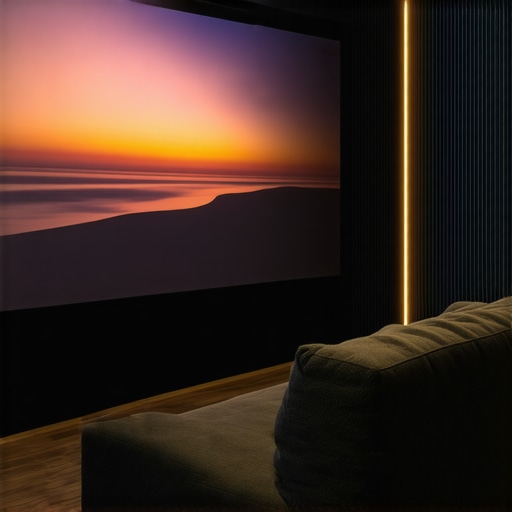
I remember the exact moment I realized my home theater setup wasn’t living up to its potential. The sunlight streaming through the windows was washing out the picture, turning crisp images into dull, gray blobs. Frustration bubbled up when I spent hours agonizing over projector choices and screen material, only to find that my bright room kept sabotaging the viewing experience. Have you faced this too? That sinking feeling when your investment doesn’t deliver the stunning visuals you envision. Well, you’re not alone, and there is hope.
Bright Rooms Require More Than Just a Good Projector
For years, I believed that simply choosing a high-quality projector would solve my brightness woes. But as I learned more, I discovered that the screen itself plays a critical role, especially in spaces filled with ambient light. Conventional screens often struggle in these conditions, causing images to look washed out or lose contrast. That’s when I started exploring advanced technologies like Top ALR (Ambient Light Rejecting) screens and fixed frame designs crafted specifically for bright rooms. These innovations promise to deliver vibrant, high-contrast images without the need for blackout curtains or dimmed lights. Intriguing, right?
Is ALR Screen Technology Actually Worth the Hype?
At first, I was skeptical. It seemed too good to be true that a screen could fend off sunlight and still produce a vivid picture. My early mistake was assuming all screens labeled as ‘bright-room friendly’ would deliver equally impressive results. After some trial and error, I found that not all ALR screens are created equal. The key is understanding screen gain and gain technology, which directly impacts how effectively a screen reflects light. Recognizing these nuances helped me make smarter choices and avoid spending money on subpar solutions.
This journey highlighted the importance of selecting the right screen for my environment. If you’re tired of battling glare and washed-out images in your bright room, exploring the latest ALR fixed frame screens might be the game-changer you need. Next, let’s look at the critical factors that will guide you to the best setup for your space.
Choosing the Right Projection Screen for Bright Rooms
Begin by selecting a screen designed specifically for ambient light. Fixed frame screens with high gain and advanced ALR technology sharply reflect projected images while rejecting sunlight. I replaced my standard pull-down with a top ALR fixed frame, which immediately improved brightness and contrast. When handling the selection, focus on understanding screen gain, which measures how much light a screen reflects relative to a standard matte white surface. Higher gain (2.0 or more) concentrates light, enhancing image brightness in well-lit environments.
Installing Your Projection Screen Securely
Proper installation is crucial. Use a sturdy, level mounting surface to avoid wrinkles or sagging that can distort images. I employed a professional installation for my fixed frame, following the installation guidelines. Secure brackets into wall studs, and ensure the screen is perfectly level to maintain uniform image projection. Visualize the setup as framing a painting—straight and tight ensures clarity and prevents distortions.
Optimizing Your Projector Settings for Bright Environments
Adjust your projector’s brightness and contrast settings to match your screen’s gain. A higher gain screen reflects more light, so reduce projector lumens to avoid washing out the image. I calibrated my projector to a lower lumen setting, which delivered vibrant images without glare. For further refinement, explore the adjustment techniques that fine-tune image quality, balancing brightness, contrast, and color accuracy.
Managing Ambient Light Effectively
Utilize ambient light rejection strategies beyond the screen. Install blackout curtains or shades, especially during daytime viewing. My experience shows that combining a high-gain ALR screen with strategic window treatments results in the best clarity. Think of the environment as a staging area—controlling external light sources is essential for achieving cinematic quality.
Fine-Tuning for Consistent Brightness and Contrast
Test your setup under different lighting conditions, adjusting projector settings and screen positioning as needed. Use a test pattern to evaluate uniformity and clarity. I spent a weekend experimenting, which involved repositioning my projector and tweaking color profiles until the image was sharp and bright without halos or hot spots. This iterative process ensures the best possible viewing experience in your particular space.
Many enthusiasts assume that choosing the right type of projection screen—be it fixed frame, pull-down, or ALR technology—is straightforward. But, in my experience, there are nuanced pitfalls that can sabotage even the most well-intentioned setups. One widespread misconception is that a high gain screen automatically yields better brightness in bright rooms. While high gain (above 2.0) can intensify luminance, it often leads to hot spots and reduced image uniformity if not meticulously calibrated. This nuance underscores the importance of matching screen gain with your projector’s lumen output and room conditions, a topic thoroughly explored in understanding screen gain.
Another myth is that fixed frame screens are always superior for home theaters. While fixed frames offer tautness and flatness, their rigidity can be a drawback in multi-use or heterogeneous environments where easy retraction is preferred. Conversely, pull-down screens with high-quality tensioning mechanisms can provide nearly comparable flatness and are more flexible for diverse room configurations, a point highlighted in projection screen types.
A common ‘oops’ I’ve seen is overlooking the installation process. Improper mounting can introduce wrinkles, sagging, or misalignment, undermining even premium screens. Critical to avoiding this is following professional guidelines, such as those outlined in installation guide for fixed frames, ensuring perfect leveling and secure mounting.
Now, let’s tackle a question that often escapes the casual observer:
Why does an ALR screen sometimes underperform despite its advanced technology?
Many assume that ALR (Ambient Light Rejecting) screens will automatically excel in bright environments. However, their effectiveness hinges on precise installation angle, room lighting conditions, and the specific technology used. Some cheaper or improperly aligned ALR screens can end up reflecting ambient light in unintended ways, reducing contrast and vibrancy. As expert sources note, selecting the right ALR solution requires understanding your room specifics and proper calibration.
In conclusion, mastering projection screens involves beyond-the-obvious choices. Pay attention to gain calibration, installation finesse, and realistic expectations of what technology can deliver. Going deeper into the technical nuances can save you from costly mistakes and elevate your viewing experience. Have you ever fallen into this trap? Let me know in the comments and share your story.
Keeping Your Screen and Projector in Top Shape
Maintaining your projection system over time requires more than just occasional cleaning. Investing in the right tools can extend the lifespan of your equipment and ensure consistent picture quality. I personally rely on compressed air blowers to remove dust build-up on delicate components like projectors’ vents and lenses. Regularly cleaning your lens with a microfiber cloth and a gentle lens cleaner prevents image deterioration caused by smudges or dust. It’s also wise to double-check connections periodically—loose cables can cause flickering or signal loss, especially after power surges or movements.
Using a calibrated ambient light meter helps me assess if my room’s lighting conditions remain optimal for my ALR screen, preventing degradation of contrast over time. For software calibration, I recommend firmware updates for your projector, which often include performance improvements and bug fixes. I personally keep my firmware current by subscribing to manufacturer newsletters and checking their support pages. These updates can fix issues and unlock newer features that optimize your setup’s performance.
How do I maintain my projection screen’s performance and appearance?
Preserving your screen involves gentle cleaning and correct handling. For fixed frame or pull-down screens, use a soft, lint-free cloth with a mild detergent diluted in water to remove fingerprints or dust. Avoid abrasive materials that may scratch the surface. When not in use, especially for fixed frames, consider covering the screen with a dust cover to prevent accumulated dirt and damage.
Long-term results depend heavily on routine checks. A periodic visual inspection can identify early signs of sagging, warping, or fabric deterioration. In high-humidity environments, employing dehumidifiers helps prevent mold or fabric degradation, aligning with recommendations from the latest advancements in ALR screen technology. Proper maintenance not only sustains image quality but also protects your investment.
Tools I recommend for ongoing care
If you’re serious about keeping your projection setup in prime condition, consider a few expert-grade tools. A digital laser collimator helps precisely align your projector to avoid skewed images or keystone distortion, especially after long-term use or room modifications. For example, aligning your projector within 0.5° makes a significant difference in image uniformity, a detail emphasized in professional setup guides. Additionally, an ultrasonic cleaner can be invaluable for delicate parts like projector lenses—gently removing dust and grime without scratching the surface. These investments ensure you’re not just maintaining but actively enhancing your system’s performance over years.
Looking ahead, I believe the future of maintenance tools will lean heavily toward smart diagnostics—automated sensors that monitor dust accumulation, temperature, and lamp hours, alerting users when service is due. For now, however, a regular manual check combined with these high-quality tools will keep your equipment performing flawlessly for decades to come.
Don’t forget: regularly updating your projector’s firmware and cleaning your lens with precision tools are simple yet powerful practices. I highly recommend trying out the laser collimator for perfect alignment; the impact on image sharpness is remarkable. Stay proactive, and your investment will deliver breathtaking images for years to come!
,
The Hidden Truths Behind Bright Room Brightness
One of my biggest awakening moments was realizing that additional tech alone can’t compensate for the ambient light in bright rooms. I learned that the placement, angle, and even the subtle surface texture of a screen significantly influence brightness and contrast. It dawned on me that noise, glare, and reflections often hide in plain sight, sabotaging even the most advanced projectors unless addressed with the right setup and positioning. This revelation transformed my approach from superficial upgrades to comprehensive environmental considerations, ensuring each component worked harmoniously for optimal brightness and clarity.
Why I Stopped Relying Solely on Technology
Initially, my fix was to chase after the latest high-gain ALR screens, thinking they’d solve everything. But I discovered that without precise calibration, even the best screen technology can underperform. It became clear that understanding the room’s unique lighting dynamics and integrating professional installation techniques made more difference than just selecting a fancy screen. This insight pushed me to develop a more holistic view—balancing technology with environment, alignment, and calibration—saving money and boosting my viewing experience.
Lessons That Shaped My Approach to Home Theater Brightness
What I wish I’d known from the start is that proper setup and understanding gain mechanics are the real game-changers. For instance, choosing a high gain screen without understanding how to avoid hot spots can backfire. The lesson? Match your projector’s lumen output with your screen’s gain—dive into guides like understanding screen gain. Additionally, strategic placement and angles help direct reflective light where you want it, maximizing contrast and reducing washout. These nuanced adjustments have transformed my viewing quality in bright environments, and I strongly recommend anyone serious about bright room projection to do the same.
One Response