I remember the moment vividly—standing in my home theater, frustrated as my screen’s glare washed out the picture during a bright afternoon movie session. It hit me then: I had been chasing the latest tech, but I was missing something crucial. My screen was supposed to be the hero of my setup, yet it felt more like a weakness. That lightbulb moment made me realize I’d been making a costly mistake, overlooking the importance of the right gain and type of fixed frame screen for HDR content.
Why Choosing the Right Fixed Frame Screen Is a Game-Changer in 2026 HDR
The truth is, selecting the perfect projection screen isn’t just about size or budget anymore. In the world of HDR (High Dynamic Range), a screen’s gain and technology can make or break your viewing experience. If you’re like I was, investing in high-end projectors and then pairing them with an unsuitable screen can leave you wondering why the picture looks dull, washed out, or overly reflective.
The stakes are higher with 2026 HDR content because of its increased brightness and contrast demands. A poor choice can result in images that lack clarity or vibrancy, undermining all the effort you’ve put into your home theater. Making an informed decision today means paying attention to details like screen material, gain, and technology type—factors that significantly influence image quality.
It’s easy to fall into the trap of believing that spending more automatically guarantees better results. But I’ve learned through experience—and from consulting experts—that understanding your space, lighting conditions, and content type is vital. For example, high-gain screens can boost brightness in well-lit rooms, but they might introduce unwanted reflections or reduce viewing angles if not chosen carefully.
Are you tired of blurry, washed-out images, or feeling uncertain whether your current screen setup is actually optimized for HDR? You’re not alone. Many home theater enthusiasts make critical mistakes by overlooking these nuanced but impactful choices. I once bought a popular pull-down screen advertised as HDR-friendly, only to realize later that its low gain limited brightness and contrast.
For deeper insights into selecting the best projection screens suited for bright environments, explore this comprehensive guide on [screen gain and HDR performance](https://screens.homecinemaessentials.com/understanding-screen-gain-how-to-optimize-brightness-and-clarity). It helped me overhaul my setup and truly enjoy my favorite films in stunning clarity.
Up next, I will share the practical steps I followed to evaluate, select, and install a fixed frame screen that transformed my viewing experience. If you’ve faced similar frustrations, stay tuned—these tips could be the turning point for your home theater journey.
Assess Your Room and Lighting Conditions
Begin by evaluating your room’s ambient light. Use a light meter or simply observe how much natural and artificial light enters during viewing hours. The goal is to decide on the screen’s gain; in brighter environments, higher gain (around 2.0 or more) boosts brightness but can introduce reflections, while lower gain screens (around 1.0) are better for controlled lighting. I once tested a 2.2 gain screen in my sunlit living room—initially reveling in the brightness until I noticed glare and hotspots, confirming the need for a lower gain option.
Select the Appropriate Screen Material and Technology
Next, choose a material that complements HDR content. Fixed frame screens with high-quality, matte surfaces like ALR (Ambient Light Rejection) technology can dramatically improve contrast and clarity, especially in bright rooms. I installed an ALR fixed frame screen for my HDR gaming setup, which significantly enhanced my vividness and contrast. For more insights on these options, check out this guide on fixed frame and ALR screens.
Calculate Screen Size and Aspect Ratio
Measure your intended projection distance and decide on a size that fills your field of view without causing strain. A good rule is to have the screen occupy about 30-40 degrees of your vision for immersive viewing. For HDR content, a larger size amplifies vibrant contrast, but ensure your projector can handle the desired brightness. I once misjudged my room dimensions, choosing a 120-inch screen where 100 inches would have delivered more uniform brightness. Reference the guide on projection dimensions.
Understand Gain and Its Impact
Gain influences how bright your image appears and how reflections behave. A common misconception is that higher gain always equals better. In reality, high gain (above 2.0) can cause hotspots, especially if the screen isn’t perfectly tensioned. In my case, I opted for a 1.8 gain ALR screen, balancing brightness and uniformity. For HDR viewing, this level provided an optimal contrast boost without compromising image quality. For detailed strategies, explore screen gain optimization.
Prepare for Accurate Installation
Proper tensioning and mounting are critical to avoid wrinkles and imperfections that distort images. I learned this the hard way when I first installed a pull-down screen without checking for sag, causing ghosting during bright scenes. For fixed frame screens, ensure the frame is securely attached to prevent warping. Use a level and tensioning tools for even stretch. Consult the installation guide for step-by-step instructions.
Fine-Tune Your Setup
Once installed, adjust the projector’s settings and screen positioning to maximize image quality. Set the projector’s brightness and contrast to match the screen gain and ambient light. Use test patterns and calibration tools to achieve accurate color, contrast, and luminance. I spent an afternoon tweaking my HDR projector and screen setup, gradually noticing improvements in clarity and depth. Remember, small adjustments can lead to big visual differences. For calibration tips, see professional setup blueprint.
Even seasoned home theater aficionados often fall prey to misconceptions surrounding advanced screen technologies like ALR (Ambient Light Rejection) screens and the intricacies of gain and installation. Let’s dig deeper into some of the most common pitfalls and hidden nuances that can undermine your immersive experience.
Is Higher Gain Always Better for Bright Rooms?
Many assume that opting for a high gain screen automatically translates to a brighter, more vibrant picture. However, this oversimplification ignores the trade-offs, such as hotspots and reduced viewing angles. In practice, screens above 2.0 gain can create uneven brightness and glare, especially if not meticulously tensioned. For optimal results, consider a balanced gain—like 1.8—that enhances brightness without compromising image uniformity. To learn more about balancing gain with room conditions, check out the comprehensive guide on screen gain and HDR performance.Maintaining your projection screen’s performance over time is crucial to preserving image quality and ensuring a consistently immersive viewing experience. One of the most effective ways to do this is by investing in quality cleaning supplies and calibration tools. I personally rely on a microfiber cloth and a gentle screen cleaner designed specifically for matte surfaces to remove dust and fingerprints without damaging the material. For calibration, a colorimeter like the Klein Instruments Colorimeter has been invaluable, allowing me to fine-tune my projector’s settings in conjunction with my screen’s characteristics, especially when optimizing for HDR content. Regular cleaning and calibration prevent the buildup of dirt and color drift, which can degrade image clarity over months and years.
Looking ahead, advancements in automated calibration systems are beginning to emerge, promising even easier maintenance routines. These devices can automatically measure and adjust projector settings, effectively maintaining peak performance without constant manual intervention.
How do I keep my projection setup working flawlessly over years?
Routine inspection is your best friend. Check for tensioning issues or warping in fixed frame screens, which can cause image distortions. For pull-down screens, ensure the retraction mechanism operates smoothly and the tension is even, avoiding wrinkles or ghosting. Additionally, monitor ambient light conditions and adjust your room’s lighting or invest in a high-gain screen, like those discussed in our guide on high-gain screens, to prevent glare and hotspots.
Consistently replacing worn components such as tension springs or retraction cords, depending on your screen type, extends its lifespan. For fixed frame screens, maintaining the frame’s tension and checking for sagging edges is vital; use a tensioning tool to tighten the fabric evenly, as described in the installation guide. Regularly calibrated projectors keep the image matched to the screen’s reflective properties, ensuring fidelity in HDR content.
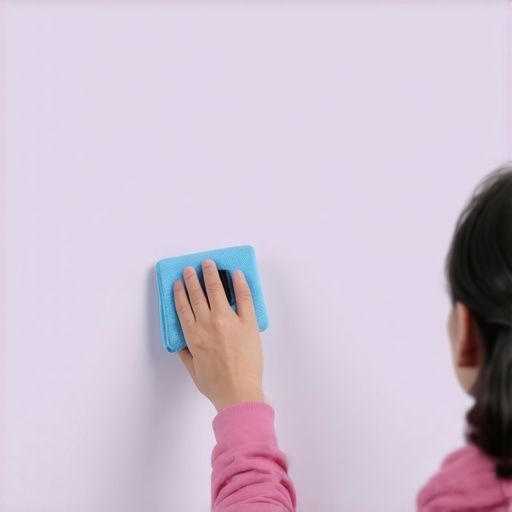
Investing in tools like a quality microfiber cloth, gentle screen cleaner, and a colorimeter isn’t just for initial setup—you’ll find that routine maintenance with these ensures your picture remains sharp, vibrant, and free of distracting artifacts. I highly recommend trying out a professional calibration device for your projector; it can dramatically improve HDR performance and overall image consistency over the long term. Remember, the key to lasting performance is prevention—regular upkeep will save you costly replacements or repairs down the line, preserving your investment and enjoyment for years.
Over the years, my journey into home theater excellence taught me that even the most advanced projectors need the perfect screen partner. The lightbulb moment about gain and material selection transformed my HDR viewing experience, making vivid contrasts and sharp details a reality. The key takeaway? Don’t underestimate the impact of a carefully chosen fixed frame screen—it’s the bridge between your projector’s potential and the immersive world you want to create. Investing time in understanding your room’s lighting, choosing a high-quality material, and ensuring precise installation can elevate your home theater from good to breathtaking. Remember, technology keeps evolving, but the foundation of a stellar HDR setup remains rooted in your informed choices about screens. So, whether you’re upgrading for 2026 or just starting, focus on the details—they make all the difference in bringing cinematic magic home.
One Response
This article hits the mark on how crucial the right screen gain is, especially for HDR content in 2026. I used to think that bigger or more expensive projectors were enough to get excellent picture quality, but I overlooked the importance of matching my screen’s gain and material to my lighting conditions. I recently upgraded my setup after reading about ALR screens—they do seem to make a huge difference in controlling ambient light and improving contrast in bright rooms. I especially appreciate the emphasis on proper installation and maintenance; it’s often underestimated how much regular calibration and checking tensioning can preserve image quality over years. I’ve found that using a simple test pattern and a basic calibration tool helps me keep the picture consistent without the need for professional service. Do you think advancements like automated calibration devices will become budget-friendly enough for the average home theater enthusiast soon? It seems like a game-changer for maintaining peak performance without constant manual tweaking.