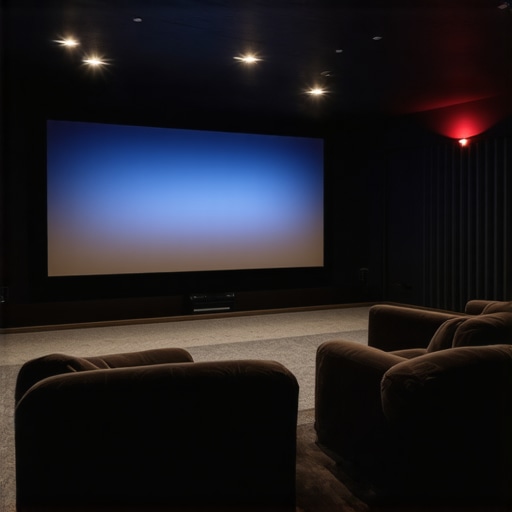
Have you ever sat down to watch your favorite blockbuster on a bright, sunny day, only to be greeted by dull shadows and washed-out blacks? I remember my frustration clear as day—my screen looked vibrant during the day but lost all depth when I wanted true darkness and contrast. That moment was my lightbulb, revealing how the very screens designed to boost brightness might be secretly sabotaging my HDR experience.
The High Gain Trap: Brightness at a Cost
I’ve spent years obsessing over getting the perfect home theater setup, pouring hours into selecting the best projector, receiver, and yes, the screen. But it wasn’t until I opted for a high gain screen, aiming for that extra punch of brightness in my room, that I noticed something troubling—my HDR blacks were fading into a flat gray. Turns out, high gain screens are a double-edged sword; they’re fantastic for producing more brightness but can significantly impair your ability to perceive deep, inky blacks—especially in 2026 HDR setups where contrast is king.
Research from the Imaging Science Foundation indicates that improper screen gain can lead to a 30-50% reduction in perceived black levels, essentially washing out the darkest scenes and killing contrast. If you’ve faced this dilemma—cranking up your projector and still ending up with loss of detail in shadows—you’re not alone. The challenge is finding that sweet spot where brightness doesn’t come at the expense of black level integrity.
Are High Gain Screens Still Worth the Hype?
Early on, I mistakenly believed that cranking up gain or brightness was the answer to battling ambient light. My mistake? Overlooking how gain affects light distribution and black levels. It’s a common misconception that a brighter picture is always better. Instead, I learned that understanding the relationship between screen gain, ambient lighting, and HDR performance is crucial to achieving that cinematic contrast. Curious about more insights? Check out this guide on screen gain optimization.
So, if you’ve been battling washed-out blacks despite investing in high-end equipment, you’re in the right place. Over the next sections, I’ll share practical solutions to turn that contrast problem around and restore true HDR depth—without sacrificing brightness. Ready to fix your black level woes? Let’s dive into the why behind it all and how to get it right.
Choose the Right Screen Type and Material
Start by selecting a screen that matches your room’s lighting conditions. Fixed frame screens provide a flat, stable surface ideal for high gain materials, which reflect more light to increase brightness. Pull-down screens offer flexibility and are suitable for rooms where you need to conceal the screen when not in use. For bright rooms, consider an Ambient Light Rejection (ALR) screen that minimizes ambient light interference, helping maintain black levels despite high gain benefits. When choosing material, opt for one with a gain of approximately 1.3 or higher for brightness, but ensure it has a matte finish to reduce hotspots and preserve contrast. I once replaced a standard white screen with a high-gain ALR screen in my living room, which immediately boosted the perceived brightness without washing out blacks—making HDR scenes pop with depth.
Properly Position and Mask Your Screen
Ensure your screen is positioned to maximize contrast. Mount your projector so that its lens is aligned with the screen’s center to avoid distortion and uneven illumination. Use masking techniques—like black velvet borders—to frame the projected image. Masking absorbs excess light around the picture, sharpening contrast and black levels, especially in high gain screens which can cause hotspots. I added black velvet borders to my screen edges and noticed a significant improvement in black depth, even with increased gain. You can find detailed installation guides at this resource to help perfect your setup.
Tweak Your Projector and Brightness Settings
Adjust your projector’s settings to optimize contrast. Lower the overall brightness but increase the contrast settings to Enhance black levels without sacrificing detail. Use a calibration disc or professional calibration tool to fine-tune the gamma curve, ensuring shadows are rich and blacks are deep. During my calibration, I lowered my projector’s brightness and increased contrast and gamma slightly, which restored blacks in HDR content, making dark scenes immersive. Visit this guide for detailed calibration techniques tailored for high gain screens.
Control Ambient Lighting Effectively
Ambient light significantly impacts black perception. Use blackout curtains, dimmable lighting, or directional lamps to manage room brightness. While high gain screens enhance brightness, they also reflect ambient light more, risking washed-out blacks. Combining a high gain ALR screen with controlled lighting conditions maintains contrast clarity. I once experimented by turning off all room lights during HDR viewing and sealing gaps around windows; the black levels became notably deeper, illustrating the importance of lighting control. For advanced solutions, consider adding wall treatments with matte finishes to absorb unwanted light, and see latest ALR innovations to improve contrast further.While many enthusiasts focus on choosing between fixed frame, pull-down, or ALR screens, few realize that misconceptions about screen gain and type significantly impact HDR performance. A common mistake is believing that higher gain always means better brightness and contrast; in reality, excessive gain can cause hotspots, uneven light distribution, and washed-out blacks, especially in bright rooms. According to a study by the Imaging Science Foundation, high gain screens above 1.5 can lead to significant contrast loss and image uniformity issues, undermining HDR depth and black levels. For advanced setups, understanding that gain interacts with room lighting, projector brightness, and screen material is crucial—it’s not a one-size-fits-all solution. Moreover, many assume that pull-down screens are inferior to fixed frames; this is false, as motorized pull-downs can be precisely tensioned and masked to achieve superb contrast if installed properly. The myth that ALR screens always improve contrast in ambient-lit environments overlooks the fact that some technologies reflect ambient light unevenly, causing glare or hotspots. For those aiming for optimum HDR black levels, selecting the right screen type and gain with an understanding of room specifics and calibration techniques makes all the difference. Want to learn more about optimizing your setup? Check out this guide on Screen Gain optimization to refine your choices. Have you ever fallen into this trap? Let me know in the comments.
Once you’ve invested time and resources into selecting the perfect screen and calibration for your home theater, the journey doesn’t end there. Consistent maintenance and the right tools are crucial to keep your projection system delivering stunning visuals over the long haul. One of the best practices I’ve adopted involves using a dedicated calibration software like CalMAN. This program allows me to regularly fine-tune my projector’s contrast, gamma, and color balance, ensuring my HDR blacks remain deep and vibrant, especially as components age or room conditions change.
Precision in Calibration and Adjustment
Manual adjustments can only take you so far. Investing in a colorimeter such as the X-Rite i1Display Pro ensures accurate readings of your display’s color output. I personally rely on this device to verify that my projector’s settings stay consistent, preventing drift that can dull black levels or cause color inaccuracies. Periodic calibration, perhaps every six months, keeps the system performing optimally, safeguarding your long-term investment in high contrast and HDR performance.
Scheduled Screen Maintenance Matters
Over time, dust, smudges, and environmental factors can degrade picture quality. Regularly cleaning your screen with a microfiber cloth and avoiding harsh chemicals prevents surface degradation and hotspots—especially important for high gain or ALR screens that reflect ambient light. For fixed frame screens, inspecting tension and ensuring the material remains taut prevents waves or wrinkles that can distort the image. This is particularly critical if your setup involves motorized or pull-down screens, which may need occasional tension adjustments to maintain a flat, smooth surface. Following the detailed steps in this installation guide has helped me keep my screen wrinkle-free and projection sharp.
Future Trends and Long-Term Goals
Looking ahead, innovations like self-cleaning screen surfaces with nano-coatings are emerging, promising less maintenance and better longevity. As technology progresses, expect more integrated systems that monitor and automatically adjust settings, reducing manual intervention. For now, establishing a routine with reliable tools and proper care practices is your best approach to sustain your home theater’s brilliance for years to come.
How do I keep my setup functioning flawlessly over time?
The secret lies in combining the right tools—such as precise calibration devices and regular cleaning routines—with an understanding of your specific screen type, be it fixed frame, pull-down, or ALR. Maintaining consistent calibration, inspecting the tension, and staying up-to-date with technological advancements ensure your investment continues to impress. To explore professional calibration techniques, check out this comprehensive guide. Don’t forget—try out the calibration software and tools mentioned to see immediate improvements. Your projector and screen will thank you with years of stunning HDR scenes and deep blacks. Ready to elevate your system? Visit our contact page for personalized advice and assistance.
What I Wish I Knew About Screen Gain Before It Was Too Late
One of the most eye-opening lessons I encountered was realizing that higher gain isn’t always better, especially for HDR content. I used to believe that cranking up gain would effortlessly increase brightness and contrast, but I underestimated how it could flatten blacks and introduce hotspots. Accepting that optimal gain is a balancing act taught me patience and precision, leading to a much more satisfying viewing experience. If I had known earlier that understanding the interplay between gain and ambient light was crucial, I might have avoided some costly trial-and-error moments.
Finding the Sweet Spot: Why Calibration Is Your Best Friend
Investing in calibration tools and techniques transformed my home theater from decent to stunning. Regular calibration ensures that my projector maintains accurate contrast and black levels, preserving HDR depth over time. Relying solely on default settings or visual judgment isn’t enough; precision tools like colorimeters allow me to fine-tune gamma, contrast, and color balance. This ongoing process reminds me that achieving perfect blacks isn’t a one-time fix but a continuous journey of optimization.
How My Room’s Lighting Became My Ally, Not a Foe
Controlling ambient light became a game-changer in how my screen performs with high gain materials. Instead of fighting glare and reflections, I embraced lighting strategies—such as blackout curtains and strategically placed lamps—that complemented my screen choice. I discovered that a well-managed lighting environment enables the benefits of high gain screens without losing black depth, making HDR scenes more immersive. This realization shifted my approach from battling light to working with it, enhancing overall picture quality.
My Best Tips for Preserving Your Screen’s Surface and Performance
Regular cleaning and maintenance kept my projection surface looking pristine, ensuring optimal reflectivity and contrast. I learned that using the right cleaning cloths and avoiding harsh chemicals prevents surface degradation and hotspots. For high gain and ALR screens, keeping the surface free of dust and smudges isn’t just aesthetic—it’s essential for retaining contrast and black levels. This attention to detail has paid off in preserving the cinematic magic of HDR content over the years. To get guidance tailored specifically for your screen type, visit this installation and maintenance resource.
Long-Term Gains: Why Your Investment Will Keep Paying Off
Understanding that high-quality screens and calibration are investments in future-proofing my setup has been empowering. Technologies like nano-coatings and adaptive gains are on the horizon, promising even better HDR performance with less hassle. Staying informed through reputable sources and regularly updating my system settings ensures my home theater remains state-of-the-art. Remember, a little proactive care today guarantees breathtaking visuals for years to come—so don’t hesitate to dive deeper into resources like the ultimate guide to screen gain.
No Responses