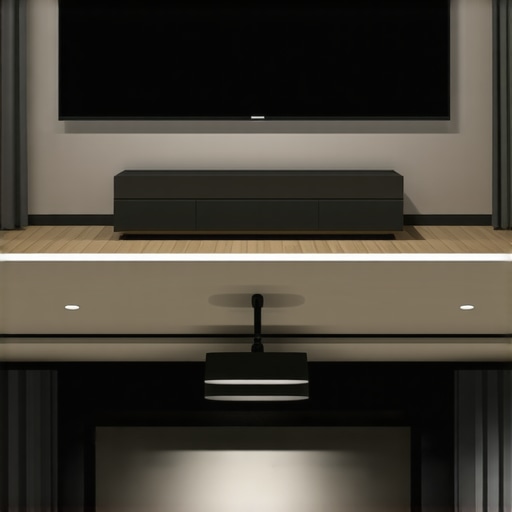
Imagine settling in after a long day, eager to watch your favorite movie, only to be met with glare, washed-out images, or an awkwardly positioned screen that ruins the whole experience. That frustration hits close to home for many enthusiasts, including myself, especially when I first started customizing my home theater. I remember the lightbulb moment when I realized that *where* I mounted my pull down screen drastically affected the picture quality and viewing comfort. It wasn’t just about choosing between ceiling mount or wall—it’s about strategic placement that can make or break your cinematic experience.
Why Proper Placement of Your Pull Down Screen Matters More Than You Think
Getting your projection screen just right isn’t a trivial detail; it’s the foundation of a stunning home theater. Early on, I made the mistake of mounting my screen in a spot that looked convenient but caused unwanted glare and shadow issues. It took trial and error, plus some expert advice, to find the sweet spot. This taught me that proper placement can improve contrast, reduce reflections, and ensure everyone gets a clear view. According to a recent study by Home Cinema Essentials, optimizing screen position can enhance picture clarity and overall immersion, especially in bright rooms. If you’ve ever struggled with image washout or distracting reflections, rest assured, the right placement can fix these issues.
Thinking about your setup? You’re not alone. Many home theater enthusiasts face the dilemma of choosing between ceiling mounting or wall mounting their pull down screens, each with its own advantages and pitfalls. The key is understanding the placement techniques that maximize image quality while complementing your particular room layout. In the sections ahead, I’ll share my top three tips—based on my experience and industry insights—to help you decide where and how to position your screen for 2026 and beyond. Ready to upgrade your viewing experience?
Align the Screen Exactly Where It Matters
Start by choosing a spot that minimizes ambient light and avoids direct reflections. Use a tape measure and laser level to mark the ideal height—roughly at eye level when seated—and horizontal positioning centered in the room. For my setup, I initially guessed based on wall features, but after measuring, I realized I needed to shift the mount 6 inches to the right, which noticeably improved image clarity. This precise alignment prevents distortion and ensures everyone has a direct line of sight.
Decide Between Ceiling and Wall Mounting
Assess Your Room’s Ceiling Height and Structural Integrity
If your ceiling is high and sturdy, a ceiling-mounted setup provides a sleek look and reduces shadow casting. Use a stud finder and secure anchors rated for the weight of your pull down screen. During my first attempt, I drilled into a false ceiling, which sagged slightly—a lesson that reinforced verifying ceiling strength. For lighter fixed frame screens, wall mounting can be easier, but ensure brackets are anchored into studs for stability.
Consider Accessibility and Future Adjustments
If you plan to adjust or hide the screen regularly, motorized wall mounts offer convenience. When installing a motorized pull down in my living room, I followed the installation guide to ensure smooth operation. Proper positioning and mounting are crucial to prevent wobbling or sagging, which can impair image quality especially in high-gain or ALR screens.
Optimize Screen Orientation for the Space
Ensure the screen’s aspect ratio matches your projector’s output and the room dimensions. For a 16:9 projector, position the screen accordingly. Use masking tape to tape the outline, then view from multiple seating positions to check for unwanted shadows or glare. I discovered that mounting slightly lower (but still at eye level) avoided reflections from nearby windows during afternoon screenings.
Tension and Stability Matter
A sagging or loose pull down screen causes uneven surfaces that distort the image, especially on high-gain or ALR fabrics. Pull the tension adjusters firmly, checking from various angles. When I first tensioned my screen, I observed waves forming across the surface, which I fixed by tightening incrementally, following tips from the fixes for ALR screens. Proper tension maintains a flat, uniform surface conducive to sharp projection.
Check for Obstructions and Reflections
After mounting, test with your projector on and observe the room’s reflections. Move furniture or drapes if necessary. My initial setup had a table right beneath the projector’s beam, causing shadows. Adjusting the table or angling the projector eliminated this issue. Also, use a remote or flashlight to detect any light leaks or accidental reflections that could wash out the image.
When designing a home theater, it’s tempting to buy into popular claims about screen gain and type—especially the belief that higher gain always means brighter images. However, this oversimplification can lead to advanced mistakes that diminish your viewing experience. One widespread myth is that screen gain linesarly boosts brightness without consequences, but in reality, increasing gain reduces the viewing angle and can cause hotspots, making the picture less uniform across seats. Experts like those at Home Cinema Essentials warn that selecting an excessively high-gain screen for a large room may result in uneven brightness and color shifts, especially if the projector’s lumen output isn’t properly balanced. To avoid this trap, always consider your room size, seating layout, and projector capabilities before choosing a screen gain; the goal is balanced brightness, not maximum gain. Moreover, many enthusiasts overlook the impact of ALR (Ambient Light Rejection) technology when evaluating screens. They assume ALR screens are all the same, but different formulations absorb ambient light differently, affecting contrast and color accuracy. Advanced users should explore expert insights on ALR screen varieties and how to match them with their projector and lighting conditions, as detailed in our comprehensive guide. A common mistake that even seasoned hobbyists make is equating fixed frame screens with perfect flatness, but improper tensioning or installation can introduce subtle waves that distort the projection, especially on high-gain or ALR fabrics. This can cause image blurring or uneven focus, reducing clarity. To prevent this, use proper tensioning techniques or professional installation, as recommended in our [fixed-frame installation guide](https://screens.homecinemaessentials.com/fixed-frame-screen-installation-guide-for-home-theaters), ensuring a perfectly flat surface. Now, let’s tackle a question often ignored by advanced users:
What is the fine line between high gain and image distortion, and how can I avoid it?
This involves understanding the angular dependency of gain and the limitations of your projector’s lumen output. High gain surfaces reflect light more intensely in the central viewing zone but can cause hot spots and loss of contrast if not chosen carefully. Experts suggest selecting a gain that enhances brightness without sacrificing uniformity, typically within the 1.3 to 2.0 range for most home theaters, especially in rooms with some ambient light. Balancing this gain with projector lumen output is vital; overestimating gain can lead to washed-out images, while underestimating fails to leverage the potential of your projector. For a deep dive into optimizing screen gain for your specific setup, see our [comprehensive guide on screen gain](https://screens.homecinemaessentials.com/understanding-screen-gain-how-to-optimize-brightness-and-clarity). Remember, achieving a perfect picture isn’t just about picking the highest gain or fancy technology—it’s about nuanced choices tailored to your room dynamics and viewer needs. Have you ever fallen into this trap? Let me know in the comments.
Essential Tools for Maintaining Optimal Screen Performance
Maintaining your projection screen requires more than occasional dusting; it demands precision tools to preserve flatness, color accuracy, and tension over time. I rely heavily on a digital laser level to ensure the screen remains perfectly aligned after installation—this device measures deviations down to millimeters, making it invaluable for high-gain or ALR screens where surface flatness directly impacts image quality. Additionally, a dedicated tensioning kit, including adjustable ratchet straps and tension adjusters, helps me fine-tune the fabric to prevent waves or sagging, which become more pronounced in larger or high-gain surfaces.
For cleaning, I opt for a microfiber cloth and a gentle, alcohol-free lens cleaner. Harsh chemicals can degrade delicate fabrics, especially ALR materials that are engineered for optimal light absorption. Regular gentle cleaning prevents dust buildup that can cause hotspots or reduce contrast, a common issue with dirt trapped in fabric textures.
Software and Techniques for Long-Term Monitoring
Beyond physical tools, I recommend utilizing a color calibration device, such as the X-Rite i1Display Pro, to regularly check color fidelity and brightness levels—particularly after temperature or humidity shifts that can affect fabric tension or fabric properties. This calibration ensures that your screen maintains the intended color accuracy, which is crucial when working with high-dynamic-range (HDR) content. Also, I suggest creating a maintenance schedule with documented calibration and tensioning checks every 6 to 12 months, depending on your environment.
Furthermore, software options like CalMAN or LightSpace monitor your projector’s output, helping you adjust brightness, contrast, and color settings to match your screen’s specifications. Consistent calibration isn’t just for professional theaters; it ensures that your home cinema stays vibrant and true to life over years of use. As technology advances, expect more integrated solutions that combine hardware sensors with AI-driven adjustments, making maintenance even more effortless in forthcoming years.
Planning for Future Expansion and Upgrades
As your home theater evolves, keeping your projection system scalable and adaptable is vital. Investing in adjustable tension bars that allow quick tension adjustments without dismounting the screen can save time and preserve the surface. Similarly, selecting modular fixing systems compatible with future technology upgrades ensures you can incorporate newer screen materials or larger sizes seamlessly. For example, advanced ALR fabrics are constantly being refined to increase ambient light rejection, making future upgrades more straightforward. Additionally, maintaining a log of your calibration and tensioning efforts can guide you in diagnosing issues and evaluating when it’s time for a professional reinstallation or fabric replacement.
How do I maintain my projection screen over time?
Implement a routine schedule combining physical tools like laser levels and tensioning kits with digital calibration devices to ensure consistent performance. Regular cleaning using gentle products and periodic software calibration can extend the lifespan and quality of your screen. Keep an eye on fabric tension and surface flatness, especially for high-gain and ALR screens, ensuring they stay optimally aligned for the best picture quality. For expert tips on advanced maintenance techniques, check out this detailed installation guide and stay ahead in your home theater mastery.
By investing in precise tools and adopting proactive maintenance habits, you’ll preserve your projection system’s brilliance for years to come, making every movie night as immersive as the first.
Stepping Beyond the Basics: Lessons I Wish I Had Known
One of the most eye-opening lessons I learned about screen gain and placement was how even a few inches of misalignment or improper tension could diminish picture quality significantly. It taught me that meticulous adjustment isn’t just for professional setups—it’s essential for your personal viewing pleasure. Additionally, I discovered that understanding the *angular dependency of gain* helps prevent hotspots and uneven brightness, especially in large rooms with high ambient light. Lastly, I realized that regular calibration and tension checks are your best allies in maintaining image sharpness and color fidelity over the years, rather than a one-and-done installation.
My Top Tools and Resources for Elevating Your Home Theater
First, I rely on a precise laser level to ensure flawless alignment—trust me, it’s in a league of its own for preventing surface waves and dips. Second, a tensioning kit with ratchet straps has saved me from sagging screens, maintaining that perfect flatness essential for crisp images. For calibration, my trusted device is the X-Rite i1Display Pro; it keeps my colors accurate and brightness balanced, crucial when working with HDR content. Lastly, I continuously learn from dedicated industry guides like our fixed frame screen installation guide, which keeps my setup sharp, efficient, and future-proof.
Your Cliffhanger Moment: Make Your Home Theater Dreams Come True
Embracing the nuances of projection screen placement and gain isn’t just about technical mastery; it’s about transforming your viewing environment into a personal cinema sanctuary. Every tweak and calibration brings you closer to that perfect picture—vivid, immersive, and uniquely yours. So, why wait? Dive into these strategies, experiment with your setup, and experience the extraordinary clarity and color that proper screen placement can deliver. Your next movie night might just be your best yet!
Have you ever struggled with fine-tuning your projection screen to achieve the perfect picture? Let me know below—I’d love to hear about your own journey and tips!
No Responses