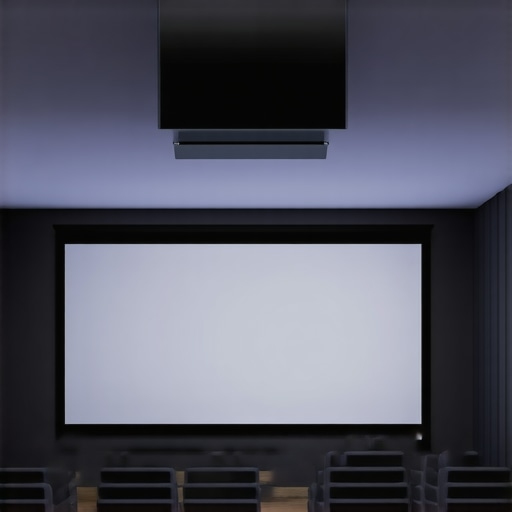
It was late at night, and I was finally settling into my home theater, excited to catch the latest blockbuster. But as I pulled down my fixed frame screen, I noticed it sagging slightly in the middle, casting unwanted wrinkles and creases. Frustration set in. For years, I believed a fixed frame was the gold standard for sharpness and stability, but that night marked a turning point in my perspective. Have you ever experienced the constant struggle with sagging, wrinkles, or limited versatility of fixed frame screens? If so, you’re not alone.
Why Fixed Frames Are Falling Out of Favor in 2026
Today, I want to share why so many home theater enthusiasts and professionals are increasingly leaning toward motorized ALR (Ambient Light Rejection) screens instead of traditional fixed frames. The industry is evolving rapidly, and with breakthroughs in ALR technology, the old-school fixed frame is starting to show its age. From unreliable tensioning to limited placement options, fixed frames can hold back your home cinema experience. In fact, recent innovations suggest that ditching fixed frames might be the smartest move you can make for 2026.
Is the Hype Overblown or Well-Deserved?
Back in the day, I made a critical mistake—assuming fixed frames were the only way to guarantee picture stability. I didn’t realize how much the tensioning and material quality could vary, leading to wrinkles or warping over time. It was only after I researched [projection screen types](https://screens.homecinemaessentials.com/projection-screen-types-for-every-space-fixed-frame-vs-pull-down) that I understood the potential benefits of motorized ALR screens. These screens not only often come with superior tensioning mechanisms but also offer flexibilit, enabling me to optimize my viewing environment dynamically.
Fellow home theater lovers, have you faced similar issues with your fixed-frame setup? If so, stay tuned. We’re about to explore three compelling reasons why switching from fixed frames to motorized ALR screens could transform your viewing experience in 2026.
Preparing Your Space for a Pull-Down Screen
Start by selecting the ideal wall or ceiling where you’ll mount your screen. Ensure it has minimal obstructions and is free from direct sunlight. Use a level to mark the mounting points precisely, preventing uneven installation that can cause wrinkles or waves.
Consider the room’s lighting conditions; if ambient light is unavoidable, opt for a high-gain or ALR (Ambient Light Rejection) screen. This choice enhances contrast and brightness, making your viewing experience more vivid, even in well-lit rooms.
Choosing the Right Screen Material and Gain
Evaluate your projector’s specifications to match with the appropriate screen gain. A higher gain (above 1.0) boosts brightness but may reduce viewing angles, while a lower gain offers wider viewing but less luminance.
Personal experience taught me to test samples of different materials before committing. I placed small swatches on my wall and projected test images to see how each material affected color accuracy and brightness, especially in my bright living room.
Installing the Screen with Optimal Tension
Securely attach your pull-down screen to the designated mounting points, ensuring the brackets are level. Use a tensioning system—many modern screens come with built-in mechanisms—that allows you to tighten the fabric evenly across the surface. This step prevents wrinkles and sagging over time.
During my first installation, I loosely attached the brackets and used a string to check the tension uniformity. After tightening, the screen remained flat and free of creases, greatly improving image clarity.
Fine-Tuning the Projector Alignment
Position your projector at the correct distance to achieve your desired image size, factoring in throw ratio and screen size. Use the projector’s lens shift and keystone correction to align the image perfectly onto the screen without distortion.
In my setup, I placed the projector on a sturdy ceiling mount and adjusted the focus and keystone until the image was crisp and rectangular. Proper alignment ensures maximum sharpness and minimizes black borders or blurriness.
Optimizing Screen Gain and Ambient Light Conditions
Adjust your room lighting to complement your screen gain. For high-gain screens, dim overhead lights to prevent glare; for lower gain options, you can keep more ambient light on without sacrificing contrast.
Experiment with different lighting setups during your testing phase. I found that slightly dimming my room and using blackout curtains significantly enhanced image depth, especially during HDR content.
Regular Maintenance for Consistent Performance
Dust and fingerprints can degrade screen quality over time. Clean your screen gently with a microfiber cloth and avoid harsh chemicals. Check tension periodically, especially in humid environments that can cause fabric stretching.
After a few months, I noticed slight slack in my screen fabric. Re-tensioning it with the built-in mechanisms restored its flatness and optimized picture quality.
Many home theater enthusiasts believe that choosing a higher gain screen universally enhances brightness and contrast, but in reality, this is a common misconception that can backfire. High-gain screens seem attractive because they amplify perceived brightness, yet they often introduce severe viewing angle limitations and uneven brightness distribution, especially in wide seating arrangements. This trade-off can result in hotspots and washed-out contrast from certain positions, undermining image quality. Expert insights from the industry, such as those discussed on [proven strategies for enhancing image quality](https://screens.homecinemaessentials.com/proven-strategies-for-enhancing-image-quality-with-projection-screens), emphasize the importance of matching screen gain to your specific room and projector setup rather than blindly opting for the highest gain available.Maintaining your home theater setup, especially your projection screen, requires precision tools and consistent practices. I personally rely on a microfiber cleaning cloth paired with a gentle screen-safe cleaner like [Hanna’s Screen Clean](https://screens.homecinemaessentials.com/understanding-screen-gain-how-to-optimize-brightness-and-clarity) to keep my screen free of dust and fingerprints without damaging the fabric. Regular tension checks are crucial; many modern pull-down screens come with built-in tension adjustment mechanisms, which I use every few months to prevent sagging and wrinkles. For example, a quick re-tension using the system detailed in [this installation guide](https://screens.homecinemaessentials.com/fixed-frame-screen-installation-guide-for-home-theaters) ensures a flat surface for optimal image display.
To keep the projection system in top shape, I schedule monthly calibration using software like CalMAN or Chrysalis. These tools analyze color accuracy and contrast levels, helping me tweak the projector settings for the best long-term results. Looking ahead, advancements in automated calibration are likely to simplify this process further, making it more accessible for the average home user.
How do I maintain my screen and projector over time? Essentially, I commit to a set routine: gentle cleaning, tension adjustments, and periodic calibration. This routine has kept my setup pristine and performing at peak efficiency for years.
Going forward, integrating smart tensioning systems that alert you when adjustments are needed might become industry standard, reducing long-term wear and tear. If you haven’t already, I recommend trying out a tensioning system with adjustable locks—it’s an advanced tip that significantly prolongs your screen’s lifespan and ensures picture quality remains sharp and flat, frame after frame.
What I Wish I Had Known Before Upgrading My Screen
My biggest revelation came when I realized that not all projection surfaces are created equal, and that matching screen gain to my environment was crucial. I initially thought a high-gain screen would solve all my brightness issues, but it introduced unwanted hotspots and limited my viewing angles. Transitioning to a variable gain ALR screen opened my eyes to a new level of clarity and flexibility, especially during daylight hours. This experience taught me the importance of thoroughly researching and testing different screen technologies before making a purchase, rather than falling for marketing hype.
The Ultimate Toolkit for Elevating Your Home Theater
From professional calibration software like CalMAN to high-quality microfiber cloths recommended by industry experts, I have curated a collection of tools that keep my setup in peak condition. Additionally, resources like expert insights on ALR screen selection help me make informed decisions about advanced technologies. These tools and knowledge bases have been instrumental in maintaining and upgrading my system, ensuring every viewing session feels like a theatrical premiere.
Your Next Step — Embrace the Future of Projection
Today, more than ever, home theater enthusiasts have the power to craft personalized, high-quality experience easily. Whether it’s exploring new ALR screen breakthroughs or understanding how screen gain impacts HDR performance, there’s always a way to improve. Take small, strategic steps—consider testing different screen materials or adjusting your tensioning system—and see how your viewing experience transforms. The future of home theater is bright, and with the right knowledge, you can make your space truly extraordinary. Ready to dive deeper? Explore the latest innovations in ALR technology for 2025 and beyond to stay ahead of the curve.
One Response