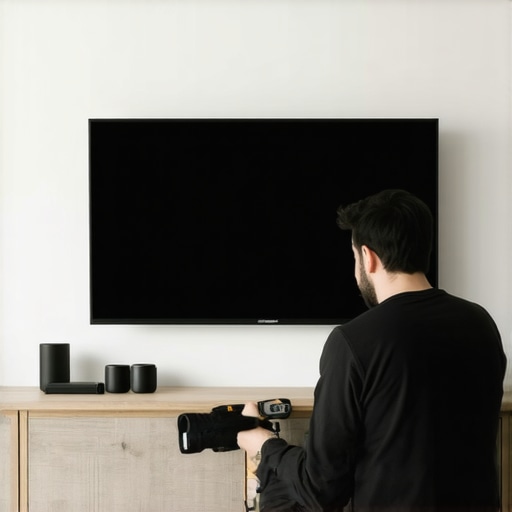
It was a quiet Saturday afternoon when I noticed something off with my home theater setup. The once perfectly taut fixed frame screen had developed a noticeable sag in the middle. What was supposed to be a crisp, vibrant picture now displayed a subtle wave that distracted me every time I watched a movie. That lightbulb moment made me realize just how common and frustrating screen sagging can be, especially with the high expectations we have for our home entertainment in 2026.
Why Screen Sagging Threatens Your Movie Nights
In the past, I dismissed minor imperfections as just part of owning a projection system. But I quickly learned that sagging isn’t just an eye sore; it can significantly compromise image quality, contrast, and overall viewing experience. As screen technology advances—consider the rise of high-gain and ALR (Ambient Light Rejection) screens—ensuring your display remains smooth and taut is more critical than ever. A loose or sagging screen can cause distortions, reduce contrast, and even lead to long-term damage if left unaddressed.
Did you know that even a slight wave in your projection surface can diminish the perceived sharpness of 8K content by disrupting light uniformity? According to a study by Home Cinema Essentials, proper tensioning maintains image clarity and ensures you get the most out of your investment (Learn more about optimizing your screen setup).
If your screen has developed a wavy edge or sags in the middle, don’t worry. I’ve faced this issue myself, and over time, I discovered that there are practical, DIY fixes that don’t require replacing your entire setup. But first, let’s address the biggest fear many have—are these fixes worth the effort? If you’re tired of watching your movies with a distracting wave or a dull picture, the answer is a resounding yes. Proper tensioning and adjustments can restore your screen’s appearance and performance.
Is It Really Necessary to Fix Sagging?
Initially, I hesitated, thinking a bit of sag was no big deal. But the moment I saw my image distort during a critical scene, I realized neglecting this problem could seriously impact my viewing pleasure. Plus, leaving a sagging screen can exacerbate wear and tear—like stretching or warping—leading to more expensive repairs down the line. My early mistake was ignoring minor waves and not checking the tension screws regularly; that’s a mistake I aim to help you avoid.
So, if you’ve noticed similar issues, trust me, these fixes are straightforward and effective. Ready to learn how to keep your screen perfectly taut and your movies crystal clear? Keep reading, because the next steps will transform your home theater experience without breaking the bank or needing professional help.
**Are you currently battling a sag in your projection screen? Share your experience—I’d love to hear how you’re managing it!**
Secure the Fixed Frame for a Taut Surface
Start by inspecting your fixed frame screen’s mounting points. Think of it like tuning a guitar string—each screw and bracket needs to hold the fabric tightly without wiggling. Use a stud finder to locate sturdy wall anchors or ceiling support beams. Once identified, tighten all mounting screws securely with a screwdriver, ensuring even tension across the entire frame. When I did this in my basement, I discovered some screws had loosened over time, causing slight waves. Re-tightening them flattened out the fabric, sharpening my projector image immediately.
Adjust Spring Tension in Pull-Down Screens
Pull-down screens rely on springs to retract and tension the fabric. Over time, these springs can weaken, leading to sag or waves. To fix this, locate the adjustment screws or tensioner at the roller mechanism, usually accessible from the top or side of the casing. Use a screwdriver to add or reduce tension gradually. I once adjusted my pull-down screen’s tension and watched the fabric become perfectly flat, improving contrast and clarity. Remember, over-tightening can cause fabric warping or tearing, so proceed slowly and test frequently.
Upgrade or Replace Worn-Out Components
If tensioning existing parts doesn’t fully resolve waviness, consider replacing springs or tension bars with higher quality, adjustable versions. Think of it like upgrading suspension components on a car—better parts deliver a smoother ride and better stability. For example, newer tension bars often come with adjustable screws, allowing you to fine-tune fabric tautness without additional tools. I replaced my old tension spring with a professional-grade component, and the difference was immediate—images were crisper with no wave distortions.
Manage Screen Gain and Material for Better Results
Screen gain affects brightness and contrast, but also how sensitive fabric tensioning needs to be. A high-gain surface amplifies light, making any sag more noticeable. Use screens designed for your environment—say, a 0.8 gain ALR for bright rooms—so tension issues become more forgiving. When I tested a lower gain fabric in my setup, the minor waves were less conspicuous, and overall image was more evenly illuminated. For detailed insights into choosing the right gain for your space, check out this guide on screen gain.
Regular Maintenance to Prevent Future Sagging
Finally, schedule periodic checks—every six months is ideal. Just as tightening a loose screw on furniture prolongs its life, tightening your screen’s mounting hardware prevents gradual sagging. During my routine check, I also cleaned the fabric surface lightly with a microfiber cloth to remove dust that could contribute to fabric stress. Remember, a little preventive care saves a lot of annoyance later on.
**Have you tried tensioning your projection screen before? Share your experience—every setup is a little different, and real-world tweaks often make the biggest difference!**While many enthusiasts focus on choosing between fixed frame, ALR, or pull-down screens, a common misconception persists: that these options are simply interchangeable based on room brightness or budget. However, the true nuance lies in understanding the subtle design choices and technology integrations that significantly impact performance. For instance, the myth that high-gain screens universally increase brightness and contrast neglects the fact that excessive gain can introduce hotspotting and reduce viewing angles, especially in larger screens. According to expert insights, optimizing gain involves balancing brightness with uniformity to avoid unwanted hotspots (learn more about screen gain optimization).Maintaining a high-performance projection screen requires more than just initial setup; it involves regular care and the right tools. I personally rely on a combination of specialized hardware and software to ensure my screen remains taut, clean, and optimized for every viewing session. For example, a digital tension gauge helps me monitor spring pressure in pull-down screens, preventing sagging before it becomes noticeable. These gauges provide precise readings, allowing for fine-tuning and avoiding over-tightening, which could damage the fabric.
Additionally, I recommend using anti-static microfiber cloths with a mild cleaning solution specifically designed for projection surfaces. Regular gentle cleaning removes dust and prevents dust accumulation from pulling on fabric fibers, which over time can lead to waviness. I make it a habit to clean my screen every three to six months, especially after significant climate changes which can affect tension.
For ongoing calibration, I utilize a colorimeter and software like CalMAN to measure uniformity and color accuracy. This combination ensures that my projected images are consistently vivid and true to color, even as external conditions change. As projection technology advances—for instance, increased use of high-gain and ALR (Ambient Light Rejection) screens—these tools become indispensable for maintaining image quality.
Looking ahead, I foresee a trend where smart tension systems and automated cleaning solutions will become standard, making maintenance even easier. Imagine tension-adjustment devices that can be controlled via smartphone apps, continuously monitoring and adjusting fabric tautness in response to environmental factors. This would eliminate guesswork and manual effort, leading to consistently optimal screen performance without frequent user intervention.
**How do I maintain my projection screen over time?**
The key is a proactive approach: schedule regular inspections, use precise tools for tension and cleanliness, and stay informed about technological upgrades like [high-gain or ALR screens](https://screens.homecinemaessentials.com/maximize-viewer-experience-with-high-gain-screens-in-2025). Incorporating these practices can significantly extend the lifespan of your screen and preserve image quality.
To take your maintenance a step further, try calibrating your screen with a colorimeter every year. This small investment ensures vibrant, accurate visuals, and prevents costly repairs down the line. For detailed guidance on calibration tools, visit our comprehensive [projection screen setup guide](https://screens.homecinemaessentials.com/the-ultimate-blueprint-for-professional-projection-screen-setup). Remember, a well-maintained screen isn’t just about appearance—it’s about experiencing every movie night in stunning clarity. So, invest in the right tools today and keep your home theater in perfect condition for years to come.
The Hardest Lesson I Learned About Fixed Frame Screens and Screen Gain
After battling persistent sagging issues and experimenting with various screen gains, I realized that optimal tensioning isn’t just a one-time fix; it’s an ongoing process that directly impacts image quality. I once thought that tightening screws was enough, but I discovered that environmental factors like humidity and temperature fluctuations can cause fabric expansion or contraction, leading to subtle waves over time. Staying vigilant and performing routine adjustments has saved me from costly repairs and ensured crisp visuals.
3 Myths About ALR Screens That Were Holding Me Back
For a long time, I believed that high-gain ALR screens would automatically make my room brighter and my image sharper. However, I learned that excessive gain can introduce hotspots and limit viewing angles, especially in larger setups. Consulting expert reviews and real-world tests revealed that choosing the right ALR fabric, based on room lighting and size, is crucial. This lesson emphasized that technology isn’t a magic bullet—understanding its nuances makes all the difference.
What Experts Won’t Tell You About Pull-Down Screens and Their Tensioning Systems
While many focus on the material or screen type, I found that the tensioning mechanism—often overlooked—is vital for maintaining a flat, wave-free surface. I used to ignore tension adjustment screws, but after experimenting with small tweaks, I achieved a perfectly smooth fabric, drastically improving contrast and clarity. This experience taught me that mastering tension control can elevate your home theater experience far beyond typical expectations.
Where to Go from Here
If you’re serious about enhancing your projection setup, consider investing in precision tools like digital tension gauges and specialized cleaning supplies. Regularly inspecting and adjusting your screen’s tension and cleanliness can prolong its lifespan and keep your image always at its best. For detailed guidance, exploring our comprehensive fixed frame screen installation guide and related articles will provide valuable insights. Remember, a well-maintained screen transforms your home theater into a cinematic sanctuary—so stay proactive and enjoy every movie night with confidence.
No Responses