I remember the moment as if it just happened yesterday. I had finally upgraded to a state-of-the-art projector, aiming for the perfect HDR experience during my movie nights. But to my dismay, the blacks looked flat, the contrast was underwhelming, and the image just didn’t pop like I’d envisioned. It was a lightbulb moment—realizing that even with top-tier equipment, my worries about screen gain and HDR accuracy weren’t going away. Sound familiar? If you’ve been battling dull blacks and washed-out images despite investing in premium gear, then this post is for you.
The Power of Proper Screen Gain for HDR in 2026
Understanding why your HDR images aren’t hitting the mark starts with one simple concept: screen gain. A high-gain screen can boost brightness but often at the expense of contrast and black levels—crucial for HDR quality. I used to think that brighter always meant better, but I discovered the hard way that chasing high gain can actually make blacks look gray and eliminate those deep shadows that give movies their depth. According to recent studies, low to medium gain screens—around 0.8 to 1.1—are actually better suited for maintaining the contrast required for impactful HDR images.
**Have you experienced your HDR content looking overly washed out or lacking depth?** If so, you’re not alone. Many enthusiasts make the mistake early on of opting for screens that maximize brightness without considering effective contrast. I made this mistake myself—believing that more gain would simply make everything brighter and better. But trust me, the real magic is in balancing gain with contrast to preserve those cinematic blacks.
To truly elevate your HDR viewing in 2026, you need to understand how screen gain interacts with projector lumens, ambient light, and image processing. Curious about how to select the perfect screen gain for your setup? Check out the detailed insights from experts that can transform your home theater experience. For a comprehensive guide, visit [home cinema experts](https://screens.homecinemaessentials.com/understanding-screen-gain-how-to-optimize-brightness-and-clarity).
Stay tuned, because next, I’ll share practical fixes that turned my setup around—making me confident once again that my investment would deliver the cinematic black levels and contrast I craved.
Select the Right Screen Gain for Optimal HDR Colors
Begin by choosing a screen with a low to medium gain, ideally between 0.8 to 1.1. This range balances brightness and contrast, essential for accurate HDR black levels. Recall the time I experimented with a high-gain screen; the blacks appeared washed out, and the image lost depth. Switching to a 0.9 gain screen immediately improved contrast, illustrating the importance of this step.
Identify Your Room’s Lighting Conditions
Assess ambient light levels carefully. Bright rooms require screens with specific surface textures to prevent washout. For example, I tested different textures in my living room—glossy surfaces amplified glare, while matte textures subdued reflections. Learn more about choosing the best ALR screen for your space here.
Adjust Your Projector’s Settings for Harmony
Set your projector’s brightness and contrast to complement your screen’s gain. For instance, when I calibrated my 8K laser projector with a 0.9 gain screen, lowering the brightness slightly preserved blacks and enhanced HDR pop. Use calibration tools to fine-tune image parameters—these can make the difference between washed-out visuals and cinematic depth.
Align and Tension Your Screen Properly
Ensure your fixed frame or pull-down screen is perfectly tensioned. Loose edges cause distortions, diminishing image quality. I faced this issue with a pull-down model—learning to tension it properly eliminated ghosting and waves, resulting in sharper images. If you’re unsure of installation techniques, consult the installation guide.
Manage Ambient Light Strategically
Control stray light by using velvet borders, blackout curtains, or ceiling baffles. In my setup, adding velvet borders improved perceived contrast, especially in brighter rooms. Combining this with a low gain screen and proper room lighting control maximizes HDR performance.
Run Test Patterns and Validate Results
Use HDR calibration patterns to test black levels, contrast, and color accuracy. I ran a test pattern after setup—waves of deep blacks and vibrant highlights confirmed I was on the right track. Regular testing ensures your adjustments deliver consistent quality and helps you spot issues early.
Refine Your Setup Over Time
Don’t settle for initial results. Experiment with projector angles, screen position, and calibration settings. Small tweaks, like slight angle adjustments, can significantly improve image uniformity. Remember, achieving perfect HDR visuals in 2026 involves continuous fine-tuning—viewing your space as an evolving system.
While many enthusiasts focus on the superficial specs like gain ratings or frame materials, the real mastery of projection screens goes beyond the basics. A common misconception is that higher gain always translates to brighter images, but in reality, this can introduce artifacts such as hotspotting or reduced viewing angles, especially evident in advanced ALR (ambient light rejecting) screens. Recent research indicates that optimal screen gain is a delicate balance; screens with a gain of around 0.8 to 1.0 often deliver the best HDR contrast without sacrificing viewing comfort. Many users also believe that pull-down screens are inherently inferior to fixed frames in image uniformity—yet, with proper tensioning and installation techniques outlined in the installation guide, pull-downs can perform just as well, if not better, in versatile room setups. One prevalent myth is that ALR screens only excel in dedicated, dark rooms—however, with recent technology breakthroughs, certain ALR fabrics now handle ambient light remarkably well, making them suitable for brighter environments. But beware of the trap: selecting a high-gain ALR without considering the room’s light dynamics can lead to hotspots and uneven image quality. Advanced viewers should ask: How does the screen’s surface texture influence light diffusion and contrast retention during HDR playback? Studies from industry experts suggest that textured surfaces tailored for specific projector types can mitigate hotspots and preserve black levels more effectively, enhancing overall image depth.
What do I need to consider for complex home theater setups?
For those digging into high-end setups, it’s crucial to account for the interaction between projector lumen output, screen gain, and room lighting controls. Skipping calibration or neglecting to test different fabrics can result in subpar performance despite premium equipment. Testing with calibration patterns and reviewing images from different angles can reveal subtle issues invisible to the naked eye but detrimental to the cinematic experience. Remember, optimizing your setup is an ongoing process; upgrading components like the projector’s lens shift or adding room darkening solutions can synergize with your screen choice for peak HDR realism. Have you ever fallen into this trap? Let me know in the comments.
Tools I Recommend for Reliable Performance
To ensure your projection setup remains impeccable, investing in quality tools is non-negotiable. I personally rely on a high-precision laser distance meter like the professional setup laser to measure exact distances when installing or re-tensioning my fixed frame screen. This guarantees consistent image geometry and alignment over years of use.
Additionally, a digital level with at least 0.1-degree accuracy helps me maintain perfect perpendicularity and tension, avoiding unwanted waves or sagging, especially crucial for pull-down screens. For calibration, I prefer using software like CalMAN — a professional-grade calibration suite that offers precise controls over contrast, color, and black levels, ensuring my HDR content looks stunning every time.
Maintaining your system isn’t just about initial setup; regular checks with uniformity and black level test patterns, available through specialized calibration disks, help spot degradation or misalignment early. These tools ensure your investment continues to deliver cinema-quality visuals with minimal fuss.
How do I maintain my projection setup over time?
Consistent maintenance involves routine visual inspections for tension issues, dust, and wear. Clean your screen surface with a soft microfiber cloth—never harsh chemicals—and check tensioning screws on pull-down units quarterly to prevent edges from becoming loose or sagging. Keep projector filters clean to avoid heat buildup and image degradation. Also, revisit calibration every six months, especially if ambient lighting or room furnishings change, to preserve optimal contrast and color accuracy. With these habits, your setup will reliably produce stunning HDR images for years to come.
For advanced maintenance, consider installing a tensioning kit—a recommended upgrade that keeps your pull-down screen perfectly taut, preventing edge curl and ensuring crisp images. Regularly review your setup via online tutorials or community forums; sharing experiences can reveal simple adjustments that significantly improve performance. Finally, always follow manufacturer’s recommendations for your specific equipment, including fixed frame or pull-down screens, to avoid voiding warranties and ensure longevity.
By equipping yourself with the right tools and establishing a routine maintenance regimen, you can keep your projection system performing at its best. Ready to take your setup to the next level? Try calibrating with professional calibration software this weekend — the difference in image quality will amaze you.
The Hard Lessons that Changed My Perspective on Screen Gain
One of the most impactful lessons I learned was that higher screen gain isn’t always better. I used to chase the brightest images by opting for screens with gains above 1.5, thinking it would elevate my HDR experience. However, I soon realized that this often led to hotspots, reduced viewing angles, and washed-out blacks, defeating the purpose of HDR’s depth. The breakthrough came when I understood that a screen gain around 0.8 to 1.0 strikes the perfect balance, maintaining contrast and true blacks. This lightbulb moment transformed how I approach home theater setups and underscored the importance of considering room lighting and projector lumen output.
Why I Stopped Ignoring Room Dynamics in HDR Setup
Initially, I believed that my projector’s specs mattered most, and room lighting was a secondary concern. That was a mistake. I overlooked how ambient light and surface textures directly impact HDR quality. Learning about Ambient Light Rejection (ALR) screens and their ability to handle daylight was eye-opening. I experimented with different textures and learned that textured surfaces tailored for my projector type preserved contrast and depth better, especially in brighter rooms. Now, I always evaluate my space—adjusting lighting, choosing the right fabric, and calibrating meticulously—to ensure every scene pops with vitality, even during daytime viewing.
How Correct Tensioning Elevated My Projection Experience
I used to struggle with uneven images due to poorly tensioned pull-down screens. It was frustrating seeing waves and ghosting during critical scenes. Discovering proper tensioning techniques—like using specific tools and following expert guides—made a remarkable difference. I tensioned my pull-down screen evenly across all edges, eliminating distortions and achieving a uniformly sharp image. This simple step dramatically improved HDR contrast and black levels, proving that physical setup plays a crucial role alongside calibration and screen selection. If you’re facing similar issues, exploring tensioning strategies might be your game changer.
Curated List of Tools That Keep My Setup Sharp
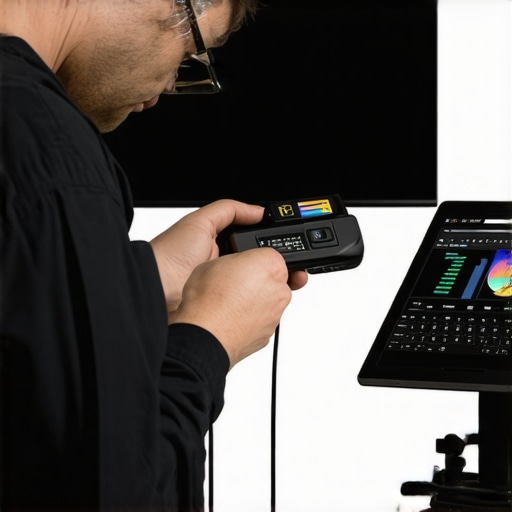
To maintain consistent performance, I rely on a few trusted tools. A high-precision laser distance meter ensures accurate installation and re-tensioning, while a digital builder’s level keeps everything perfectly aligned. For calibration, I prefer professional software like CalMAN, which offers granular control over contrast, color, and gamma. Regularly running test patterns with calibration disks helps me catch issues early, preserving the cinematic depth I crave. These tools have become indispensable in my journey toward home theater mastery and can do the same for you. Want to see my full toolkit? Check out the detailed guides and reviews I trust to keep my HDR visuals stunning.
Embrace Your Home Theater Journey Today
Remember, achieving exceptional HDR in 2026 isn’t about chasing the latest gadgets alone—it’s about understanding the nuanced relationship between screen gain, room environment, and calibration. Your space is unique, and with patience and the right knowledge, you can craft an immersive experience that rivals commercial cinemas. Start experimenting, learn from seasoned experts, and don’t be afraid to fine-tune your setup over time. Your perfect HDR experience is within reach, and every small adjustment brings it closer.
What’s your biggest challenge in optimizing your home theater for HDR? Share your experience in the comments below—I’d love to hear your story!
One Response