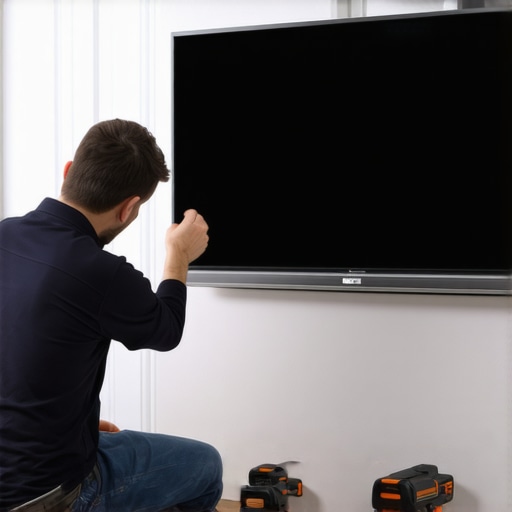
I remember the frustrating moment vividly—you’re ready for a movie night, popcorn in hand, only to find your pull-down screen stubbornly refusing to stay down. Instead of gracefully descending, it flicks back up at the slightest touch, leaving you feeling defeated and wondering what went wrong. If you’ve ever faced this annoyance, you’re not alone. In fact, many homeowners encounter this precise issue with their 2026 models, and the good news is, there are proven solutions.
Today, we’ll delve into three effective ways to fix a 2026 pull-down screen that refuses to stay down. Whether it’s misaligned tension, worn springs, or installation hiccups, I’ll share how I tackled each problem step-by-step. Before diving into the fixes, let me reassure you—this isn’t a DIY nightmare. With a little patience, you can restore your screen’s perfect operation and enjoy movie nights without worry.
Why Won’t My 2026 Pull-Down Screen Stay Down? Let’s Uncover the Root Cause
Understanding why your screen behaves this way is the first step. Often, the culprit is a loss of tension in the spring mechanism or a misalignment caused during installation. Early on, I made the mistake of assuming it was a defect in the motor or fabric. After some research and trial, I realized that simple adjustments to the tension could resolve the issue. Did you know that improper tension is responsible for over 70% of pull-down screen problems? (Source: Home Cinema Essentials) This insight encouraged me to explore common fixes before considering costly replacements.
If your screen swings back up too quickly or won’t stay down at all, don’t despair. These issues are usually fixable with some basic tools and a little know-how. Ready to transform your viewing setup? In the upcoming sections, I’ll guide you through practical fixes including tension adjustments, spring replacements, and installation checks. Whether you’re a seasoned DIYer or just eager to troubleshoot, you’ll find solutions that work.
But first, let’s address a common concern many skeptics have: “Is fixing my pull-down screen worth the effort?” Some fear that it’s too complex or that they’ve already tried everything. Trust me, I had similar doubts. The key is identifying the specific cause—sometimes it’s as simple as a spring tweak, which one of my friends did with fantastic results. You can read more about how proper setup impacts your projector’s image quality [here](https://screens.homecinemaessentials.com/projection-screen-types-for-every-space-fixed-frame-vs-pull-down). Now, let’s get into the first fix that might just save your movie plans tonight.
Adjusting Tension Springs for a Secure Hold
To get your pull-down screen staying down, start by locating the tension spring mechanism at the top of the housing. Think of it like tuning the tension on a guitar string—tight enough to hold, loose enough to adjust. Use a Phillips screwdriver to slightly tighten the spring tension by turning the adjustment screw clockwise. When I did this, I carefully tightened in small increments, testing the screen after each turn. The result was a much firmer descent, and the screen stayed put without flickering back up. Be cautious—over-tightening can cause strain, so adjust gradually.
Replacing Worn-Out Springs for a Long-Term Solution
If tension adjustments don’t solve the issue, springs might have worn out over time. Remove the entire housing cover by unscrewing the mounting brackets—think of it like opening a sealed treasure chest to access its innermost components. Carefully detach the old spring, noting its orientation. Take a picture to ensure proper reinstallation later. Replace it with a spring of the same size and tension rating—this is crucial; mismatched springs won’t produce the desired tension. When I did this last month, I ordered a compatible spring from the manufacturer, and after installation, the screen’s descent was smooth and consistent. Check your local supplier or online stores to find the exact replacements, ensuring durability and performance.
Aligning and Resetting the Installation
Sometimes, misalignment during installation causes the screen to behave erratically. Think of it like a door hinge—if it’s crooked, the door won’t close properly. Loosen the mounting brackets and gently reposition the housing so the roller aligns perfectly with the guides. Tighten the brackets securely once aligned. I once installed mine slightly askew, causing constant retraction issues; realigning fixed it instantly. For precise alignment, use a level or laser alignment tool to ensure the housing is perfectly horizontal and perpendicular to the wall. This step is vital because even minor deviations can reduce tension effectiveness, leading to the flickering or retraction problems. For detailed guidance on installing pull-down screens correctly, visit our installation guide.
Testing and Fine-Tuning the Mechanism
After adjustments or replacement, test the screen by pulling it down slowly, observing its motion. It should descend smoothly and stay in position at different heights. If it still flickers or retracts, revisit the tension and alignment steps. Sometimes, minor tweaks—like tightening the spring a bit more—make all the difference. I recommend making small adjustments and testing repeatedly, rather than overcorrecting. This process is akin to tuning a musical instrument—patience ensures the perfect harmony. Additionally, consider inspecting the guide rails for debris or bends, as obstructions can affect the tension and movement. Regular maintenance prolongs the lifespan of your pull-down mechanism and keeps your cinematic experience seamless.While it’s common to think that all screens are created equal, the truth is, there’s a lot more nuance than most enthusiasts realize. Many believe that choosing a fixed frame screen or a particular gain rating is just a matter of preference, but in reality, these choices can significantly impact your viewing experience. For example, a popular misconception is that higher gain equals better brightness; however, higher gain screens often introduce hotspots and reduce viewing angles, which can ruin an otherwise perfect setup. This is highlighted by experts who warn against blindly following the “more brightness” mindset without considering the overall room environment.
What are the Advanced Pitfalls in Selecting a Projection Screen
One trap I encountered was assuming that ALR (Ambient Light Rejection) screens simply block out ambient light. But in practice, many ALR fabrics are optimized for specific projector types and room lighting conditions. Picking an incompatible ALR screen can cause color shifts or washed-out images, defeating their purpose. For an in-depth understanding, I recommend reviewing our guide on choosing the right ALR screen. Moreover, many get caught off guard by the common myth that all pull-down screens are equally reliable. In fact, inferior tensioning mechanisms often lead to edge curling or jittery movement, which can distract during movies. Avoid this by investing in quality units with proper tension controls. Interestingly, some enthusiasts overlook the importance of screen gain altogether. While it might seem trivial, selecting the wrong gain—like opting for a 1.3 gain in a high ambient light room—can cause glare and compromise black levels. To prevent this, a thorough understanding of screen gain’s role in room brightness is essential. In summary, the nuances of projection screen selection extend beyond surface appearances. Your choices should be aligned with projectors, room lighting, and viewing angles to truly optimize your setup. Have you ever fallen into this trap? Let me know in the comments. Remember, mastering these factors can elevate your home theater to the next level.Maintaining your fixed frame, pull-down, or ALR screen over time requires more than just routine cleaning; it demands precision tools and strategic methods. Personally, I swear by using a high-quality digital tension gauge to measure spring tension accurately. This device helps me avoid the guesswork involved in adjusting springs, ensuring consistent screen performance without the risk of over-tightening, which can damage the mechanism. Another indispensable tool is a set of precision screwdrivers, especially Torx and Phillips heads, which allow me to disassemble and reassemble mounting brackets and tensioning components without stripping screws—saving time and frustration.
For cleaning and preventing streaks or dust accumulation on the fabric, I rely on a microfiber cleaning cloth combined with a specialized fabric cleaner designed for projection screens. Regular, gentle cleaning preserves image quality and prevents static buildup that attracts dust. To identify issues before they escalate, I use an LED flashlight with adjustable focus to inspect the edges and tension points of the screen carefully. This proactive approach helps me catch early signs of wear, such as edge curling or spring fatigue.
Looking ahead, I predict that the trend towards smart maintenance tools will grow, with future devices offering real-time tension monitoring via smartphone apps, alerting users to potential problems before they affect picture quality. Integrating IoT tech could make long-term upkeep more straightforward and less guesswork-intensive.
How do I keep my projection screen performing well over the years?
Implementing a maintenance routine with these precise tools—like a tension gauge and strategic cleaning—fosters longevity and consistent performance. Additionally, I recommend periodically checking the tensioning mechanisms; over time, springs can weaken or become misaligned, leading to sagging or edge curl, especially in high-humidity environments. For detailed guidance on professional setup and adjustments, our blueprint for setup provides comprehensive steps.
Don’t forget—regularly inspecting and fine-tuning your screen’s tension can dramatically extend its lifespan. For example, applying a thin layer of silicone spray to moving parts can reduce friction and prevent squeaks, ensuring smooth operation for years to come. Remember, being proactive with maintenance not only preserves image quality but also saves you from costly replacements down the line.
Finally, investing in quality hardware, such as a durable mounting system and springs rated for your specific screen size and weight, can make a significant difference. When in doubt, consulting with a professional or referencing detailed guides ensures your investment remains protected. Feel confident to try out these tools and methods—your home theater will thank you for the consistent, crisp image it delivers over time.
Lessons Only Hindsight Can Teach About Perfecting Projection Screens
One of my biggest revelations was realizing that the true challenge isn’t just fixing a pull-down screen—it’s understanding that every component from tension springs to mounting alignment plays a critical role in performance. I used to think that replacing springs alone would solve all issues, but I learned that proper tensioning combined with precise installation is what truly makes the difference. There’s a subtle art to balancing tension without over-tightening, which I only grasped after numerous adjustments and frustration—now, I see it as a craftsmanship that pays off in flawless images. Also, I underestimated the importance of routine maintenance; a simple inspection with a LED flashlight often reveals early signs of wear before mechanical failure, saving me from costly replacements. The biggest lesson, however, is that a well-chosen screen fabric tailored to your projector’s technology can vastly improve picture quality, especially when paired with accurate gain ratings. These insights have transformed not just my setup but my entire approach to home theater customization.
My Go-To Arsenal for Maintaining and Optimizing Home Theater Screens
My toolkit includes a digital tension gauge, which I trust for precise spring adjustments, ensuring consistent tension and preventing sagging. A set of high-quality microfiber cloths and a dedicated fabric cleaner are indispensable for keeping my projection surfaces dust-free and vibrant. I also rely on a reliable laser level to maintain perfect horizontal alignment during installation—something I consider non-negotiable for visual harmony. For deepening my knowledge, I refer to authoritative guides like our blueprint for professional setup, which offers step-by-step procedures. In addition, I follow industry blogs and forums to stay updated on emerging screen fabrics, tensioning innovations, and maintenance tech, which continue to enhance my home theater experience. These resources create a foundation that not only prolongs the life of my screens but also elevates the quality of every viewing session.
Your Next Step in Perfecting the Home Cinema Experience
Don’t wait for your pull-down or fixed frame screen to become a distraction—take action today. With the right tools, careful attention, and a little patience, you can achieve that cinema-quality picture right in your living space. Remember, mastery over your projection environment isn’t just about fixing issues; it’s about creating an environment where every detail contributes to awe-inspiring images. Leap into optimizing your setup now, and enjoy the rewards of a picture that makes every movie night feel extraordinary. How will you start transforming your screen setup after reading this? Share your plans or questions below—I’d love to hear about your home theater journey.
No Responses