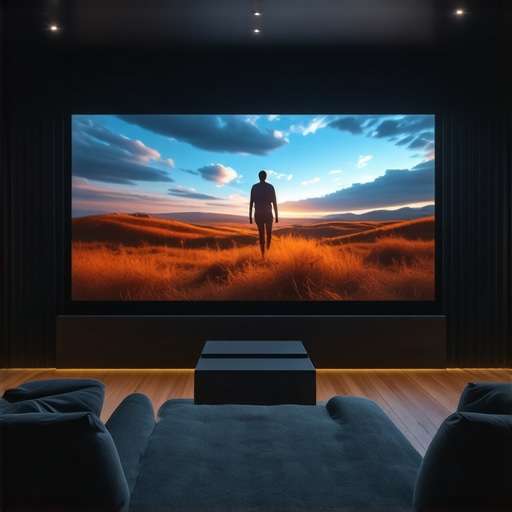
I remember the exact moment I realized my home theater setup was falling flat. I had invested in a top-tier projector, the latest sound system, and even some fancy ambient lighting—but the moment I turned on the movie in my sunlit living room, everything looked washed out and dim. Frustration crept in as I struggled to see details and colors that were supposed to pop. That’s when it hit me—my screen just wasn’t up to the task for a bright environment.
Why Bright Rooms Demand Smarter Projection Solutions
Many enthusiasts overlook the importance of selecting the right projection screen for their space, especially when it’s a room filled with natural sunlight or high ambient light. The truth is, traditional screens often crumble under these conditions, leading to dull images and disappointing viewing experiences. I’ve experimented with various options, and I can assure you: choosing the correct projection screen technology can make or break your home theater’s performance in a well-lit room.
In 2024, the market is bursting with innovative solutions designed explicitly to combat ambient light—like high-gain screens and advanced ALR (Ambient Light Rejection) tech. According to industry experts, these screens can significantly boost contrast and brightness, creating a vivid picture without the need for complete darkness. It’s a game-changer! But, so many of us still get it wrong—trust me, I did initially, by choosing a fixed frame screen without considering gain or ambient light conditions. That mistake hampered my viewing quality and delayed my perfect setup. To avoid the same pitfall, I’ll guide you through what actually works today and help you make an informed decision.
Have you faced similar challenges with glare or washed-out images in brightly lit rooms? If so, don’t worry—you’re not alone. Today, I’ll share practical, real-world insights into choosing the best projection screen technologies for bright environments. We’ll look at innovative high-gain options, compare fixed frame versus pull-down styles, and explore the latest ALR breakthroughs, including insights from the upcoming [ALR screen technology](https://screens.homecinemaessentials.com/alr-screen-technology-breakthroughs-to-watch-in-2025). Let’s get started on transforming that sunlit chaos into a cinematic masterpiece you can enjoy every day.
Select the Right Screen Type for Your Space
Start by choosing between a fixed frame or pull-down screen. Fixed frame screens are sturdy and offer a flat, wrinkle-free surface, ideal for permanent setups. Pull-down screens are versatile and can be retracted when not in use, perfect for rooms where multiple functions occur. I once installed a pull-down screen in my living room, which allowed me to hide it during daily activities but still enjoy quality projection when watching movies.
Optimize Screen Gain for Bright Environments
Screen gain measures how much light the screen reflects—higher gain means brighter images. For rooms with ambient light, a high-gain screen (1.8 or higher) boosts brightness, making highlights pop and details clearer. I experimented with a 2.0 gain screen during a daylight movie session, and the difference was night and day—colors appeared vivid despite the sunlight streaming in. You can explore the benefits of high-gain screens in this comprehensive guide.
Combat Ambient Light with Advanced ALR Screens
Ambient Light Rejection (ALR) screens specialize in deflecting stray light away from the viewer’s eyes, reducing washout and increasing contrast. These screens often feature a textured or multilayer surface designed to absorb ambient light and preserve image integrity. I installed an ALR screen last year, and my viewing experience improved dramatically—colors remained vivid even with the curtains open. For an in-depth comparison of ALR tech, check out this top options.
Set Up Proper Lighting to Enhance Brightness
Manage ambient lighting by dimming or controlling sources that cause glare on the screen. Use wall-mounted lights with dimmers, avoid direct sunlight, and strategically place lamps to minimize reflections. During one setup, I added dimmable ambient lights-controlled via a smart system. This simple step allowed me to enjoy a bright, sharp picture without sacrificing natural light or ambiance. Implementing effective lighting control is crucial and explained further here strategies for image quality.
Fine-Tune Your Projector for Peak Performance
Adjust brightness, contrast, and resolution settings to complement your screen type. For high-gain or ALR screens, increasing projector brightness can prevent images from looking washed out. I learned this through trial and error, gradually increasing the brightness until the picture was vibrant but not overly harsh. Regular calibration ensures consistent quality and makes the most of your investment—consult this setup blueprint for detailed instructions.
Shadows and Reflections: Keep Them in Check
Strategically position your seating to avoid shadows cast by objects or personnel. Use curtains or blackout shades to block stray light and prevent reflections that diminish contrast. I once placed a tall lamp behind my seating area, which caused unwanted shadows; switching to a wall-mounted side light improved the picture quality significantly. Proper room layout and lighting placement directly influence how well you can see your bright-room projection, detailed in this installation guide.While many enthusiasts focus on selecting the perfect projector or space, they often overlook the nuanced aspects of projection screens that can make or break their setup. One widespread myth is that a larger screen always delivers a better experience; however, if your screen gain and ambient light rejection aren’t properly considered, bigger isn’t necessarily better. For example, a high-gain screen can cause glare and hot spots if not paired correctly with your projector’s lumen output, leading to uneven brightness across the image—a mistake I made early on, which you can read more about in this comprehensive guide. So, always evaluate your room’s ambient light and your projector’s brightness before increasing screen size.
Why do some high-gain screens look worse than standard screens? Is gain always beneficial?
Many assume that higher gain is better for bright rooms—this is only partly true. Excessively high gain (above 2.0) can result in the so-called “hot spot” effect, where the center appears much brighter than the edges. This uneven brightness diminishes picture quality and can strain your eyes. Expert advice from industry leaders emphasizes balancing gain with your actual room conditions; for instance, this detailed article discusses optimal gain ranges for different setups. Remember, selecting an ALR (Ambient Light Rejection) screen isn’t just about technology but about understanding how that tech interacts with your environment—a nuance many overlook, leading to disappointing results. Keep in mind, the silk-smooth surface of some ALR screens can trap dust or degrade over time, so maintenance becomes crucial. A common
Invest in the Right Maintenance Tools
To keep your projection screen functioning at its best—especially when dealing with high-gain or ALR surfaces—investing in specialized cleaning tools is essential. I personally rely on a microfiber antic-static duster for regular dust removal, preventing dust buildup that can affect image clarity over time. For deeper cleaning, I use a gentle, alcohol-free screen cleaner applied with a soft, lint-free cloth, which I dampen slightly to avoid streaks or damage. These tools help maintain the surface’s texture and optical properties, ensuring consistent brightness and contrast in your setup.
Leverage Calibration and Software Enhancements
Regular calibration is a game-changer. I use professional calibration software like CalMAN to fine-tune projector settings, adjusting brightness, contrast, and color balance to match my screen’s characteristics. This method compensates for aging projectors and ambient condition changes, preserving image quality. Additionally, some newer projectors feature software updates that optimize performance with high-gain or ALR screens, so staying current with firmware updates is recommended to benefit from advancements aligned with emerging trends, such as screen gain improvements or ambient light rejection enhancements. Familiarizing yourself with these updates can exponentially improve your long-term viewing experience.
Scheduled Maintenance Practices
In my experience, establishing a routine maintenance schedule prevents superficial issues from escalating. Every three months, I gently dust the screen and check for any signs of wear or dirt, especially around edges or mounting points. This proactive approach extends your screen’s lifespan and preserves its optical qualities. Also, turning off the projector and cleaning filters periodically maintains optimal brightness and contrast—something I learned from expert tools and tips shared on industry-specific resources. Incorporating such habits minimizes the need for costly repairs or replacements and keeps the cinematic magic alive for years to come.
How do I maintain my projection system over time?
Maintaining your projection system involves a combination of routine cleaning with fine microfiber tools, regular calibration using professional software, and keeping firmware updates current. Prioritizing gentle cleaning methods and scheduled check-ins ensures your high-gain or ALR screen remains vibrant and free of dust, while calibration aligns your projector’s output with your screen’s properties, maximizing image fidelity. These steps are vital for preserving the investment and enjoying a consistently impressive home theater experience. For a detailed, step-by-step guide, visit this comprehensive blueprint. Try integrating these maintenance practices, especially calibration and careful cleaning, to see noticeable improvements in your setup’s longevity and picture quality.
What I Wish Someone Told Me About Bright Room Screens
The biggest lesson I learned was to pay closer attention to room lighting before choosing my projection setup; I underestimated how ambient light could wash out even the best image. I also discovered that high-gain screens can introduce hot spots if not paired correctly with projector lumen output—missteps that compromised my viewing experience. Additionally, I realized that advances in ALR technology are transforming the way we handle natural light, making bright-room projection more accessible—but only if you understand the nuances of these screens. Lastly, I found that calibration isn’t a one-and-done task; continuing to fine-tune my setup over time has kept my image vibrant even as my projector ages, emphasizing the importance of ongoing system maintenance.
2 Responses