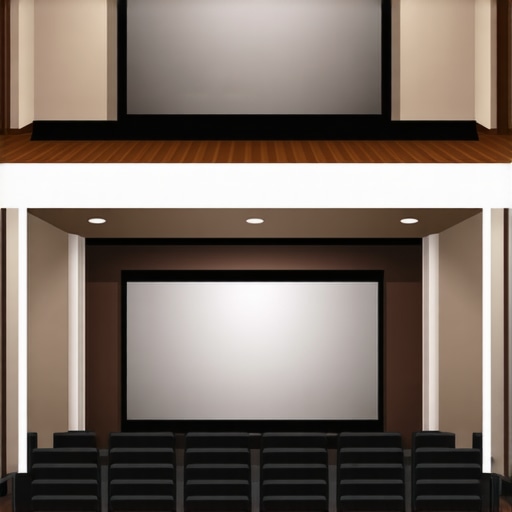
Ever set up a home theater only to be disappointed by blurry images or washed-out colors? I vividly remember my first attempt—thinking I could just plug in a projector and hope for the best. The result? A fuzzy, dim picture that made me question whether I’d wasted my money. That moment was a lightbulb for me: the screen quality and type truly matter, especially when aiming for clear, vibrant projection that transforms a room into a cinematic escape.
Why Your Screen Choice Can Make or Break Your Home Theater Experience
Choosing the right projection screen is more than just picking a pretty frame. It’s about matching technology to your room’s lighting, size, and your viewing habits. I learned this the hard way—initially, I bought a cheap, generic screen. The image was dull, with poor contrast, and in a bright room, it was nearly invisible. That mistake taught me that investing in a quality fixed frame or pull-down screen can elevate your viewing significantly. Today, I’ll guide you through the essentials so you don’t have to go through the same trial and error.
Is All Projection Screen Technology Created Equal?
Early on, I thought all screens were the same—simply a flat surface for your projector. Nope. The technology behind screens varies, especially when it comes to screen gain and light reflection. I once assumed a high-gain screen would be too bright for my dark room, but I was wrong. It turned out that a high-gain screen can boost brightness in rooms with ambient light, making it a game-changer (learn more about screen gain and how to optimize it). My mistake? I didn’t research enough and bought based on price, not performance. That’s why I want to help you avoid my pitfalls.
Whether you’re considering a fixed frame setup or a pull-down screen, understanding the technology and your needs is key. Are you dealing with a bright room or a dedicated dark theater? Do you want a sleek, permanent fixture or a flexible, retractable option? The answers will guide your choice. And, trust me, the right screen makes all the difference in achieving crisp, clear images that truly impress.
Let’s dig into how to choose the best projection screen for your space and needs, so you can enjoy movies, sports, or gaming without frustration. Ready to turn your room into the ultimate home theater? Let’s go!
Measure Your Room Accurately
Before selecting a screen, I learned the importance of precise room measurements during my first DIY project. Use a tape measure to record the width, height, and distance from where the projector will be placed to the screen location. This helps determine the ideal screen size and placement. For example, in my basement theater, I measured a 15-foot distance, which guided me to pick a 120-inch screen for optimal viewing without straining my eyes. Accurate measurements prevent buying a screen that’s either too large or too small, ensuring a seamless viewing experience.
Select the Right Screen Material and Gain
Choosing the correct material is crucial. I initially went for a cheap fabric that looked fine but resulted in dull images. After researching, I settled on a high-quality, matte white screen with a gain of 1.0, which balanced brightness and contrast. If your room has ambient light, consider a high-gain screen to reflect more light and enhance brightness. Conversely, for dark rooms, a lower gain reduces glare and preserves color accuracy. Read about screen gain to make informed decisions.
Choose Between Fixed Frame and Pull-Down
Deciding on installation type is next. I started with a pull-down screen because it was budget-friendly and flexible. However, I found it less stable, with occasional wrinkles. Later, I installed a fixed frame screen using step-by-step instructions. Fixed frames provide a taut, flat surface that yields sharper images, especially desirable for critical viewing. Meanwhile, pull-down screens offer convenience and versatility, suitable for multi-purpose rooms. Evaluate your space and preferences carefully before proceeding.
Prepare the Mounting Surface
Ensure your wall or ceiling is suitable. I used a level and tape measure to mark the mounting points, avoiding obstructions like beams or outlets. For a permanent fixed frame, I followed the installation guide to secure the frame properly. Use appropriate anchors and hardware based on your wall material. Proper preparation prevents future sagging or misalignment, which can distort your image.
Align and Test Your Projector
Alignment is critical. I initially struggled with keystone distortion, but adjusting the projector’s lens shift and height resolved the issue. Test different settings at various angles to achieve a perfectly rectangular image. Use test patterns to fine-tune focus and alignment. This step ensures the projected image fills the screen evenly without trapezoidal distortion, delivering a crisp, immersive picture.
Optimize Ambient Lighting and Viewing Conditions
Finally, I found that controlling ambient light dramatically improves image quality. Use blackout curtains and dimmable lights to minimize glare. For rooms with unavoidable light, consider high-gain screens and ALR technology to enhance brightness and contrast. Position seating to maximize visual comfort and avoid reflections, creating a theater-like atmosphere that makes every viewing moment exceptional.
Many home theater enthusiasts fall into traps that undermine their setup because of widespread myths. Let’s dig deeper into what most people get wrong about projection screens and how to avoid costly mistakes. One of the biggest misconceptions is that all screens are created equal. In reality, the technology behind screens varies dramatically, especially regarding screen gain and material composition. For example, a common mistake is choosing a high-gain screen without considering room lighting conditions, which can lead to glare and washed-out images. To truly optimize your setup, understanding screen gain is essential. High-gain screens reflect more light, boosting brightness in bright rooms, but can cause hotspots if not used properly, leading to uneven image quality.
Another trap many fall into is assuming that larger screens always mean better viewing experiences. While bigger screens can be immersive, they also require proper placement and projector capabilities. An oversized screen in a small room can result in a loss of sharpness and detail, especially if the projector isn’t capable of filling that space with clarity. Accurate room measurements and understanding the optimal viewing distance are critical. For guidance, consider consulting our comparison of projection screen types to match your space and projector.
What about the myth that fixed frame screens are always better than pull-down options?
This is a common misconception. Fixed frame screens do offer a taut, flat surface that yields sharper images, especially for critical viewing. However, pull-down screens provide flexibility and are often more practical in multi-purpose rooms. The key is to choose based on your room’s use and your aesthetic preferences. For dedicated home theaters, fixed frames are usually preferable, but for versatile spaces, motorized pull-downs can be perfectly adequate. To explore more about which suits your needs, check out fixed frame vs. pull-down comparison.
Finally, a common mistake is neglecting proper installation and alignment. Even the best screen will underperform if not installed correctly. Using professional guides like our installation guide can prevent sagging, misalignment, or warping, which distort the image. Remember, a well-aligned screen ensures sharp, vibrant visuals that maximize your projector’s potential. Have you ever fallen into this trap? Let me know in the comments.
Maintaining your home theater equipment ensures that your projection system continues to deliver stunning images and immersive sound over the years. From cleaning screens to calibration and software updates, staying proactive can save you time and money. I’ve found that using the right tools and following a consistent maintenance routine keeps my setup performing at its best, and I want to share my insights so you can do the same.
Invest in Quality Calibration Tools
Regular calibration is the cornerstone of optimal image quality. I personally rely on the proven strategies for enhancing image quality and use a professional calibration disc like the Spears & Munsil HD Benchmark. This disc provides test patterns that help me fine-tune brightness, contrast, and color accuracy. For more precise adjustments, I use a colorimeter such as the X-Rite i1Display Pro, which measures the luminance and color output of my projector and screen, ensuring consistent performance over time.
Keep Your Screen Clean and Protected
Dust, fingerprints, and smudges can degrade image clarity. I recommend using a microfiber cloth and a gentle cleaning solution designed specifically for projection screens. Avoid harsh chemicals that can damage the surface. Regular cleaning not only preserves picture quality but also extends the life of your screen. If you have an ALR or specialized screen, check the manufacturer’s guidelines for cleaning to prevent voiding the warranty.
Stay Up-to-Date with Software and Firmware
Projectors and media players often receive firmware updates that enhance compatibility, fix bugs, or improve performance. I subscribe to manufacturer newsletters and periodically check their websites to stay informed. Updating firmware is straightforward—usually via USB or network connection—and can resolve many issues that affect image quality or stability. This proactive approach ensures your system remains reliable and at peak performance.
Schedule Routine Checks and Adjustments
Every few months, I allocate time to check the alignment, focus, and keystone correction of my projector. Small misalignments can cause image distortion over time. Additionally, I revisit my calibration settings and make adjustments if necessary. Keeping a log of settings helps me identify when components might need servicing or replacement. This routine maintenance prevents minor issues from escalating into costly repairs.
Plan for Future Upgrades
The trend toward higher dynamic range (HDR) and 4K resolution continues to evolve. I recommend researching upcoming technologies like ALR screen breakthroughs and high-gain materials that will become standard in the next few years. Investing in versatile, upgradeable components can future-proof your setup, allowing you to enjoy the latest content without frequent complete overhauls. Remember, a well-maintained system is easier to upgrade and will provide a consistently excellent viewing experience.
How do I maintain my projection system over time?
Developing a routine that includes regular cleaning, calibration, firmware updates, and component checks is key. Use tools like a colorimeter for precise calibration and clean your screen with manufacturer-approved products. Keep software current to benefit from performance improvements. Planning upgrades around emerging technologies ensures your home theater remains state-of-the-art. With consistent effort, your setup will continue to impress for years to come, making every movie night a true cinematic experience.
The Hardest Lesson I Learned About Projection Screens
One of the biggest realizations in my home theater journey was that not all screens are equal. I once bought a cheap, generic screen hoping it would suffice, only to be disappointed by dull images and poor contrast. That experience taught me that investing in quality, understanding your room’s lighting, and selecting the right tech can transform your viewing experience from mediocre to extraordinary. My mistake? I didn’t do enough research before my first purchase—lesson learned the hard way.
3 Myths About Projection Screens That Held Me Back
There’s a common misconception that bigger screens are always better. In reality, size must match your room’s dimensions and projector capabilities. I also believed fixed frame screens are always superior, but in multi-purpose spaces, pull-down screens offer flexibility without sacrificing too much image quality. Lastly, I thought all projection screens reflect light equally—this isn’t true. Knowing the differences in screen gain and material can make or break your setup.
What Experts Won’t Tell You About Screen Technology
Many overlook the importance of proper installation and calibration. Even the best screen can underperform if misaligned or dirty. I’ve learned that regular calibration using tools like a colorimeter ensures consistent, sharp images. Also, choosing the right screen material—like matte white with appropriate gain—can dramatically improve brightness and contrast, especially in rooms with ambient light. These insider tips can elevate your home theater to professional standards.
My Essential Toolkit for Home Theater Projection
My go-to resources include the proven strategies for enhancing image quality, which offers practical calibration techniques, and the expert insights on ALR screens that help in selecting the best high-gain options. For installation, I follow the step-by-step installation guide to ensure my setup stays perfect over time. These tools have saved me countless headaches and improved my viewing experience immensely.
Your Turn to Try
Now that you know the nuances of choosing the perfect projection screen, it’s your move. Whether you’re upgrading or starting fresh, remember that the right screen, properly installed and calibrated, unlocks the full potential of your home theater. Don’t settle for blurry images—aim for crisp, vibrant visuals that make every movie night special. Ready to transform your space? Share your current setup or your next steps below, and let’s talk about making your home theater dreams come true!
3 Responses
Reading this post really made me reflect on my own home theater. When I first set up my system, I underestimated the importance of a high-quality screen, and I ended up with a dull picture that didn’t do justice to my projector’s capabilities. Since switching to a fixed frame screen with the right gain and proper calibration, the difference has been night and day. It’s surprising how much image quality can be improved just by paying attention to these details. I’ve also found that controlling ambient light, like using blackout curtains, helps maintain the contrast and vibrancy of the images, especially in rooms that are not entirely dark. Has anyone here experimented with different types of screens or lighting conditions to optimize their viewing experience? I’d love to hear what setups or solutions have worked well for others in similar situations; it’s often the little adjustments that make the biggest differences.