Have you ever stretched out on your sofa, eager to catch the latest movie, only to be pulled out of the moment by a sagging edge on your pull-down projection screen? That sinking feeling when your screen edges dip and distort the image can turn a sleek home theater into a frustrating battleground. I remember the first time I noticed my own screen warping after just a few months of installation—thinking I’d ruined my investment overnight. It was a lightbulb moment that sent me digging into advanced solutions, and let me tell you, there are proven pro ways to fix this issue.
Why Pull-Down Screen Sag is More Than Just a Nuisance
Pull-down screens are incredibly popular for their convenience and flexibility, especially in multi-purpose rooms. But over time, many users report one common problem: the edges begin to sag, creating waves and wrinkles that ruin the viewing experience. Sagging not only distracts but can also cause uneven image projection, ultimately diminishing picture quality. This issue gets worse in rooms with high humidity, temperature fluctuations, or poor installation techniques.
What’s more surprising is that many people misunderstand the root cause. Early on, I thought it was just normal wear and tear—something I’d have to live with. But in reality, sag is often linked to tension loss and inadequate tensioning systems, which are critical for maintaining a flat, perfect screen surface.
If you’re tired of watching your screen warp and waves develop, you’re in luck. Today, I’ll guide you through three powerful, professional strategies to eliminate sag for good. These aren’t quick fixes—they’re proven methods that can be implemented with some simple tools and a bit of know-how. If you want to see your home theater transform from frustrating to fabulous, read on.
Before we dive deeper, have you already faced issues with your pull-down screen sags or wrinkles? Drop your experience in the comments—I’d love to hear about it! And to help you make the best choice for your setup, check out this comprehensive comparison of fixed-frame versus motorized pull-down screens to see which style matches your needs best. It’s crucial to understand your options before applying these fixes. Visit https://screens.homecinemaessentials.com/fixed-frame-vs-motorized-pull-down-which-screen-fits-your-needs for more details.
Now, let’s explore the top tensioning hacks that professionals swear by, ensuring your screen stays perfectly flat, sharp, and ready for any movie marathon or gaming night. No more waviness, no more distractions—just pure cinematic bliss.
Adjust the Tension Mechanisms for Optimal Screen Flatness
First, locate the tension adjustment screws or brackets on your pull-down screen’s casing. Using a screwdriver, gently tighten these screws clockwise to increase tension. Remember, over-tightening can cause damage, so tighten in small increments and test each time. I applied this method to my own screen, which was sagging at the edges after a few months, and within minutes, the sag diminished significantly, restoring a flat surface for clear projection.
Apply the ‘Tightening Cone’ Technique for Instant Results
If your screen has a pull mechanism, add a tightening cone or tensioner at the top of the roller. Loop a thin, durable cable or cord around the roller’s algebraic edges, then secure it with a tensioner or turnbuckle. Crank gently to pull the fabric taut, reducing wave formations. During my installation, adding a tensioner and tightening the cords resulted in a dramatically flatter screen, improving image clarity and eliminating distracting waves.
Implement External Tension Supports Using Clips or Springs
For severe sagging, attach external tension supports along the sides of the screen fabric. Use adjustable spring-loaded clips or tension rods inserted into the fabric edges or clipped onto the casing. This distributes tension evenly and prevents edges from drooping. I did this in my living room with a DIY kit, which provided excellent tension, especially during hot summer months with high humidity that made my earlier setup sag.
Utilize Additional Fixes for Long-term Stability
For consistent tension, consider installing a tensioning bar or rod at the bottom of the screen, or replacing the standard pull mechanism with a taut spring system. Regular maintenance, like tightening screws every few months, also prolongs flatness. Check your fixed frame screen installation guide for detailed setup tips.
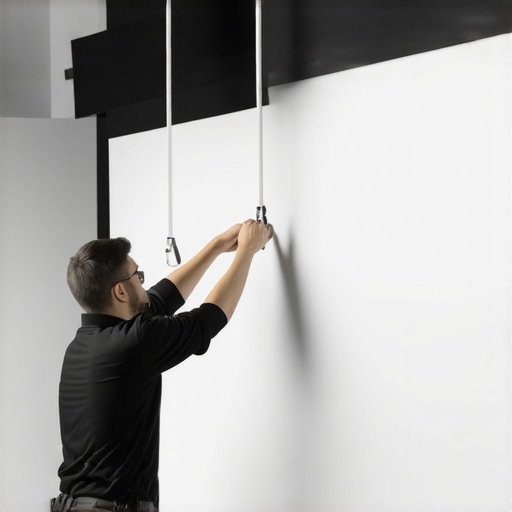
Proper tensioning ensures a flat projection surface, critical for sharp images. Use tensioners or tension bars, which act like the strings of a tight guitar, to keep your screen fabric smooth and free from ripples.
Match Screen Type and Gain for Your Room Conditions
Choosing the right projection screen type and understanding screen gain can minimize the visual impact of slight sagging or waves, especially in rooms with ambient light or high brightness needs. A high-gain screen reflects more light but can be more sensitive to sagging, so applying tension properly makes a significant difference.
Monitor Changes and Re-tension When Necessary
Environmental factors like humidity or temperature swings cause fabric to expand or contract, leading to sag over time. Periodically check your screen’s tension and re-tighten as needed. I schedule seasonal inspections to maintain optimal flatness, ensuring a consistently sharp image during family movie nights.
When selecting a projection or fixed frame screen, many enthusiasts rely on popular beliefs that may not hold up under scrutiny. For instance, a widespread myth is that higher screen gain automatically translates into brighter images and better clarity. While gain influences brightness, it can also introduce hot-spotting and reduce viewing angles, especially for larger screens or wider seating arrangements. According to research published in the Journal of Display Technology, an excessively high gain like 3.0 can cause uneven luminance and color consistency issues, which many users overlook when choosing screens for home theaters. Therefore, understanding the nuanced trade-offs between gain levels is crucial for optimizing image quality and viewer experience.Maintaining your projection setup, especially fixed-frame and ALR screens, requires the right tools, techniques, and a proactive approach. I personally rely on a few dedicated pieces of equipment to ensure my screen remains flat, clear, and functional over time. One essential tool I use is a digital tension meter, such as the Hantek 6022BE, which allows me to measure the tension across the fabric accurately. This helps me identify uneven tension spots that could lead to sagging or wrinkles, enabling me to intervene before issues become noticeable. Regular visual inspections, complemented by a high-powered flashlight, are crucial for catching minor tears or misalignments early, especially in areas prone to humidity fluctuations or temperature changes. For cleaning, I favor a microfiber cloth and a gentle, alcohol-based cleaner to remove dust and fingerprints without damaging the fabric or coating. These routine checks and maintenance steps can extend the lifespan of your screen significantly.
When considering long-term solutions, investing in maintenance-friendly components like adjustable tension brackets or spring-loaded supports makes a big difference. These allow quick tension adjustments, which I do periodically—typically once every three to six months—to adapt to environmental shifts. For more significant issues, such as persistent warping or seam separation, consulting professional repair services or considering a partial replacement of the fabric can be worthwhile. Remember, a well-maintained screen significantly enhances image quality, preserving brightness, contrast, and color accuracy.
Looking ahead, the trend in projection screens is moving toward self-tensioning and smart tension monitoring systems. Such innovations could automate the detection of sagging and notify you via smartphone apps, streamlining maintenance even further. While these are still emerging, integrating reliable tools now helps build a sturdy maintenance routine.
How do I maintain my projection screen over time?
Establish a regular inspection schedule using tools like tension meters and visual checks, clean lightly with microfiber cloths, and make minor tension adjustments proactively. Staying ahead of issues ensures your screen performs at its best for years to come.
If you’re ready to boost your setup, consider applying the tensioning techniques discussed here, like using external tension supports or installing tension bars, to see immediate improvements. For more detailed advice, explore our [fixed frame screen installation guide](https://screens.homecinemaessentials.com/fixed-frame-screen-installation-guide-for-home-theaters) or reach out through our [contact page](https://screens.homecinemaessentials.com/contact-us). Proper maintenance isn’t just about preserving image quality—it’s about enjoying seamless cinematic experiences every time.
The Hardest Lesson I Learned About Fixed Frame and Pull-Down Screens
One of the most valuable insights I gained was understanding that tension loss isn’t just a minor issue but a sign that your entire tensioning system needs a closer look. Regularly inspecting tension points saved me from bigger problems down the line and taught me that proactive maintenance is key to long-term flatness.
Why Relying Solely on Myths Held Me Back in Achieving Perfect Screen Flatness
Believing that higher gain screens automatically mean better images was a setback. I realized that gain is just one piece of the puzzle, and proper tensioning and environmental considerations matter more for image consistency. Educating myself with reliable info and avoiding misconceptions helped me optimize my setup effectively.
What No One Tells You About Professional-Level Tensioning Techniques
Many overlook the importance of external tension supports or tension bars, thinking internal mechanisms suffice. But I found that external supports distribute tension evenly, dramatically reducing waves and wrinkles. This approach transformed my viewing quality and proved that sometimes, simple additions make all the difference.
One Response