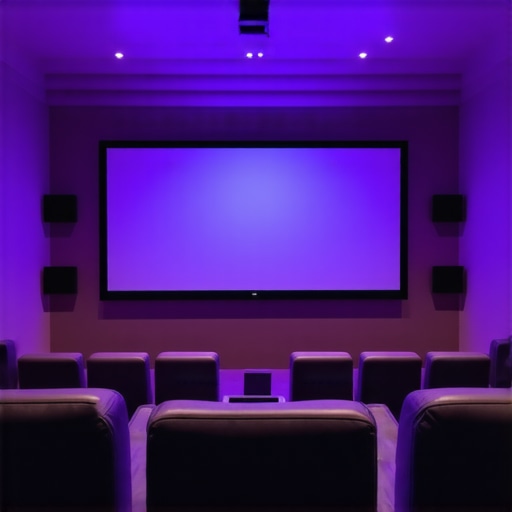
Have you ever sat in your home theater, eagerly awaiting that perfect movie night, only to be disappointed by washed-out images and dull colors? I remember my early days of setting up my home theater, where I kept tweaking the projector and adjusting brightness, but nothing seemed to make a real difference in a brightly lit room. It was frustrating—until I discovered the crucial role of projection screens and screen gain. That lightbulb moment transformed my experience, turning my setup into a vibrant, cinematic oasis even during daytime.
Why Bright Rooms Need Special Attention: The Importance of Screen Gain and Projection Screens
In many homes, ambient light is unavoidable. Whether it’s sunlight streaming through windows or strong artificial lighting, bright environments can sabotage your projector’s image quality. Standard screens often struggle in these settings, resulting in images that are dim, washed out, and lacking in detail. That’s where understanding screen gain becomes essential.
Screen gain measures how well a screen reflects light back to the viewer. A higher gain means more brightness and contrast, which is especially critical in well-lit rooms. But choosing the right projection screen isn’t just about picking the highest gain. It’s about balancing gain with other factors like viewing angles and room size. The good news? With the right screen and proper setup, you can achieve stunning visuals regardless of ambient lighting conditions.
Have you faced issues with washed-out images in bright environments?
If so, you’re not alone. Many enthusiasts make the mistake of opting for standard screens or ignoring the importance of gain, leading to underwhelming viewing experiences. My early mistake was thinking that a brighter projector alone could compensate for a poor screen. Spoiler: it can’t. The combination of high-gain screens and proper projector calibration is what makes a real difference.
Choose the Right Screen Gain for Your Bright Room
The first step I took was selecting a high-gain projection screen, ideally between 1.8 and 2.5. I remember buying a 2.2 gain screen on a whim, thinking more brightness was always better. But I quickly learned that too high a gain narrows the viewing angles, causing color shifts if you’re not directly in front. To avoid this, I tested different screens in my room, sitting at various angles to see how the image quality changed. This trial-and-error process helped me find a sweet spot where brightness was maximized without sacrificing viewing angles. For more detailed guidance on selecting the best screen gain, check out expert insights on choosing the right screen gain.
Calibrate Your Projector for Optimal Brightness
Next, I calibrated my projector to match my high-gain screen. This involved adjusting the brightness, contrast, and color settings to ensure the image didn’t look washed out or overly harsh. I used a test pattern and a light meter app on my smartphone to measure the lumen output. My goal was to get a balanced image that maintained detail in both shadows and highlights. Remember, a high-gain screen amplifies the light, so reducing the projector’s brightness slightly can prevent oversaturation. I also made sure to disable any automatic brightness adjustments so I could fine-tune manually. For a comprehensive calibration process, explore proven strategies for enhancing image quality.
Optimize Room Lighting Conditions
Controlling ambient light was critical. I replaced my drapes with blackout curtains, covering windows during daytime viewing. I also turned off or dimmed ambient lights, especially those near the screen. To prevent reflections and glare, I used matte black paint on the walls and ceiling around the screen area. This setup significantly improved contrast and color vibrancy. During my experiments, I found that even small light sources, like LED strips or standby indicator lights, could wash out the image. Keeping the room dark ensures your high-gain screen performs at its best. For tips on room setup, see fixed-frame screen installation guide.
Positioning and Viewing Angles
Finally, I paid attention to projector placement and seating arrangement. I mounted the projector at the optimal distance as recommended by the manufacturer, ensuring the image was evenly focused across the screen. My seating was aligned directly in front of the screen to maximize viewing angle and prevent color shifts. If you have a larger room, consider using a screen with a wider viewing angle, or installing multiple screens to cover different zones. For more details on optimal projector placement, check professional setup blueprint.
Many home theater enthusiasts operate under misconceptions about screen gain and its impact on image quality, especially in bright rooms. Let’s dig deeper into these nuances, challenge widespread myths, and highlight advanced mistakes that can hinder your setup’s performance.
Myth 1: Higher gain always means better brightness and contrast
Contrary to popular belief, more is not always better. While a high-gain screen (above 2.0) reflects more light, it also narrows the viewing angle significantly, causing color shifts and uneven brightness when viewers move off-center. This is a common trap: enthusiasts tend to prioritize gain without considering how it affects viewing comfort. For optimal results, aim for a balanced gain between 1.8 and 2.2, which offers a compromise between brightness and viewing angle.
Myth 2: A high-gain screen will fix all ambient light issues
This is a dangerous oversimplification. A high-gain screen can boost perceived brightness, but it cannot compensate for excessive ambient light or poor room light control. Over-reliance on gain can lead to washed-out images if the projector’s brightness isn’t calibrated correctly. Remember, screen gain is just one piece of the puzzle. Proper room light management, calibration, and projector settings are equally crucial. For advanced calibration techniques, explore proven calibration strategies.
Advanced Mistake: Ignoring the impact of projector brightness and room geometry
Many enthusiasts overlook how projection distance, projector lumen output, and room size interact with screen gain. For example, a high-gain screen paired with a projector that has insufficient lumen output can result in an underwhelming image. Conversely, a powerful projector in a small room with a low-gain screen may produce overly bright images, leading to loss of shadow detail. Achieving a harmonious setup requires understanding these nuances and performing professional calibration to balance all variables.
Have you ever fallen into this trap? Let me know in the comments. Mastering the intricacies of screen gain can significantly elevate your home cinema experience, making it worth the investment in proper setup and understanding.
Maintaining your home theater setup for optimal performance over the years requires more than just initial calibration. Investing in the right tools and adopting a routine maintenance schedule can significantly extend the lifespan of your equipment and ensure consistently high-quality visuals and audio. In this article, I’ll share specific tools I personally use, how to incorporate regular checks, and my predictions for future trends in home theater maintenance.
How do I maintain my projection setup over time?
First, regular cleaning of your projection lens is crucial. I recommend using a high-quality lens cleaning kit, such as the Optix 1.25-inch Microfiber Cleaning Cloth paired with a gentle lens cleaner. This prevents dust buildup that can degrade image clarity. I personally clean my lens every 50–100 hours of use, especially after long movie marathons or if I notice a slight decrease in image sharpness.
Next, calibrating your projector periodically ensures the picture remains accurate. I use the CalMAN Home Theater Calibration Software alongside a X-Rite i1Display Pro colorimeter. This combination allows me to fine-tune brightness, contrast, and color balance, maintaining cinema-grade picture quality. These tools have saved me countless hours of trial-and-error and provide professional-grade calibration results at home.
To monitor ambient light levels, I use a lux meter (like the Sekonic LiteMaster Pro) to measure and document changes in my room’s lighting conditions. This helps me decide when to adjust curtains or lighting setups, ensuring my high-gain screens perform optimally without washing out images.
Future of maintenance tools in home theater
Looking ahead, I believe automation and AI-driven calibration tools will become more prevalent. Imagine a system that uses sensors to detect picture quality issues in real-time and automatically adjusts projector settings for optimal performance. Companies like home cinema experts are already exploring these innovations, making maintenance more accessible and less time-consuming.
Why try advanced calibration techniques today?
One tip I highly recommend is using a professional-grade test pattern and your colorimeter to perform a full color calibration. Even if you’ve calibrated once, revisiting your settings every 6–12 months can catch drift caused by bulb aging or environmental changes. This proactive approach ensures your home theater remains a cinematic paradise for years to come. If you’re ready to upgrade your maintenance routine, explore proven strategies and tools for enhanced image quality.
The Hardest Lesson I Learned About Screen Gain and Bright Room Challenges
One of the most eye-opening revelations in my home theater journey was understanding that higher screen gain isn’t a one-size-fits-all solution. I once bought a 2.5 gain screen thinking it would transform my daytime viewing, but I soon realized it drastically limited my viewing angles, causing color shifts and uneven brightness. That taught me that balance is key—aiming for a gain between 1.8 and 2.2 often yields the best results in bright rooms.
What Experts Won’t Tell You About High-Gain Screens and Ambient Light
Many enthusiasts underestimate the importance of room light control, believing a high-gain screen can fix all brightness issues. I learned the hard way that ambient light management is just as vital. Simply increasing gain without proper room setup can wash out your images. Proper calibration and room darkening techniques are essential companions to high-gain screens for truly vibrant visuals.
The Hidden Interplay Between Projector Brightness, Room Size, and Screen Gain
Another lightbulb moment was realizing how projection distance, lumen output, and room dimensions must harmonize with your screen gain choice. I once paired a high-lumen projector with a low-gain screen and ended up with overly bright images that lost shadow detail. Achieving an optimal setup requires understanding these interactions and performing precise calibration—something I highly recommend exploring through professional guides or tools.
7 Responses
This post really hits home for me. When I first set up my home theater in a bright living room, I also struggled with washed-out images and dull colors despite having a decent projector. The big breakthrough was realizing that choosing a high-gain screen and properly calibrating both the projector and room light control made all the difference. I found that sitting at different angles with my screen helped me find my ideal balance—too high gain and I experienced severe color shifts off-center. The importance of room darkening techniques can’t be overstated either; blackout curtains drastically improved contrast once I installed them. I appreciate the detailed insights on calibration and maintaining equipment over time. I’d love to hear from others—what’s been your experience with balancing screen gain versus room lighting, especially in multi-use spaces? Do you prefer a wider viewing angle or the maximum brightness and contrast? Truly, optimizing a home theater is a game of fine-tuning everything for the best picture quality.
This article really highlights how crucial choice of screen gain is, especially in rooms with significant ambient light. I’ve experienced firsthand how a high-gain screen can boost brightness but at the expense of viewing angles. In my setup, I initially went for a gain of 2.3, thinking it would be ideal for daytime viewing. However, I soon noticed color shifts and uneven brightness when I sat off-center — similar to what you described. After switching to a 1.8 gain screen and improving room light controls, the picture quality improved dramatically. It’s a delicate balance, and I believe room layout and projector calibration are just as important as the screen itself. Has anyone else found that lowering gain slightly or adjusting room conditions made a bigger difference than they expected? I’m curious about strategies others have used to fine-tune their setups without sacrificing too much brightness.
This post really resonated with me. I initially thought that investing in a brighter projector would solve my ambient light issues, but I quickly realized that the screen’s gain played just as crucial a role. I found that a high-gain screen, around 2.0, definitely improved daytime viewing, but it also introduced noticeable color shifts when I sat at different angles. I’ve now balanced my setup with a 1.8 gain screen and better room darkening strategies, which has made a huge difference. It’s fascinating how room calibration, projector placement, and even wall paint can harmonize to optimize the picture. Has anyone experimented with different wall surfaces or paint to enhance contrast without upgrading equipment? I’m curious about creative solutions others have tried in multi-purpose spaces where controlling ambient light isn’t always easy.
This article really hits the mark for me. When I started setting up my home theater, I underestimated how much room lighting and screen gain interacted. I initially went for a very high-gain screen, thinking it would solve my daytime viewing issues, but I found that the viewing angles were narrow and colors shifted when I moved off-center. It made me realize that balancing gain with room lighting control is essential. Since then, I’ve added blackout curtains and adjusted my projector’s placement, which made a huge difference. I also learned that calibrating each component carefully is just as important as choosing the right screen. Has anyone found that a slight reduction in gain improved their overall viewing experience without sacrificing brightness? I’d love to hear about how others have balanced these factors in smaller or multi-use spaces.
This article really struck a chord with me, especially the part about balancing screen gain with room conditions. When I first installed my projector in a multi-purpose room, I went straight for a high-gain screen thinking it would handle daylight situations better. But I soon realized that sitting off-center resulted in severe color shifts and washed-out scenes, which was frustrating for the whole family. I’ve since experimented with a slightly lower gain screen around 1.8 and added some blackout curtains, which made a noticeable improvement. What’s been interesting is how much projector placement and room decor—like matte paint or wall textures—also influence image quality. Has anyone tried using different wall surfaces or colors to enhance contrast before upgrading their hardware? I’d love to hear what creative solutions others have found effective in balancing ambient light and achieving vibrant pictures without breaking the bank.
This article resonated with my experience as well! I used to think that investing in brighter projectors alone would solve my daytime viewing issues, but I learned that the choice of projection screen gain is just as critical. I found that a gain of around 1.8 balances brightness and viewing angles much better than higher gains, especially in multi-use spaces where people move around a lot. It’s also interesting how room lighting control makes such a difference—I’ve added blackout curtains and dimmable lights, which transformed my setup. I wonder, for those dealing with limited space or multi-purpose rooms, what are some creative ways to optimize ambient light without extensive renovations? Would love to hear others’ practical solutions for balancing ambient light, screen gain, and overall picture quality.
This article really opened my eyes to the importance of balancing screen gain with room conditions. I’ve been running a high-gain screen (around 2.2) for a while, thinking it would give me brighter images during daylight hours. But I often noticed color shifting and narrowing viewing angles, especially when sitting off-center. Since then, I’ve swapped to a slightly lower gain (around 1.8) and added blackout curtains, which made a noticeable difference. It’s fascinating how much fine-tuning is involved—not just the screen, but projector placement, room lighting, and calibration too. I’m curious, have others experimented with different wall colors or textures to enhance contrast further? I’ve read that matte black or dark hues can help improve perceived contrast without needing new hardware. How have others handled ambient light in multi-purpose spaces without sacrificing too much brightness or image quality?