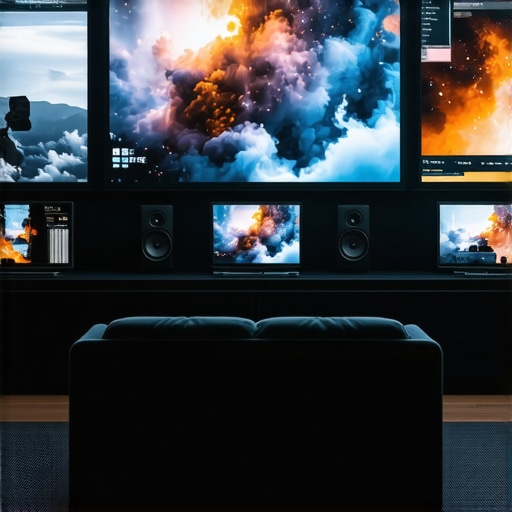
I remember the moment clearly. I was sitting in my home theater, frustrated with the dull, washed-out image on my screen. No matter how much I tweaked the projector settings, the picture just wouldn’t pop. Turns out, I was using the wrong kind of screen for my room’s lighting conditions, and I didn’t even realize how much that decision impacted my viewing experience. That lightbulb moment led me down a path of discovery about pull-down screens and screen gain, which can make or break your home theater setup in 2024.
Why Screen Gain and Pull-Down Screens Matter More Than Ever
With increasingly bright rooms and high ambient light, traditional screens often struggle to deliver crisp, vibrant images. That’s where understanding the benefits of screen gain and the right projection screen type can truly transform your viewing quality. I’ll be sharing what I’ve learned from personal experience and industry insights, including new breakthroughs you should know about. Did you know that new ALR (Ambient Light Rejection) screen technologies are revolutionizing how we handle light in home theaters? You can read more about these breakthroughs to watch in 2025.
Is Screen Gain Just a Sales Pitch or Worth the Hype?
Early on, I made a mistake many beginners do—assuming all screens with high gain would give me a brighter picture. It’s tempting to chase after the highest gain, but that often results in glare and viewing angles issues. The truth is, selecting the right gain depends on your room’s lighting, screen size, and projector type. I’ll show you how to avoid these pitfalls and choose a screen that balances brightness, clarity, and viewing comfort. Want to get more technical? Check out this guide on understanding screen gain.
If you’ve faced similar frustrations or doubts about whether these upgrades are worth it, you’re not alone. The good news is, with a few strategic choices, you can dramatically improve your picture quality without breaking the bank. Ready to dive into the practical steps? Let’s get started and ensure your home theater is future-proof and ready to impress in 2024!
Start with Precise Room Measurements
Before selecting a pull-down screen or tweaking your setup, measure your room’s ambient light levels and dimensions. I once misjudged my room’s brightness, assuming darker walls would suffice, but I overlooked the impact of sunlight coming through windows. Use a light meter app to quantify ambient light and document your space’s size. This step ensures you pick a screen with the right gain and type, avoiding costly mistakes.
Choose the Right Screen Gain for Your Environment
Think of screen gain like sunglasses. A low gain (around 1.0) is like clear glasses—perfect for dark rooms. Higher gain screens (2.0 and above) act like sunglasses—boosting brightness but narrowing viewing angles. I experimented with a 1.8 gain screen in my bright living room, which made images pop but caused glare at off-center seats. Learn how to balance gain and clarity to find your sweet spot.
Match Your Screen Type to Your Room Conditions
Pull-down screens come in various types—fixed frame, motorized, or manual. For bright rooms, consider high-gain pull-down screens with Ambient Light Rejection (ALR) technology. I installed a motorized ALR pull-down screen that effectively rejects room light, transforming my space. Check out this guide on pull-down screen tech for detailed comparisons and tips.
Optimize Screen Placement and Setup
Proper installation is critical. Mount the screen at eye level and ensure it’s taut to prevent wrinkles. I initially hung my screen too high, resulting in distorted images. Using a level and following step-by-step setup instructions helped me achieve a smooth, professional look. Remember, the angle of projection also affects image quality—adjust projector height accordingly.
Use Ambient Light Rejection for Bright Rooms
In rooms with lots of windows, ALR screens are game changers. They feature micro-structures that reflect projected light while absorbing ambient light, maintaining brightness and contrast. I replaced my standard screen with an ALR version, and the difference was night and day, especially during daytime viewing. Discover the latest ALR advancements to see what suits your needs.
Test and Fine-Tune Your Setup
After installation, sit at different angles and test the image quality. Adjust projector brightness and contrast settings for optimal results. I once overlooked this, resulting in washed-out images during evening sessions. Regularly checking and calibrating your projector with a colorimeter or test pattern ensures consistent quality. For advanced calibration tips, visit this resource.
Consider Future-Proofing with High-Gain and ALR Screens
Investing in high-quality, future-proof screens like those highlighted in the best ALR screens for bright rooms ensures your setup remains cutting-edge. With new technologies emerging in 2025, such as enhanced ALR and screen gain innovations, your home theater will stay ahead of the curve.
Many home theater enthusiasts fall prey to misconceptions that can severely hinder their setup. As someone who has experimented extensively with different screen types and gain settings, I’ve uncovered some of the most persistent myths that deserve a closer look. Let’s dig deeper into what most people get wrong about projection screens and how you can sidestep these pitfalls to optimize your viewing experience.
Why Higher Screen Gain Isn’t Always Better
A widespread belief is that choosing the highest gain screen available will automatically give you a brighter, more vibrant picture. While it’s true that higher gain screens reflect more light, this often comes at the cost of narrower viewing angles and increased glare. If your room isn’t perfectly dark or has multiple seating positions, a high-gain screen can actually diminish image uniformity and viewer comfort. Industry experts, like those cited in this guide, warn against over-relying on gain and recommend a balanced approach tailored to your environment.
In my own experience, I once installed a 2.5 gain screen in my living room, expecting a significant boost in brightness. Instead, I encountered glaring hotspots and off-angle color shifts, which made the image less enjoyable. The lesson? Aim for a gain around 1.3 to 1.5 for most rooms, and consider specialized ALR screens if ambient light is an issue.
Misunderstanding Ambient Light Rejection Technology
Many assume that all ALR screens are created equal, but the reality is more nuanced. Some products are marketed as ALR but only perform well under specific lighting conditions. Choosing the wrong type can result in poor contrast and washed-out images, especially in rooms with dynamic lighting. To truly benefit, you need to look at the micro-structures within the screen’s surface, which determine how effectively it rejects ambient light. For an in-depth comparison, check out this comprehensive resource.
Personally, I once bought a generic ALR screen that failed miserably during daytime viewing. After switching to a high-quality model with advanced micro-structures, my daytime picture quality improved dramatically. It’s worth investing in proven technology rather than just chasing labels.
Are Fixed Frame Screens Always Superior?
This is a common misconception — that fixed frame screens are inherently better than pull-down or motorized options. The truth is, the best choice depends on your space, usage habits, and budget. Fixed frames offer a taut, wrinkle-free surface that’s ideal for dedicated home theaters, but they lack flexibility. Pull-down and motorized screens are more versatile, especially for multi-purpose rooms or when ceiling mounting isn’t feasible. According to this guide, selecting the right type means matching your room’s specific needs rather than defaulting to a fixed frame.
From my experience, I’ve found that a high-quality motorized pull-down with proper installation can outperform a fixed screen in many scenarios, especially when you need to save space or want a sleek look.
Have you ever fallen into this trap? Let me know in the comments. The key takeaway is that understanding the nuances of screen gain, ambient light rejection, and screen types can save you from costly mistakes. Investing time in research ensures your home theater setup will deliver stunning images for years to come. For more detailed insights and tailored recommendations, explore this resource.
Maintaining your projection setup is crucial to ensure consistent, high-quality image delivery over the years. From cleaning the screen surface to calibrating your projector, a proactive maintenance routine can save you money and frustration. One of my personal favorite tools is a microfiber cloth combined with a gentle screen cleaning solution. I use this regularly to remove dust and smudges without damaging the surface, especially if you’re using high-gain or ALR screens that are more sensitive to dirt buildup. Additionally, an air blower helps to clear off stubborn dust particles from projector lenses and screen edges, preventing image degradation over time.
Calibration is another vital aspect. I recommend investing in a colorimeter like the X-Rite i1Display Pro, which allows you to fine-tune your projector’s color and brightness settings precisely. Regular calibration ensures your images stay vibrant, especially as lamp brightness diminishes over years of use. For software, I rely on free tools like CalMAN or HCFR, which provide detailed calibration workflows suitable even for enthusiasts. Consistent calibration can extend the effective lifespan of your projector lamp and maintain optimal contrast levels.
As technology evolves, so do maintenance strategies. Future trends suggest that automated calibration systems integrated into projectors may become more common, reducing manual effort. Also, newer screens with advanced coatings or micro-structures will likely be more resilient against dirt and discoloration, making maintenance easier. To keep your system performing at its best, I encourage you to schedule quarterly checkups—cleaning, calibration, and inspection of mounting hardware—to prevent minor issues from becoming costly repairs.
How do I keep my projection system working smoothly over time?
Start by cleaning your screen surface with a microfiber cloth and a dedicated screen cleaner designed for projection screens, avoiding harsh chemicals that can damage coatings. Regularly calibrate your projector using a colorimeter like the recommended tools to maintain color accuracy. Inspect and replace projector lamps before they burn out completely, as sudden failures can be disruptive. Additionally, keep your projector’s air filters clean and ensure proper ventilation to prevent overheating, which can shorten lamp life. For long-term durability, consider investing in high-quality screens with micro-structure coatings that resist dust and fingerprints, making cleaning easier. As the industry moves toward smarter, self-calibrating projectors, embracing these tools and routines now will position you for a seamless upgrade path in the years ahead. Don’t forget to check out the latest advancements in ALR screen technology that are designed to withstand the test of time and environmental challenges—more on that in this upcoming trend.
The Hardest Lesson I Learned About Projection Screens
One of my biggest mistakes was underestimating the importance of ambient light rejection technology. I initially thought any high-gain screen would suffice, but I soon realized that micro-structures within ALR screens dramatically affect daytime picture quality. This lightbulb moment taught me to prioritize proven ALR designs over generic options, saving me from frustration and subpar viewing.
Three Myths About Screen Gain That Held Me Back
I used to believe that the highest gain screens would give me the brightest images, but I learned that this often results in glare and limited viewing angles. A balanced gain around 1.3 to 1.5 provides optimal brightness without sacrificing image uniformity. Recognizing this myth helped me choose screens that enhance the entire room experience, not just in perfect darkness.
What Industry Experts Won’t Tell You About Screen Types
Fixed frame screens are often promoted as the best, but I discovered that pull-down and motorized screens offer superior versatility for multi-purpose spaces. The secret is matching the screen type to your room’s layout and usage habits, rather than defaulting to a fixed frame. This insight transformed my approach to selecting the perfect screen for my needs.
My Essential Toolkit for Improving Projection Quality
For anyone serious about home theater clarity, I recommend the X-Rite i1Display Pro for calibration and a microfiber cloth with dedicated screen cleaner for maintenance. These tools help keep your image sharp and colors vibrant over years of use. I trust these because they deliver consistent, professional results, making my setup reliable and easy to manage.
Where to Go from Here
If you’re ready to upgrade or refine your home theater, explore the latest advancements in ALR screens at this resource. Combining the right screen gain with proper calibration and installation ensures your setup will impress for years. Remember, continuous learning and tweaking are part of the process—so stay curious and keep experimenting.
Don’t Be Afraid to Start
Your home theater journey is unique, and the right projection screen can elevate your experience beyond what you imagined. Embrace the learning curve, invest in quality, and enjoy the stunning visuals you can create in your own space. The future of home theater in 2024 is bright, and your perfect setup is within reach.
What’s the most surprising thing you’ve learned about projection screens? Share your experiences below!
3 Responses
This post really resonated with me, especially the part about the importance of proper calibration and maintenance. I’ve learned through my own experience that even a high-quality projector can underperform if it’s not regularly calibrated, particularly as the lamp dims over time. I also discovered that dust buildup on the lens and inside the projector can significantly impact picture quality, which isn’t always obvious at first glance. Investing in tools like a colorimeter and routine cleaning has made a noticeable difference in my setup.
Regarding screen gain, I appreciate the emphasis on balanced gain rather than chasing the highest number; I once installed a 2.5 gain screen believing it would boost brightness, but the glare and narrow viewing angles quickly became frustrating. Has anyone else experienced issues with overly high gain screens in multi-seat setups? I’d love to hear how you’ve managed these challenges or if you recommend specific types of screens for larger rooms. Overall, this article emphasizes what I’ve found invaluable—matching the right equipment to the room’s lighting conditions and maintaining it properly for the best viewing experience.
Reading through this post really made me reflect on my own home theater setup—especially how often I overlooked the importance of room measurement and calibration when trying to optimize image quality. I used to assume that a brighter projector alone could fix issues caused by ambient light, but I’ve since realized that choosing the right screen gain and type for my specific environment was a game changer. For example, switching to an ALR pull-down screen with micro-structure technology drastically improved daytime viewing clarity in my living room.
What really stood out to me was the point about maintainance routines, which I hadn’t prioritized before. Regular cleaning and calibration with tools like the X-Rite i1Display Pro have helped keep my image sharp over the years. I wonder, for those who have experienced fluctuating projector colors or contrast, how often do you recalibrate? Also, what’s your biggest challenge when adapting to new screen technologies like high gain or ALR? Overall, this guide emphasizes that choosing the right equipment, along with diligent maintenance, is essential for an optimal viewing experience in 2024.
This article really hits home for me, especially on the importance of proper room measurement and calibration. I’ve found that even a slight misjudgment in ambient light levels can make a huge difference in choosing the right screen gain. I used to think a high-gain screen would always deliver better brightness, but after experiencing glare and limited viewing angles, I realized a more balanced approach is better. It’s interesting how ALR screens with micro-structure technology have grown so much in popularity—my own setup benefited greatly after switching to one that effectively handles ambient light.
Has anyone experimented with motorized ALR screens that automatically adjust or optimize for different lighting conditions? I’m curious if those are worth the investment or if manual adjustments still provide the best results. Proper maintenance, including regular calibration, seems essential for consistent picture quality, especially as lamps dim or screens gather dust over time. What’s been your biggest challenge in maintaining long-term image quality in your home theater? I’d love to hear tips from others who’ve been down this road.”,