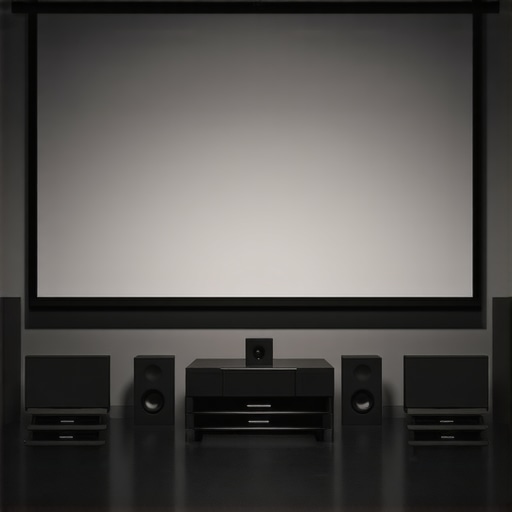
Ever settled into your home theater, only to be greeted by a dim, washed-out picture that makes you wonder if your investment was worth it? I’ve been there, staring at my screen, frustrated by how much brightness lost in translation. It was a lightbulb moment—realizing that my choice of projection screen and understanding of screen gain could make or break my entire viewing experience. That moment sparked my journey into deepening my knowledge about pull-down screens and screen gain technology, and I want to share what I’ve learned so you don’t have to go through the same trial-and-error process.
Why Your Screen Choice Could Be Sabotaging Your Home Theater
In my early days, I thought a big, cheap screen was enough. Boy, was I wrong. Turns out, the type of projection screen you choose isn’t just about size or price—it’s about how well it reflects the light from your projector. This is where screen gain comes into play. Higher gain screens can reflect more light back to your eyes, making images brighter and more vivid, especially in rooms with ambient light. But here’s the catch: higher gain doesn’t always mean better. It’s a balancing act that affects contrast, viewing angles, and image clarity. Understanding this nuance can dramatically improve your picture quality in 2024, especially with new advancements in ALR (Ambient Light Rejection) screens and pull-down options.
Are Screen Gain and Pull-Down Screens Actually Worth the Hype?
This was my biggest skepticism at first. I wondered if all the fuss about screen gain was just marketing hype. Early on, I bought a high-gain pull-down screen without proper research and ended up with a glare-heavy image that washed out in daylight. I learned the hard way that not all screens are created equal, and that choosing the right gain for your room is crucial. Now, I always recommend checking out comprehensive guides like this ultimate guide to understand how screen gain impacts your setup.
If you’ve faced similar frustrations or are just starting to build your home theater, don’t worry. The good news is that with the right knowledge, you can optimize your screen and projector pairing, ensuring bright, crisp images no matter your room’s lighting conditions. Ready to dive into the practical steps that will transform your viewing experience in 2024? Let’s get started!
Select the Right Screen Gain for Your Room
When I upgraded my home theater, I first tested different screen gain levels using a simple flashlight and a white sheet. I aimed a flashlight at the sheet and observed how much light was reflected back. This quick test helped me approximate the gain — higher gain reflects more light but can cause glare. I discovered that a 1.0 gain screen was ideal for my dim room, but in a brighter space, a 1.3 or higher gain could boost brightness without washing out the image.
Match Your Projection Technology and Room Lighting
My projector was a 4K model with high lumen output, so I needed a screen that complemented its brightness. I learned that pairing a high-lumen projector with a low-gain screen results in balanced brightness and contrast. Conversely, in rooms with ambient light, a high-gain screen like the high-gain screens in 2025 can help maintain image clarity and prevent washout.
Position the Screen Correctly to Maximize Gain Benefits
I installed my pull-down screen on a sturdy, ceiling-mounted bracket, ensuring it was perfectly level. Proper installation prevents distortions that can affect perceived gain. I also kept the screen at eye level when seated, which optimized viewing angles. For wider rooms, I considered a motorized pull-down with a tension system like the professional setup blueprint to ensure consistent tension and flatness across the surface.
Adjust Your Projector for Optimal Brightness
After installing the screen, I calibrated my projector’s brightness settings to match the gain. I used a test pattern and adjusted contrast and brightness until I achieved vivid, balanced images. This step is crucial: a high-gain screen paired with a dim projector can produce overly bright, washed-out pictures. Conversely, a low-gain screen with a bright projector can result in dull images. Fine-tuning these settings maximizes the benefits of your chosen gain.
Use Light-Control Techniques to Enhance Effectiveness
I also added blackout curtains and dimmable lights, which allowed me to control ambient light. By reducing stray light, I prevented glare and maintained contrast, especially important with high-gain screens. This approach is similar to how experts recommend enhancing image quality with projection screens.
Experiment and Fine-Tune for Best Results
My final tip is to experiment with different gain levels and projector settings. I initially installed a 1.2 gain screen, then switched to a 1.4 to see if brightness improved. I also tested different angles and distances from the screen to find the sweet spot. This iterative process is vital: what works for one space might not suit another. Remember, the goal is a bright, clear image with vibrant colors, not just maximum gain.
Many home theater enthusiasts operate under misconceptions that can hinder their setup’s performance. One prevalent myth is that higher screen gain always equals a better picture. In reality, while high-gain screens can boost brightness, they often come with trade-offs like reduced viewing angles and increased glare, especially in larger or irregularly lit rooms. This misconception can lead users to select screens that produce overly bright and washed-out images when paired with projectors that aren’t calibrated properly. For nuanced applications, understanding the optimal gain for your specific environment is crucial. For example, a 1.2 gain screen often provides a good balance between brightness and viewing angle, particularly in rooms with some ambient light. To deepen your understanding, check out this detailed guide.
Another common misconception involves the assumption that all pull-down screens are created equal. Many believe that a motorized pull-down is always the superior choice. While motorized options offer convenience, they can be less flat and stable than fixed-frame screens if not installed correctly. Moreover, some users overlook the importance of tension systems in ensuring a flat surface, which is vital for sharp, clear images. An improperly tensioned pull-down screen may result in waves or wrinkles, distorting the image and negating any gain advantages. For precise installation tips, consult this installation guide.
Are High-Gain Screens Worth the Extra Effort in Bright Rooms?
This is a question often posed by advanced users. The answer depends on room conditions and projector brightness calibration. High-gain screens (above 1.3) can indeed help in bright environments, but they are not a silver bullet. Excessive gain can lead to hotspots and glare, which degrade image uniformity. Experts recommend combining high-gain screens with proper room light management and projector calibration. According to research from the Society of Motion Picture and Television Engineers (SMPTE), optimizing ambient light and screen gain together yields the best picture quality. Therefore, instead of focusing solely on gain, consider a holistic approach that includes room lighting, projector setup, and screen choice. For more insights, explore this expert guide.
Finally, many overlook the impact of viewing angles in their gain calculations. A common mistake is assuming a high-gain screen will provide perfect brightness across the entire seating area. In reality, high-gain screens often have narrow viewing angles, causing parts of the image to appear dimmer or distorted when viewed from the sides. This can be especially problematic in larger rooms or when seating is spread out. To mitigate this, position your seating within the optimal viewing cone specified by your screen manufacturer, or opt for screens with wider viewing angles designed for larger spaces. For detailed recommendations, see this comprehensive article.
Have you ever fallen into this trap? Let me know in the comments and share your experience. Remember, an informed choice about screen gain and projection setup can make all the difference in creating your perfect home theater.
Once you’ve invested in a high-quality projection screen, the next step is ensuring it remains in pristine condition over the years. Proper maintenance not only preserves image clarity and gain but also extends the lifespan of your setup. In this section, I’ll share the specific tools and techniques I personally use to keep my screen working flawlessly, along with insights into future trends in projection technology maintenance.
How do I maintain my projection screen over time?
Maintaining a projection screen is surprisingly straightforward if you have the right tools and routines. I recommend starting with a microfiber cloth, such as the premium microfiber cloth, which gently removes dust and fingerprints without damaging the surface. For stubborn spots or smudges, I use a mild, alcohol-free screen cleaner—never household cleaners—that I apply with a soft cloth. This prevents streaks and preserves the reflective properties of the surface.
To keep the tension and flatness of pull-down screens at their best, I employ a tensioning tool like the tension adjustment kit. Regularly checking and tightening the tension prevents wrinkles and wave formation, which can distort images. Additionally, I keep a small, adjustable wrench handy for fine-tuning motorized pull-down mechanisms, especially if they start to drift or become uneven over time.
Predicting future trends in screen maintenance
Looking ahead, I predict that maintenance will become even more automated and integrated with smart home systems. Upcoming ALR (Ambient Light Rejection) screens are integrating coatings that resist fingerprints and smudges more effectively, reducing cleaning frequency. Moreover, I foresee the rise of self-cleaning screens embedded with nanotechnology, which repel dust and dirt—keeping your setup picture-perfect with minimal effort. Such innovations will make long-term upkeep easier and more reliable, ensuring your home cinema remains impressive for years to come.
To get the most out of your investment, I highly recommend establishing a routine inspection schedule—monthly dusting, quarterly deep cleaning, and tension checks. Using the right tools, like microfiber cloths and tensioning kits, will save you money and frustration down the line. Don’t forget to consult trusted resources like this comprehensive guide for detailed maintenance strategies tailored to your specific screen type. Try implementing a simple tension check this weekend—your future self will thank you, ensuring your projection surface continues delivering crisp, vibrant images for years to come.
The Hardest Lesson I Learned About Screen Gain
One of my biggest lightbulb moments was realizing that a higher screen gain isn’t always better. Initially, I thought cranking up the gain would make my movies brighter, but I soon learned that this often led to glare and hotspots, especially in rooms with ambient light. It took experimenting with lower gains to find the perfect balance, showing me that understanding the nuances of gain can transform your viewing experience.
3 Myths About Projection Screens That Held Me Back
I used to believe that all pull-down screens were created equal and that motorized was always best. Turns out, fixed-frame screens with proper tension provide a flatter, more stable surface, which is crucial for sharp images. Also, I thought high-gain screens were a magic solution for bright rooms, but they often caused more issues than they solved without proper room light control and calibration.
What Experts Won’t Tell You About Maintaining Your Projection Screen
Most people overlook routine maintenance, but I discovered that regular cleaning with a microfiber cloth and proper tension checks keep my screen in top shape. Future tech like self-cleaning nanotech coatings might soon make upkeep even easier, ensuring your screen continues to deliver vibrant images for years to come. Establishing a simple routine has saved me from costly replacements and image degradation.
Curated Resources to Elevate Your Home Theater Setup
- Ultimate Guide to Pull-Down Screens and Screen Gain: This comprehensive resource helped me understand how gain impacts brightness and contrast. It’s a must-read for anyone serious about optimizing their setup.
- Professional Projection Screen Setup Blueprint: I trust this step-by-step guide for installing my pull-down screen perfectly, ensuring optimal tension and flatness.
- Alr Screen Technology Breakthroughs: To stay ahead, I follow this resource for the latest innovations in ambient light rejection screens and high-gain options for 2024.
Your Turn to Try Bright Ideas for 2024
Now that you know the secrets behind screen gain and pull-down screens, it’s time to put theory into practice. Whether you’re upgrading your room or just starting out, understanding these details will help you create a home theater that’s bright, crisp, and immersive. Don’t be afraid to experiment with gains, room lighting, and calibration — your perfect viewing experience is within reach. How will you optimize your setup this year? Let me know below!
One Response
Reading through this guide really highlights how critical proper screen selection and setup are for a top-notch home theater experience. I remember when I first tried to upgrade my system, I chose a high-gain pull-down screen expecting it to solve all my brightness issues, especially during daytime viewing. However, I didn’t realize the trade-offs involved, like limited viewing angles and potential glare issues. It was only after experimenting with different gains and testing my projector’s calibration that I found the right balance for my space. This process taught me that optimizing screen gain isn’t just about making everything brighter; it’s about harmony between projector brightness, room lighting, and screen placement. Has anyone found an effective method for quickly testing gain levels without extensive setup? I’d love to hear tips on how to streamline this process, especially for larger rooms or irregular layouts.