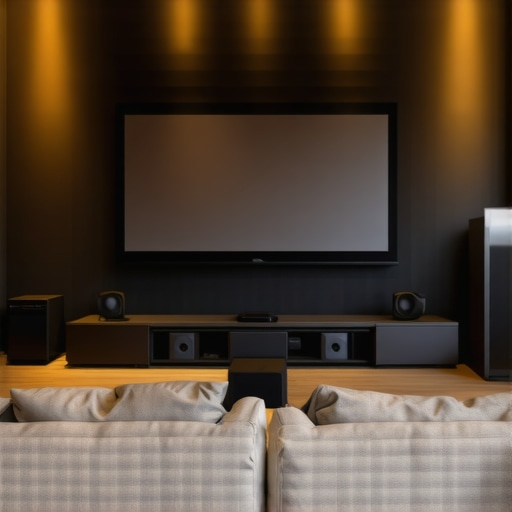
Ever spent hours mounting a projection screen only to realize your picture is washed out, dim, or just not as sharp as you’d hoped? That lightbulb moment hit me hard. I was convinced I had chosen the best screen, only to find out I overlooked a crucial detail—screen gain. It felt like I had thrown money into a black hole, and my home theater dream was slipping away.
Why Screen Gain Can Make or Break Your Home Theater Experience
When I first started building my home theater, I thought the bigger the screen, the better. What I didn’t realize is that the type of projection screen I picked, especially its gain, could dramatically influence how bright, clear, and vibrant my images appeared, especially in a bright room with ambient light. It’s not just about size; it’s about how well your screen can reflect light back to your eyes. This realization transformed my setup—and it can do the same for you.
Screen gain essentially measures how much light your screen reflects. A standard matte screen has a gain of about 1.0, meaning it reflects light evenly. Higher gain screens, often above 1.5, can boost brightness significantly, which is a game-changer in well-lit environments. But beware—higher gain isn’t always better. It can cause hot spots and reduce viewing angles if not chosen carefully. That’s why understanding your space and viewing habits is key.
Early on, I made a mistake by assuming all screens with high gain would automatically improve my picture. Spoiler: they didn’t. Instead, I ended up with uneven brightness and limited viewing angles, which was frustrating. The good news? There are proven strategies and specific types of screens that can help you optimize your image quality without the pitfalls. For example, selecting the right type of projection surface and understanding how screen gain interacts with ambient light can make all the difference. You can check out this guide for a deep dive into how to choose the best screen gain for your setup.
So, if you’re tired of dim, lackluster images or worried about glare and hot spots, this post is for you. We’ll explore the ins and outs of pull-down screens, how to select the right gain, and the latest innovations in screen technology that can elevate your home theater to a whole new level. Ready to avoid costly mistakes and ensure your investment pays off? Let’s get started.
What You Need to Know About Screen Gain and Pull-Down Screens
Select the Right Screen Size and Gain
Start by measuring your room. Use a tape measure to determine how much space is available for your projection. Choose a screen size that fits comfortably without overwhelming the room. Remember, bigger isn’t always better—an overly large screen in a small room can cause your image to look washed out or blurry. Once you’ve got your size, focus on gain. If you’ve experienced dim images or glare, then a high-gain screen might be the solution. For example, in my setup, I initially purchased a 1.8 gain screen, thinking it would boost brightness. However, I overlooked how it would impact viewing angles and hot spots. Instead, I opted for a 1.2 gain screen, which balanced brightness with uniformity, improving my overall image quality.
Use the screen gain guide to understand how gain levels affect your viewing environment. Remember, high gain reflects more light but narrows the angle, so your audience needs to sit directly in front. Low gain offers broader viewing angles but less brightness. For rooms with ambient light, high gain screens are beneficial, but they require careful positioning and lighting control. For dark rooms, a standard gain screen suffices, providing flexibility in seating and angle.
Choosing Between Fixed Frame and Pull-Down Screens
Decide if you want a fixed frame or a motorized pull-down. Fixed frames are rigid and provide a flat surface, ideal for dedicated theaters. Pull-down screens are versatile and can retract when not in use, perfect for multi-purpose rooms. When I installed my first pull-down screen, I followed the installation guide. I found that proper alignment and tensioning are critical to avoid wrinkles and uneven surfaces. Use a level and measure carefully during installation to ensure the screen is perfectly horizontal, which prevents distortion in your projected image.
For high ambient light environments, consider an ALR (Ambient Light Rejection) pull-down screen. These screens are designed to reflect projected light more efficiently and reject ambient light, improving contrast and clarity. Read more about ALR screen options to find the best fit for your space.
Optimizing Your Setup for Best Results
Once your screen is mounted, fine-tune your projector’s settings. Adjust brightness, contrast, and color balance to complement your screen’s gain and material. Use a calibration disc or professional calibration service for precision. Additionally, control ambient light with blackout curtains or adjustable lighting. This will ensure your high-gain or ALR screen performs at its best, delivering crisp, vibrant images even in challenging lighting conditions.
Remember, the quality of your projection surface and setup can dramatically affect your viewing experience. Take your time with installation, and don’t hesitate to experiment with different gain levels or screen types until you find what works best for your room and preferences. For more detailed insights, explore this comprehensive guide.
Many home theater enthusiasts fall prey to misconceptions about screen gain, often leading to suboptimal setups. One prevalent myth is that higher gain screens always produce brighter images without any downsides. In reality, this is a oversimplification. While a high gain surface can indeed boost brightness, it also narrows the viewing angle and can introduce hot spots, which degrade image uniformity. This means that in a typical living room with multiple seating positions, a high gain screen might cause uneven brightness, making some viewers see a washed-out picture while others enjoy vibrant images. To avoid this common mistake, it’s essential to balance gain with room size and seating arrangement. For more insights, check out this guide.
Another misconception is that all screens with the same gain perform equally. However, the material and construction of the screen surface significantly influence its reflective properties. For example, a matte fabric surface with a high gain coating may perform differently than a glass bead surface designed for high gain applications. These nuances can affect contrast, color accuracy, and how well the screen rejects ambient light. Relying solely on gain ratings without considering the material can lead to disappointing results. As an advanced user, you should consider the specific technology behind the surface, such as ALR (Ambient Light Rejection) coatings, which are game changers in bright environments. For detailed options, explore this resource.
Why do some high gain screens cause hot spots and limited viewing angles?
High gain screens tend to focus reflected light in a narrower cone, which results in brighter spots directly in front of the screen but can cause uneven brightness across the viewing area. This phenomenon, known as hot spotting, occurs because the reflective surface directs most of the light to a specific angle. Additionally, the narrowed viewing angle means viewers seated off-center will experience a dimmer, less vibrant image. This is a classic trade-off when selecting high gain surfaces. To mitigate these issues, consider using screens with moderate gain (around 1.2 to 1.3) or opt for specialized ALR screens that are designed to optimize brightness while maintaining wider viewing angles. For expert guidance, visit this overview.
In summary, understanding the nuanced behavior of screen gain and material properties will help you avoid costly mistakes. Remember, a higher gain isn’t always better—it’s about matching the right surface to your room size, ambient light, and seating layout. Don’t fall into the trap of blindly chasing numbers; instead, focus on the overall quality and suitability of your projection surface. Want to learn more about selecting the perfect screen for your space? Reach out through this contact page. Have you ever fallen into this trap? Let me know in the comments!
How do I maintain my projection screen over time?
Keeping your projection screen in top shape requires a combination of regular cleaning, proper handling, and periodic calibration. Personally, I rely on a microfiber cloth to gently wipe the surface, avoiding abrasive materials that can damage the coating or fabric. For fabric screens, vacuuming with a brush attachment every few months helps remove dust and prevent buildup, which can dull the image quality. When it comes to cleaning solutions, I recommend using a mild soap diluted in water, avoiding harsh chemicals that could degrade the surface. Always test a small area first to ensure compatibility.
In addition, inspecting the mounting hardware periodically ensures the screen remains flat and tensioned correctly, preventing wrinkles or distortion. If you have a motorized pull-down screen, lubricate the moving parts as specified by the manufacturer to prevent jamming or uneven retraction. For high-gain or ALR screens, avoid touching the surface with your fingers, as oils can affect reflective properties over time.
Calibration is another crucial aspect. Over months or years, ambient light conditions and projector performance can shift, leading to suboptimal image quality. Using a calibration disc like the Spears & Munsil or hiring a professional calibration service can restore your image to its optimal state. Regular calibration ensures you get the most out of your investment and maintain consistent picture quality.
Looking ahead, I predict that advancements in self-cleaning coatings and automated calibration systems will become standard in high-end projection screens by 2025, simplifying maintenance even further. Technologies like ambient light sensors that adjust projector settings on the fly are also gaining traction, promising a more hassle-free experience.
To keep your setup working flawlessly, incorporate routine checks into your maintenance routine—clean your screen gently every few months, inspect mounts, and recalibrate as needed. Doing so will extend the lifespan of your screen and ensure your home theater continues delivering stunning visuals for years to come. For detailed maintenance tips and recommended tools, visit this comprehensive guide.
What tools do I recommend for maintaining my projection setup?
In my experience, the most valuable tools for maintaining a projection screen and projector system are a high-quality microfiber cloth, a soft-bristled vacuum attachment, and a calibrated colorimeter. The microfiber cloth is perfect for dusting without scratching or leaving residue. I prefer the ones with a plush, tightly woven fabric, such as the E-Cloth brand, which I’ve found effective at removing surface dust and fingerprints without chemicals.
For fabric or textured screens, I use a handheld vacuum with a brush attachment, like the Dyson V11. It provides gentle suction that lifts dust particles without damaging the material. Regular vacuuming keeps the screen surface clean and prevents dust from settling into the fibers.
When it comes to calibrating my projector, I rely on a colorimeter such as the X-Rite i1Display Pro. This device measures color accuracy, gamma, and white balance precisely, enabling me to fine-tune the projector settings for optimal image quality. Paired with calibration software like DisplayCAL or CalMAN, I can achieve professional-level calibration at home.
Looking to the future, I believe that integrated smart sensors for automatic calibration and self-cleaning surfaces will become more prevalent, reducing the manual effort needed to keep your system performing at its best. Already, some high-end screens feature ambient light sensors that automatically adjust brightness and contrast, which I expect will be standard by 2025.
I encourage anyone serious about long-term performance to invest in these tools early. They not only save time but also help you maintain consistent image quality, ensuring your home theater remains a source of entertainment for years. For more insights on maintaining your projection setup, explore this detailed resource.
3 Lessons I Learned from the Trenches of Home Theater Setup
- High gain isn’t a magic bullet: I once bought a 1.8 gain screen, expecting it to brighten my images effortlessly. Instead, I faced hot spots and narrow viewing angles, which made me realize that balance is key. Moderate gain screens around 1.2 to 1.3 often provide the best mix of brightness and uniformity.
- Material matters as much as gain: Not all high gain screens are created equal. The coating or fabric surface greatly influences contrast and color accuracy. I discovered that ALR (Ambient Light Rejection) surfaces dramatically improved my experience in a bright room, turning ambient light into an asset rather than a foe.
- Installation precision is non-negotiable: A perfectly tensioned, level, and aligned screen makes all the difference. Improper mounting can cause distortions that ruin the picture quality, no matter how good the material or gain level. Careful setup, as detailed in guides like this installation guide, pays dividends.
My Go-To Resources for Screen Selection and Maintenance
- Understanding Screen Gain — This comprehensive article helped me grasp the nuanced effects of gain and how it interacts with room lighting. Check it out here.
- ALR Screen Options — For bright rooms, I rely on this detailed guide to select the best ambient light rejection screens. It’s a game-changer.
- Maintenance Tools — My toolkit includes a microfiber cloth, a gentle vacuum, and a calibrated colorimeter like the X-Rite i1Display Pro. These tools keep my setup pristine and perfectly calibrated over time, ensuring consistent image quality.
Seize the Moment and Elevate Your Home Theater
Your journey to cinematic perfection begins with understanding the subtle art of screen gain. With the right surface, proper installation, and ongoing care, you can transform your space into a true home theater sanctuary. Don’t wait — start experimenting today and watch your projection quality soar. Remember, every great setup starts with a single step—so go ahead and take yours now. How has your experience with screen gain influenced your home theater choices? Share below and let’s learn together!
6 Responses
Reading this article really struck a chord with me, especially the part about high gain screens causing hot spots and narrow viewing angles. I once installed a 1.8 gain screen in my living room, thinking it would dramatically brighten the image, but I quickly noticed uneven brightness and hot spots during movie night. It was disappointing, and I learned the hard way that balancing gain with room size and seating arrangement is crucial. I also discovered the importance of high-quality materials—certain ALR surfaces really made a difference in my bright room. Has anyone experimented with different screen materials or coatings to optimize brightness and angle? I’m curious about the latest innovations that help mitigate these common issues while maintaining high reflectivity. It seems like the industry is making strides, but understanding how to choose and install the right screen still feels overwhelming. Would love to hear stories of what worked—or didn’t—for others when balancing gain, materials, and setup.
I found this discussion about screen gain really insightful, especially the part about balancing gain with room size and ambient light. In my experience, choosing the right gain is a nuanced process—higher isn’t always better, especially in a multi-seat setup. I once installed a 1.8 gain ALR screen in my dedicated home theater, but noticed hot spots and narrow viewing angles, which made me think more about the material and installation quality. Since then, I’ve experimented with moderate gain screens around 1.2 to 1.3, and the difference in uniformity and viewing comfort has been significant.
What really helped me was reading about the reflective properties of different materials—glass bead coatings versus matte fabrics—and how they influence contrast and color accuracy. I’m curious, has anyone here tried combining advanced coatings with flexible mounting options to address hot spots in high gain screens? It seems like the industry is moving towards smarter materials and adjustable mounting systems, which could make a big difference. How do others balance the trade-offs between brightness, angle, and uniformity in their setups? Looking forward to hearing more tips and personal experiences.
I really appreciate how this post emphasizes the importance of balancing screen gain with room conditions. I’ve learned from personal experience that higher gain screens, although attractive for brightness, can cause hot spots and narrow viewing angles—especially problematic in multi-seat setups. I recently switched from a 1.8 gain to a 1.2 gain screen in my living room, and the improvement in uniformity has been remarkable. What caught my eye was the mention of advanced coatings and materials; I’ve been experimenting with ALR surfaces, which seem to mitigate some issues related to ambient light. Has anyone tried combining ALR coatings with different mounting techniques to further improve image consistency? I’d love to hear tips or personal success stories, especially on how to optimize brightness and angle in less-than-ideal spaces. It’s clear the industry is moving toward smarter, adaptable surfaces, which is exciting for home theater enthusiasts like myself.
This post sheds light on the critical importance of choosing the right screen gain for your home theater, which many enthusiasts often overlook in favor of bigger screens. I’ve personally experimented with different gain levels over the years, and I can attest that a balanced approach yields the best results. For instance, in my bright living room, I switched from a 1.8 gain to a 1.2 gain screen after realizing the high gain produced hot spots and limited viewing angles — issues that became more apparent when I added multiple seating positions. Since then, I’ve also experimented with different materials; matte fabrics tend to diffuse light more evenly, which is crucial for maintaining consistency across wider viewing angles. I’d love to hear what materials others have found effective in improving image uniformity while still maintaining sufficient brightness, especially in spaces with ambient lighting. Have any of you combined innovative coatings or mounting techniques to mitigate hot spots on high gain screens? I think the industry is definitely moving toward smarter, adaptable materials, which makes this an exciting area for further exploration.
This article really resonated with me, especially the part about how critical screen gain is for achieving the perfect picture in different lighting conditions. I’ve had a similar experience where upgrading to a higher gain screen initially seemed like a good move for brightness, but I quickly ran into issues with hot spots and reduced viewing angles. It made me realize that understanding the trade-offs is essential—higher gain isn’t a one-size-fits-all solution.
In my setup, I’ve found that selecting a moderate gain around 1.2 or 1.3 provides a much better balance between brightness and uniformity. I also experimented with different materials like ALR coatings, which made a noticeable difference in my bright living room, especially for minimizing ambient light washout.
Has anyone here tried combining different screen materials or coatings to optimize both gain and viewing angle? I’d be interested in hearing what’s worked well in various room setups, especially with multi-seat arrangements or in spaces with a lot of ambient light. It seems like the industry is moving toward smarter surface technology, which is exciting to watch evolve.
This article hits the nail on the head regarding the importance of choosing the right screen gain for your specific room and seating arrangement. I learned this the hard way when I initially bought a high-gain screen expecting it to boost brightness in my living room. The result was hot spots and limited viewing angles, which made the experience quite frustrating. Since then, I’ve shifted to a moderate gain around 1.2, and the difference in uniformity and picture quality is night and day. It’s fascinating how the choice of material and the way the screen is mounted can influence the overall experience. Has anyone experimented with different anti-reflective coatings or flexible mounting options to improve viewing angles on high-gain screens? I believe the industry is headed towards smarter surfaces and adjustable mounts, which could make setup and optimization much easier. Would love to hear your experiences or recommendations—this dynamic is still evolving, and it’s exciting to see!