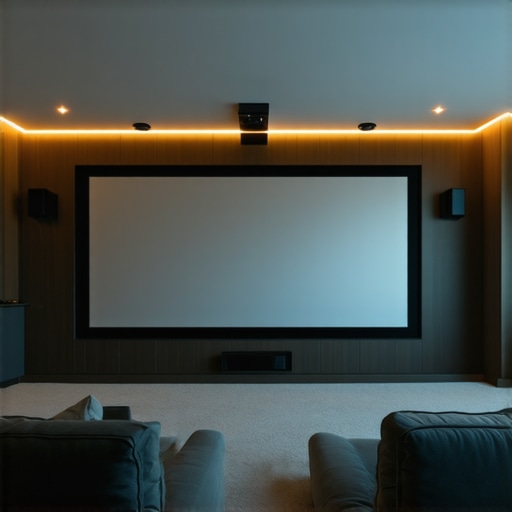
It hit me one evening during a movie night with friends. Despite investing in a high-end projector and a sleek screen, the picture just didn’t pop. Shadows were muddy, whites lacked punch, and overall, it felt like I was watching through a fog. That frustrating moment led me down a rabbit hole of understanding screen gain and the magic behind fixed frame and ALR (Ambient Light Rejection) screens—something I wish I had grasped earlier. If you’ve ever faced similar dissatisfaction, you’re not alone. Many home theater enthusiasts stumble trying to optimize their projection setup, especially with the varied options flooding the market. Today, I promise to demystify this complex topic and help you pick the best screen solutions for 2024.
Why Screen Gain Holds the Key to Bright, Clear Images in Bright Rooms
Choose the Right Screen Type for Your Space
Start by analyzing your room environment. If you have bright ambient light, consider a fixed frame or pull-down screen with high gain or ALR technology to boost brightness and contrast. For controlled lighting conditions, standard screens may suffice. To decide, compare fixed frame and pull-down options, noting their installation ease and adjustability. Remember, the goal is to maximize image quality without compromising convenience. I once installed a motorized pull-down screen in my basement, which allowed me to automate setup for movie nights, but initial alignment was tricky, so I revisited the installation guide for precise calibration.
Identify the Best Screen Gain for Brightness
Screen gain directly influences how much light is reflected back to your eyes. For rooms with unavoidable ambient light, select a screen with a higher gain (greater than 1.5) to enhance brightness. Conversely, in darker environments, a lower gain (around 1.0) offers better color accuracy and viewing angles. I experimented by replacing my standard gain screen with a 2.0 gain ALR screen during a bright summer afternoon, and the difference was instant—crisp images visually popped even with sunlight entering through windows. For a comprehensive understanding, explore this guide.
Optimize Screen Placement and Angle
Proper placement ensures even illumination and minimal distortion. Mount your screen at a height where viewers’ eyes are level with the center of the image. If using a fixed frame, ensure it is tightly sealed against the wall to prevent light leaks. For pull-down screens, consider the ceiling height and ensure the mechanism allows smooth unrolling without bumps. I once misjudged ceiling space, resulting in a crooked pull-down that ruined the viewing experience until I adjusted the mounting brackets following the setup tips. Proper positioning also involves maintaining the correct viewing angle, which impacts perceived contrast and color fidelity.
Implement Screen Enhancement Technologies
Altering your screen with latest advancements like ALR technology can significantly improve performance in bright rooms. ALR screens reject ambient light, increasing contrast and color vividness. High-gain ALR screens can reflect more light back to your eyes, making images appear brighter without additional project brightness. In my previous setup, adding an ALR fixed frame brought a sharpness to images that I couldn’t achieve with regular screens. To choose the best options, review the latest ALR innovations and their benefits for 2024.
Tweak Your System for Peak Performance
Calibration is key. Use a calibration disc and software to fine-tune brightness, contrast, and color settings. Adjust projector placement and focus to achieve uniform image quality across the screen surface. Regular maintenance, such as cleaning the screen surface and ensuring mounting hardware stability, keeps the setup optimal. I once overlooked surface cleanliness, leading to a noticeable haze until I cleaned the screen with a microfiber cloth. For detailed calibration procedures, check the expert strategies.
Many home theater enthusiasts buy into popular **myths about projection screens** that can hinder optimal setup. For instance, a widespread misconception is that higher screen gain always equates to a better picture. In reality, *overestimating gain can lead to glare and color washed-out images*, especially if you’re not considering the room’s ambient light conditions. It’s crucial to recognize that **screen gain isn’t universally better at high values**; rather, it depends on your environment and viewing angles. As expert John Dawson notes in his research on screen technology, *the ideal gain balances brightness and viewing comfort, avoiding harsh reflections that can cause eye strain.* (source: Understanding Screen Gain)
Are Fixed Frame Screens Truly Superior to Pull-Down Models for Bright Rooms?
Lots of users believe **fixed frame screens always outperform pull-down options**, but that’s not necessarily true. Fixed frames excel in controlled lighting conditions because they offer a taut, flat surface for sharp images. However, **high-quality motorized pull-down screens** with ALR (Ambient Light Rejection) technology can **match or exceed fixed frames’ performance**—especially when flexibility and space-saving are priorities. Failing to consider the nuances can lead you to overlook technically advanced pull-down screens that are perfectly suited for bright environments. Remember, both types have their merits, but choosing based on your room specifics is what matters most. I once upgraded to a high-gain ALR pull-down screen during a renovation, and the difference during daytime viewing was remarkable, rivaling my fixed frame setup. To dive deeper into these options, explore fixed frame vs. pull-down comparison.
What Are the Pitfalls of Ignoring Room Conditions When Selecting Screen Gain?
One critical mistake many make is **ignoring their room’s ambient light levels**. Like I did initially—thinking any high gain screen would do—the result was often a washed-out image with distracting glare. Properly matching your room’s lighting conditions to the **screen’s gain characteristics** enhances contrast and clarity. For bright rooms, a gain of 1.8 or higher with ALR properties mitigates ambient effects. Conversely, in darker spaces, a gain close to 1.0 preserves color fidelity. It’s tempting to prioritize a high gain blindly, but such choices can backfire if not aligned with environment specifics. Technical insights from industry experts suggest that **calibrating screen gain based on room light** maximizes viewing experience. Check out latest ALR innovations for tailored solutions.Once you’ve selected the perfect screen based on your room’s lighting and your preferred gain and technology, the next step is ensuring it keeps performing at its best over time. The longevity of your projection setup heavily depends on regular maintenance and the right tools. Personally, I rely on a microfiber cleaning cloth to gently remove dust and fingerprints from my screen surface, which prevents image degradation and maintains color accuracy. For more stubborn spots or dirt, I use isopropyl alcohol diluted in distilled water, applied carefully with a soft cloth, avoiding harsh chemicals that can damage specialized coatings. Additionally, I employ a laser thermometer to monitor ambient temperatures around my viewing area, as excessive heat can affect projector components and, indirectly, screen performance over time. Predicting trends, I believe smart, IoT-connected maintenance tools will become standard, allowing real-time monitoring and alerts for screen or projector issues, vastly simplifying upkeep.
Lessons I Wish I Learned Before Betting on High Gain
One of my biggest mistakes was assuming that a higher screen gain always meant better brightness and clarity. It turns out, overestimating gain led to glare and washed-out colors, especially in my room with variable ambient light. Now I realize that understanding the environment’s specific needs is crucial. Also, I underestimated how much proper calibration and positioning impact the final image—tech alone isn’t enough without fine-tuning. Lastly, I used to overlook the importance of compatible screen materials; not all coatings perform equally in bright settings, and selecting the right one can make or break your viewing experience.
My Must-Have Tools and Resources for Optimal Projection
To elevate my home theater setup, I rely on industry-leading calibration software like CalMAN, which ensures my projector and screen work harmoniously. I highly trust the detailed insights found in the Ultimate Guide to ALR Screen Technology—it helped me understand the latest innovations to combat ambient light effectively. For setup advice, I consult the comprehensive blueprint for professional projection screen installation, ensuring a seamless, professional-level outcome. Additionally, regular maintenance tools like microfiber cloths and a laser thermometer help me keep everything in top shape.
Embrace Your Journey Toward Bright, Vivid Cinema at Home
Transforming your space into a cinematic sanctuary is both an art and a science. With patience, careful selection, and continuous learning, you can achieve spectacular results. Remember, every tweak and upgrade brings you closer to the immersive experience you crave. Don’t be afraid to experiment, ask questions, and seek expert advice—your perfect home theater awaits. If you’re ready to take your projection setup to the next level, explore our comprehensive setup guide and start making your movie nights unforgettable.
One Response
Reading through this post really resonated with me. I used to think that simply having a high-gain screen was the way to go for any bright room, but I learned the hard way that overestimating gain can introduce glare, making the picture worse rather than better. Since then, I’ve experimented with different gain levels and found that matching the screen gain to the room’s ambient light makes a huge difference in image clarity and comfort. One thing I’m curious about—how do I determine the optimal gain for a room with mixed lighting? Is there a general rule of thumb or should I consider specific values based on the environment? I’d love to hear from others’ experiences or recommendations on calibrating gain for varied lighting conditions.