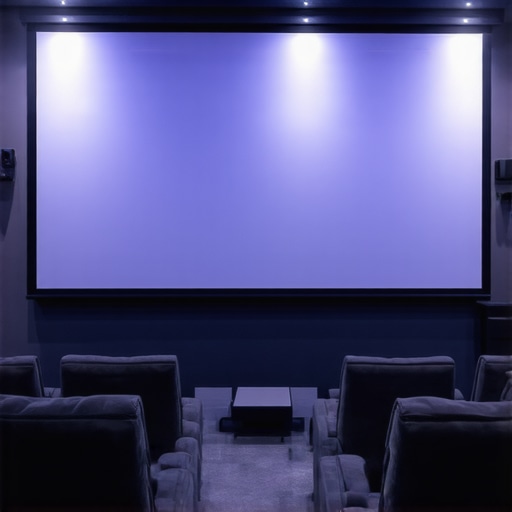
I remember the frustration vividly. I had invested in a sleek projector, a high-end sound system, and all the latest streaming devices. But every time I watched a movie, the picture was dull, washed out, and barely viewable during the daytime. I felt like I was missing out on the full experience. That was my lightbulb moment—realizing that my projection screen choice and understanding of screen gain could make or break my home theater.
Why Your Screen Matters More Than You Think
It’s easy to focus on projectors and audio equipment, but the screen often gets overlooked. A good projection screen can dramatically improve brightness, contrast, and clarity. Especially if your room isn’t perfectly dark or if you’re battling ambient light, choosing the right screen with the proper gain is essential. I learned that a high-gain pull-down screen could be a game-changer, but only if you understand how to use it effectively.
Curious about how to pick the best screen for your space? I’m here to share what I’ve learned from personal experience and research, so you don’t have to go through the same trial-and-error process. Today, we’ll cover everything from the basics of screen gain to advanced tips for optimizing your setup. Ready to transform your viewing experience?
Are Pull-Down Screens Really Worth the Hype?
Early on, I made the mistake of assuming all screens are created equal. I bought a cheap fixed frame screen, hoping it would do the job. The result? Washed-out images and a disappointing viewing experience. That’s when I discovered the importance of understanding screen gain and the different types of projection screens available. If you’re skeptical about whether a pull-down screen can truly enhance your setup, I completely get it. I was there too. But after experimenting with various options, I found that a high-quality pull-down screen with the right gain could make a significant difference, especially in rooms with some ambient light. For more insights, check out this detailed guide on projection screen types.
So, have you faced the challenge of dim images or glare ruining your movie nights? If yes, don’t worry—you’re not alone. And the good news is, with the right knowledge about screen gain and setup techniques, you can fix it. Let’s dive into the practical steps to get your home theater looking stunning in 2024.
Choose the Right Screen Material and Gain
Start by selecting a projection screen with the appropriate gain for your room. Think of gain like the brightness boost; a higher gain reflects more light, making your image brighter. I experimented with a 1.0 gain screen first, but in my bright living room, the picture was dull during daytime. Switching to a high-gain screen with a gain of 1.8 instantly improved brightness and contrast, especially with ambient light. For detailed guidance on selecting the best gain for your space, visit this comprehensive guide.
Position Your Screen for Maximum Effectiveness
Proper placement is crucial. Mount your pull-down screen at a height where viewers’ eyes are level with the center of the image. I once hung my screen too high, which caused neck strain and uneven viewing. After adjusting the height, I noticed a sharper image with better uniformity. Make sure the screen is tensioned evenly to avoid wrinkles or distortions. Use a level and secure brackets tightly, following this installation guide for step-by-step instructions.
Optimize Ambient Light with Strategic Room Setup
Ambient light can wash out your projection, especially in rooms with large windows. To mitigate this, position your screen away from direct light sources, or add blackout curtains. I found that using a high-gain screen in combination with window coverings significantly enhanced image clarity. For additional tips on controlling room lighting and maximizing contrast, check this article. Also, consider wall colors; matte, dark hues reduce reflection and improve perceived contrast.
Calibrate Your Projector and Screen Settings
Calibration is the final step. Adjust your projector’s brightness, contrast, and color settings to match your screen’s gain. I used a calibration disc and a light meter, which initially felt daunting, but following this blueprint made it straightforward. Proper calibration ensures your image isn’t washed out or overly dark, making the most of your high-gain screen’s capabilities.
Test and Adjust for Best Results
Finally, test your setup with various content—movies, sports, gaming—to see how the image performs. I noticed that some scenes appeared too bright or washed out, so I fine-tuned the projector’s gamma and brightness. Remember, small adjustments can make a big difference. Check out top tips for high-gain screens to keep refining your setup. With patience and careful calibration, your home theater will deliver stunning visuals that rival commercial cinemas.
Many home theater enthusiasts fall into the trap of oversimplifying how screen gain affects image quality. A prevalent misconception is that higher gain always equals better brightness and contrast. In reality, this isn’t true, and relying solely on gain can lead to suboptimal setups that compromise image fidelity. For example, some assume that a gain of 2.0 or higher will automatically enhance their viewing experience, but this often results in a narrow viewing cone and uneven brightness distribution, especially in larger rooms or when viewing from off-center seats. Experts, such as those at Home Cinema Essentials, emphasize that selecting the right gain involves balancing room lighting, screen size, and projector brightness rather than just chasing the highest gain figure.
Another common myth is that high gain screens are only suitable for rooms with ambient light. While high gain screens do excel in brighter environments, they are not a one-size-fits-all solution. Overusing high gain screens in dark rooms can lead to excessive glare and loss of contrast, making the image appear washed out or overly reflective. The key is understanding the nuances of gain and matching it with your specific room conditions. For instance, a room with controlled ambient light might benefit more from a balanced gain around 1.3 or 1.5, ensuring brightness without sacrificing contrast. For a deep dive into how to optimize gain based on room conditions, check out this detailed guide.
Is Higher Gain Always Better for Brightness and Clarity
Not necessarily. High gain screens reflect more light, which can make images appear brighter, but this comes with trade-offs. The main issue is the viewing angle; high gain surfaces tend to create a hot spot in the center and diminish brightness toward the edges. This can be particularly frustrating if you have a wide seating arrangement. Moreover, excessive gain can increase specular reflection, leading to glare that diminishes contrast and color accuracy. The solution is to choose a gain level tailored to your room size, projector brightness, and seating layout. For advanced tips on selecting the optimal gain, visit this resource.
Have you ever fallen into this trap? Let me know in the comments. Remember, understanding the nuanced role of gain helps you create a balanced, immersive home theater experience that delivers stunning visuals without unintended side effects. Don’t just chase the highest gain—think about your entire setup and room environment to make the best choice.
Maintaining your projection screen and associated equipment is crucial to ensure consistent performance and longevity. Over time, dust, smudges, and environmental factors can degrade image quality, but with the right tools and routine, you can keep your setup in top shape. I personally rely on a few specialized tools that make maintenance straightforward and effective, ensuring my home theater remains pristine for every movie night.
How do I keep my projection screen in peak condition?
First, I recommend using a microfiber cloth or a soft, lint-free duster to regularly remove dust from the screen surface. Avoid harsh chemicals; instead, opt for a gentle cleaner specifically designed for projection screens or a mixture of distilled water with a few drops of isopropyl alcohol. This prevents streaks and potential damage to the material. For detailed cleaning, I use a dedicated screen cleaning kit that includes a soft applicator and stage-cleaning solution, which I found highly effective in maintaining clarity without risking scratches.
Additionally, inspecting the tension of pull-down screens periodically is vital. Over time, the tension mechanism can loosen, causing wrinkles or uneven projection. I use a small adjustable wrench to tighten the tension spring or motor settings as needed, following the guidance from this installation guide. This simple step ensures a smooth, flat surface for optimal image quality.
What tools do I recommend for long-term setup health?
Besides cleaning supplies, I swear by a laser level and a digital inclinometer. These tools help me ensure that the screen is perfectly aligned and mounted at the ideal height, which is crucial for maintaining uniform brightness and avoiding distorted images. Proper alignment reduces strain on the motorized pull-down mechanisms and prevents uneven wear. For calibration, I use a colorimeter like the X-Rite i1Display Pro, which allows precise adjustment of projector settings in conjunction with my screen gain. Accurate calibration with these tools maximizes brightness and contrast, especially when using high-gain screens.
Looking ahead, I predict that smart maintenance tools—such as app-controlled sensors that monitor environmental factors or automatic cleaning systems—will become more commonplace. These innovations will further simplify upkeep and optimize performance automatically, a trend I eagerly watch for home theater enthusiasts.
How do I maintain projector and screen synchronization over time?
Regular calibration is key. I schedule a monthly check using calibration software like CalMAN or DisplayCAL, which guides me through adjusting projector brightness, contrast, and color balance. Ensuring these settings are aligned with my screen’s gain and material helps maintain image fidelity. I also keep a log of calibration results, so I can track performance trends and catch any deviations early. For comprehensive insights, I recommend reviewing these proven strategies.
Finally, routine inspections of the mounting hardware and motorized components prevent mechanical failures. Tightening bolts and testing the motor’s operation every few months ensures your screen remains reliable. Remember, investing in quality tools and establishing a consistent maintenance routine will pay off by preserving your home theater’s stunning visuals for years to come. Try integrating a digital inclinometer into your setup checks—you might be surprised at how much it improves alignment precision and overall viewing experience.
Lessons from the Front Lines of Home Theater Setup
- One of my biggest lightbulb moments was realizing that a high-gain screen isn’t just about brightness; it’s about understanding how gain affects viewing angles and contrast. Initially, I thought bigger numbers meant better, but I learned that balance is key to avoiding glare and hot spots.
- Experimenting with different screen materials transformed my viewing experience. I discovered that matte surfaces with the right gain can reduce reflections and improve color accuracy, especially in rooms with ambient light, saving me from a dull movie night.
- Calibrating my projector in tandem with my screen’s gain was a game changer. Proper calibration ensured that the image quality truly maximized the potential of my setup, proving that technical tweaks can make a world of difference.
- Maintaining the screen’s condition regularly with gentle cleaning tools keeps the visuals sharp and vibrant over time. This simple routine prevents dust and smudges from degrading the experience, preserving my investment in home theater magic.
Tools and Resources That Elevated My Setup
- X-Rite i1Display Pro: This colorimeter helped me achieve accurate projector calibration, ensuring my images matched the screen’s capabilities precisely.
- CalMAN Calibration Software: An essential tool for fine-tuning colors, gamma, and brightness, giving my home theater a professional-level polish.
- Microfiber cleaning cloths: Regularly cleaning my screen with these kept dust and fingerprints at bay, maintaining clarity and contrast.
- This guide on optimizing image quality helped me understand how to match room lighting and gain for the best results.
Your Next Step Toward Home Theater Excellence
Now that you know the importance of screen gain and pull-down screens, it’s time to take action. Whether you’re upgrading your current setup or starting fresh, understanding these details will help you craft a viewing experience that’s truly immersive. Don’t settle for dull images—embrace the knowledge and tools to transform your home theater today!
What’s been your biggest challenge with choosing or setting up a projection screen? Share below—I’d love to hear your story!
2 Responses
Reading through this post really resonated with me, especially regarding the importance of selecting the right screen gain for your room. I remember when I first set up my home theater, I thought a higher gain would automatically improve brightness, but I quickly learned about the narrow viewing angles and glare issues that can come with overly high gain screens. It’s fascinating how balancing gain, ambient light, and projector brightness can really elevate the viewing experience. I also found that matte, darker wall paint made a significant difference in contrast without introducing unwanted reflections. Has anyone tried using colored or textured wall surfaces to enhance image quality? I’d be curious to hear other strategies for optimizing ambient conditions without investing heavily in blackout curtains or specialized screens. Sometimes, small adjustments like placing the seating at the right angle or experimenting with different screen materials can make all the difference. Would love to hear other tips on fine-tuning room setups for the perfect picture!
This post really hits home for me because I’ve struggled with ambient light affecting my projector’s image, especially during daytime viewing. I’ve been considering high-gain pull-down screens, but I wasn’t sure if I’d end up with hot spots or glare issues. From your insights, it seems like balancing gain with room lighting and placement is critical. I’ve also tried painting my walls a matte dark color, which noticeably improved contrast. Has anyone experimented with textured or colored wall surfaces to further enhance picture quality? I wonder if different textures could scatter ambient light and reduce reflections without the need for blackout curtains—any tips? Also, I’ve found that simply adjusting the screen placement and angle can help mitigate some glare, but I’m curious about how others have optimized their setups without investing in costly screens or drastic room modifications. Would love to hear your experiences or suggestions to get a brighter, clearer image in rooms with some ambient lighting.