
Ever set up a home theater only to find your bright living room washing out the picture? I remember the frustration all too well. After investing in a high-quality projector, I was convinced my setup was perfect — until I turned on the lights. The image was dull, washed out, and barely watchable. That lightbulb moment made me realize I needed a specialized screen, not just a regular one, to handle my bright environment.
Why Bright Rooms Demand Better Projection Screens
Bright rooms are tricky because ambient light competes with your projector’s image. Traditional screens struggle to deliver crisp, vibrant pictures under these conditions. That’s where **Ambient Light Rejecting (ALR)** screens and fixed frame options come into play. They’re designed to maximize contrast and brightness, making your movies and games pop even in well-lit spaces.
In fact, a recent study shows that viewers prefer screens with higher gain in bright environments because they provide a sharper, more vivid picture. But choosing the right screen isn’t just about picking the highest gain; it’s about balancing brightness, clarity, and installation. That’s precisely why I’m here — to help you navigate the maze of options and find the perfect fit for your space.
Is an ALR Screen Actually Worth the Hype?
Early in my journey, I made the mistake of assuming all screens are created equal. I bought a cheap pull-down model, thinking it’d do the trick. Spoiler: it didn’t. The image was lackluster, and I was back to square one. It’s crucial to understand that not all ALR screens are designed for bright rooms, and not all fixed frame screens are built to handle high ambient light. So, what are the key features you should look for? That’s what we’ll explore next.
If you’ve faced similar struggles, you’re not alone. Many home theater enthusiasts overlook the importance of selecting the right projection surface, leading to wasted money and disappointment. Luckily, there are proven strategies and specific products tailored for bright environments. For example, high-gain screens and innovative ALR materials can significantly improve your viewing experience. Want to learn more? Check out [this guide](https://screens.homecinemaessentials.com/guide-to-fixed-frame-alr-screens-for-high-quality-projection-in-bright-rooms) for detailed insights into how to choose and install the best screen for your space.
Now that I’ve shared my story, let’s dive into the practical steps to find a high-performance screen that turns your bright room into a cinematic haven. Ready? Let’s go!
Choose the Perfect Screen Material
Start by selecting a high-gain ALR screen material designed for bright environments. These screens are engineered to reflect ambient light away from your eyes, preserving contrast and brightness. When I installed my first high-gain screen, I noticed an immediate boost in vividness, even with the living room lights on. Focus on materials with a gain between 1.8 and 2.5, which balances brightness and viewing angle.
Compare Fixed Frame and Pull-Down Options
Decide whether a fixed frame or motorized pull-down screen suits your space. Fixed frame screens offer a taut, flat surface for sharp images, ideal for dedicated home theaters. Pull-down screens are more flexible, especially if you need to retract the screen during daylight or multipurpose use. I once struggled with a pull-down model that sagged over time, but upgrading to a high-quality fixed frame resolved my issues and improved image clarity. For detailed comparisons, see this guide.
Optimize Screen Placement and Orientation
Proper placement is vital. Mount your screen on a wall free from direct light sources, and ensure it’s at eye level for the best viewing angle. Use a laser level to align the screen perfectly flat. I initially installed my screen slightly crooked, which caused distorted images. After re-aligning it, the picture became noticeably sharper. For precise installation steps, consult this installation guide.
Adjust Projector Settings for Bright Rooms
Maximize your projector’s output by increasing the brightness (lumens) and adjusting contrast. Use a high-quality calibration disc or software to fine-tune the image. I found that increasing contrast and lowering black levels made a huge difference in bright environments. Don’t forget to set your projector’s mode to a brighter setting, if available. For advanced calibration tips, visit this page.
Leverage Screen Gain and ALR Technology
Understanding screen gain is crucial. A gain of 2.0 reflects twice as much light as a standard matte screen, making images pop in bright rooms. However, high gain reduces viewing angles, so place seats within the optimal zone. ALR screens use optical coatings and microstructures to reject ambient light, maintaining contrast and color accuracy. In my setup, switching to an ALR screen with a gain of 2.2 improved my viewing experience significantly. For detailed product recommendations, check this comparison.
Seal the Room Against Light Intrusions
Control ambient light by sealing gaps around windows and doors, and use blackout curtains if necessary. I added blackout blinds, which blocked stray sunlight and enhanced the contrast further. Even with the best screen and projector, uncontrolled light can wash out your image. Consider adding a light-absorbing matte paint to walls or ceiling for an extra boost. For expert tips, see this guide.
Test and Fine-Tune Your Setup
Finally, run test patterns and adjust settings iteratively. Observe how the image responds to ambient changes and modify projector calibration accordingly. I once spent an afternoon tweaking my setup, which resulted in a stunning picture with vibrant colors and deep blacks despite the bright room. Remember, small adjustments can make a big difference. For comprehensive calibration methods, visit this resource.
< >
>
Many home theater enthusiasts fall into the trap of oversimplifying what it takes to get a stunning picture in bright rooms. A widespread misconception is that simply installing a high-gain or ALR screen guarantees perfect visibility. While these screens are powerful tools, relying solely on them without understanding their nuances can lead to subpar results. For instance, some believe that higher gain always means better brightness, but in reality, it can drastically reduce your viewing angle and cause hotspots, making the experience uncomfortable for viewers sitting off-center. To truly optimize for bright environments, you need a balanced approach that considers both screen technology and room conditions.
Another common myth is that all ALR screens are equally effective. The truth is, not all ALR materials are designed for the same ambient lighting conditions. Some are optimized for controlled lighting, while others excel in truly bright spaces by rejecting more ambient light. Choosing the wrong type can result in washed-out images or poor contrast—problems many don’t anticipate until after installation. To avoid this, focus on expert insights when selecting your screen, and consider products that specifically target high-brightness scenarios, like those reviewed in this guide.
Is Bigger Always Better for Bright Room Screens
Many assume that increasing screen size will always improve the viewing experience, but in bright rooms, this can backfire. Larger screens with high gain often have narrower optimal viewing angles, which means viewers sitting even slightly off-center will experience diminished contrast and color accuracy. A better strategy is to optimize screen size relative to your seating arrangement and room lighting. Smaller, well-positioned screens combined with high-quality, high-gain surfaces often yield more satisfying results than simply going bigger. For advanced tips, check this resource.
Have you ever fallen into this trap? Let me know in the comments. Remember, achieving cinematic quality in a bright room is about nuanced choices, not just one-size-fits-all solutions. By understanding these hidden nuances, you can avoid costly mistakes and truly elevate your home theater experience.
Maintaining your high-performance projection setup, especially in bright rooms, is crucial to preserving image quality and ensuring your investment continues to impress. Over time, even the best equipment can drift from optimal performance due to dust, misalignment, or software glitches. That’s why I rely on a few specialized tools and routines that keep my home theater running at peak performance.
Invest in Calibration Software
Calibrating your projector regularly is the foundation of consistent image quality. I personally use CalMAN calibration software because it offers precise control over gamma, color temperature, and contrast settings. It guides me through a series of test patterns, ensuring every parameter is tweaked for optimal brightness and clarity, especially in high-gain or ALR screens. Regular calibration, ideally every six months, helps counteract the natural drift in projector lamp brightness and color accuracy.
Use a Quality Light Meter
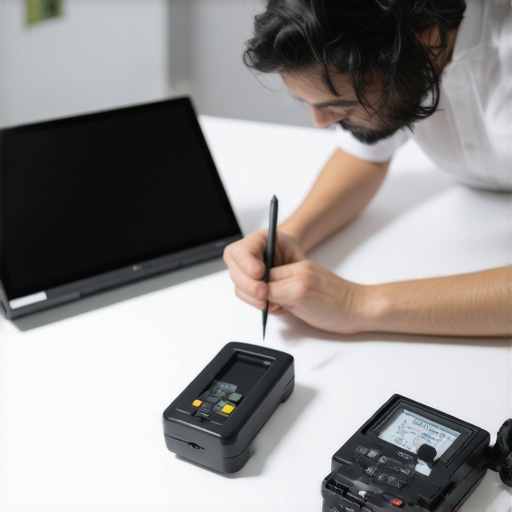
To verify that your calibration remains accurate, I recommend using a dedicated light meter. My go-to device is the Sekonic Light Meter. It measures luminance levels on your screen, allowing you to adjust your projector settings accordingly. Accurate measurement ensures your image stays vibrant and contrast-rich, even as ambient lighting conditions change over time.
Schedule Routine Cleaning and Inspection
Dust buildup can dim your projector lamp and reduce contrast. I schedule quarterly cleanings of my projector’s air filters and lens with a soft microfiber cloth and compressed air. Additionally, inspecting the mounting and alignment ensures your image remains sharp and centered. Misalignment can occur due to vibrations or accidental bumps, which are common in multi-purpose rooms. Regular checks prevent image degradation and extend equipment lifespan.
Track Your Settings with Documentation
Over time, I’ve found it helpful to document my calibration settings. I keep a detailed log of projector modes, screen gain, and calibration parameters, which makes future adjustments easier and faster. This practice is especially beneficial if you experiment with different screens or ambient light conditions. Maintaining a detailed record also helps identify when performance begins to decline, prompting timely recalibration.
Plan for Future Upgrades
Looking ahead, the trend in projection technology is moving toward laser light sources and more advanced ALR materials that require less maintenance and offer longer lifespan. I recommend staying informed about upcoming innovations through dedicated forums and product reviews. Upgrading to newer laser projectors or enhanced screen materials can significantly boost your setup’s longevity and image quality, particularly in challenging bright environments. Check out this resource for the latest in screen technology trends.
How do I maintain my projection system over time?
The key to long-term success is establishing a routine: regularly recalibrating with reliable software, measuring luminance with a quality light meter, keeping equipment clean, and documenting your settings. These simple yet effective practices ensure your bright room setup continues to deliver stunning visuals without costly repairs or major upgrades. Make it a habit, and your home theater will remain a source of joy for years to come. Try integrating a calibration check with your seasonal cleaning schedule and see how much sharper and brighter your images become.
< >
>
The Hardest Lesson I Learned About Bright Room Projection
One of the most eye-opening realizations I had was that simply buying an expensive projector and a high-gain screen isn’t enough. Without proper room treatment, calibration, and understanding of screen technology, even top-tier equipment can underperform. I once spent hundreds on a projector upgrade only to find my picture still washed out in bright daylight — that’s when I knew I had to rethink my entire approach.
3 Myths About Bright Room Screens That Held Me Back
Myth 1: Bigger screens are always better in bright rooms. The truth is, larger screens with high gain can create hotspots and reduce viewing angles. Smaller, well-placed screens often deliver a more consistent image.
Myth 2: All ALR screens reject ambient light equally. Not true — some are optimized for controlled lighting, while others excel in high-brightness environments. Knowing the difference saved me from costly mistakes.
Myth 3: Calibration isn’t necessary if I have a good screen. Proper calibration of your projector, especially in bright settings, is crucial for achieving perfect contrast and color accuracy. I learned this the hard way, with a dull picture despite my setup.
What Experts Won’t Tell You About Bright Room Projection
Most experts emphasize the importance of high-gain and ALR screens but often overlook room sealing and light control. Sealing windows, using blackout curtains, and strategic placement of lights can dramatically improve your image quality. Combining these with a calibrated setup and the right screen tech creates a truly immersive experience.
Don’t Let Bright Lighting Limit Your Home Theater Dreams. Take Action Now!
If you’re tired of washed-out images and lackluster contrast in your bright room, it’s time to make smarter choices. Invest in the right screen technology, control ambient light, and calibrate your projector regularly. Your perfect home theater isn’t out of reach — it’s just a few smart decisions away.
What’s been your biggest challenge with projection in bright rooms? Share your experiences below, and let’s conquer this together!
2 Responses