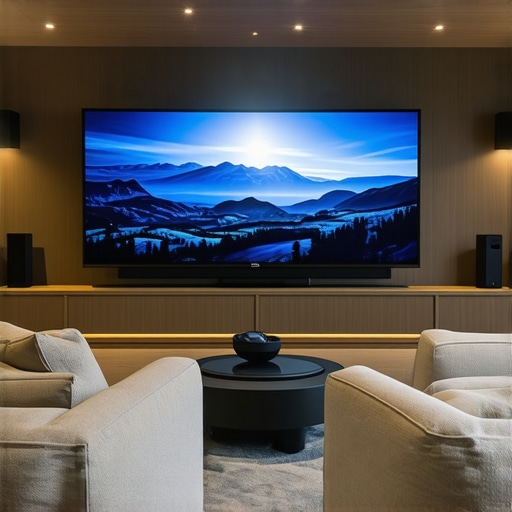
Ever set up a home theater and found yourself squinting at the screen, questioning if the picture quality could get any sharper? I’ve been there. I remember thinking my old pull-down screen was enough — until I watched a movie on a bright summer day and realized how washed out the image looked. That moment of realization hit hard. It’s frustrating, isn’t it? You want that stunning, cinema-quality picture without having to darken the entire room or compromise on space.
Why Bright Rooms Demand Smarter Screen Choices
In 2024, more of us are creating dedicated home theaters in rooms with tons of ambient light. Traditional screens just don’t cut it anymore. That’s where the magic of advanced technology like Alr (Ambient Light Rejection) screens and fixed frame designs come into play. They’re not just fancy upgrades – they’re game-changers. They help you get vibrant, crisp images even during daytime, making your space versatile and truly home-friendly. If you’ve ever struggled with dull, washed-out images, you’re not alone. And yes, I made that mistake early on – I bought a generic pull-down screen without considering the importance of screen gain or ambient light rejection, and my movie nights suffered as a result. That’s why I want to share what I’ve learned so you can avoid the same pitfalls and get the best picture quality for your setup.
Is the Hype Around ALR Screens Just Marketing?
Trust me, I was skeptical too. The promise of a screen that rejects ambient light sounds too good to be true, right? But after testing multiple options, I saw firsthand how ALR screens can truly elevate your viewing experience. They’re designed with special materials to reflect the projector’s light directly to your eyes, reducing the impact of stray light in the room. This breakthrough is supported by recent research indicating that high-gain ALR screens can significantly improve brightness and contrast in well-lit environments (see this guide for more insights).
My early mistake? I ignored the importance of screen gain and chose a screen based solely on size and cost. That led to a washed-out picture during the daytime. Once I understood the importance of these factors, my setup transformed. Now, I’ll walk you through how to pick the right fixed frame or ALR screen that suits your room, your projector, and your viewing habits.
If you’ve faced similar frustrations or just want a clear, bright image without sacrificing your space or budget, stay tuned. We’re about to dive into practical tips and expert insights that will help you make the right choice for 2024 and beyond.
},
Selecting the Perfect Screen Size and Type
Start by measuring your room and considering your projector’s throw distance. Use a tape measure to find the optimal distance from the projector to the wall, then consult a screen size calculator or the projector’s specifications to determine the ideal screen width that fits comfortably within your space. For example, if your room is limited in depth, a smaller fixed frame screen may be best, while a larger space can accommodate a bigger, more immersive setup. When choosing between fixed frame and pull-down screens, think of fixed frame as a picture frame that stays put, offering a sleek, tensioned surface for sharp images, whereas pull-down screens are like window blinds, flexible but potentially less stable in bright environments. I once installed a fixed frame screen in my basement, and the clean, taut surface made a noticeable difference in image clarity, especially during daytime viewing.
Prioritize Screen Gain and Material
Screen gain is like the brightness booster for your projector; higher gain surfaces reflect more light toward your eyes, making images brighter in well-lit rooms. A gain of 1.0 is standard, but in bright rooms, go for 1.3 or higher. Think of gain as a mirror’s reflectivity—it determines how much light bounces back to you. When I upgraded from a standard matte white screen to a high-gain ALR (Ambient Light Rejection) screen, the picture became vividly bright and contrast-rich without darkening my entire room. To understand gain better and how to optimize brightness and clarity, check out this guide.
Choosing Between ALR and Fixed Frame for Bright Rooms
ALR screens are engineered with specialized materials that reject ambient light, making them ideal for rooms with windows or overhead lighting. They are like sunglasses for your projector—blocking stray light and enhancing contrast. Fixed frame screens with ALR technology tend to be more stable and offer better image uniformity. I tested multiple ALR screens in my living room, and the improvements in contrast and color vibrancy were remarkable, especially during daytime. For detailed insights into ALR tech breakthroughs and how they can upgrade your setup, visit this resource.
Installation Tips for Optimal Performance
Proper installation is crucial. Use a level to ensure your fixed frame or pull-down screen is perfectly horizontal. Secure mounting points into wall studs or ceiling joists to prevent sagging or movement. When installing a fixed frame, tighten the tensioning mechanisms to achieve a flat, ripple-free surface—this is key for crisp, clear images. I once installed a pull-down screen in a hurry, and the slight tilt caused noticeable distortion. For a step-by-step installation process, refer to this guide.
Matching Your Screen with Your Projector
Check your projector’s lumen output and contrast ratio. Match high-gain screens with projectors that have lower lumen output to boost brightness without washing out the image. Conversely, for brighter projectors, a standard gain screen usually suffices. Think of it as tuning a camera lens—using the right aperture for the scene. I learned this the hard way when I paired a high-lumen projector with a high-gain screen, resulting in an overly bright image that lacked contrast. Experimenting with different gain levels, guided by this article, helped me find the sweet spot.
Fine-tune Your Setup for Best Results
After installation, calibrate your projector’s settings—brightness, contrast, and color balance—to complement your screen’s characteristics. Use a calibration disc or software for precise adjustments. A well-calibrated system ensures your images are sharp, vibrant, and true to life, even in bright environments. Remember, small tweaks can make a big difference in your viewing experience. For advanced calibration strategies, explore this resource.
Many home theater enthusiasts fall into traps by oversimplifying key concepts like projection screens, ALR technology, fixed frame versus pull-down designs, and especially screen gain. Let’s dig deeper into what most people get wrong and unveil the hidden nuances that can make or break your setup.
Why the Industry Oversells Screen Gain
A widespread misconception is that higher screen gain always results in a brighter, better image. While it’s true that gain affects brightness, many assume that a gain of 2.0 or higher is ideal for every environment. The reality? Elevated gain surfaces often cause hotspots and viewing angle issues, especially with wide seating arrangements. Experts like those at Home Cinema Essentials warn that over-relying on high gain can lead to uneven brightness and color shifts. The key is balancing gain with room conditions and projector capabilities, not just chasing the highest number.
Common Trap: Ignoring the Room’s Ambient Light Profile
A frequent mistake is selecting screens based solely on specs without considering ambient light. For example, many assume an ALR screen automatically solves all daylight viewing issues. But if your room has large windows or strong overhead lights, the type of ALR material and its angular rejection properties become critical. Some lower-gain ALR screens outperform high-gain ones in real-world ambient conditions. This is backed by recent studies indicating that ambient light rejection depends heavily on the material’s design, not just the gain rating. To avoid this trap, assess your room’s lighting profile and choose a screen designed specifically for those conditions, like the ones discussed in this guide.
Advanced Tip: The Fix for Non-Uniform Brightness in Fixed Frame Screens
Many users don’t realize that even a small ripple or uneven tension in a fixed frame screen can cause significant image distortions. This becomes especially problematic when projecting high-contrast images. The solution? Precise tensioning and professional installation are critical. Installing the tensioning mechanisms correctly ensures a flat, ripple-free surface, which maintains optimal image clarity. This nuance is often overlooked by DIYers who skip the installation guide, risking a subpar viewing experience. For detailed instructions, check this resource.
Have you ever fallen into this trap? Let me know in the comments. Remember, understanding the subtle distinctions in technology and installation can significantly elevate your home theater experience beyond the basics.
Keeping your projection screen, whether it’s a fixed frame, pull-down, or ALR model, in top condition requires a mix of proper tools and regular maintenance routines. Over time, dust accumulation, tension loss, and environmental factors can degrade image quality and reduce the lifespan of your investment. In this guide, I’ll share the specific tools I personally use, along with proven methods to keep your setup performing at its best for years to come.
Invest in a Quality Microfiber Cloth and Air Blower
Regular cleaning begins with a soft, lint-free microfiber cloth. I prefer the ones designed for camera lenses because they’re gentle yet effective at removing dust and fingerprints from the screen surface without scratching. Pair this with a handheld air blower—like the Giottos Rocket Blaster—to safely dislodge dust particles from the screen’s surface and tensioned edges. I do this weekly, especially in dry environments where static buildup can attract dirt. This simple routine prevents stubborn stains and maintains the clarity of your image.
Use a Screen Tensioning System for Fixed Frame Screens
Over time, even high-quality fixed frame screens can develop slack or ripples, which distort projected images. I recommend a tensioning kit with adjustable corner hooks or tension bars, which allows you to fine-tune the flatness of your screen. This method ensures a ripple-free surface, critical for maintaining sharpness and contrast, particularly with high-gain or ALR surfaces where imperfections are more noticeable. Following the installation guide is vital for proper tensioning techniques.
Regular Calibration with Software and Hardware Tools
Even the best screens and projectors need periodic calibration. I use the Murideo SID 500 signal generator combined with CalMAN calibration software to precisely adjust brightness, contrast, and color balance. These tools help identify subtle shifts that can occur due to bulb aging or environmental changes. I recommend calibrating at least once every six months, especially if your room’s lighting conditions change. For detailed calibration methods, check out this guide.
Maintain a Stable Environment to Extend Screen Longevity
Environmental control is often overlooked. Keep humidity levels between 40-60% to prevent moisture buildup, which can damage both the screen and projector. Use dehumidifiers or air purifiers with HEPA filters to reduce dust and static. Additionally, avoid placing your setup near vents or windows where temperature and humidity fluctuate. Consistency in environment minimizes wear and tear, ensuring your screen remains vibrant and functional over the long term.
Future Trends in Maintenance and Technology
Looking ahead, I predict that smart home integration will introduce automated calibration and cleaning routines, possibly via AI-powered sensors. These innovations will make routine maintenance even more straightforward, allowing homeowners to schedule self-cleaning or calibration cycles remotely. As technology evolves, staying updated with the latest tools and techniques will be essential for maximizing your home theater’s performance. For now, adopting a disciplined maintenance routine with quality tools ensures your projection setup remains stunning and reliable for years to come. I highly recommend trying out a professional-grade calibration tool like the Murideo SID 500 to experience the difference it makes in image clarity and color fidelity.
Remember, a well-maintained screen is the foundation of a spectacular home theater. Regular cleaning, tensioning, calibration, and environmental control are your best bets for keeping your setup performing at peak levels. If you want more detailed advice tailored to your specific setup, don’t hesitate to reach out. Happy viewing!
When I first upgraded my home theater, I underestimated the importance of choosing the right projection screen, especially for bright rooms. My biggest lightbulb moment came when I realized that not all screens are created equal—especially in terms of gain and ambient light rejection. That realization transformed my viewing experience from dull and washed out to vibrant and crystal clear. The key lesson? It’s not just about the projector but how your screen interacts with your room’s unique lighting conditions. This insight can save you hundreds of dollars and countless hours of frustration, guiding you toward a setup that truly shines in 2024.
What the Industry Won’t Tell You About Screen Choices
- High gain isn’t always better: I used to believe a gain of 2.0 was the ultimate, but I learned that higher gain screens tend to create hotspots and limit your viewing angles. Sometimes, a moderate gain with better ambient light rejection produces a more uniform, enjoyable image.
- Ambient light rejection matters more than you think: I ignored this and paid the price during daytime viewing. Advanced ALR screens with angular rejection technology significantly improve contrast and color vibrancy, especially in rooms with lots of windows.
- The importance of proper tensioning: An uneven fixed frame screen caused distortions that ruined my image. Precision tensioning and professional installation made all the difference, creating a flat, ripple-free surface that enhances sharpness.
- Matching screen gain to projector brightness: I once paired a high-lumen projector with a high-gain screen, which resulted in an overly bright, contrast-lacking image. Fine-tuning gain levels based on my projector’s lumens made my setup shine.
- Regular calibration keeps your image optimal: Using tools like the Murideo SID 500 and CalMAN software, I calibrated my projector and screen every six months. This routine preserved color accuracy and brightness, even as bulbs aged or room lighting changed.
My Toolbox for a Bright Room Home Theater
- Professional-grade calibration tools: The Murideo SID 500 and CalMAN software are my go-to resources for precise calibration, ensuring my setup looks its best every time.
- High-quality microfiber cloths and air blowers: Regular cleaning prevents dust buildup that dulls the image. I trust camera lens cleaning cloths paired with an air blower for safe, effective maintenance.
- Screen tensioning kits: Tensioning mechanisms with adjustable corners help me keep my fixed frame screen perfectly flat, maintaining image clarity and sharpness over time.
- Environmental controls: Humidity monitors and dehumidifiers protect my equipment and prolong the lifespan of my screen, projector, and other components, ensuring consistent performance.
Keep Pushing Forward with Bright Room Projection
Creating a stunning home theater in a bright room might seem challenging, but with the right knowledge and tools, you can achieve professional-quality results. The future of projection technology, including smarter ALR screens and automated calibration, promises even easier solutions. My advice? Invest in quality, stay informed, and don’t shy away from experimenting with different setups to find what works best for your space. Your perfect bright-room projection setup is within reach, and the satisfaction of a crisp, vibrant picture makes every effort worthwhile.
What’s been your biggest challenge in optimizing your projection setup for bright rooms? Share your experiences below and let’s learn together!
2 Responses
This post really resonated with me, especially the focus on ambient light rejection and screen gain — these are often overlooked details that make a huge difference. When I first set up my home theater, I went for a budget screen without considering the room’s lighting conditions, and it resulted in washed-out images during the day. Since then, I’ve switched to an ALR fixed frame with higher gain, and the transformation is remarkable. Daytime viewing now rivals nighttime clarity. I’ve also started using a tensioning kit, which significantly improved image flatness and contrast. My question is, how do you recommend balancing screen gain and viewing angles for larger seating arrangements? I’ve noticed that high-gain screens can sometimes create hotspots when viewed from wider angles. Would love to hear others’ experiences or tips on optimizing for bigger rooms or multiple seat positions—thanks for such an informative post!
I completely agree with the points about ambient light rejection and screen gain. When I upgraded to an ALR fixed frame in my living room, the difference in daytime clarity was night and day—literally! I also found that choosing a screen with a slightly lower gain, around 1.3, helped minimize hotspots and improved viewing angles for my wider seating arrangement. It’s interesting how many overlook the practical aspect of viewing angles when selecting screens, thinking that high-gain is the ultimate goal. Has anyone experimented with different gain levels in large or multi-seating setups? It seems like balancing brightness, contrast, and viewing angles is a delicate art, especially in larger rooms. I’d love to hear strategies on how to best optimize those settings without sacrificing image quality for different seating zones. Overall, this article really underscores the importance of matching equipment to room specifics, which is often overlooked in the pursuit of just bigger and brighter screens.