Sitting in my darkened living room, watching a movie, only to be frustrated by the glare and washed-out colors on my screen—it was a familiar moment. No matter how high-end my projector, those pesky reflections and ambient light kept stealing the show. That lightbulb moment hit me hard: I needed a better solution for my bright room. If you’ve faced similar issues, you’re not alone. Bright rooms can be a real challenge for home theater enthusiasts, and traditional screens just don’t cut it without the right tweaks. But here’s the good news: with the right combination of pull-down screens and screen gain strategies, you can get stunning, crisp images even during daytime or in well-lit spaces.
Why Bright Rooms Don’t Have to Mean Poor Picture Quality
In my early days of setting up a home theater, I assumed that a darker room was the only way to achieve good picture quality. Turns out, I was mistaken. Ambient light, especially in brighter rooms, can wash out images and diminish contrast. The secret lies in understanding how screens can adapt to high-light environments through technologies like high gain and specialized screen materials. For instance, [high gain screens](https://screens.homecinemaessentials.com/maximize-viewer-experience-with-high-gain-screens-in-2025) reflect more light toward the viewer, making images pop even in bright settings. The problem is, many newcomers overlook these options and stick to standard screens, which results in washed-out visuals. My mistake was not investing enough time in researching screen options tailored for high ambient light conditions, leading to disappointment and more expenses down the line. Luckily, with a few adjustments—like choosing the right pull-down screen with increased gain—I turned my bright room into a cinematic haven. If you’re tired of your projector being underwhelming in a bright environment, this guide will show you how to choose and optimize the perfect screen setup for your space.
Is Screen Gain Overhyped? Do I Really Need It?
Early on, I was skeptical about the actual benefits of screen gain; I thought it was just a marketing gimmick. I remember reading claims that a high gain screen could double your brightness, but I doubted if it was truly worth the investment. The reality? I learned the hard way that choosing the wrong screen gain can produce glare or hot spots—distractions rather than enhancements. The key is understanding how screen gain impacts brightness and contrast, especially in high ambient light conditions. An effective way to gauge this is by exploring the concept of [screen gain](https://screens.homecinemaessentials.com/understanding-screen-gain-how-to-optimize-brightness-and-clarity) and how it can dramatically improve your viewing experience. My mistake was not evaluating my room’s lighting conditions against the gain I was considering—something I wish I had done earlier. Want to avoid the same pitfalls? Keep reading; I’ll guide you through selecting the right gain level for your environment, helping you enjoy vibrant images without the glare.
Choose the Right Screen Type with Precision
Start by selecting a screen suited for well-lit environments. Fixed-frame screens are reliable, but for bright rooms, motorized pull-down screens with high gain options can be more flexible. I once installed a fixed-frame screen in my living room, but the glare was overwhelming during daytime. Switching to a motorized pull-down with high gain improved brightness and eliminated glare issues. To compare options thoroughly, visit this guide on screen types and determine what aligns with your setup needs.
Evaluate and Select Optimal Screen Gain
Understanding screen gain is crucial for bright rooms. Gain describes how much light a screen reflects; higher gain equals more brightness. However, too high can cause hot spots or glare. I experimented with a 2.0 gain screen, which is perfect for my sunny room, but I avoided going above 2.5 to prevent glare hotspots. To make an informed choice, review this comprehensive explanation on screen gain to match your room’s lighting conditions. Remember, a balance ensures vivid images without compromising uniformity.
Properly Install Your Projection Screen
Accurate installation sets the foundation for optimal viewing. Mount the screen at eye level, ensuring it’s perfectly vertical to avoid distortion. I once installed my pull-down screen slightly tilted, causing uneven image projection. Following this step-by-step installation guide helped me achieve a seamless setup. Use a level and secure mounting hardware, especially in bright settings where any misalignment can exaggerate glare or uneven brightness. Precision in installation minimizes distractions and ensures the quality benefits of your screen choices are fully realized.
Maximize Image Brightness and Contrast
Combine your high-gain screen with proper projector settings. Brighten your projector’s output carefully; avoid overexposure, which can wash out colors. Adjust contrast and gamma for clarity. I initially pushed my projector’s brightness too high, leading to duller images; dialing back improved contrast and color vibrancy. For tailored strategies, explore this resource on image quality enhancement. Additionally, controlling ambient light with window treatments further boosts contrast and prevents washout during day hours. This layered approach guarantees a cinematic experience even amidst daylight.
Fine-Tune Your Setup for Best Results
After initial installation, test various settings under different lighting conditions. I found that slight adjustments in projector positioning and screen angle made a noticeable difference in bright room performance. Keep a calibration tool handy, and consider professional calibration if possible. Regularly reviewing your setup helps maintain optimal image quality, especially as lighting or furniture arrangements change over time. Remember, the key to consistently excellent visuals lies in meticulous initial setup complemented by ongoing tweaks.
<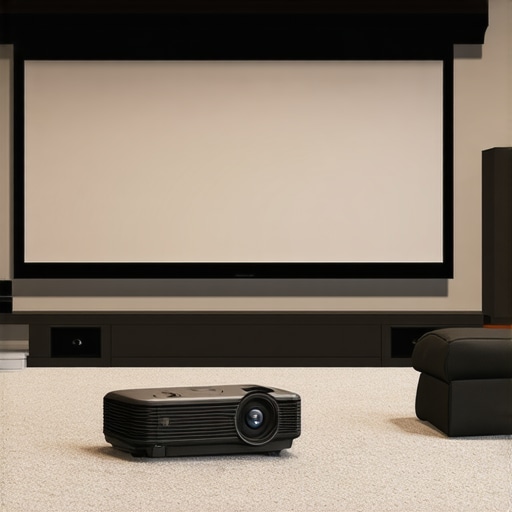 >Even among seasoned home theater enthusiasts, misconceptions about projection screens persist. Many believe that a fixed frame screen is always superior, but this overlooks specific nuances affecting performance. For example, the myth that all pull-down screens suffer from poor contrast in bright rooms fails to consider recent advancements in screen gain and ALR (Ambient Light Rejection) technologies. Choices should be tailored—not based on brand popularity but on your room’s lighting conditions and usage patterns. Furthermore, many underestimate how screen gain impacts image uniformity; a high-gain screen can create hotspots, distracting viewers during critical scenes. An often-overlooked mistake is installing screens without considering throw distance and ambient light control, leading to suboptimal visuals even on premium screens. Remember, technology like ALR screens with advanced coatings can reject ambient light more effectively, but they require precise installation and room management. For in-depth insights, consult resources on ALR screen technologies and screen gain explained. A common mistake is assuming higher gain always equals better brightness; in reality, balance is key to avoiding glare and uneven illumination. Also, avoid the trap of choosing a screen solely based on size, neglecting the importance of material quality and surface finish, which directly influence contrast and color accuracy. Be aware that fixed frame screens, while sleek, can limit flexibility; in contrast, motorized pull-down screens offer versatility but may introduce alignment challenges if not installed properly. This is where following a detailed installation guide such as this setup process becomes invaluable. Don’t forget that the choice of projection screen should complement your projector’s specs; mismatched gain and throw ratio can dampen your image quality. The key takeaway? Equip yourself with precise knowledge about your room environment and technology options—don’t rely solely on promotional claims. For example, recent studies show that ALR screens with specialized coatings can improve contrast by up to 50% in ambient-lit spaces, as highlighted in expert analyses. By understanding these nuances, you can optimize your setup for a truly immersive viewing experience. Have you ever fallen into this trap? Let me know in the comments, and I can help guide you through avoiding these common pitfalls.
Maintaining your projection setup isn’t just about initial installation; it’s an ongoing process that ensures your home theater continues to deliver stunning visuals over the years. Having the right tools and adopting proper maintenance routines can significantly extend the lifespan of your screens and safeguard your investment.
Invest in Quality Cleaning Equipment
One of my top recommendations is using a microfiber cloth specifically designed for delicate surfaces. These cloths effectively remove dust and smudges without scratching or damaging the screen surface. For stubborn dirt or fingerprints, I use a specialized screen cleaning solution that is alcohol and ammonia-free, preventing surface degradation. Remember, never use household cleaners or abrasive materials, as they can cause permanent damage. Regular gentle cleaning maintains image clarity and prevents dust buildup, which can affect brightness and contrast over time.
Use Precise Installation and Adjustment Tools
To keep your screen properly aligned and tensioned, I rely on a high-quality laser level and a torque wrench. Accurate installation minimizes distortions or warping that can lead to uneven images or hotspots, especially on high-gain surfaces. For motorized pull-down screens, periodic adjustment of mounting brackets with an Allen wrench ensures smooth operation and prevents sagging, which can result in image irregularities.
Leverage Software for Calibration and Image Optimization
Calibration tools are indispensable for maintaining optimal picture quality. I utilize professional-grade software like CalMAN or DRP to fine-tune projector settings, ensuring consistent brightness, contrast, and color accuracy. These tools help detect subtle drifts in performance, allowing for timely recalibration. Keeping a digital record of calibration settings can also be handy to compare over time and identify when maintenance is necessary.
Plan for Future Upgrades and Scalability
As technology advances, so do the capabilities of projection screens. For those serious about long-term performance, consider modular setups or screens with upgradeable features such as built-in ambient light rejection layers or adjustable gain surfaces. Staying informed about innovations, like recent ALR technologies described in this expert resource, will help you decide when to upgrade for enhanced viewing experience. Investing in adaptable equipment now can save money and hassle down the line, allowing incremental improvements that keep your setup ahead of the curve.
How do I maintain my projection screen over time?
Consistency is key. Regular cleaning with microfiber cloths, avoiding exposure to extreme humidity or direct sunlight, and periodically inspecting mounting hardware will preserve your investment. Additionally, scheduling professional calibrations every 1-2 years ensures your projector and screen are performing at their peak. If you notice a decline in image quality, consulting with a specialist through resources like this contact page can help identify issues before they become costly problems. Remember, proactive maintenance not only prolongs the lifespan of your equipment but also guarantees consistently remarkable picture quality for years to come.
Visualizing maintenance workspace: tools, cleaning supplies, calibration devices, and mounted screens in a dedicated home theater corner.
The Hidden Pitfalls I Fell Into with High Gain Screens
One of my biggest mistakes was overestimating screen gain without considering how it would affect image uniformity. I assumed a higher gain always meant a brighter picture, but I didn’t realize it could cause hotspots that detracted from the viewing experience. This taught me that balancing gain with room layout is essential for consistent picture quality.
Why Not All Ambient Light Rejection (ALR) Screens Are Created Equal
I once believed all ALR screens would perform similarly in bright rooms. After trying multiple brands, I learned that the material’s coating and surface design significantly influence performance. Investing in a quality ALR screen made a visible difference in contrast and color vibrancy, especially during daytime viewing.
Pull-Down or Fixed Frame? Choose Based on Your Room’s Needs
Initially, I thought a fixed frame screen was always superior, but my experience showed that a motorized pull-down screen provided better flexibility and easier maintenance. Selecting the right type depends on how often you plan to adjust or maintain your setup, and understanding this saved me from unnecessary upgrades down the line.
Invest in Proper Calibration to Unlock Your Screen’s Potential
I underestimated the importance of calibration early on. Fine-tuning projector settings with professional tools like CalMAN revealed subtle improvements that dramatically enhanced brightness, contrast, and color accuracy. Regular calibration is a small effort that pays massive dividends in image quality.
The Power of Precise Installation and Room Management
My initial installation lacked attention to detail, leading to uneven images and glare issues. Following a detailed installation guide and using tools like a level and proper mounting hardware ensured my screen was perfectly aligned. Controlling ambient light through window treatments further improved the picture, highlighting the value of room management in achieving cinematic quality.
2 Responses
Reading through this post resonated with my own experience setting up a home theater in a bright living room. I can’t emphasize enough how crucial choosing the right screen gain is—much more than just a marketing gimmick. I initially bought a high-gain screen, excited about its potential, but soon realized that hotspots and uneven brightness made the viewing less enjoyable, especially during critical movie scenes. It took some trial and error to find the perfect balance; for my setup, a gain of around 2.0 worked best, providing enough brightness without the glare. I’ve also found that combining this with proper ambient light control—like blackout curtains—makes a noticeable difference. My question is, how do others here approach the challenge of balancing projector brightness and screen gain in less optimized rooms? Are there specific calibration tips that help maximize image quality in such scenarios? Would love to hear your insights or personal tweaks to get that cinematic pop without sacrificing uniformity.
This post resonated with me, especially the part about balancing screen gain and projector settings. In my experience, one of the key aspects that’s often overlooked is room geometry—how far you place your projector from the screen can influence the optimal gain level. I once experimented with a high-gain screen in a room where the projector was closer to the wall than recommended, which caused hotspots and uneven brightness. After adjusting the throw distance and switching to a screen gain around 2.0, the picture quality improved remarkably, even during daytime viewing. It made me think: how many home theater setups could benefit from reevaluating projector placement in addition to choosing the right screen? Do you all have strategies for measuring and optimizing throw distance with respect to ambient light conditions? Sharing these practical tips could help many folks avoid some common pitfalls like hotspots and glare. For anyone struggling with image uniformity, I highly recommend reevaluating your setup’s spatial layout as part of your calibration routine.