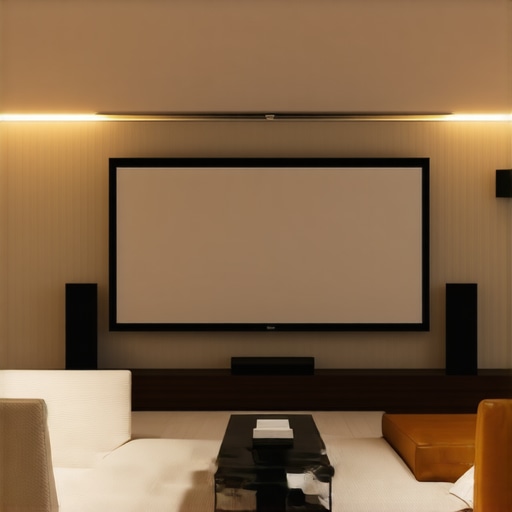
It happened during a late-night movie binge. I was captivated by the vibrant colors and sharp details, only to be disappointed by the dull, washed-out picture on my new pull-down screen. Frustration crept in—I had invested in a quality projector and premium content, yet my viewing experience felt lackluster. That’s when I realized that the secret to stunning home theater images isn’t just about the projector or content; it’s about optimizing my screen settings, particularly with screen gain and positioning.
Why Screen Gain and Pull-Down Screens Can Make or Break Your Home Theater Clarity
The world of projection screens can seem overwhelming at first. With so many options—fixed frame, pull-down, ALR (Ambient Light Rejection)—it’s easy to get lost in technical jargon and feel unsure if you’re making the right choice. Early on, I made a big mistake: I overlooked the importance of screen gain when I chose a standard matte surface, thinking all screens were created equal. That decision limited my brightness and contrast in my room, especially when ambient light was present.
But here’s the truth I learned through trial and error: selecting the right screen gain and type directly influences how vibrant, bright, and clear your images appear, especially in less-than-ideal lighting conditions. Higher gain screens can reflect more light toward the viewer, amplifying brightness and clarity—perfect for rooms with some ambient light. Conversely, lower gain screens tend to distribute light evenly, giving you a more balanced picture in a darker environment.
Did you know that a high-quality [screen gain](https://screens.homecinemaessentials.com/understanding-screen-gain-how-to-optimize-brightness-and-clarity) can effectively boost your projector’s light output, making even standard projectors deliver stunning images? This is especially true in bright rooms where glare and ambient light threaten to drown out your picture. So, if you’re tired of dull images or struggling with glare, understanding and leveraging screen gain might be your game changer.
Are you noticing that your current setup struggles under your room’s lighting conditions? Do images lack punch or seem washed out, no matter how bright your projector? If so, you’re not alone—and the good news is, there’s an easy fix.
In the following sections, I’ll guide you through proven strategies—like choosing the right projection surface and positioning—to maximize your home theater’s visual clarity. Ready to turn that dull image into a cinematic masterpiece? Let’s dive into the practical steps to get the most out of your pull-down screen and boost your viewing quality.
Choose the Right Screen Type for Your Space
Start by selecting the appropriate projection screen. Fixed frame screens offer a sleek, tensioned surface ideal for dedicated theaters, while pull-down screens provide flexibility for multi-use rooms. Visit this guide to compare options and decide which suits your room’s size and lighting conditions best.
Align and Mount Your Screen Correctly
Proper positioning is crucial. Mount your screen at eye level when seated and ensure it’s centered against the wall to prevent skewed images. Use a level and measuring tape for precision. For pull-down screens, make sure the roller mechanism operates smoothly without slack. Remember, a misaligned screen can distort images and diminish clarity. Check out installation tips for detailed setup techniques.
Adjust Screen Gain to Match Room Lighting
Screen gain influences brightness and contrast. For rooms with ambient light or windows, opt for a high-gain screen (around 2.0 or higher). It reflects more light toward viewers, making images pop. In darker rooms, lower gain (around 1.0) provides a more natural picture with better viewing angles. To determine the ideal gain, tag along during your test setups and observe how images look from different seats. For in-depth info, see this resource.
Optimize Projector Placement for Max Brightness
Position your projector properly to ensure uniform brightness and focus. Place it on a stable surface or ceiling mount, aligned with the center of your screen. Use the projector’s zoom and focus features to sharpen images. Keep in mind that the projector’s brightness (lumens) combined with your screen gain determines overall clarity. For complex setups, consider professional calibration to fine-tune image quality.
Test and Fine-Tune Your System
After initial setup, watch a variety of content and adjust your projector’s contrast, brightness, and color settings. Move seating positions to check viewing angles and ensure no loss of image quality. Small tweaks can lead to significant improvements. Document your adjustments for future reference or troubleshooting. For detailed calibration strategies, explore this guide.
Regular Maintenance and Upgrades Enhance Longevity
Keep your screen and projector clean from dust and fingerprints. Check for alignment shifts over time, especially if the room’s furnishings are modified. Upgrading to screens with advanced technology, like ALR surfaces, can dramatically improve brightness in bright environments. Regular assessments ensure your system remains optimized for top-notch viewing experiences.
Many home theater enthusiasts operate under misconceptions that can hinder optimal setup. While it’s tempting to believe that choosing the biggest or most expensive screen guarantees picture quality, the reality is far more nuanced. One prevalent myth is that higher screen gain always equals a brighter image. In truth, this oversimplifies the relationship; high-gain screens reflect more light, which sounds ideal but can lead to hotspots and limited viewing angles if not chosen wisely. For example, a screen with a gain of 2.0 may boost brightness significantly, but it might cause uneven illumination across the viewing area, especially if your seating arrangement isn’t optimal. To dive deeper into how screen gain affects contrast and clarity, explore this detailed guide.
Are high-gain screens more forgiving in bright rooms, or do they introduce new problems?
The common assumption is that high-gain surfaces are best for rooms with ambient light. However, experts warn that overly reflective screens can cause glare and hot spots, reducing overall picture uniformity. While a high-gain screen can enhance perceived brightness, it often does so at the expense of viewing angles, meaning viewers seated off-center may experience washed-out images. That’s why many professionals recommend pairing high-gain screens with proper projector placement and calibrated settings. Additionally, myths persist around the supposed universality of fixed frame screens. Some believe that fixed frame structures are always superior, but advancements in pull-down and motorized screens now offer flexibility without sacrificing quality, especially when combined with suitable gain levels. For a comprehensive comparison, check out this resource.
Another mistake many make is underestimating the importance of proper screen positioning. A misaligned screen or poor installation can cause distortions that even high-gain, quality surfaces cannot fix. Make sure your screen is perfectly aligned and installed as per best practices outlined in this installation guide.
In summary, the world of projection screens is riddled with myths that can lead to subpar viewing experiences. Recognizing that not all gain levels suit every environment, and that the choice between fixed frame or pull-down screens depends on specific room dynamics, is key. Advanced setups require a nuanced approach—consider investing in professional calibration and staying informed about emerging technologies like ALR surfaces (see upcoming breakthroughs)—to truly unlock cinematic clarity at home. Have you ever fallen into this trap? Let me know in the comments and share your experiences.Once you’ve invested in the perfect projection screen and set up your home theater, the key to sustaining stunning visuals lies in consistent maintenance and utilizing the right tools. Regular upkeep not only preserves image quality but also extends the lifespan of your equipment. I personally rely on a microfiber cloth and compressed air to keep my fixed frame screen dust-free, which is vital since accumulated dust can dull images and introduce glare. For more stubborn spots or fingerprints, a gentle wipe with a screen-safe cleaner, such as 99% isopropyl alcohol diluted with distilled water, ensures clarity without damaging the surface. These small steps make a noticeable difference over time.
To keep your projector performing optimally, periodic calibration is essential. I recommend using software like CalMAN or HCFR, which allow precise adjustments of color balance, gamma, and contrast. In my experience, running a calibration check every six months maintains consistent image quality, especially if the room’s lighting conditions change or you upgrade your hardware. Professional calibration services can further fine-tune your setup, particularly for complex systems or dedicated home theaters.
A trend gaining momentum is the integration of smart monitoring tools. Devices like the SpyderX Elite sensor provide real-time feedback on display calibration, alerting you to any drift in color accuracy. While these tools require some initial setup, they empower you to maintain peak performance without extensive technical knowledge.
Future advancements suggest that AI-driven calibration will become increasingly accessible, automating adjustments based on room lighting and content type. Staying informed about emerging technologies, such as innovative ALR screen coatings (see upcoming breakthroughs), will ensure your system continues to deliver cinematic clarity.
—
How do I maintain my projection setup over time?
Regularly inspect and clean your screen with a microfiber cloth and compressed air, avoiding harsh chemicals. Schedule calibration sessions using software or professional services to ensure color accuracy and brightness stay optimized. Keep an eye on new tools and technologies that can simplify ongoing maintenance.
By committing to these maintenance practices and tools, you can enjoy consistently crisp, vibrant images in your home theater for years to come. For example, implementing a quarterly calibration routine with software like HCFR can dramatically improve your viewing experience, ensuring your investment remains worthwhile. Why not try this expert-backed tip today and see the difference it makes? Your future self will thank you.
What I Wish I Knew About Screen Gain Before Starting My Setup
One of the most eye-opening lessons I learned was how crucial screen gain is for achieving vivid, bright images. I used a standard matte surface initially, thinking all screens were created equal, only to realize later that a higher gain surface can dramatically boost brightness, especially in rooms with ambient light. This realization saved me from endless frustration with washed-out images and unlocked a whole new level of visual clarity during movie nights.
The Real Risks of Overlooking Perfect Alignment and Mounting
Initially, I underestimated the importance of precise screen placement. A slight tilt or off-center mounting introduced distortions that I couldn’t fix with better content or higher-end hardware. Proper alignment and mounting aren’t just about aesthetics—they directly impact the sharpness and uniformity of your images, proving that good installation practices are truly foundational for spectacular home theater experiences.
How My Myth-Busting About Screen Types Changed Everything
I used to believe fixed frame screens were always superior, but discovering that pull-down screens with the right gain and proper installation can be just as effective opened up new possibilities for my space. Understanding the nuances and myths around different types of projection surfaces helped me tailor my setup to my specific room, avoiding costly mistakes and saving money while optimizing performance.
Why Regular Calibration Became My Best Friend
Once my system was set up, I realized that even the best hardware needs upkeep. Regular calibration—using tools like HCFR or professional services—keeps contrast, color, and brightness at their peak. This habit transformed my viewing quality over time, demonstrating that maintenance isn’t just maintenance; it’s a critical part of enjoying cinematic clarity every night.
Curated Resources That Elevated My Home Theater Journey
My first stop was the comprehensive guide on projection screen types. It demystified choosing between fixed frame and pull-down options, ensuring I invested wisely. The screen gain resource transformed my understanding of maximizing brightness. For calibration tools, I rely on these expert strategies, which have kept my images crisp and vibrant over years. Lastly, staying informed about upcoming ALR innovations ensures my system stays ahead of the curve.
Your Cinematic Future Starts Now
Taking control of your projection setup might seem daunting at first, but the rewards—sharp, vibrant images and an immersive home theater—are worth every effort. With these lessons, you’re well on your way to transforming your space into a cinematic sanctuary. Embrace the tweaks, stay curious, and remember—your perfect picture is within reach. Ready to make your home theater truly spectacular? Dive into these resources and start experimenting today!
2 Responses
I completely relate to the frustration of seeing vibrant images on a projector only for the picture to fall flat due to poor screen selection or setup. My experience has taught me how crucial it is to not just focus on the projector but also on the screen’s gain and positioning. I once overlooked the importance of screen gain, sticking with a standard matte surface, and the difference when I switched to a higher-gain surface was striking—especially in my bright room. It made me wonder, how many home theater setups suffer from similar overlooked details? I’ve found that properly aligning the screen and choosing the right gain for your room’s lighting conditions can really elevate the entire viewing experience. Has anyone here experimented with different gain levels and noticed a significant difference in image clarity or brightness? It seems like a small adjustment with big results, and I’d love to hear how others optimize their setups for the best cinematic impact.
Reading through this post really hit home for me, especially the emphasis on screen gain and proper alignment. I’ve learned that even small missteps in positioning can cause uneven focus and diminishes the overall picture quality, which is so frustrating after investing in good hardware. I particularly found that trying out different gain levels based on my room lighting dramatically improved contrast and brightness in my setup. I wonder, how do others decide the optimal gain for their space? Do you rely on measuring tools or just trial and error during calibration? Also, I found that upgrading to an ALR screen made a noticeable difference, especially during daylight viewing. It’s fascinating how much impact correct setup and understanding screen properties have on the final result. Has anyone experimented with blending different gain surfaces or tried dual-screen setups for variable lighting environments? I’d love to hear how others are customizing their setups for different room conditions and content types.