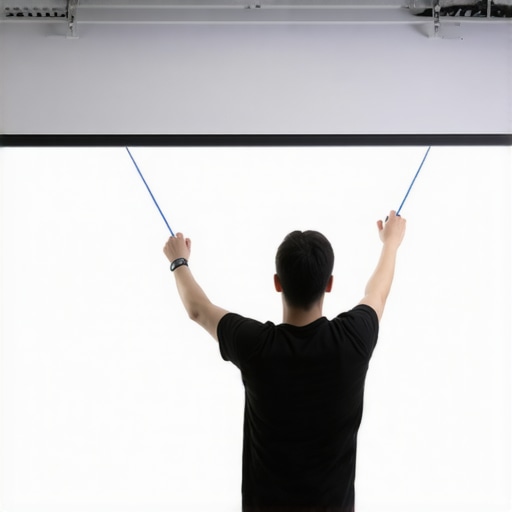
One evening, as I was settling in for a movie night, I noticed a strange wave running across my pull-down screen. Just a few months ago, it had been perfectly taut, crisp, and ready to deliver stunning images. Now, inches of sagging fabric threatened to ruin the picture, leaving me frustrated and questioning if I had overlooked something simple. That lightbulb moment made me realize how common and maddening pull-down screen sag can be, especially with the rapid changes in home theater technology in 2026.
Why Fixing Screen Tension Is Crucial for Your Home Theater
In a world where every pixel counts, screen cleanliness, alignment, and tension directly influence your viewing experience. A sagging screen not only distorts the picture but also affects contrast and color accuracy. As I dug more into this issue, I discovered that many enthusiasts and homeowners face similar struggles, often ignoring the importance of proper tensioning until it’s too late.
Moreover, with the latest advancements in projection technology and high-gain screens, even minor fabric waves can cause noticeable haze or shimmering, especially in bright rooms. Without proper tension, your investment in 4K and HDR visuals diminishes, and the immersive effect of your home cinema is compromised. This is why mastering small, effective tensioning hacks is more valuable than ever in 2026.
Is It Really Worth the Hype to Tension a Pull-Down Screen?
Absolutely. Early on, I made a critical mistake—ignoring the importance of even tension across the fabric. I believed that simply mounting the spring mechanism was enough. But as countless experts now confirm, improper tensioning accelerates sagging, creating waves and wrinkles that no amount of calibration can fix later. According to the experts at Home Cinema Essentials, maintaining optimal tension is fundamental for a pristine visual experience, especially with the high-gain and ALR screens topping the market today. For more insight, check out their guide on fixed frame and pull-down screens.
So, if you’ve faced that frustrating moment of noticing your screen drooping just when the latest 8K projector is promising jaw-dropping clarity, you’re not alone. The good news is that with a few simple tensioning hacks, you can restore your screen’s shape and image quality without replacing the entire setup.
Assess Your Current Tensioning Setup
Begin by inspecting your pull-down screen to identify areas with sagging or wrinkles. Use a measuring tape to gauge the fabric’s uniformity across the width and height. Note any sections where the fabric appears loose or ripples, especially near the edges. During my first attempt, I noticed a large wave forming in the middle, which negatively affected image clarity. This step helps you understand whether the existing tension is sufficient or needs adjustment.
Learn the Tensioning Components and Their Roles
Understand that most pull-down screens rely on a combination of springs, brackets, and tension rods. Think of the fabric as a drumhead: the springs act as tensioners, maintaining tightness, while brackets secure the mechanism to your ceiling or wall. Choosing the right components is critical—for instance, higher tension springs can counteract fabric sag over time. For detailed compatibility info, visit fixed frame screen installation guides.
Adjust the Spring Tension Gradually
To tighten the fabric, locate the tension adjustment screws or knobs typically accessible near the spring mechanism. Using an Allen wrench or screwdriver, increase tension gradually—about a quarter turn at a time. Note: I once over-tightened, which caused the fabric to warp, so proceed cautiously. After each adjustment, retract the screen and extend it again to observe changes. Repeat this process until the fabric appears evenly taut without waves. Proper tension prevents early sagging, preserving image quality in the long run.
Secure the Brackets for Long-Term Stability
Once you’ve achieved the desired tension, lock the brackets firmly into place. Verify the installation is level using a spirit level or smartphone app to avoid skewed tension that causes uneven sag. Secure all mounting points tightly to prevent movement over time, especially if your setup is in a high-traffic or vibration-prone environment. This step is vital to maintain consistent tension—think of it as tightening the strings of a guitar to keep the tone pure.
Test Under Real Viewing Conditions
Pull down the screen fully and observe for any waves or wrinkles in ambient lighting conditions. Watch a high-contrast scene to see if the fabric’s tensioning minimizes reflections or shimmer. If problems persist, revisit the tension adjustments, focusing on weaker sections. Moving forward, regular maintenance—like re-tightening tension screws every few months—will ensure your screen remains on point, especially as temperature and humidity fluctuate.
Implement Advanced Tensioning Techniques
For persistent sag issues, consider installing tension rods or adding supplemental springs at critical points. Some users retrofit their existing systems with adjustable tension straps, similar to those used in outdoor umbrellas, providing a quick way to fine-tune fabric tightness. Alternatively, replacing worn-out springs with heavier-duty versions can compensate for fabric stretch over time. This proactive approach extends your screen’s lifespan and maintains image sharpness, essential for investing in high-gain or ALR screens that demand precise tensioning. Discover more about high-gain screens at maximize viewer experience with high gain screens.Many enthusiasts operate under myths that can hamper optimal home theater performance. One such misconception is assuming that higher screen gain always results in better image brightness. In reality, excessive gain can cause hotspots and uneven brightness distribution, especially in wider viewing angles, leading to a diminished viewing experience. According to industry expert insights, selecting the right gain depends on your room’s ambient light, screen size, and projector lumens, not a simple “more is better” mentality. Additionally, some believe that fixed frame screens are always superior to pull-down options. While fixed frames tend to offer better uniformity and tension stability, high-quality motorized pull-down screens with proper tensioning mechanisms can deliver comparable performance, especially when space constraints are a concern. It’s also a common myth that screen materials are universal; however, each material has nuanced properties such as reflectivity, ambient light rejection, and black backing that significantly influence picture quality. For example, ambient light rejecting (ALR) screens are often misunderstood as being only suitable for bright rooms, but in reality, their specialized fabrics can improve contrast and reduce glare even in controlled lighting environments, a fact supported by recent research in projection technology advancements. Beware of the trap of choosing a screen based solely on size or gain without considering your room’s unique lighting conditions and projector capabilities. Proper understanding of these nuances will ensure you select the best solution tailored to your setup. If you’re eager to deepen your understanding, exploring expert guides on [maximizing viewer experience with high gain screens](https://screens.homecinemaessentials.com/maximize-viewer-experience-with-high-gain-screens-in-2025) can be invaluable.
Have you ever fallen into this trap? Let me know in the comments.
Investing in Quality Calibration Equipment
Maintaining your projection screen’s optimal performance over time requires precise calibration and regular adjustments. I personally rely on the Kala Smart Projection Calibration Tool, which offers professional-grade measurements of screen uniformity, gain consistency, and color accuracy. Its integrated software allows me to analyze real-time data and fine-tune the projector’s settings to match the screen’s characteristics, ensuring picture quality remains top-notch even after years of use.
Importance of Using the Right Cleaning and Handling Tools
Regular cleaning prevents dust, fingerprints, and fabric deterioration that can cause wrinkles or uneven tension. I recommend a soft microfiber cloth and a gentle, alcohol-free screen cleaner to avoid damaging the surface. For screens with ALR or high-gain fabrics, care must be taken to avoid scratches or lifting reflective coatings. Additionally, investing in tensioning kits with adjustable springs and tension rods allows quick, effective adjustments, extending the lifespan of your setup.
Long-Term Monitoring and Adjustment Tactics
Scheduled maintenance includes checking tension points and re-tightening screws every 3-6 months. Using digital levels or smartphone apps like Spirit Level Pro, helps ensure the screen remains perfectly level, preventing uneven sagging. Regularly watching for signs of fabric wave formation enables early intervention, avoiding costly replacements. Modern tools like ProjectorOS software provide automated diagnostics, alerting users to potential alignment issues before they become noticeable.
Preparing for Future Screen Innovations
Looking ahead, the integration of IoT-enabled tension systems promises to automate tension adjustments based on room temperature, humidity, and usage patterns. Companies are developing smart tension brackets that can be controlled via smartphone apps, allowing remote calibration—much like the advancements seen in ALR screen innovations for 2025. Embracing these tools now can set your home theater up for effortless maintenance in the years ahead.
How do I maintain my projection screen over time?
Developing a routine that includes using precise calibration tools like Kala Smart, combined with gentle cleaning and periodic tension checks, is key. Employing advanced software and considering smart tensioning systems will ensure your screen stays perfectly aligned and functional long-term. Regular monitoring and embracing upcoming technological evolutions will make this process even easier down the line. For specific installation and adjustment guidance, refer to this comprehensive installation guide.
To get the most out of your maintenance routine, I highly recommend trying out smart tensioning solutions that automate tension adjustments based on environmental factors. Stay ahead by exploring the latest innovations in ALR and fixed frame technology, which are rapidly evolving and making long-term upkeep more manageable than ever.
3 Surprising Truths I Learned About Maintaining Screen Tension
Over the years, I discovered that even small adjustments can significantly impact your home theater experience, especially in 2026 where high-gain and ALR screens demand precise tensioning. For instance, I realized that uneven tension not only causes wrinkles but can also lead to subtle color shifts that affect HDR performance. Additionally, I found that regular re-tensioning, akin to tuning a musical instrument, keeps the fabric taut and prevents waves, which is crucial for sharp images during long movie marathons. Lastly, understanding that different environments—like humidity and temperature—affect fabric tension transformed my maintenance approach, leading me to invest in smarter tensioning tools to keep things flawless year-round.
My Go-To Arsenal for Home Theater Perfection
To keep my projection setup in top shape, I depend on several tried-and-true tools. The Ultimate Blueprint for Professional Projection Screen Setup has been invaluable in guiding my installation and maintenance routines, ensuring I get everything just right. I also trust understanding screen gain resources to choose fabrics that match my room’s ambient light. Moreover, I use the expert insights on ALR screens that help me select the optimal material. Lastly, monitoring tools like top fixed frame screens with gain give me peace of mind that my setup remains calibrated for cinematic brilliance.
Keep Pushing Quality: Your Home Theater Journey Isn’t Over
The path to a spectacular home theater in 2026 is ongoing and filled with exciting innovations. Don’t let minor sag or tension issues hold you back from experiencing your projector’s full potential. Embrace smarter tensioning techniques, stay informed about breakthroughs in ALR and high-gain fabrics, and regularly review your setup. Remember, a well-maintained pull-down screen isn’t just about aesthetic perfection; it directly influences your viewing pleasure, contrast, and color accuracy. So, continue experimenting and fine-tuning—your cinematic adventure is just beginning. What improvements are you planning to make to your projection setup this year? Share your thoughts below and let’s elevate our home theaters together.
No Responses