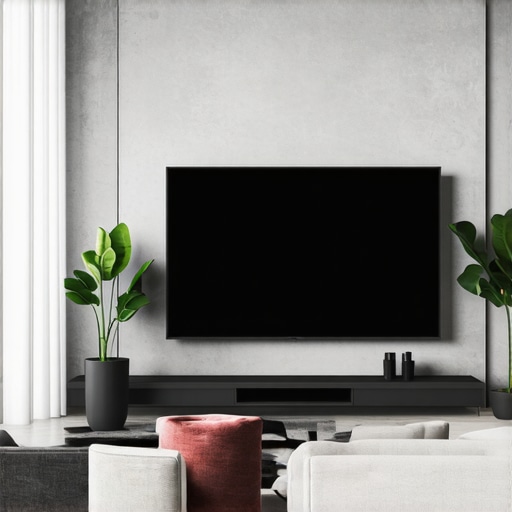
Ever been in the middle of an intense movie or game, only to realize your fixed frame screen is distracting more than enhancing? I remember the first time I set up my home theater; I was so excited—only to be disappointed when the stark white frame of my fixed screen kept stealing attention away from the stunning visuals. It was a lightbulb moment for me. I realized that a beautiful projection setup can be overshadowed by a poorly integrated screen, just like a frame around a masterpiece can distract from the art itself. If you’re tired of your screen looking out of place or drawing too much focus, you’re in the right spot. Today, I’ll share four seriously effective decorating hacks to hide or seamlessly blend your fixed frame screen into your room, transforming it from an eyesore into a sleek, integrated part of your decor.
Why Discreetly Integrating Your Screen Matters More Than Ever
With the rise of ultra-high-definition content and next-gen projectors, our home theaters are becoming more sophisticated, demanding thoughtful design. But here’s the catch: a lot of us overlook how our screens fit into the room’s aesthetic. A prominent, plain white or black border can clash with your wall color, or worse, become a focal point that takes away from an immersive viewing experience. According to experts, an unsightly fixed frame can reduce your room’s visual harmony and even diminish the perceived quality of your setup. Making your screen less conspicuous doesn’t just improve aesthetics—it can elevate your entire viewing experience.
Let’s tackle the common pitfalls first. One mistake I made early on was sticking to the traditional white border without considering how it contrasted with my walls. That oversight made my screen stand out like a sore thumb, which was counterproductive. If you want your screen to be an elegant part of your space—rather than an eyesore—adopting strategic decorating hacks is essential. And believe me, a little creativity goes a long way. You don’t have to get expensive or complicated; sometimes, simple adjustments can make your setup look professionally designed.
Before diving into the hacks, ask yourself: has your fixed frame screen ever felt like an afterthought? Or do you wish it could blend more seamlessly? If so, stick around—your perfect home theater aesthetic awaits. Ready to learn how to hide that frame and elevate your space? Let’s explore these tips together, starting with the most straightforward trick: adding a custom border that complements your decor. But first, a quick heads-up: one common mistake that can sabotage your efforts is neglecting the importance of the right wall color or texture, which can make a frame pop in all the wrong ways. A helpful resource on this is understanding how screen gain and room lighting interact, which influences how your screen should be integrated. Check out this guide for more on optimizing your viewing environment: https://screens.homecinemaessentials.com/understanding-screen-gain-how-to-optimize-brightness-and-clarity. Now, onto the first hack that can transform your room from cluttered to cohesive.
Choose the Right Frame Color and Material
Start by selecting a border color that complements your wall paint or décor theme. For instance, a matte black frame can add sophistication, while a velvet border can absorb light reflections. Use paint samples or fabric swatches to test how different colors look against your wall in various lighting conditions. When I applied this, I initially chose a gloss white border, but it starkly contrasted with my dark walls, drawing unwanted attention. Switching to a matte black fabric border made my screen blend effortlessly into the background, creating a cleaner look.
Build a Custom Enclosure or Border
Materials and Design
Construct a custom border using wood, foam, or fabric that matches your room’s décor. Measure your screen dimensions precisely, then cut framing materials with allowance for mounting hardware. Wrap foam or fabric around the frame for a seamless transition. I personally crafted a wooden border, painted it to match my wall, and padded the edges with blackout fabric. The result was a sleek, built-in appearance that eliminated the traditional plastic or metal frame’s distraction.
Installation Tips
Secure the border with adhesive, nails, or velcro strips, ensuring it sits flush around the screen. Pay attention to leveling and straightness—use a laser level for accuracy. When I installed mine, I did a dry fit first, then carefully glued the components, resulting in a professional finish without gaps or misalignments. This process took patience but paid off in aesthetics.
Use Wall-Mounts and Hidden Fasteners
Mount your fixed frame screen on sturdy wall brackets that hide hardware behind the frame, preventing visual clutter. Opt for mounts that allow slight adjustments to ensure perfect alignment. During my setup, I used low-profile brackets concealed behind the frame, which kept the focus solely on the screen itself. Ensuring the mounting hardware is flush and secure prevents sagging or shifting over time, maintaining the seamless look.
Add Velvet or Soft Borders to Reduce Bounce Light
Attaching velvet or fabric borders around the frame can absorb ambient light and minimize reflections, enhancing picture contrast. This is especially beneficial in rooms with ambient lighting or reflective surfaces. I glued dark velvet fabric to the edges of my border, which cut down reflections and gave my screen a gallery-like finish. This simple hack elevated my viewing experience and made the screen appear as part of the architecture.
Consider Backdrops or Wall Panels for Complete Integration
Installing wall panels or murals behind your screen can mask the existing wall and create a cohesive look. Flat panel walls painted in matte shades, or acoustic panels upholstered to match your décor, can serve as a backdrop. I painted a dark matte wall behind my screen with subtle texture panels, which created depth and drew attention away from the frame. This background subtly frames the screen, making it feel built-in rather than added-on.
Incorporate these steps gradually, adjusting each based on your room’s specific layout, lighting, and style. Remember, the goal isn’t just function but how well your screen becomes an unobtrusive part of your aesthetic. Small nuances like matching fabric textures or choosing subtle border colors can make a huge difference in transforming your home theater from a technical setup into a seamless design feature. To refine your understanding of how screen gain plays into these choices, check out this guide on screen gain. The more you tailor your design, the more immersive and integrated your viewing experience will become.Many home theater enthusiasts assume that bigger screens or higher gain always equate to better image quality, but this is a common misconception that can ruin your viewing experience. For example, some believe that a fixed frame screen is inherently superior to a pull-down screen, yet in reality, the choice depends on your room’s specific lighting and space constraints. Overestimating screen gain can lead to overly bright images with poor contrast, especially in rooms with ambient lighting. Conversely, selecting a low-gain screen might compromise brightness but improve contrast, which is critical for HDR content. An often-overlooked nuance is how the screen’s texture and material interact with projector technology; for instance, ALR screens utilize intricate microstructures to enhance image contrast in bright rooms, but many overlook the importance of proper installation to avoid hotspots and shimmer.
Are High-Gain Screens Really Necessary for Bright Rooms?
In fact, the latest research suggests that screens with gain values between 0.6 and 1.0 provide the best balance for most environments, especially with cutting-edge projectors. Higher gain screens, like 2.0 or above, reflect too much light directly back to the viewer, causing glare and reducing image uniformity. This is particularly problematic with ultra-short-throw (UST) projectors and laser-based systems, where glare can ruin the HDR black levels and overall contrast. Experts recommend carefully considering screen gain alongside room lighting conditions by referring to detailed guides on optimizing image quality, such as those found at [Understanding Screen Gain](https://screens.homecinemaessentials.com/understanding-screen-gain-how-to-optimize-brightness-and-clarity). Also, it’s vital to avoid the trap of equating high gain with increased brightness alone; instead, aim for a screen that enhances contrast without sacrificing color accuracy. This thought process is especially relevant in designing rooms for 8K and HDR content where color fidelity and deep blacks are essential. Many users are tempted to choose a high-gain fixed frame for its brightness, but they overlook how that choice can introduce hotspots and uneven illumination, especially on larger screens. It’s crucial to understand that the ideal gain varies by projector type and room environment, so consulting comprehensive reviews and expert insights, like those on [Best ALR Screen Technologies](https://screens.homecinemaessentials.com/best-alr-screen-technology-pull-down-projector-screens-in-2024), can help prevent costly mistakes. Remember, the goal isn’t just brightness but achieving a balanced, immersive image. A common mistake is ignoring the room’s ambient light level, which directly impacts how screen gain affects your picture. For instance, in a bright living room, a lower gain can prevent washout and preserve contrast. Conversely, in a dedicated dark room, higher gain screens can deliver impressive brightness without compromising blacks. Have you ever fallen into this trap? Let me know in the comments.
Maintaining your projection screen’s performance over time is essential to preserve image quality and ensure a seamless viewing experience. From regular cleaning to hardware checks, using the right tools can make all the difference. I personally rely on specialized microfiber cloths for cleaning the screen surface, as they remove dust and fingerprints without scratching. For stubborn smudges or marks, I use a gentle screen-safe cleaner recommended by experts, ensuring no residue or damage occurs. It’s crucial to avoid harsh chemicals or abrasive tools that can degrade the screen material, especially for high-gain or ALR surfaces. Proactive maintenance includes inspecting mounting hardware periodically. Over time, screws and brackets can loosen due to vibrations or temperature changes. I check these monthly using a torque driver to tighten components securely, preventing sag or misalignment. Additionally, keeping the environment clean and dust-free is vital — dust can settle on the screen and viewing area, diminishing contrast and clarity. Regularly vacuuming the room and wiping nearby surfaces ensures optimal conditions. Upgrading your tools gradually is a good idea. For instance, investing in a dedicated laser level can help maintain perfect alignment after filter or screen adjustments.
Questions on longevity? How do I maintain my projection screen over time?
Consistent, gentle cleaning combined with periodic hardware inspections keeps your setup in top shape. Remember, handling the screen with care prevents unintended damage, especially important for delicate fabrics like velvet borders or microstructured ALR surfaces. Prediction-wise, as technology advances, we’ll see smarter maintenance tools with built-in diagnostics or auto-clean features, reducing manual effort. For now, I recommend integrating a simple routine utilizing high-quality microfiber cloths and a maintenance schedule aligned with your usage frequency. For regard to long-term image quality, it’s worth noting that, according to industry insights, avoiding aggressive cleaning on high-gain surfaces prevents micro-scratches that can cause hotspots or shimmer. Try using a lens cleaning mode with a soft microfiber cloth once a month to keep your screen pristine. Regular checks of the tension in pull-down screens or the tensioning systems in tensioned fixed frames are equally vital. To assist with this, a specialized tension gauge can help identify loose or overstressed components before they cause visible issues. Investing in these maintenance tools now will save you headaches and costly replacements down the line. Don’t forget to document your routine and schedule periodic professional inspections if your setup is complex or large-scale; this ensures sustained performance and visual quality over many years.
What I Wish I Knew When I Started Hiding My Screen Frame
One of the biggest revelations was realizing that the choice of wall color and texture significantly affects how much your fixed frame blends into the room. I once thought painting the wall a neutral shade was enough, but experimenting with matte dark tones made my screen almost disappear into the background, transforming my space.
Another lightbulb moment came with understanding that simple fabric borders not only hide the frame but also improve image contrast by absorbing stray light. Incorporating velvet or blackout fabric around the border made a noticeable difference in picture quality, especially in rooms with ambient light, pushing me to rethink the importance of materials.
Finally, I underestimated how crucial proper mounting and hardware concealment are. Using low-profile brackets and ensuring they’re perfectly leveled prevented sagging and shifted my focus from technical imperfections to aesthetic harmony. These insights shaped my approach, making my home theater feel more like a designed space than a DIY setup.
No Responses