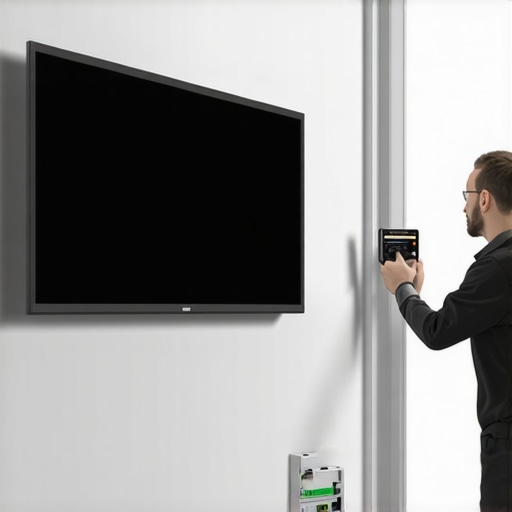
I remember the first time I watched a movie on my new motorized projection screen, only to be distracted by an unsettling high-pitched whine every time the screen moved. It was like my setup had developed a nervous tick, ruining the entire viewing experience. At first, I thought it was normal—perhaps the sound was a byproduct of the motor’s age or manufacturing tolerances. But as weeks went by, that persistent whine became more than just a nuisance; it was a constant reminder of what was going wrong.
That lightbulb moment hit me hard. I realized I wasn’t alone in this frustration, especially with the rise of motorized screens becoming more affordable and widespread in home theaters. The noise can be a real barrier to creating a serene, cinematic environment. Today, I want to share what I’ve learned from personal experience—three effective fixes that can help you silence that annoying whine and restore peace to your viewing space.
How to Quiet Your Motorized Screen in 2026
Imagine finally relaxing into a movie, only to be interrupted by that high-pitched buzz. It’s more common than you might think, especially with newer motorized models. The good news? Several straightforward fixes can make your screen whisper-quiet again. Whether it’s a matter of lubrication, tension adjustment, or upgrading components, I’ll guide you through proven strategies to get your screen running smoothly without the noise.
Lubricate for Silence
In my experience, squeaking or whining often originates from the motor’s internal parts rubbing against each other. To address this, first power off and unplug your screen to ensure safety. Locate the motor housing—usually accessible from the casing or via screws on the side. Apply a few drops of silicone-based lubricant to the motor’s moving components, avoiding excess to prevent mess. Turn the screen on gently and observe if the noise diminishes. If done correctly, this simple step can significantly reduce whine sounds, much like how a well-oiled machine runs smoother. Remember, regular lubrication helps maintain optimal operation and keeps noise at bay.
Adjust Tension and Alignment
Next, tension issues can cause increased motor strain and noise. For pull-down screens, excessive slack or tightness in the tensioning brackets often leads to vibrations and whines. Carefully inspect the mounting brackets and adjust tension screws—usually located at the sides or top—using a screwdriver. Ensure the fabric or material is taut without being overstretched, similar to tuning a guitar string. For fixed frame screens, ensure the fabric is evenly stretched and secured. Misaligned or sagging fabric can stress the motor during operation, creating noise. Tightening or repositioning the fabric ensures smoother movement, reducing mechanical strain and sound.
Upgrade or Replace Critical Components
If lubrication and tension adjustments don’t solve the issue, consider hardware upgrades. Some motors wear out over time, and replacing the motor can restore quiet operation. Match the new motor’s specifications with your existing setup—consult your screen’s manual or manufacturer guidelines. Similarly, replacing worn-out pulleys, belts, or gears can eliminate noise sources, much like replacing worn parts in a bicycle to restore a smooth ride. For a more comprehensive upgrade, explore models that feature noise-reduction technologies, which are becoming more prevalent in 2026. Upgrading components not only silences the whine but also prolongs the lifespan of your screen.
Control the Environment
External factors such as ambient temperature and airflow can influence the motor’s noise levels. Keep the area around the screen well-ventilated—overheated motors tend to vibrate more and produce additional noise. Installing a small fan or ensuring proper ventilation reduces heat buildup. Additionally, consider placing the screen in a less confined space to prevent resonance of motor vibrations. This simple step acts like damping in audio equipment, absorbing vibrations before they generate sound waves. Paying attention to the environment is an often-overlooked yet effective way to keep your projection setup quietly functional.
Consult Professional Support When Needed
If all else fails or you’re uncomfortable with internal adjustments, it’s best to consult with a professional technician. They can diagnose subtle issues, such as internal motor faults or electrical problems, which might be causing excessive whine. Professionals also have access to specialized tools and replacement parts, ensuring a durable fix. Remember when I had a persistent high-pitched whine that wouldn’t go away despite my efforts? A quick call to an expert resolved my problem swiftly and saved me from further frustration. Don’t hesitate to seek expert help to restore the peace and quiet your home theater deserves.
When it comes to projection screens, many enthusiasts and even seasoned home theater owners harbor misconceptions that can hinder optimal setup and performance. A widespread myth is that bigger screens or higher screen gain always equate to better image quality—yet, in reality, understanding the subtle nuances can significantly enhance your viewing experience. For example, some assume that fixed frame screens inherently outperform pull-down alternatives, but this overlooks factors like tension maintenance and installation precision. It’s a trap to think that screen gain is only about brightness; in fact, higher gain often leads to hotspotting and reduced viewing angles, which many ignore, leading to uneven image quality. Additionally, with ALR (Ambient Light Rejection) screens, there’s a misconception that all ALR fabrics perform equally well in bright rooms—but the technology varies, and choosing the wrong fabric can cause washed-out images or color shifts. Advanced enthusiasts know that the angle of view and ambient light conditions require careful matching of screen materials; a mistake here often results in disappointing contrast and color accuracy. Have you ever fallen into this trap? Let me know in the comments. Interestingly, a recent study from the Society of Home Theater Engineers emphasizes that understanding the intricacies of screen gain and fabric technology can dramatically improve HDR content by managing light reflection and contrast levels. For more in-depth insights, you might find exploring how screen gain affects brightness and clarity beneficial, especially when selecting a screen for a bright room. Dive deeper with our comprehensive guide on [understanding screen gain and optimization tips](https://screens.homecinemaessentials.com/understanding-screen-gain-how-to-optimize-brightness-and-clarity) to avoid common pitfalls and maximize your setup.Maintaining your projection screen’s optimal performance over the long term requires the right tools and a proactive approach. One essential device I personally rely on is a **digital tension gauge**, which helps me monitor and adjust tension in pull-down screens, preventing sagging and ensuring a flat, wrinkle-free surface. Regular cleaning is equally vital; I use a **microfiber cloth** combined with a specially formulated screen cleaner, avoiding harsh chemicals that can damage delicate fabrics or coatings. For more stubborn stains or fingerprints, a gentle solution of distilled water and a few drops of mild detergent is effective without risking damage. Additionally, keeping an **ultrasonic air duster** handy allows me to safely remove dust and debris from hard-to-reach areas and mounting hardware, preventing buildup that could impair movement or cause vibrations.
To ensure long-term reliability, I schedule bi-annual inspections, checking for signs of wear, loose bolts, or fabric tension issues. For fixed frame screens, maintaining the frame’s structural integrity by tightening screws and verifying fabric tension with a **tensioning system** ensures consistent image quality. When dealing with advanced screen technologies like ALR (Ambient Light Rejection) fabrics, it’s wise to consult manufacturer-specific maintenance guides, as some materials require particular cleaning protocols to preserve their light-rejecting properties.[^1]
Looking ahead, I predict that integrating **smart tension sensors** into projection screens will become more common, allowing real-time monitoring via smartphone apps and enabling precise adjustments before issues arise. This technological evolution will streamline maintenance, reduce downtime, and extend the lifespan of your equipment.
### How do I keep my projection setup functioning flawlessly over time?
The key is a combination of proper tools and regular care. Using a digital tension gauge ensures your pull-down screen stays crisp, while microfiber cloths and appropriate cleaners prevent surface degradation. Establishing a routine inspection schedule helps catch problems early—akin to healthcare Check-ups for your equipment—and maintaining hardware tightness avoids unexpected failures. Remember, a well-maintained screen not only lasts longer but also enhances your viewing experience significantly.
What I Wish I Knew Before Dialing In My Home Theater
One of the most overlooked lessons in optimizing a projection setup is the importance of proactive maintenance and understanding the nuanced differences between screen technologies. For instance, I once believed that high-gain screens would automatically provide brighter images, but I didn’t realize how they could create hotspots or diminish color accuracy without proper positioning and selection.
Another lightbulb moment was realizing that regular tension adjustments and periodic lubrication aren’t just routine tasks—they’re vital for preventing stubborn whines and waves that ruin the viewing experience. Many enthusiasts overlook environmental factors like airflow or ambient heat, which can subtly influence motor noise and screen longevity. Embracing these insights early on saved me countless headaches and elevated my home theater’s performance to new heights.
Lastly, understanding that not all screens are created equal for every room—especially when factoring in light levels and viewing angles—has been transformative. Diving deep into resources like screen gain guides allowed me to tailor my setup precisely, avoiding costly mistakes and achieving cinematic perfection.
Tools and Resources That Elevated My Projection Game
To fine-tune my projection system and ensure long-term performance, I rely on a set of reliable tools and trusted information sources. The blueprint for professional setup provided step-by-step guidance that made installation straightforward and error-free. Additionally, investing in a digital tension gauge helped me monitor and adjust tension with precision, preventing sagging and noise. For cleaning and maintenance, microfibers and specific screen cleaners from trusted suppliers extend fabric life and preserve image quality. Lastly, I keep abreast of evolving technology through reputable blogs like latest ALR innovations, which constantly inform my upgrade decisions and keep my home theater at the cutting edge.
Chasing Perfection Demands Commitment—But It’s Worth It
Transforming your projection setup from noisy and inconsistent to whisper-quiet and crystal-clear isn’t just a technical goal; it’s a passion that elevates your entire viewing experience. Each tweak, each upgrade, and each little lesson learned adds up to a cinematic oasis you can truly enjoy. I encourage you to experiment with the tips shared here, explore the recommended tools, and most importantly, stay curious. Your perfect, silent screen awaits—are you ready to take your home theater to the next level? Share your journey or ask questions below; let’s grow together in this pursuit of excellence.
No Responses