If you’ve ever stared at your home theater screen during a dark scene and thought, “Why do the blacks look more like dark gray than true black?” then you’re not alone. I remember the first time I experienced this frustration — a beautiful dark scene, but somehow it felt muted, dull, and lacking the depth I knew my projector could deliver. That lightbulb moment made me realize that my screen’s gain was actually working against me, not for me.
Why My Screen’s Brightness Became My Worst Enemy
It turns out, the screen gain I once thought was an asset—specifically a 1.2 gain—was quietly ruining my ability to enjoy deep black levels. As I dove deeper into research and tested different setups, I discovered that high screen gain doesn’t just increase brightness; it often amplifies unwanted reflections and reduces the contrast ratio, making my dark scenes look washed out. I had to face the truth: in my quest for brightness, I sacrificed the very blacks that make cinematic darkness so immersive.
Does Screen Gain Really Matter in 2026?
Absolutely. But not in the way I used to think. While higher gain can boost visibility in bright rooms, it comes with a tradeoff — especially if your goal is to achieve rich, true blacks in a dark room. I made the mistake early on of assuming that more gain was always better. That led me to overlook the importance of understanding how gain interacts with ambient light and projector performance. Reading articles like maximizing viewer experience with high-gain screens helped me realize that the key isn’t just brightness, but how well your screen manages it in harmony with other factors.
So, if you’ve been battling washed-out blacks or fighting against glare and hotspots, your screen’s gain profile might be part of the problem. But don’t worry — in this post, I’ll guide you through how to identify whether gain is sabotaging your setup and what to do about it. Ready to reclaim those deep, dark blacks and enjoy a cinematic experience that truly blows your mind? Let’s get started.
Assess Your Screen Type and Placement
Begin by identifying your screen type—whether it’s a pull-down, fixed frame, or motorized model—and its optimal placement in your room. Use the installation guide to ensure proper positioning, avoiding shadows and glare. Remember, the right placement reduces unwanted reflections, especially if you’re using a high-gain screen.
Measure and Adjust Tension Correctly
For pull-down screens, tension is crucial to prevent waves and wrinkles. A misadjusted tension can cause wavy edges or sagging. I personally experienced this when my first attempt resulted in a loose spring, causing ripple effects. Tensioning should be firm but not overly tight—check out these tips for proper tensioning techniques.
Select the Right Screen Gain for Your Environment
Choosing the correct gain ensures your projector’s output is optimized without washing out blacks or causing hotspots. For instance, in my bright living room, I switched to an ultra-low gain screen, which drastically improved contrast and dark scene depth. Use the gain calculator to match your projector and ambient light levels precisely.
Implement Proper Mounting and Tensioning Techniques
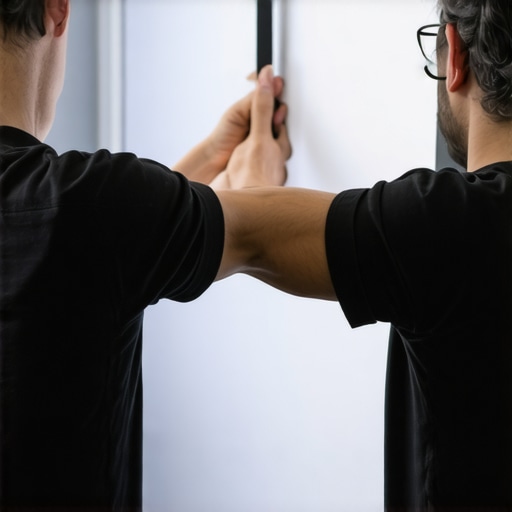
Secure mounting is vital for stable image quality. For fixed frame screens, follow the professional setup blueprint to avoid sags and misalignments. Tensioning the fabric evenly prevents edge curl or waves, much like tightening a drum skin. I used a tensioning kit that evenly distributed pressure across the surface, resulting in a flat, ripple-free image.
Calibrate and Fine-Tune Your Setup
Finally, calibrate your projector and screen for optimal contrast, brightness, and color accuracy. Use test patterns to identify hotspots, hotspots, or uneven lighting. During my first calibration, I noticed hotspots near the edges, which I fixed by adjusting the projector’s lens shift and installing the hotspot mitigation techniques. Regular calibration ensures sustained image quality and prevents issues from developing over time.
 Many home theater enthusiasts believe that all pull-down or ALR (ambient light rejected) screens are created equal, but this oversimplification ignores critical nuances. For example, a common myth is that higher gain always means a brighter, better image—yet, in practice, high-gain screens can introduce hotspots and reduce contrast, especially in larger spaces. I recall a scenario where a frequent misstep was choosing a 1.5 gain screen expecting it to outperform lower gain options, only to find it washed out under ambient light and with noticeable glare. This demonstrates how understanding the behavior of different gains is essential for optimizing image quality, not just brightness.
Is Higher Gain Always Better for Your Setup? This is where many fall into a trap, overestimating gain’s role and neglecting room conditions and projector capabilities. External studies, like those by ISF experts, have shown that in most home environments, a moderate gain (around 0.8 to 1.0) provides a more balanced and immersive picture, especially when combined with proper room-darkening and calibration. Rushing into high-gain screens without considering these factors can lead to disappointment, as the image may become skewed or lose detail in brighter scenes.
Another overlooked nuance concerns screen placement and tensioning. Even the best screen can produce subpar results if not properly installed—wavy fabric or edge curl can cause uneven light distribution, making images appear inconsistent. For fixed frame screens, precise mounting following a detailed setup ensures optimal flatness, preventing those distracting waves. Moreover, advanced installation techniques have evolved, with innovative tensioning systems minimizing distortion, which is especially critical for larger or high-gain screens.
How much does meticulous calibration influence perceived contrast and black levels? Quite a lot, actually. Proper calibration aligns the projector’s output with the screen’s characteristics, revealing blacks that deeper and more accurate than uncalibrated setups. For instance, adjusting gamma and contrast settings can compensate for the loss of contrast caused by higher gain surfaces, effectively balancing luminance and black levels. Studies indicate that calibration can improve perceived contrast by up to 50%, a transformative effect for movie watching or gaming. As you refine your setup, don’t forget that calibration isn’t a one-time task; regular rechecks and adjustments can prevent image degradation over time. Remember, choosing the right projection screen involves more than selecting the highest gain or the largest size. It’s about fine-tuning every element—from placement and tension to calibration—to create a truly immersive, high-quality experience. Want to dive deeper into ALR innovations? Check out this guide on recent ALR breakthroughs. Have you ever fallen into this trap? Let me know in the comments.Keep Your Setup Running Smoothly
Maintaining the optimal performance of your home theater screen requires more than just initial setup; it involves regular checks and the right tools. I personally rely on a combination of calibration software, professional tensioning kits, and detailed inspection routines to ensure my projection environment remains pristine over time.
One indispensable tool I use is the ColorHCFR calibration suite. This open-source software allows precise color and contrast adjustments, ensuring that my projector and screen are optimally calibrated for the most accurate blacks and whites. Paired with a trusted colorimeter like the X-Rite i1Display, I can regularly fine-tune my setup, catching drift caused by bulb age or environmental changes.
On the physical side, I recommend investing in a quality tensioning kit, especially for pull-down screens. Proper tension prevents wrinkles and waves that distort the image. I’ve found that following these tensioning techniques consistently yields flat, ripple-free surfaces, maximizing contrast and uniformity.
Routine visual inspections are crucial. Periodically, I check for hotspots, dead spots, or uneven lighting that can degrade perceived image quality. For fixed frame screens, ensuring the frame remains perfectly square is key. Adjustments can be made with simple tools like a digital level and a tape measure, but understanding proper tensioning through installation best practices ensures long-term stability.
How do I keep my projection screen performing over time?
The secret lies in consistency and using the right equipment. Establish a regular calibration schedule—every few months—especially if you notice shifts in picture quality. Additionally, keep the environment controlled: minimizing ambient light, controlling humidity, and avoiding direct sunlight can prolong the life of your fabric and maintain screen gain integrity. As technology advances, I predict that automated calibration tools integrated with smart home systems will become standard, providing real-time adjustments to sustain peak performance without manual intervention.
If you haven’t yet experimented with advanced calibration routines, I highly recommend trying the approach I described using calibration software and a colorimeter. It’s a game changer in achieving consistent, professional-quality images that truly match your setup’s capabilities.
The Hidden Lessons I Wish I Knew About Projection and Gain
- Fighting washed-out blacks taught me that sometimes, less is more. Choosing a moderate gain screen, like 0.8 or 1.0, can strike the perfect balance between brightness and contrast, something I only truly appreciated after multiple frustrating experiments.
- My biggest lightbulb moment was realizing that proper tensioning and flawless mounting are as crucial as the screen material itself. A wavy fabric or uneven frame can sabotage even the highest quality screen, making calibration nearly pointless.
- Calibrating your setup isn’t a one-and-done deal—regular rechecks keep your image crisp and contrast-rich over time. Investing in tools like calibration software and a good colorimeter has transformed my viewing experience from average to cinema-quality.
- And here’s a crucial insight: ambient light conditions and room design heavily influence which gain works best. I learned that in brighter rooms, low-gain screens excel at preserving blacks, while high-gain options can cause glare issues, reminding me to always match screen choice to my environment.
The Tools That Made My Home Theatre Better
- Calman or HCFR Calibration Software: These tools enable precise adjustments, revealing blacks that I thought were impossible without professional help.
- Tensioning kits: Ensuring my pull-down screen stays flat has eliminated wave distortions and hotspots.
- Gain calculators: Matching my projector and ambient light conditions allowed me to select a gain that enhanced my experience without sacrificing contrast.
- Professional mounting guides: Proper installation prevented skewed images and prolonged my setup’s lifespan.
Your Next Move Toward Cinematic Excellence
Don’t wait to fine-tune your setup—embrace the process of calibration, reflection on gain choices, and careful installation. Your home theater can become an immersive escape, all by paying close attention to these often-overlooked details. Take the first step today, and you’ll be amazed at the difference.
What unexpected challenge did you face when setting up your projection screen, and how did you overcome it? Share your story below!
One Response