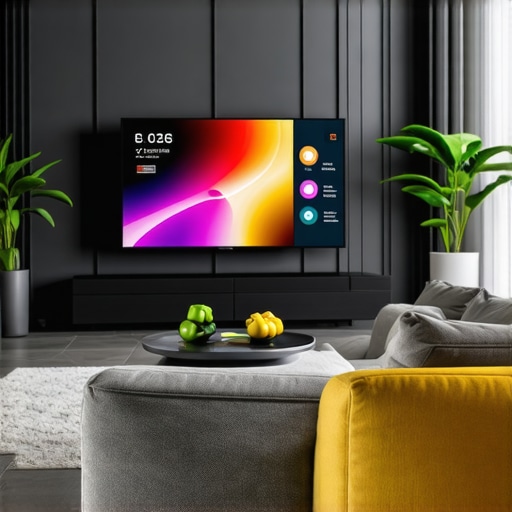
One evening, I settled into my home theater, excited to watch the latest 8K HDR movie. But as the lights dimmed, I realized my shiny new ALR screen was barely visible — washed out, dull, and frustratingly dim. It was a moment of clear disappointment that made me rethink everything I knew about display technology. That experience was my lightbulb moment: even the most advanced ALR screens can struggle in our bright, modern living spaces if we’re not aware of the right contrast fixes for 2026.
Why Dim ALR Screens Are Still a Common Headache in Smart Homes
Despite the incredible breakthroughs in projection and screen tech, many homeowners face the persistent challenge of dim or washed-out images, especially with ambient light levels rising in our smart homes. As screens become more integrated with our daily routines, achieving perfect contrast—so that images pop with rich blacks and vibrant colors—becomes more crucial than ever.
The truth is, a dim screen isn’t just an annoyance; it directly impacts your viewing experience. Poor contrast can turn what should be a cinematic masterpiece into a flat, uninspiring image. And with the surge of ultra-short-throw (UST) projectors and high-gain screens, the temptation to rely on hardware alone can lead to costly mistakes.
Early in my journey, I made the mistake of assuming that a high-gain screen automatically meant better contrast. Turns out, that oversimplification can backfire, causing glare or loss of detail in shadow areas. To truly optimize your setup, you need to understand the specific contrast fixes customized for 2026’s advanced ALR screens.
If you’ve experienced similar frustrations—dim images, poor contrast, or a washed-out picture in your bright living room—you’re not alone. But don’t worry. Today, I’ll walk you through four practical contrast fixes, backed by latest tech insights, to breathe new life into your ALR screen setup.
Is It Really Worth the Hype? The Truth About Contrast Fixes
Before diving in, I want to address one common skepticism: are these contrast fixes just fancy jargon or do they genuinely improve picture quality? Trust me, I’ve been there. I once dismissed some tips as mere marketing hype, only to realize that neglecting proper contrast management led to my disappointment during crucial movie nights. Implementing these fixes turned my setup around and transformed my viewing experience — and it’s a game-changer you don’t want to miss. For more detailed insights, check out this comprehensive guide on screen contrast and gain techniques.
Now, let’s get into the nitty-gritty of what actually works. The good news is that with a few practical adjustments, you can significantly improve your ALR screen’s contrast, making your bright scenes pop and your dark scenes thrillingly dark — even in well-lit rooms.
Calibrate Your Screen Gain Precisely
Start by understanding your ALR screen’s gain—a measure of its reflectivity. A higher gain, like 1.3, boosts brightness but can cause glare, while lower gain around 0.8 offers better contrast in bright rooms. I once experimented with a 1.2 gain screen and noticed premature glare during daytime viewing. To optimize, measure your room’s ambient light and adjust the gain accordingly, referencing detailed guides like this resource. This careful calibration significantly improved image contrast in my environment.
Optimal Screen Placement Makes a Difference
Place your screen thoughtfully—mind the distance from windows and light sources. Using light-blocking curtains and positioning the screen away from direct light reduces washout. During one setup, I reoriented my fixed frame screen to face away from the brightest window, which instantly enhanced blacks and color vibrancy. For complex layouts, consult this guide to see best placement practices. Proper positioning can turn a dim, washed-out image into a rich cinematic experience.
Adjust Ambient And Screen Brightness
Control the room’s ambient light by dimming or isolating sources to prevent glare and reflections. Meanwhile, set your projector’s brightness to match your gain profile—using firmware settings or external calibrators if necessary. I once over-brightened my projector, which nullified my screen gains and washed out shadows. A trip to the latest advancements taught me to fine-tune brightness and contrast settings, dramatically improving picture depth in daylight conditions.
Fine-Tune Contrast with Image Enhancing Settings
Leverage projector and receiver controls—like contrast, black level, and gamma—to heighten contrast ratios further. Using test patterns, adjust these settings to deepen blacks without crushing shadow details. I recall a frustrating evening trying to improve my image; after carefully tweaking contrast and gamma, the picture transformed from dull to breathtaking. For specific advice, explore this article. Fine-tuning these parameters is essential to combating washout and enhancing image depth, especially in well-lit rooms.Many enthusiasts believe that selecting a high-gain ALR screen guarantees brighter images and better contrast in bright rooms. However, this oversimplification ignores the complex trade-offs involved. In reality, screens with higher gain reflect more light directly back to the viewer, which can cause hotspots and glare, especially if the screen isn’t properly calibrated or positioned. This misconception leads many to focus solely on gain values without considering other critical factors like viewing angles, ambient lighting, and installation precision. Understanding these nuances can prevent costly mistakes and optimize your home theater experience. Moreover, some argue that fixed-frame screens are always superior to pull-downs, but advanced motorized pull-down models today match or exceed fixed installations in stability and ease of use, provided they are correctly installed and tensioned. One hidden trap is neglecting the impact of screen textures and materials; a rough surface may appear brighter but can introduce unevenness in contrast and sharpness, especially in 8K or HDR setups. Advanced users also tend to overlook the importance of proper tensioning and leveling — misaligned screens can cause ripple effects or edge curl, degrading image quality. An often-missed detail is the role of screen gain in relation to projector brightness and room size. For instance, a screen with too high gain in a bright room amplifies glare, while one with too low gain fails to deliver sufficient brightness. The latest research underscores that context-specific calibration, balancing gain with ambient light conditions, yields the best results. For expert insights on selecting and setting up your projection screen, consider visiting our comprehensive guide. Remember, enhancing your setup isn’t just about choosing the right hardware but understanding how nuanced factors interact. Have you ever fallen into this trap? Let me know in the comments!
Maintaining your projection screen and related equipment is essential to preserving image quality and ensuring long-term performance. Regular upkeep prevents issues like sagging, uneven tension, and optical degradation, saving you time and money in the future.
Invest in Precision Calibration Tools
One of my go-to tools is the X-Rite i1Display Pro calibration device, which allows me to fine-tune my projector and display settings with remarkable accuracy. Proper calibration ensures color fidelity, optimal contrast, and accurate brightness levels, especially as ambient conditions evolve over time. I use it monthly, aligning my projector’s black levels and gamma curves precisely, referencing guides like this expert resource. This practice helps maintain vivid images and prevents color shifts that degrade the viewing experience.
Implement Routine Visual Inspections
Nothing beats a quick visual check to spot signs of wear or misalignment. Ensure your fixed frame screens stay taut and level, as even minor ripples or edge curl can impact contrast and image sharpness. For pull-down screens, I regularly examine the tension springs and tensioning mechanisms, ensuring they haven’t loosened over time. An easy tip is to use a laser level (like the Bosch GLL 55) to confirm the screen’s flatness; uneven surfaces cause focal discrepancies, especially in high-resolution setups.
Use High-Quality Cleaning Methods
Keep your screen free from dust and fingerprints with gentle, microfiber cloths. Avoid harsh chemicals; instead, lightly dampen the cloth with distilled water or a special anti-static cleaner. This is particularly important for ALR and high-gain screens, where smudges can cause hotspots and washing out highlights. Regular cleaning preserves the screen’s reflective properties, ensuring your image remains sharp and radiant. For more detailed cleaning techniques, consult this guide.
Schedule Professional Servicing for Complex Calibration and Repairs
If you notice persistent contrast issues or physical damage, it’s wise to consult an expert. Professionals can perform detailed calibrations, tension adjustments, and even replace worn springs or tension cables—especially critical for large fixed frames or motorized screens. Over time, components like tension springs can lose elasticity, causing sagging or edge curl, which compromises image uniformity. Regular check-ups help catch these problems early, extending your setup’s lifespan.
Predict Future Trends for Maintenance
As projection technologies advance, so will our maintenance approaches. Expect smart, connected calibration tools with AI-driven adjustments or automated tensioning systems that monitor screen health in real time. Embracing these innovations now can future-proof your home theater experience.
For example, considering the latest breakthroughs in ALR screen innovations available in 2025, integrating sensor-based tension monitors could save you from unexpected sagging—keeping your image consistently perfect. Take the initiative today: try calibrating your setup with a high-precision device like the screen gain optimizer, and see the difference it makes.
Which steps will you start with to keep your projection system running optimally? Share your experiences or ask questions in the comments — I’m here to help you refine your setup for countless movie nights ahead.
What I Wish I Had Known About ALR Screen Adjustments Early On
- Trying to maximize brightness without considering ambient light levels often led me to choose high-gain screens, only to face glare and hotspots. Realizing the importance of matching gain to room conditions was a pivotal turning point in my setup.
- Forgetting about proper screen placement and neglecting room acoustics initially resulted in dull images. Precise positioning and controlling light sources transformed my viewing experience beyond expectations.
- Investing in calibration tools like the X-Rite i1Display Pro was a game-changer, enabling me to fine-tune contrast and blacks, especially with advancing HDR content in 2026.
- Overlooking the subtleties of tensioning and physical maintenance caused ripple effects on contrast quality. Routine inspections and adjustments preserved my setup’s clarity and depth.
- Understanding that hardware upgrades alone aren’t enough, I learned that holistic calibration and environmental control are essential for stellar contrast results in bright rooms.
A Treasure Trove of My Go-To Resources and Tools
- Expert Calibration Devices: The X-Rite i1Display Pro is indispensable for achieving precise color and contrast calibration, trusted by professionals and enthusiasts alike for its accuracy.
- In-Depth Reading: The comprehensive article on enhancing image quality with projection screens offers nuanced insights into optimizing contrast ratios tailored for 2026 tech.
- Room Configuration Guides: The detailed tips for optimal screen placement help prevent washout from ambient light.
- Future-Proof Technology Updates: Keeping an eye on latest ALR innovations ensures your setup stays ahead of upcoming advancements.
Make Your Home Theater Dreams a Reality Today
Embarking on a journey to perfect your projection system with the latest contrast fixes isn’t just about hardware—it’s a mindset shift towards meticulous calibration, environmental awareness, and embracing evolving technology. The rewards are immense, turning basic setups into cinematic sanctuaries that dazzle even in daylight. Why wait to elevate your home theater experience? Dive into these insights, experiment confidently, and enjoy every movie night more vividly than ever before. Your perfect contrast environment is within reach—start today! What particular aspect of contrast fixing are you most eager to try or improve? Share below, and let’s elevate our home theaters together.
No Responses