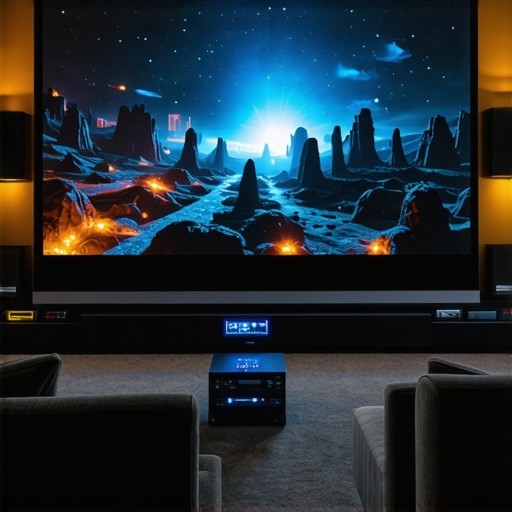
I remember the exact moment I realized my home theater setup was holding me back. I had invested in a decent projector, a good sound system, but the picture just didn’t pop like I’d hoped. Bright rooms, ambient light, and a less-than-stellar screen made my viewing experience feel flat and dull. It was frustrating—until I discovered the power of the right projection screen with high screen gain and ALR (Ambient Light Rejection) technology. That was my lightbulb moment. If you’ve ever been disappointed by washed-out images or struggled with clarity in a bright room, you’re not alone. The good news is, today I’ll walk you through the most effective solutions that transform your viewing experience, especially in challenging lighting conditions.
Why the Right Screen Can Make or Break Your Home Theater
Most people underestimate the importance of their screen. They think a projector alone is enough. But trust me, the screen is the unsung hero. It’s like the canvas for a masterpiece. In 2024, the best projection screens come equipped with high screen gain and ALR technology, which are game-changers for bright rooms and daylight viewing. These innovations help reflect more light back to your eyes, boosting brightness and contrast without needing a darker environment. Early on, I made the mistake of choosing a standard matte screen, thinking it would be versatile. Instead, it made my projected image look dull and washed out, especially during daytime. I learned the hard way that not all screens are created equal—especially when it comes to screen gain and light rejection.
If you’re tired of squinting at flickering images or feeling disappointed every time you watch a movie in your bright living room, I understand. The right projection screen can elevate your experience from mediocre to cinematic. It’s about making your investment work harder for you, enhancing brightness, clarity, and color accuracy. Want to know how to pick the best screen for your space? I’ll guide you through the key features to look for and share some proven strategies. For more detailed insights, check out the ultimate guide to ALR screens.
Is the hype around high gain and ALR screens justified?
When I first started researching, I was skeptical. Was it really worth paying a premium for these advanced screens? Or was it just marketing hype? I can tell you from my experience that a well-chosen high gain or ALR screen can dramatically improve your viewing clarity and brightness, especially in well-lit environments. The mistake I made early on was assuming all screens with high gain would work the same. Some overdo it, causing glare and hot spots. The solution is to understand the technology behind these screens and select one suited for your room’s lighting conditions. For example, a screen with a gain of 1.8 or higher can boost brightness significantly, but it must be paired with the right projector and setup. According to recent industry reports, screens with ALR technology can reject ambient light up to 95%, making daytime viewing more practical than ever.
Have you ever faced the dilemma of choosing a screen that looks great in theory but fails in your actual space? If so, I’ve been there. That’s why I highly recommend doing your homework and understanding the specific features that will give you the best results. For a comprehensive breakdown, visit this guide on enhancing image quality.
Choose the Right Screen Type for Your Space
Start by determining whether a fixed frame or pull-down screen suits your room. Fixed frame screens are ideal for permanent setups, offering stability and a sleek look. Pull-down screens are versatile and easier to install, perfect for multi-use spaces or if you need to hide the screen when not in use. I once installed a fixed frame screen in my dedicated theater room, which provided a crisp, stable image. Later, I added a motorized pull-down for convenience, though it required careful alignment to avoid sagging. For detailed comparisons, check out this guide on projection screen types.
Assess Your Room’s Lighting Conditions
Bright rooms demand screens that can handle ambient light without washing out the image. Use a light meter or simply observe how much daylight enters your space during peak hours. If ambient light is high, consider screens with high screen gain or ALR technology. I learned this the hard way when my living room’s large windows made my standard matte screen look dull. Installing an ALR screen with a gain of 1.8 instantly increased brightness and contrast, transforming my viewing experience. For more insights on optimizing brightness, visit this guide on screen gain.
Calculate the Proper Screen Gain for Your Projector
Screen gain indicates how much light the screen reflects. A gain of 1.0 is neutral, while higher gains reflect more light, making images brighter in well-lit environments. However, too high a gain can cause hot spots and glare. I initially chose a 2.0 gain screen, which resulted in uneven brightness. After consulting this resource, I realized that a 1.8 gain was a better balance, providing brightness without glare. To determine your ideal gain, consider your projector’s lumen output and room lighting. For detailed calculations, see this article.
Prioritize ALR Technology for Bright Rooms
Ambient Light Rejection (ALR) screens are engineered with specialized surfaces that reflect projector light toward viewers while absorbing ambient light. This technology is a game-changer for rooms with windows or ceiling lights. When I upgraded to an ALR screen, daytime movies became a pleasure rather than a disappointment. Look for screens with high ambient light rejection ratings—up to 95%—to maximize contrast and clarity. For the latest breakthroughs and reviews, explore this resource on ALR innovations.
Set Up Your Screen for Optimal Performance
Proper installation is critical. Mount your fixed frame screen at eye level and ensure it is perfectly plumb. For pull-down screens, ensure the mechanism is smooth and the fabric is taut to avoid wrinkles. Use a level and secure brackets tightly. I once rushed my setup and ended up with a slight tilt, which was noticeable during viewing. After adjusting, the image was perfectly aligned. For detailed instructions, see this professional setup guide.
Experiment and Fine-Tune Your Setup
Finally, test your setup in different lighting conditions and adjust the projector’s position and settings accordingly. Dimming or increasing brightness, adjusting contrast, or repositioning the projector can significantly improve image quality. I spent an afternoon fine-tuning my projector’s tilt and focus after installing my new ALR screen, resulting in sharper images and richer colors. Remember, small adjustments can make a big difference. For expert tips, visit this comprehensive guide.
Many home theater enthusiasts fall into traps when choosing their projection setup, often based on misconceptions that can hinder their viewing experience. Let’s dig deeper into what most people get wrong about projection screens, ALR technology, and screen gain, and uncover the hidden nuances that can make or break your setup.
Why the hype about high gain and ALR screens might be misleading
Contrary to popular belief, a higher screen gain doesn’t automatically mean a better picture. While high gain screens (above 1.8) can boost brightness, they often come with a hidden drawback: hot spots and glare. These hot spots are uneven reflections that cause parts of the image to appear overly bright, disrupting uniformity and color accuracy. It’s a trap many fall into, believing that more gain equals better quality. Instead, the trick is to select a gain that matches your projector’s lumen output and room lighting conditions. Recent expert insights suggest that a gain of around 1.8 offers a sweet spot—maximizing brightness without sacrificing image uniformity. For an in-depth look, check out this guide on screen gain.
Don’t underestimate the importance of proper screen technology
Many people assume all ALR or ambient light rejection screens are created equal. The reality is, the technology behind these screens varies significantly. Some are designed solely for ultra-bright rooms and can reject ambient light up to 95%, while others may only block 70-80%, leaving room for washout. The key is understanding the surface’s optical properties. For example, newer ALR screens utilize micro-structured surfaces that direct light toward viewers more efficiently, reducing glare and hot spots. This nuance is often overlooked, leading to disappointment with underperforming screens. To see the latest innovations, explore this resource on ALR breakthroughs.
Advanced tip: The mistake of choosing a one-size-fits-all screen type
Another common myth is that fixed frame screens are always the best choice for every setup. While fixed frames offer stability and a sleek look, they aren’t always suitable for rooms with variable lighting or multi-purpose spaces. Pull-down screens, especially those with motorized operation, provide flexibility and concealment, but often at the cost of alignment precision. The secret lies in assessing your space’s specific needs—permanent dedicated rooms benefit from fixed frames, whereas multi-use areas may require the versatility of pull-downs. For detailed comparisons, see this guide on screen types.
Have you ever fallen into this trap? Let me know in the comments. Remember, optimizing your home theater setup isn’t about blindly following trends—it’s about understanding the subtle, often overlooked details that truly enhance your viewing experience. For more expert insights, visit this comprehensive guide.
Once you’ve invested in a high-quality projection screen, whether it’s a fixed frame, pull-down, or an advanced ALR model, the key to sustaining stunning image quality over time lies in proper maintenance and the right tools. Regular upkeep not only preserves your equipment’s performance but also ensures your home theater remains a source of joy for years to come.
How do I keep my projection screen and ALR surfaces performing their best?
Start with gentle cleaning methods. Use a microfiber cloth to dust your screen regularly, avoiding harsh chemicals that could damage the surface. For stubborn smudges or fingerprints, lightly dampen the cloth with distilled water or a specialized screen cleaner recommended by manufacturers. I personally rely on a microfiber cloth and a mild cleaning solution, which I’ve found effective without risking damage. It’s vital to clean in a gentle, circular motion to prevent streaks and uneven wear. For more detailed cleaning instructions tailored to different screen types, check out this guide on projection screen types.
Additionally, keep your projector’s lens clean with a soft, lint-free cloth, and consider investing in a lens cleaning kit. Dust and grime on the lens can diminish brightness and contrast, undermining all your efforts to optimize your setup. Regularly inspecting and cleaning your projector’s vents is equally important to prevent overheating and maintain longevity.
Tools I recommend for ongoing maintenance
In my experience, a few specialized tools make a big difference. A high-quality microfiber cloth is essential for dusting and cleaning without scratching surfaces. For more thorough cleaning, I use a “lens cleaning brush” designed specifically for delicate optics, which helps remove dust from projector lenses safely. An air blower also comes in handy to blow away dust from vents and hard-to-reach areas, preventing buildup that could impair performance.
For calibration, I recommend a colorimeter like the X-Rite i1Display Pro. While initially designed for monitors, it’s incredibly useful for calibrating projectors and screens to ensure accurate color reproduction. Proper calibration helps maintain vibrant images and prevents color drift over time. I calibrate my setup every six months, especially after major changes in ambient lighting or equipment upgrades.
Future-proof your setup with smart tools and regular checks
Looking ahead, I believe the trend will increasingly favor smart calibration tools and automated maintenance systems. Emerging devices will soon be able to detect dust buildup or color inconsistencies and alert you via smartphone apps, simplifying maintenance even further. Investing in these tools now can save you headaches and keep your system performing at peak levels.
What about long-term setup adjustments
Over time, your room’s lighting conditions or furniture arrangement might change, requiring minor adjustments to your projector positioning or screen alignment. Use a digital level or laser alignment tools to maintain perfect image geometry. Also, revisit your projector’s settings periodically to fine-tune brightness, contrast, and screen gain based on your current environment. This proactive approach prevents image degradation and keeps your cinematic experience crisp and immersive.
Remember, maintaining your home theater isn’t a one-and-done task. Regular checks, cleaning, and calibration, combined with the right tools, will ensure your investment continues to deliver breathtaking visuals. For more tips on optimizing your setup, explore this comprehensive guide. Don’t wait for issues to arise—start your maintenance routine today and enjoy flawless viewing for years to come!
The Hardest Lesson I Learned About projection screen,alr screen,fixed frame screen,pull down screen,screen gain
One of the most profound lessons I discovered was that investing in a high-quality projector alone isn’t enough; your screen choice can make or break the entire experience. Early on, I underestimated how much a poorly selected screen could dull colors and wash out images, especially in bright rooms. The lightbulb moment came when I realized that a screen with the right gain and ALR technology could drastically improve brightness and contrast, even in ambient light. This taught me that understanding and applying the right screen technology is essential for cinematic quality at home.
3 Myths About projection screen,alr screen,fixed frame screen,pull down screen,screen gain That Held Me Back
Myth one: Higher gain always equals better brightness. I believed that a gain above 1.8 was the key to vibrant images, but I learned that too much gain causes glare and hot spots, ruining uniformity. Myth two: All ALR screens are equal. Not true—some reject ambient light up to 95%, while others only 70-80%. Myth three: Fixed frame screens are best for every setup. Flexibility matters—pull-down screens offer versatility for multi-use spaces. These misconceptions delayed my progress until I delved deeper into the nuances of screen technology and room lighting conditions.
What Experts Won’t Tell You About projection screen,alr screen,fixed frame screen,pull down screen,screen gain
Many experts emphasize the importance of matching screen gain to your projector’s lumen output and room lighting. They also highlight that the surface’s optical properties are critical—micro-structured surfaces in modern ALR screens can significantly reduce glare and hot spots. Yet, these insights are often overlooked by casual buyers. The real secret is selecting a screen with a balanced gain—around 1.8—that offers brightness without sacrificing image quality. Staying informed through trusted resources like this guide on ALR innovations can help you make smarter choices that last.
My Essential Toolkit for Projection Clarity
Over the years, I’ve relied on a few tools to maintain my home theater setup. A microfiber cloth is my go-to for regular dusting, preventing surface scratches. A soft lens cleaning brush keeps my projector lens pristine, ensuring sharp images. For calibration, I use a colorimeter like the X-Rite i1Display Pro, which guarantees accurate color reproduction. These tools have been invaluable in keeping my setup at peak performance and can be for you too. For detailed maintenance tips, check out this comprehensive guide.
Your Turn to Try
Embarking on your home theater upgrade with the right projection screen, especially with high gain and ALR technology, can truly elevate your cinematic experience. The key is to understand your space and choose equipment that complements your environment, rather than just following trends. With patience, research, and the right tools, you can create a theater that rivals commercial cinemas in clarity and impact. Don’t wait—start experimenting today and enjoy the breathtaking visuals that proper screen selection delivers.
One Response
Reading this post really resonated with my own experience upgrading my home theater. I used to think that upgrading the projector was enough, but I noticed my image still looked dull in daylight, especially with ambient light bouncing around. Installing an ALR screen with higher gain made a huge difference—it brought the brightness and contrast to a whole new level. I especially found the part about hot spots and glare interesting, as I had some issues with those on my previous high-gain screen. It made me realize that picking the right gain is a balancing act, and understanding the specific optical properties of the screen surface matters a lot. What are others’ thoughts on the ideal gain for different projector lumens? I’d love to hear how you’ve optimized your setup based on your room’s lighting and projector specs.