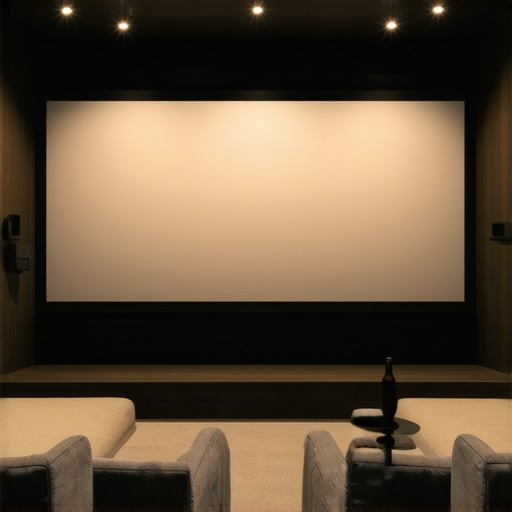
Have you ever spent hours setting up your home theater, only to be disappointed by a washed-out image or glare that ruins your movie night? I remember my first attempt at installing a projector in a bright living room, thinking any old screen would do. The result? Shadows, reflections, and a blurry picture that made me question if I’d ever get it right. That lightbulb moment led me down a rabbit hole of research, where I discovered the incredible difference that proper screen technology can make.
Why Choosing the Right Screen Matters More Than Ever
In 2024, the options for projector screens are more diverse and sophisticated than ever. It’s not just about picking a big sheet of fabric anymore; it’s about understanding how different screen types, gain levels, and materials can transform your viewing experience. If you’re like me, you want crisp, vibrant images—whether you’re watching movies, sports, or gaming—and you need a solution that works in your unique space.
With the rise of ALR (Ambient Light Rejection) screens and fixed frame designs, the game has changed. These technologies are designed to overcome one of the biggest challenges in home theater setups: ambient light. According to a recent report by Home Cinema Essentials, choosing the right screen can significantly improve picture quality, especially in brightly lit rooms. This is where understanding the nuances of screen gain, technology, and installation can truly elevate your home theater.
But here’s the kicker—making sense of all this info can be overwhelming. I made the mistake early on of assuming that any screen with a high gain would give me a brighter picture. Turns out, it’s more complex. Picking the wrong type can lead to hot spots, glare, or poor color reproduction. That’s why I want to help you avoid my rookie mistakes by walking you through the essentials of ALR and fixed frame screens, so you can make an informed choice that matches your space and viewing habits.
Ready to dive into the specifics? Let’s start by understanding what makes these screens so effective and how they can solve your biggest home theater frustrations. If you’ve faced issues with glare or dim images, keep reading—I’ve got some practical tips coming up that will make your next setup a breeze.
Why Screen Choice Is a Game-Changer for Bright Rooms
In bright rooms, traditional screens often struggle to produce clear, vibrant images. That’s where ALR screens shine. These screens are engineered to reject ambient light, making your projector’s image pop even in daylight. They often feature special surfaces that reflect light directly back to your eyes, increasing contrast and brightness. Want to learn more about how screen gain impacts your viewing in bright environments? Check out this comprehensive guide to screen gain.
On the flip side, fixed frame screens offer a sleek, professional look and a perfectly flat surface that enhances image sharpness. Combining fixed frames with high-gain or ALR materials can give you the best of both worlds—style and performance. Still, it’s crucial to choose the right setup for your room’s lighting and size. That’s why I recommend consulting expert insights, like those found here, to avoid costly mistakes.
So, if you’ve been frustrated with dim or washed-out images, or worried about glare ruining your movie nights, you’re not alone. The good news is that with the right knowledge and tools, you can turn any space into a cinematic paradise. Ready to explore the best options for 2024? Let’s get started!
,
Select the Right Screen Type for Your Space
Start by choosing between fixed frame and pull-down screens. Fixed frame screens offer a taut, flat surface that minimizes distortions, ideal for dedicated home theaters. Pull-down screens are versatile and can be retracted when not in use, perfect for multi-purpose rooms. I installed a fixed frame screen in my dedicated room, following the comparison guide, and it instantly improved image sharpness.
Assess Your Room’s Lighting Conditions
Determine how much ambient light your room receives. For bright rooms, ALR (Ambient Light Rejection) screens excel because they reject stray light and preserve contrast. I upgraded to an ALR screen after noticing glare issues during daytime viewing, which transformed my experience. When selecting an ALR screen, check out the latest tech breakthroughs for 2024.
Understand Screen Gain and Its Impact
Screen gain measures how much light the screen reflects back. A higher gain (1.5 to 3.0) makes images brighter, which is crucial in bright rooms. However, very high gain can cause hot spots—bright areas where the image looks uneven. I experimented with a 2.0 gain screen, following the gain optimization tips, and found the sweet spot for my space.
Install with Precision for Best Results
Proper installation ensures your screen stays flat and aligned, avoiding distortions. Use a level and measure carefully—refer to the installation guide for step-by-step instructions. I learned this the hard way when my first attempt was slightly crooked, causing a skewed image. Adjustments made a world of difference.
Combine Technologies for Optimal Brightness
Pairing a high-gain ALR screen with a projector capable of higher lumen output maximizes brightness without sacrificing contrast. Check the best high-gain screens of 2024 to find the perfect match. I found that upgrading my projector’s lumens alongside the screen made my daytime viewing crisp and vibrant.
Test and Fine-Tune Your Setup
After installation, test different content and ambient lighting to see how your setup performs. Adjust projector settings and screen position as needed. Use test patterns to check for hot spots or distortions, and make small tweaks accordingly. My initial setup was somewhat off, but tinkering with projector angle and screen height improved clarity significantly.
By following these steps—selecting the right screen type, assessing lighting, understanding gain, installing precisely, and testing—you’ll create a home theater experience that shines even in bright rooms. For further insights, explore the comprehensive guides and stay ahead of the 2024 tech curve.
Many enthusiasts believe that simply choosing a high-gain ALR screen or a fixed frame setup guarantees a stunning viewing experience. However, this is a misconception that can lead to costly mistakes and subpar results. In reality, understanding the nuanced behaviors of projection screens and their interaction with room conditions is crucial for achieving optimal image quality. Let’s dig deeper into what most people overlook.
Why High-Gain Isn’t Always Better
It’s a common myth that a higher screen gain always translates to brighter images. While high-gain screens (above 2.0) do reflect more light, they also tend to create hot spots—areas where brightness is uneven—especially if not perfectly installed or if the projector’s angle isn’t precisely aligned. This unevenness diminishes contrast and can wash out details, contradicting the expectation of a uniformly vibrant picture. Understanding screen gain is essential here; it’s about balancing brightness with uniformity, not just maximum reflectivity.
Altering Room Dynamics with Fixed Frame and Pull-Down Screens
Many assume fixed frame screens are inherently superior due to their flatness and professional look. But in multi-purpose rooms or spaces with variable lighting, motorized pull-down screens can be more practical, especially when paired with advanced ALR materials. The myth that fixed frames are always better ignores the importance of flexibility and room-specific requirements. For instance, a pull-down screen with an ALR surface can significantly reduce ambient light effects, making it a versatile choice for rooms that aren’t dedicated home theaters. For detailed comparisons, check out this guide on fixed vs. pull-down screens.
What Advanced Viewers Need to Know About Screen Technologies
In 2024, the focus isn’t just on gain but also on how surface technology interacts with ambient conditions. Many overlook the fact that certain surfaces are engineered to reject ambient light while maintaining color accuracy and contrast. For example, newer ALR screens utilize nano-structured surfaces that enhance light rejection without sacrificing image fidelity. This nuance can be the difference between a good setup and a professional-grade experience. Experts recommend considering both the technical specs and real-world room conditions before making a choice. Learn more from latest ALR innovations.
Have you ever fallen into this trap? Let me know in the comments. Remember, the key to a perfect home theater isn’t just the equipment but understanding how these advanced technologies interact with your space. Equip yourself with knowledge, and you’ll be amazed at what you can achieve.
Once you’ve invested in a high-quality projection screen or ALR (Ambient Light Rejection) surface, keeping it in top shape over time is crucial to maintaining that crisp, vibrant image you love. Regular maintenance not only prolongs the lifespan of your equipment but also ensures consistent performance, especially as technology advances and new materials emerge. In this post, I’ll share the tools I personally recommend and proven methods to keep your home theater setup working flawlessly for years to come.
Use a Microfiber Cloth and Specialized Cleaning Solutions
My go-to for cleaning projection screens and ALR surfaces is a high-quality microfiber cloth combined with a gentle, alcohol-free cleaning solution. Avoid harsh chemicals like ammonia-based cleaners, which can degrade the surface coating. I prefer a product like Screen Mom or a DIY solution made from distilled water with a few drops of mild dish soap. Regular wiping—at least once a month—removes dust, fingerprints, and smudges that can dull the image. For fixed frame screens with fabric surfaces, a soft vacuum with a brush attachment can also help remove embedded dust without damaging the material.
Implement a Protective Cover or Dust Cover
To prevent dust buildup and accidental scratches, I recommend covering your screen with a dust cover when not in use. For pull-down or motorized screens, a retractable cover keeps dust away and minimizes exposure to sunlight that could fade the surface over time. In my experience, this simple step reduces cleaning frequency and preserves the surface’s reflective qualities, especially for high-gain or nano-structured ALR surfaces. Regularly inspecting the cover for tears or dust accumulation is a smart habit.
Calibration Tools for Consistent Picture Quality
Over time, projector settings can drift, affecting image quality. I personally use a colorimeter like the X-Rite i1Display Pro coupled with calibration software such as CalMAN or Calibrize. These tools help me regularly recalibrate my projector and ensure the brightness, contrast, and color accuracy are optimized. Doing so is especially important when upgrading screens or adjusting ambient lighting conditions. Proper calibration maintains the benefits of your high-gain or ALR surface, ensuring that the surface’s light-rejection properties and gain levels are working as intended.
Keep Software and Firmware Updated
Modern projectors and AV receivers often have firmware updates that enhance compatibility and performance. I make it a point to check manufacturer websites or use their app-based update tools at least twice a year. These updates can improve color handling, brightness scaling, and even fix bugs that affect image consistency over time. Staying current with firmware ensures your setup remains optimized and compatible with new screen technologies emerging in 2025.
Plan for Future Upgrades and Trend Adaptation
The projection and screen technology landscape continues to evolve rapidly. I predict that in the coming years, integrated smart surfaces and self-cleaning coatings will become standard, making maintenance even easier. Moreover, the rise of nano-structured ALR surfaces will demand specialized tools and procedures for cleaning without compromising their advanced properties. Regularly visiting trusted sources like expert insights can help you stay ahead of the curve.
How do I maintain my projection surface over time?
Consistent gentle cleaning with microfiber cloths and proper storage when not in use is key. Avoid exposing your screen to direct sunlight or extreme humidity, which can degrade surface coatings. Regular calibration of your projector ensures the image remains sharp and true to color. Finally, keep your software and firmware updated for best compatibility and performance. By adopting these practices, you’ll enjoy clear, bright images for many years, making your investment worthwhile.
Try incorporating a microfiber cleaning routine and check for firmware updates periodically—these small steps can make a significant difference in the longevity and performance of your home theater setup. Remember, technology will continue to advance, and staying proactive with maintenance ensures you get the most out of your investment in high-gain and ALR surfaces.
The Hardest Lesson I Learned About projection screen,alr screen,fixed frame screen,pull down screen,screen gain
One of my biggest mistakes was assuming that simply buying a high-gain ALR screen would automatically give me perfect brightness and contrast in my bright room. I learned the hard way that high gain can create uneven hotspots, which ruined my viewing experience. Now I see that balancing gain to match room conditions is key, and understanding the surface technology behind ALR screens can prevent costly errors.
3 Myths About projection screen,alr screen,fixed frame screen,pull down screen,screen gain That Held Me Back
Myth one: Fixed frame screens are always better than pull-downs. Reality: In versatile rooms, a motorized pull-down with advanced ALR tech offers flexibility and glare reduction. Myth two: Higher gain always equals brighter images. Reality: Excessive gain causes hot spots and contrast loss. Myth three: Once installed, screens require no maintenance. Reality: Regular cleaning and calibration are essential for sustained quality.
What Experts Won’t Tell You About projection screen,alr screen,fixed frame screen,pull down screen,screen gain
Many overlook that surface nanostructuring in modern ALR screens actively rejects ambient light without sacrificing color fidelity. Also, proper installation precision is often underestimated—small misalignments can cause distortions that diminish image sharpness. Experts recommend combining these advanced surfaces with correct projector settings for optimal results, especially in 2024’s evolving tech landscape.
My Essential Toolkit for projection screen,alr screen,fixed frame screen,pull down screen,screen gain
1. A calibrated colorimeter like X-Rite i1Display Pro—trust me, perfect calibration keeps your picture crisp. 2. A high-quality microfiber cloth and gentle cleaner—regular cleaning preserves surface reflectivity. 3. An adjustable mounting bracket—ensures perfect alignment and flatness. 4. Firmware update tools from your projector’s manufacturer—keeping your system current maximizes compatibility and image quality.
Embrace Your Home Theater Journey
Remember, the future of projection screens in 2024 is about smarter surfaces, better gain management, and seamless integration with evolving projectors. Don’t be afraid to experiment, learn from your mistakes, and upgrade thoughtfully. Your perfect cinematic experience is within reach—just take the first step today.
What’s the biggest challenge you’ve faced in setting up your projection screen? Share your story below—I’d love to hear it!
,
2 Responses
This article really hits home for me, especially the part about understanding screen gain and its impact on picture quality. When I first set up my home theater, I went for a high-gain ALR screen thinking it would automatically solve all my brightness issues in my bright living room. However, I quickly learned that too high a gain resulted in hot spots and uneven brightness, which was quite disappointing. After doing some research and experimenting with different gain levels, I found that a moderate gain around 1.8 provided a much more balanced and vibrant picture without hotspots.
I also appreciate the emphasis on installation precision, as I learned the hard way that even a slight tilt can distort the image. Using a level and measuring carefully makes a noticeable difference.
How have others here balanced gain and room lighting without sacrificing image quality? Are there specific surface treatments or calibration tips that have worked well in your experience? It’s fascinating how much nuance there is beyond just buying the biggest or brightest screen.
I really resonate with this post, especially the part about balancing gain and room conditions. When I upgraded my home theater last year, I chose a high-gain ALR screen, expecting it to handle my bright living room well. However, I soon noticed uneven brightness and hotspots, despite careful installation. What worked for me was experimenting with my projector’s placement and settings; I lowered the gain slightly and used test patterns to fine-tune the setup. Incorporating a calibration tool like a colorimeter really helped me optimize the picture. It made me realize that understanding how these variables interact is crucial for a satisfying experience.
Have others found that adjusting projector placement or using specific calibration techniques can mitigate some of the gain-related issues? I’m curious about hidden tricks or best practices for aligning projector and screen for optimal image quality in bright rooms. Also, do you think newer nano-structured surfaces could make a big difference in reducing hotspots while maintaining high gain? I’m eager to hear everyone’s insights—it’s amazing how much nuance there is beyond just choosing the highest gain surface.