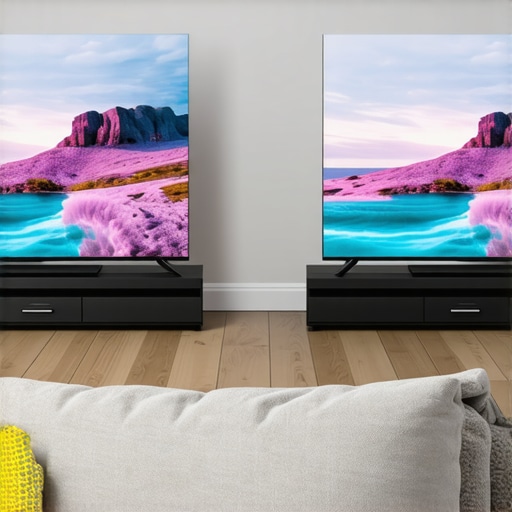
I remember the frustration well—sitting in my home theatre, eager to enjoy the latest 4K HDR content, only to be met with washed-out images that seemed to diminish the vibrant colors I was hoping to see. It was like the screen was fighting me at every turn, especially when I moved just a few inches to the side. That moment of realization hit hard: not all screens are created equal, especially when it comes to HDR and viewing angles. I started digging deeper, experimenting with different screen gains and setups, and what I discovered changed my entire approach to home cinema design.
The Limitations of Conventional Wisdom on Screen Gain
For years, I’ve been told that higher gain screens, like those with a 1.3 gain rating, deliver brighter images—perfect for bright rooms and ambient light conditions. But I soon realized that this brightness often comes at a cost. The wider the viewing angle, the more likely I was to encounter washout, glare, and color shifting—especially with HDR content that demands both brightness and black level precision. This was a puzzle that I struggled to solve, and I bet many home theater enthusiasts face similar problems.
Are High-Gain Screens Really Worth the Hype?
The truth is, early on, I made a common mistake: I focused solely on maximum brightness without considering how viewing angles would be affected. This oversight led to disappointing results, particularly when viewers like family members moved around the room. According to recent studies, such as those highlighted by the Society of Motion Picture and Television Engineers, optimizing for uniform brightness and color accuracy across multiple viewing angles is essential for a true cinematic experience. The takeaway? High gain isn’t always the best choice for HDR in 2026.
In this post, I’ll share the insights I’ve gained on how a 0.9 gain screen can outperform a 1.3 in delivering consistent, vivid HDR images across wider angles. Whether you’re setting up a new home theater or upgrading your current system, understanding this nuance can save you a lot of frustration—and dollars. Ready to see how making a strategic choice can revolutionize your viewing experience? Let’s dive in.
Why 0.9 Gain Can Be the Game-Changer for Viewing Angles
Instead of chasing after the brightest possible image, focusing on a screen with a 0.9 gain rating offers a more balanced approach—especially in rooms where viewers are spread out or where ambient light is unavoidable. This moderate gain level scatters light more evenly, reducing glare and maintaining color fidelity from various angles. It’s a subtle shift in thinking but one that makes a huge difference when HDR is involved, which relies on precise contrast and black levels to truly shine. If you’ve ever been disappointed by color washout during group movie nights or your HDR scenes looking dull when viewed from the side, this adjustment might just be your breakthrough.
Moreover, as home theaters evolve with brighter laser projectors and advanced HDR standards slated for 2026, the importance of selecting the right screen gain becomes even more critical. The recent breakthroughs in ALR screen technology highlight that adapting your setup to these advancements ensures your investment pays off, delivering the best possible picture quality across all viewing positions.
So, before you invest in that big high-gain screen, ask yourself: am I prioritizing brightness at the expense of wide-angle performance? If so, you’re not alone—and I’ve been there. Let’s explore how you can make smarter choices that maximize your HDR viewing angles without sacrificing quality. Sound good? Then let’s get started with some practical insights that helped reshape my home theater experience—and can do the same for yours.
.
Assess Your Room Light Conditions
Start by evaluating your room’s ambient light and viewing angles. Bright rooms with lots of natural light benefit from screens that scatter light evenly. Measure the typical angles from which viewers will watch to determine the appropriate screen gain. During my setup, I used a protractor app to map out seating positions, which revealed that wide angles would be common, guiding me toward choosing a moderate gain screen.
Choose the Right Screen Type
Decide between a fixed frame, pull-down, or motorized screen based on your room’s practicality and aesthetic preferences. Understanding the differences helps; for wider angles, fixed frames with proper tensioning provide consistent quality, but pull-downs offer flexibility if space is limited. My first attempt with a manual pull-down resulted in sagging, disrupting the image, so I opted for a fixed frame after reading the detailed installation guide.
Master Screen Gain Selection
Focus on selecting a screen with a gain around 0.9 for balanced brightness and wide-angle performance. Understand that higher gain (above 1.2) can cause glare and uneven brightness, especially during HDR content. I experimented with a 1.3 gain screen but noticed significant color washout from side seats. Switching to a 0.9 gain screen improved consistency and color accuracy—an essential step in my journey. Review the comprehensive guide on gain for details.
Proper Tensioning and Mounting
Ensure the screen is tightly tensioned to avoid waves or wrinkles that distort the image. Use a tensioning kit or follow the tensioning tips for pull-downs. When installing my fixed frame, I checked the tension at multiple points, which prevented future sagging, ensuring a crisp, flat surface. Regular inspection and adjustments maintain image quality over time.
Optimize Projection Settings
Match your projector’s brightness, contrast, and color profiles to your screen’s gain and room lighting. For HDR content, calibrate using specific test patterns. I used a calibration disc and data from professional calibration tips to fine-tune my setup. This meticulous process led to vibrant, precise images across all viewing angles.
Regular Maintenance and Adjustments
Maintain tension, clean the surface, and update projector settings periodically. For example, I cleaned my screen’s surface with a microfiber cloth and checked tension screws quarterly, which prevented creases or sag. These simple practices prolong your investment and ensure consistent picture quality.
By applying these actionable steps, you shift from theoretical knowledge to practical mastery, ensuring your home theater delivers immersive HDR content with vivid colors and consistent brightness from every seat.
When it comes to selecting the perfect projection system, many enthusiasts fall prey to common misconceptions that can compromise their cinematic experience. A prevalent myth is that a higher gain screen always delivers brighter, more vivid images — but the reality is more nuanced. High-gain screens, especially those above 1.2, tend to reflect light unevenly, causing hotspots and glare that diminish overall picture quality, particularly during HDR content. Instead of focusing solely on brightness, seasoned experts prioritize uniformity across the viewing surface, which is why many opt for moderate gain screens around 0.9. This choice ensures consistent color and contrast from multiple angles, an aspect often overlooked by beginners.
Are Dual-Aspect or Acoustic Transparent Screens Worth the Hassle?
Many users mistakenly assume that all fixed-frame screens are equal. However, selecting between acoustic transparent and dual-aspect screens involves understanding their specific benefits and limitations. Acoustic transparent screens, for example, allow speakers to be mounted behind the screen, preserving immersive sound, but often at the expense of slight image attenuation. On the other hand, dual-aspect screens provide versatility for varying content formats but can introduce complexity in setup and calibration. Cutting through this confusion requires deep knowledge—something only expert installers commonly possess. Moreover, with the advent of ambient light rejecting (ALR) technology, many high-end screens now offer improved contrast in bright rooms, defying the old notion that projection is only suitable for dark environments.
Contrary to popular belief, ALR screens are not a one-size-fits-all solution. They come in various textures and optical layers, each designed to combat specific lighting challenges. For instance, some ALR screens excel at minimizing hotspotting and glare caused by windows or ceiling lights, but only if matched correctly with your projector type and room setup. Ignoring these nuances can lead to underwhelming results, such as dull images or uneven brightness. A key recommendation from AV experts is to consult specialized guides—like the ultimate ALR technology guide—to ensure your chosen screen suits your specific environment. Have you ever fallen into this trap? Let me know in the comments.
Keeping Your Projection Screen Running Smoothly
Investing in a high-quality projection screen is just the beginning. Ensuring it remains functional and delivers consistent performance over the years requires specific maintenance routines and the right tools. From cleaning delicate surfaces to tensioning fixed frames, proper care preserves picture clarity and prevents costly replacements.
Essential Tools for Screen Maintenance
One of the most vital tools I rely on is a microfiber cleaning cloth. Unlike rough fabrics, it gently removes dust and fingerprints without scratching the surface. I always keep a can of compressed air nearby—perfect for blowing out debris from corners or small crevices in fixed frames. For more stubborn spots, a professional-grade screen cleaner ensures safe, streak-free results. When tensioning pull-down screens, a tensioning kit with adjustable hooks helps maintain uniform surface tension, preventing wrinkles and sagging over time.
Calibrating for Long-Term Excellence
Consistent calibration of your projector and screen setup is fundamental. I use color calibration tools like the X-Rite i1Display Pro to fine-tune brightness, contrast, and color profiles periodically. These tools connect to software that guides adjustment, ensuring your HDR content remains vivid and accurate, especially as equipment ages. Regular calibration, combined with software updates, keeps picture quality top-tier and minimizes the need for costly professional service.
How do I maintain my screen over time?
In addition to cleaning, inspecting your screen’s tension and mounting is crucial. I check the tension screws on fixed frames quarterly, tightening them as needed to avoid warping or sagging that can distort images. For pull-down models, I examine the retraction mechanism, applying a few drops of lubricant if needed—be sure to use lubricant suitable for delicate components. Preventative maintenance extends the lifespan of your setup and maintains that razor-sharp image quality you crave for HDR viewing.
Embrace Smart Management Tools
Modern home theater owners benefit from software solutions like the calibration and setup apps. These programs can analyze your environment’s lighting and display performance, recommending adjustments to projector settings or screen positioning optimally. Combining hardware tools with smart software creates a comprehensive maintenance regimen, helping you catch issues early before they escalate.
Looking ahead, I predict that AI-driven calibration systems will become standard, simplifying maintenance even further. Imagine software that constantly monitors your setup, automatically adjusting for temperature changes, ambient light shifts, or projector aging. Until then, a regular schedule of manual inspection paired with the right tools keeps your projection system performing at its best.
Prioritize Regular Checks to Prevent Major Problems
In my experience, proactive care is more cost-effective than repairs or replacements down the line. For example, routinely inspecting tension and cleanliness prevented sagging on my fixed frame and eliminated glare caused by dust deposits. Taking just 15 minutes monthly to review your setup can save hundreds in the long run.
Apply these strategies today—start with a microfiber cloth and calibration check—and notice how your HDR content remains vivid and even across all viewing angles. Want to dive deeper? Explore advanced calibration tools or consult expert guides on maintaining specific screen types. Your home theater’s longevity begins with consistent maintenance, ensuring your investment continues to wow you for years to come.
For tailored advice, reach out through our contact page. Don’t forget: a well-maintained screen is the foundation of breathtaking visuals, especially as new HDR standards and projection technologies emerge in 2026 and beyond. Start today, and keep your home theater looking and performing its best!
The Hardest Lesson I Learned About Projection Screens and HDR Preservation
I used to believe that cranking up the gain was the secret to vibrant HDR content, only to discover that higher gain screens often introduced glare and uneven brightness, especially when viewed from wider angles. This experience taught me that the key isn’t just about maximum brightness but achieving balanced, consistent images across all seats, which is essential for true cinematic immersion.
How I Stopped Worrying About Absolute Brightness and Started Focusing on Uniformity
My breakthrough came when I realized that a screen with a moderate gain around 0.9 could deliver the right compromise—bright enough for HDR but uniform enough to prevent color washout at the sides. Consulting expert resources like the comprehensive guide on screen gain helped solidify this approach, transforming my viewing experience.
Why Experts Say Smaller Gains Can Lead to Larger Cinematic Rewards
Choosing the right screen gain is like tuning an instrument. A too-high gain may seem appealing but can harm color accuracy and black levels, crucial for HDR. By embracing a lower gain, I found my images retained depth and vibrancy, even from an angle—less glare, more immersion. Upgrading my setup based on trusted insights from top-rated fixed frame and ALR screens for bright rooms opened new horizons in picture quality.
Learning to Match Screen Choice with Room Lighting — Don’t Overshadow Your Content
Room conditions dictate everything. For bright spaces, a moderate gain screen minimizes reflections and hotspots. In my case, understanding my ambient light with a quick assessment led me to select a screen that evenly scattered light, preserving contrast and color fidelity. This tailored approach highlights the importance of evaluating your own theater environment before any purchase—more info is available in the latest guide to pull-down screens and gain benefits.
Seek Out Tools and Community Wisdom for Confident Decisions
From calibration discs to expert forums, leveraging the right tools and advice makes all the difference. I rely on professional calibration tools like the X-Rite i1Display Pro and the latest calibration guides to maintain personalized optimal settings. Engaging with a community of enthusiasts accelerates learning, ensuring your upgrades are precise and satisfying.
Style Your Setup to Avert Common Pitfalls and Elevate Your Experience
Investments in tensioning, proper mounting, and regular cleaning are vital. I’ve learned that a few moments each month inspecting tension screws or cleaning the surface save headaches later. Remember, your projection surface is the canvas of your cinematic journey—nurture it, and it will reward you with stunning HDR clarity and consistency across the room.
The Power of a Thoughtful Pickup
Too often, we chase after the latest gimmicks without considering room-specific factors. My advice? Focus on understanding your environment, selecting a screen gain that balances brightness with wide-angle performance, and calibrating meticulously. These core principles have revolutionized my home theater, making every viewing session an immersive delight.
Want to transform your HDR experience like I did? Embrace these lessons, choose wisely, and enjoy the cinematic magic from any seat in the house. The best part? You’re just one smart choice away from excellent picture quality. Ready to upgrade your setup and see the difference for yourself?
No Responses