I’ll never forget the moment my pull-down screen suddenly jerking mid-movie, leaving me staring at a crumpled mess of fabric and spring. That shock of realization hit hard. I knew right then that I had ignored the warning signs, and it nearly ruined my entire viewing experience. Have you ever experienced that unsettling feeling when your screen begins to sag, wobble, or make strange noises? If so, you’re not alone, and today, I’m here to help you spot the dangers before it’s too late.
Why Your Screen’s Spring Might Be on Its Last Legs
Pull-down screens are fantastic for their sleek design and quick setup, but their spring mechanisms can be surprisingly fragile. Just like any moving part, springs wear out over time. Ignoring early signs can lead to sudden, costly replacements or even damage to your expensive projector setup. The good news? Recognizing the subtle signs early can save you time, money, and your home theater bliss.
Could Your Screen Be Silent but Deadly? Common Skepticism
Honestly, I used to dismiss those tiny, almost unnoticeable changes — a faint wobble or a slight stiffness. I told myself, “It’s probably just warm-up or normal wear.” That was my mistake. Rushing into replacement without understanding what’s really happening can lead to unnecessary expenses. Early in my journey, I made the critical error of ignoring these signs, thinking a little resistance was just part of the aging process. Now, I know better, and I want to make sure you do too. If you’re curious about how to get ahead of this issue, I highly recommend exploring expert strategies for maintaining your projection screens, such as those outlined in this comprehensive installation guide.
Assess the Spring Tension Carefully
When your pull-down screen begins to sag or wobble, the first step is to determine if the spring mechanism has lost its tension. Grab a flashlight and carefully inspect the top casing of the screen. If the spring appears loose or the tension is noticeably weaker than when new, it indicates that the spring is weakening. I once faced this issue during a weekend project; after a quick visual check, I realized the spring was stretched out, causing the sag. Recognizing this early helped me avoid a costly replacement and prepare for a tension adjustment.
Tension Restoration Techniques
Manual Tension Adjustment
Many pull-down screens allow for tension adjustment via an accessible screw or tensioner near the casing. Use a screwdriver to tighten this screw gradually, checking the tension after each turn. Be cautious—over-tightening can damage the spring or mechanism. Once tightened, test the screen by pulling it down and allowing it to retract slowly. Consistent tension ensures a smooth, flat surface, improving your viewing experience and prolonging the screen’s lifespan. For detailed guidance, consult this tensioning tutorial.
Replacing the Spring
If tensioning doesn’t resolve the issue, replacing the spring might be necessary. First, remove the screen housing carefully, noting the position of all components. Purchase a compatible replacement spring—details are often included in the manufacturer’s manual or via expert consultation. When installing the new spring, ensure the tension is appropriately set before reassembling the mechanism. This process is delicate; if you’re unsure, consider reaching out to a professional via the contact page. Doing so can save you from damaging the mechanism or voiding warranties.
Use Tensioning Tools for Precision
For those comfortable with DIY, specialized tensioning kits can aid in fine-tuning the spring without removing the entire casing. These tools typically include a tensioning wrench and guides to measure spring strength accurately. Applying precise tension prevents over-tightening and maintains consistent screen height. I once used such a tool after noticing minor waves on my screen; the result was a perfectly flat surface that enhanced my viewing clarity. Many tutorials and professional guides on screen tensioning provide step-by-step instructions for this process.
Prevent Future Sagging
Once you’ve restored proper tension, regular checks can prolong the lifespan of your pull-down mechanism. Clean the casing periodically to prevent dust buildup, which can interfere with smooth operation. Avoid pulling the screen too forcefully, as sudden jerks can stress the spring. Additionally, consider environmental factors; high humidity can affect metal springs over time. For high-usage scenarios, upgrading to a spring with higher fatigue resistance can be beneficial. Explore options for durable screen components for increased longevity.Many enthusiasts believe that selecting the right ALR (ambient light rejection) or projection screen is just about choosing the highest gain or the largest size. However, this oversimplification often leads to subpar performance and disappointment. One common myth is that higher screen gain always results in brighter, better images. In reality, elevated gain values—say above 1.3—can cause hotspots and uneven brightness, especially in larger screens, which diminishes image uniformity and viewer experience. Experts like those at Home Cinema Essentials emphasize balancing gain with viewing angles and room lighting conditions to optimize visuals.
Why does focusing solely on gain lead to mistakes?
Excessive emphasis on gain overlooks other crucial factors such as screen texture, ambient light control, and projector lumen output. For example, an ultra-high gain screen might seem ideal for bright rooms but can introduce glare and hot spotting, which degrades contrast and black levels—key elements for immersive viewing. This is where understanding the nuanced behavior of ALR fabrics becomes vital. ALR screens with micro-structures, for instance, are designed to reflect projected light directly towards the viewer while diffusing ambient light, improving contrast without sacrificing brightness, as detailed in latest ALR innovations.
Another common misconception revolves around fixed frame versus motorized screens. Many assume that fixed frames are always superior in quality. While fixed frames do provide a flat, stable surface ideal for high-gain fabrics, they lack the flexibility of motorized or pull-down screens when it comes to space versatility or aesthetic concealment. The choice depends heavily on room specifics and user preferences, which is why consulting detailed guides like this comparison article is crucial.
Finally, a subtle yet impactful mistake is neglecting proper tensioning and installation. A loose or sagging screen not only distorts the image but can also accelerate wear and tear. Regular maintenance and correct setup, such as tensioning or choosing the right mounting method, can vastly extend your screen’s lifespan and picture quality. For expert tips on installation, check out this practical guide.
Remember, the world of projection screens is intricate; what seems like a simple choice often involves nuanced trade-offs. Always dig deeper into product specs, expert reviews, and installation guides to make an informed decision. Want to maximize your setup? Explore proven strategies for improving image quality with projection screens here. Have you ever fallen into this trap? Let me know in the comments.
Invest in the Right Tools for Ongoing Maintenance
Maintaining your projection screen’s optimal performance requires specific tools that allow for precise adjustments and early detection of issues. I personally rely on a digital tension gauge to measure spring tension accurately; this device ensures that my pull-down screens stay perfectly taut without over-tightening, which can cause damage. Additionally, a microfiber cloth and compressed air are essential for cleaning dust and debris from the casing and fabric, preventing build-up that could impair smooth operation. For alignment tweaks and tension adjustments, a small, high-quality screwdriver and tensioning kits designed specifically for projection screens are invaluable. Using such dedicated tools not only extends the lifespan of your screen but also guarantees consistently high-quality image projection.
Adopt Software Solutions for Early Problem Detection
Beyond physical tools, software can play a vital role in proactive maintenance. I recommend installing visual calibration and diagnostics software compatible with your projector and screen setup. These programs can detect inconsistencies in brightness, contrast, and uniformity, alerting you to potential issues with screen fabric or alignment before they become noticeable defects. For example, advanced calibration tools like CalMAN or LightSpace modular can help monitor your setup’s performance over time, enabling data-driven decisions about adjustments or repairs. Embracing these technologies ensures your home theater remains crisp and vibrant for years to come.
Predicting Future Trends in Screen Maintenance
Looking ahead, the integration of smart diagnostics directly into screens might become commonplace. Imagine screens equipped with embedded sensors that continuously monitor tension, fabric integrity, and environmental conditions, alerting you via smartphone app when maintenance is needed. Such innovations could transform how enthusiasts manage their setups, making maintenance less of a chore and more of an intelligent, automated process. Staying ahead of these trends involves adopting current best practices and investing in quality tools today.
How do I maintain my projection screen over time?
To keep your projection screen functioning flawlessly, establish a regular maintenance schedule: clean the fabric and casing monthly, check tension and alignment quarterly, and calibrate with appropriate software annually. When adjusting tension, use a digital tension gauge to avoid over-tightening, which can cause premature spring fatigue, as discussed in this guide on tension loss signs. Don’t forget to inspect environmental factors like humidity and temperature, which can affect fabric and spring longevity. For expert assistance, reach out through the contact page and consider professional tune-ups if you notice persistent issues. Taking proactive steps, like incorporating advanced tensioning tools and diagnostic software, ensures your investment delivers theater-quality performance consistently.
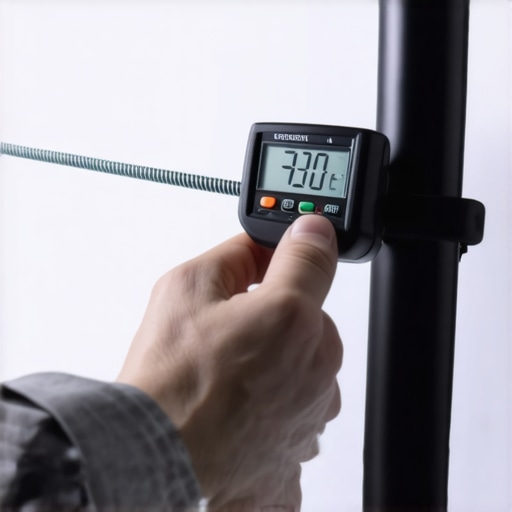
Reflecting on my journey, the biggest lesson I wish I had embraced early on was the importance of regular tension checks and understanding the subtle signs of spring fatigue. It’s easy to dismiss a slight wobble or a gentle difference in retraction speed as normal wear, but these can be indicators of impending trouble. Recognizing these signs earlier could have saved me from costly replacements and prevented the frustration of a sagging screen spoiling the viewing experience. Now, I prioritize routine inspections and fine-tuning, and I encourage fellow enthusiasts to do the same for sustained perfection.
My Go-To Resources That Keep My Screen Game Sharp
To stay ahead of issues, I rely on a handful of tools and sources I deeply trust. Firstly, the tensioning tutorials taught me precise adjustment techniques that ensure my screen remains flawless. Additionally, I swear by a digital tension gauge which helps me monitor spring fatigue quantitatively rather than guesswork. For ongoing education, I follow industry insights from latest ALR innovations. These resources have proven invaluable in maintaining picture-perfect entertainment experiences.
Your Turn to Elevate Your Projection Experience
Investing in the right tools, staying informed about maintenance strategies, and understanding the nuanced signs of spring wear are essential steps toward mastering your projection setup. Don’t wait until there’s a noticeable sag—proactive care keeps your system performing at its best and preserves your home theater investment. Remember, the journey to flawless projection is ongoing, but with passion and the right knowledge, you can enjoy crystal-clear images for years to come. What’s your approach to maintaining your projection screen? Share your tips or questions below—I’d love to hear your story.
No Responses