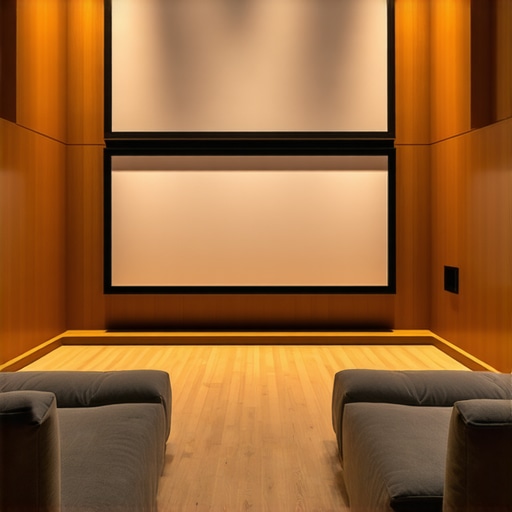
Have you ever set up a home theater only to be disappointed when the picture quality suffered during the daytime or in a brightly lit room? I remember countless nights fiddling with projector settings, only to find that the image was washed out or dull. It was frustrating, especially after investing in what I thought was top-tier equipment. That lightbulb moment hit me hard: the key isn’t just about the projector—it’s about the screen, especially if your room isn’t dark enough. Today, I want to share how the right projection screen, equipped with high gain and ALR (Ambient Light Rejection) technology, transformed my viewing experience and how it can do the same for you.
Why Bright Rooms Need Special Screens
Let’s face it. Most homes aren’t perfectly dark caves. Natural light seeps in, windows are everywhere, and not everyone can dedicate a room solely for movie nights. Traditional screens often struggle under these conditions, resulting in dull or washed-out images. That’s where high gain and ALR screens come into play. They are designed to maximize brightness and contrast, even when ambient light is present. Think of them as the secret weapon for bright room setups. But I’ll admit, I initially made a mistake early on—buying into the hype without understanding how gain and technology really work. If you want to avoid the same pitfalls, keep reading.
Is a High Gain or ALR Screen Actually Worth the Hype?
This is the biggest question I hear from folks skeptical about these advanced screens. Honestly, I was hesitant too. I thought, “Will spending extra on a high gain or ALR screen truly make a difference?” The answer is yes, but only if you pick the right one and set it up properly. I learned this the hard way by choosing a screen that didn’t match my projector or room conditions, leading to poor image quality and glare. Don’t make my mistake. Instead, check out this guide to find a screen suited for bright environments. It’s a game-changer.
So, if you’ve faced the frustration of washed-out images during the day or in a well-lit room, know that the right screen can solve that problem. Next, we’ll explore how to choose the best projection screen for your space and what features really matter. Ready to make your bright room projection look stunning? Let’s get started!
,
Determine Your Room’s Lighting Conditions
Start by assessing how much ambient light enters your space. I once measured my living room’s natural light during different times of the day, noting that large windows and open curtains meant significant brightness. This helped me decide on a high gain, ALR screen that could reflect more light back to my eyes, creating a vivid image despite the daylight. If your room is similarly bright, selecting a screen with high gain and ALR technology is crucial. Use a light meter or simple observation to gauge ambient brightness and plan your screen accordingly. For detailed insights, check out this guide on screen gain and ambient light.
Choose the Right Projection Screen Type
Decide between fixed frame, pull-down, or motorized screens based on your space and preference. Fixed frame screens offer a sleek, stable surface that’s perfect for permanent setups, while pull-down screens provide flexibility for multi-purpose rooms. I initially installed a pull-down screen in my basement, which was messy at first—misaligned and creased—but I used this installation guide to properly mount it. Remember, proper installation makes all the difference in image clarity. For a bright room, consider a fixed frame with a high gain surface for consistent performance. Explore the differences at this comparison.
Match Screen Gain to Your Projector
Screen gain indicates how much light the screen reflects. A gain of 1.0 is standard, but for bright rooms, a gain of 2.0 or higher can significantly boost brightness. I learned this firsthand when I switched to a 2.2 gain screen; the image became much brighter and more vibrant, even with ambient light. However, high gain screens can introduce glare if not positioned correctly. To get the best results, measure your projector’s lumen output and room lighting to determine the optimal gain. For specific recommendations, visit this resource. It’s like tuning a guitar—small adjustments lead to perfect harmony.
Optimize Screen Placement and Elevation
Position your screen to avoid direct light hitting the surface. I found that mounting my screen slightly lower and angling it minimized glare and improved contrast. Use a level and tape measure to ensure perfect alignment. If you’re installing a pull-down screen, follow this step-by-step guide for precise mounting. Proper placement ensures the light reflects evenly and your image stays crisp. Remember, even the best screen can be compromised by poor positioning.
Set Up Your Projector Correctly
Adjust your projector’s settings to complement your screen choice. Increase brightness and contrast, and disable any automatic light correction that might wash out colors. I calibrated mine using a test pattern, which made a surprising difference—colors became richer, and blacks deeper. For detailed calibration techniques, refer to this guide. Combining proper projector settings with your high gain, ALR screen creates a bright, sharp image even in daylight.
Many home theater enthusiasts jump into upgrading their projection setup with high hopes, but often get tripped up by misconceptions that can hinder their viewing experience. Let’s dig deeper into some overlooked nuances and myths that could be holding you back, especially when choosing between fixed frame, pull-down, and ALR screens, or deciding on the optimal screen gain for your projector. First, a widespread myth is that higher screen gain always equals better brightness. In reality, this isn’t true. While high gain screens (above 2.0) can boost brightness, they also tend to introduce unwanted glare and hot-spotting, which can ruin image uniformity. For a bright room, selecting a screen with a moderate gain—around 1.8 to 2.2—is often ideal, especially when paired with a projector that has ample lumen output.
Second, many believe that ALR screens are a miracle solution for any ambient light condition. Let’s clarify: ALR technology is designed to reject ambient light coming from certain angles, but it isn’t a magic bullet. If your room’s lighting is diffuse or coming from multiple directions, even the best ALR screens might struggle. The key is understanding the specific technology behind the screen and matching it to your room’s lighting profile. For example, some ALR screens work better in dedicated dark rooms, while others excel in semi-lit environments. Check out this guide for insights on how to pick the right ALR technology for your setup.
Third, a common mistake is assuming that all projection screens are created equal. In fact, the choice between a fixed frame and pull-down screen is more nuanced than many realize. Fixed frame screens tend to offer a flatter, more stable surface that preserves image sharpness over time, making them ideal for permanent setups. Pull-down screens, while versatile, can suffer from creases and misalignment if not installed properly. Proper installation is critical; even a high-end screen can underperform if mounted incorrectly. For detailed installation tips, see this guide.
Now, here’s an advanced question to consider:
How does the angle of projection impact the effectiveness of high gain and ALR screens?
Projection angle can significantly influence how ambient light interacts with your screen surface. Screens with higher gain are more directional, reflecting light primarily toward the center of the viewing area, which can cause uneven brightness if the projector isn’t perfectly aligned. Similarly, ALR screens are engineered with micro-structured surfaces that optimize light reflection at certain angles, but if the projector is off-angle, image quality can degrade. To maximize image uniformity, ensure your projector’s placement and angle are precisely calibrated—this is especially important for high gain or ALR screens. For expert calibration techniques, check this resource.
In summary, understanding these nuanced details helps you avoid common pitfalls and ensures your projection system delivers stunning, bright images, even in challenging lighting conditions. Have you ever fallen into this trap? Let me know in the comments and share your experience!” ,
Keeping your projection setup in top shape requires more than just purchasing the right screen and projector. It involves regular maintenance, using specific tools, and understanding how to troubleshoot issues over time. I’ve found that a proactive approach not only extends the lifespan of my equipment but also ensures consistently stunning image quality for years to come.
How do I maintain my projection screen over time?
First, regularly clean your screen with a soft, lint-free microfiber cloth. Avoid harsh chemicals; instead, use a gentle cleaning solution like distilled water mixed with a few drops of isopropyl alcohol. This prevents dust and smudges from dulling the surface, which is especially important for high gain and ALR screens that rely on surface clarity for optimal performance. For fixed frame screens, check the tension periodically to prevent sagging or warping. If you notice any creases or misalignment, consult the installation guide here to correct it.
Additionally, inspect the projector’s lens and replace or clean the filter regularly to prevent dust buildup that can reduce brightness and contrast. This is critical for high gain setups, where even tiny particles can cause glare or uneven reflections. Using a lens cleaning brush or compressed air can help keep your equipment pristine without risking damage.
Tools I recommend for projection screen upkeep
One essential tool I swear by is a digital lux meter. It helps me measure ambient light levels and ensure my room’s lighting conditions remain consistent, which is vital when working with high gain or ALR screens. Maintaining a stable environment prevents hot-spotting and glare issues. I also use a calibration disc and software like CalMAN or LightSpace to fine-tune my projector’s settings, ensuring the image always hits the sweet spot for brightness and contrast. Proper calibration, combined with a well-maintained screen, keeps your home theater looking professional and vibrant.
For installation and adjustment, a quality laser level and a retractable measuring tape are invaluable. Precise positioning ensures that high gain surfaces reflect light evenly, avoiding uneven brightness and glare. Proper placement also extends the lifespan of your screen by minimizing unnecessary stress or misalignment.
Future trends in projection screen care
Looking ahead, I predict that smart, self-cleaning screens with embedded sensors will become more popular, reducing the need for manual maintenance. Additionally, advanced surface coatings that repel dust and fingerprints could significantly simplify upkeep. As technology evolves, staying informed about these innovations will help you keep your projection system performing at its best.
Don’t overlook the importance of routine maintenance and the right tools. Try implementing a regular cleaning schedule with a microfiber cloth and use a lux meter to monitor ambient light. These small steps will enhance your viewing experience and protect your investment for the long haul.
The Hardest Lesson I Learned About projection screen,alr screen,fixed frame screen,pull down screen,screen gain
One of my biggest mistakes was assuming that simply upgrading to a high gain or ALR screen would instantly solve all my daylight viewing problems. It took trial, error, and a lot of frustration to realize that room setup, projector calibration, and correct placement matter just as much—if not more—than the screen technology itself. This taught me that understanding the surface’s surface isn’t enough; I needed to understand how ambient light, projector angle, and even my seating position influence picture quality. It’s a reminder that nothing beats hands-on experience and patience when optimizing a home theater for bright rooms.
3 Myths About projection screen,alr screen,fixed frame screen,pull down screen,screen gain That Held Me Back
Firstly, I believed higher screen gain always meant brighter images, but I learned that too high gain can cause glare and uneven brightness. Secondly, I thought ALR screens could handle any ambient light, but their effectiveness depends on the light’s direction and intensity. Lastly, I used to think fixed frame screens were always better than pull-down options; however, improper installation or misalignment can undermine their performance. These myths delayed my progress, and clarifying them helped me choose better solutions.
What Experts Won’t Tell You About projection screen,alr screen,fixed frame screen,pull down screen,screen gain
Many professionals keep quiet about the importance of proper installation and calibration. A high-end screen isn’t worth much if it’s not mounted correctly or if your projector isn’t set up to match the screen’s surface properties. For instance, a high gain surface requires precise projector alignment to avoid hot spots. Also, understanding the specific ALR technology—whether it rejects light from certain angles or surfaces—can dramatically improve your daytime viewing. Taking the time to learn these details can turn your bright room into a cinematic haven.
How I Discovered the Power of a Well-Calibrated Setup
After countless hours experimenting with projector settings and screen positions, I finally calibrated my projector using a test pattern and a lux meter. The result was astonishing: vibrant colors, deep blacks, and no more washed-out daytime images. This experience taught me that the real secret is in the details—calibrating your projector to complement your screen and room environment makes all the difference. It’s a step that I highly recommend for anyone serious about bright room projection.
2 Responses