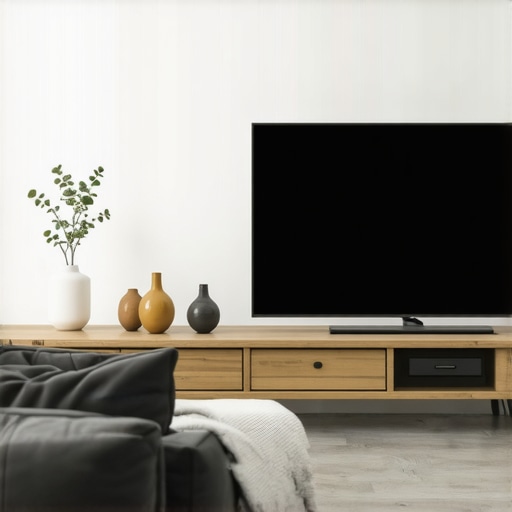
It was late at night when I finally decided to set up my new Laser TV. I eagerly pulled down my seemingly perfect ALR screen, only to face a dull, washed-out image that nothing like the vibrant preview I’d seen online. Disappointment hit hard. I realized that despite investing what I thought was a good deal, I was stuck with a screen that just couldn’t handle the ambient light in my room. That frustrating moment was a lightbulb for me—cheap ALR screens often promise the moon but deliver disappointment, especially in 2026.
What’s Really Going Wrong with Budget ALR Screens Today?
Many home theater enthusiasts jump into buying affordable ALR (Ambient Light Rejection) screens without fully understanding what makes a screen good or bad. I used to think that any ALR screen would do, especially since prices have dropped. But experience quickly taught me that not all ALR screens are created equal, and in fact, cheap options can lead to an array of problems—washed-out colors, poor contrast, and a lack of sharpness.
When I started digging, I found that one of the main issues with budget-friendly ALR screens is their inadequate **screen gain**—a critical factor determining brightness and contrast. As highlighted in this [comprehensive guide](https://screens.homecinemaessentials.com/understanding-screen-gain-how-to-optimize-brightness-and-clarity), screen gain influences how well your screen directs light, especially in rooms with ambient lighting. If the gain is too low, you lose brightness; if it’s too high, you might get excessive reflectivity and uneven image quality.
Another common mistake I made early on was choosing a fixed frame without considering the specific space and light conditions in my room. A fixed frame offers excellent stability, but only if you pick the right type—something I ignored. This led to sagging and wrinkles, which further compromised image clarity. You can learn more about the different [projection screen types](https://screens.homecinemaessentials.com/projection-screen-types-for-every-space-fixed-frame-vs-pull-down) to make the best choice.
What really made me rethink my approach was discovering how crucial it is to match your screen’s technology to your environment. Not all ALR screens are suited for every room, especially brighter spaces. The latest [ALR screen technology breakthroughs in 2025](https://screens.homecinemaessentials.com/alr-screen-technology-breakthroughs-to-watch-in-2025) reveal that optimizing screen gain and material can make low-cost options actually perform well—if you know what to look for.
So, if you’re tired of wasting money on screens that just don’t deliver, you’re not alone. Have you ever bought a cheap ALR screen and been let down by its performance? If so, stick around. I’m about to share practical, experience-driven solutions to help you finally get the most out of your projection system—regardless of your budget.
Choose the Right Screen Type
Start by selecting a screen that matches your room’s lighting and space. Fixed frame screens are ideal for dedicated theaters because they offer stability and a taut surface, minimizing wrinkles that distort images. If flexibility is needed, motorized pull-down screens provide convenience, but ensure they are tensioned properly to prevent sagging. When comparing options, consider visiting detailed guides like this installation guide for insights.
Understand and Match Screen Gain to Your Environment
Screen gain indicates how much light the screen reflects. A gain of 1.0 is standard, but rooms with ambient light require higher gains for brightness, such as 1.5 or above, to compensate for washing out images. Think of gain like a lens aperture: a wider opening lets in more light, brightening the image. I once used a 1.0 gain screen in my bright living room, resulting in dull images. Upgrading to a high-gain screen significantly improved contrast and visibility, which you can explore further at this guide.
Measure Your Room Before Buying
Accurate measurements are critical. Measure room dimensions, available ceiling height, and the distance from projector to screen to determine optimal size and placement. Use a tape measure and, if possible, draw a simple plan to visualize. This preparation prevents purchasing a screen that’s too big or small, and ensures your projector can produce a sharp, bright image at the correct throw distance. Review comprehensive sizing strategies for more tips.
Proper Mounting and Tensioning
Mount your screen level and secure to avoid sagging or wrinkles. Fixed frame screens should be meticulously attached, ensuring the surface remains taut. For pull-downs, tensioning kits can be used to eliminate slack. Think of it like tightening a guitar string; proper tensioning preserves picture sharpness. I once attempted to install a pull-down screen by myself, but didn’t tension it enough, leading to a wavy image. Afterwards, I used a tensioning kit, which dramatically improved clarity, as shown in this tutorial.
Optimize Projector Placement
The position of your projector influences image quality. Align it to face the center of the screen, minimizing keystone distortion. Use a level and tape measure to set the correct throw distance, matching your screen size. For brighter environments, consider projectors with higher lumen output (e.g., 3,000+ lumens). Remember, a misaligned projector can cause keystoning, reducing clarity—adjust with flexible mount brackets or lens shift features. For advanced positioning, explore professional setup principles.
Maximize Brightness Through Calibration
After installation, calibrate your projector to optimize brightness and contrast. Use a calibration disc or professional calibration services. Adjust settings like contrast, brightness, and color temperature, aiming for vibrant but realistic images. In brighter rooms, increasing contrast settings and utilizing high-gain screens enhances clarity. I recall fine-tuning my projector over a weekend, swapping cables and tweaking settings, which resulted in richer colors and sharper images—an investment worth the effort. For detailed calibration techniques, see this resource.
Many enthusiasts believe that selecting the right ALR screen or projection setup is primarily about size and gain. However, deeper nuances often go unnoticed, leading to costly mistakes. For example, a common misconception is that higher screen gain always results in brighter images. In reality, excessive gain—like anything above 2.0—can cause hotspots and uneven illumination, especially in larger screens, distorting the picture. Experts emphasize that optimal gain depends on room size, projector lumens, and seating position, not just a number to chase.
Another overlooked aspect is the quality of materials used in ALR screens. Many low-cost options promise impressive ambient light rejection, but their reflective properties can introduce glare, reduce contrast, and diminish color accuracy. This nuance is critical—poor material choices can negate the benefits of high gain or advanced technology. Check out this detailed analysis on selecting top-tier ALR screens to understand how material quality impacts performance.
A common myth is that fixed frame screens are inherently better than pull-downs. While fixed frames provide a taut, flat surface ideal for dedicated theaters, high-quality pull-down screens with proper tensioning can match or surpass fixed options in portable or multi-use setups. The key lies in installation precision. Many amateurs fail to tension pull-down screens adequately, resulting in wrinkles that compromise clarity. For an advanced user, considering tensioning techniques or motorized options can optimize results; see tips for tensioning pull-downs.
The importance of projection placement is often downplayed, but misalignment can cause keystoning and focus issues—even with the best screen. Precise measurement of throw distance and lens alignment directly influences image sharpness and size. Just like selecting a screen gain appropriate for your environment, projector positioning is an advanced consideration that can dramatically elevate your viewing experience.
Curious about which claims are just myths? Studies from the Society of Motion Picture and Television Engineers (SMPTE) suggest that understanding the interplay between gain, material quality, and installation technique is vital for true performance. Remember, these nuances are what separate good setups from great ones.
Have you ever fallen into this trap? Let me know in the comments. Mastering these hidden details ensures your projection system can genuinely shine, no matter your budget or setup.Maintaining optimal performance of your projection system requires more than just initial setup; it involves consistent care and the right tools to keep everything working smoothly. One of my favorite go-to tools is a laser distance meter. I personally rely on the Bosch GLM 50 C, which provides quick, accurate measurements for projectors, screens, and mounting points. Precise measurements ensure your projector is correctly aligned, preventing distortion and keystoning, while helping you maintain ideal throw distances over time. For calibration, a colorimeter like the X-Rite i1Display Pro is invaluable. It allows me to fine-tune my projector’s color temperature and contrast settings, ensuring vibrant and accurate images even after prolonged use. Regular calibration using this device can extend the lifespan of your projector lamp and screen, preserving image quality and preventing degradation. Scheduling periodic checks—say, every six months—helps catch any drift in tones or brightness early, saving you costly repairs or replacements later. Additionally, a microfiber cleaning cloth and gentle screen cleaner are essential for keeping your screen dust-free without damaging sensitive surfaces, which is especially important for high-gain or specialized ALR screens. When it comes to long-term results, investing in proper mounting hardware—like high-quality tensioning kits for pull-down screens—can prevent sagging and wrinkles that diminish image clarity. Over time, even the best-mounted screens can loosen; routine tension adjustments preserve taut, flat surfaces for sharp images. Looking ahead, the trend is heading towards smart maintenance systems that can monitor projector lamp hours, suggest calibration schedules, and even alert you to environmental factors like humidity or dust buildup that affect performance. Predicting future developments, integrating IoT sensors with your setup might become standard, providing real-time health diagnostics. To keep everything functioning seamlessly, I recommend establishing a maintenance routine that includes calibration checks, cleaning, and hardware inspections—making use of reliable tools tailored to your setup. How do I maintain my projection system over time? I focus on scheduled calibration with a colorimeter, regular visual inspections, and ensuring mounting hardware stays tight. Remember, a little proactive maintenance now can save a lot of headaches later.
The Hidden Trap of Low-Cost ALR Screens and What I Learned
One of the biggest lessons I learned was that not all ambient light rejection screens are created equal, especially when they come with a tempting lower price tag. I discovered that cheap ALR screens often rely on flimsy materials and subpar gain ratings, resulting in washed-out images and poor contrast. These experiences taught me that investing in quality, understanding your room’s lighting, and matching your screen’s technology to your environment are crucial for achieving a true home theater experience.
Tools and Resources That Changed My Setup Approach
After numerous disappointments, I turned to trusted resources like this comprehensive guide for insights on ALR technology, and I use tools like the screen gain calculator to select the perfect gain for my room. Additionally, professional calibration devices such as the X-Rite i1Display Pro helped me fine-tune my projector for optimal performance, ensuring consistent quality over time.
Embrace the Journey to Better Projection—You Can Do It
Getting the best out of your projection setup isn’t just about buying the most expensive equipment; it’s about understanding the nuanced interplay between screen technology, room lighting, and calibration. Every tweak brings your visuals closer to that cinematic perfection, and I believe that with patience and the right knowledge, you can elevate your home theater to a truly immersive level. Don’t settle for mediocre images—take action today to optimize your space and enjoy stunning visuals you once thought impossible for your budget.
One Response
Reading this post really resonated with my own experiences, especially the part about choosing the wrong screen for your environment. I once purchased a budget ALR screen, thinking all that mattered was ambient light rejection, but I didn’t pay enough attention to the gain. The result was a dull picture during the daytime, despite the promises. It made me realize how critical matching the screen’s gain to room lighting is, as the article explains. Since then, I’ve moved to a higher-gain screen and also invested in better mounting hardware, which really improved image sharpness and contrast.
One thing I wonder about is the ongoing innovation in ALR materials. Have any other enthusiasts experimented with newer, higher-quality materials that balance ambient light rejection with minimal glare? It seems like understanding these subtle material properties could make a big difference in achieving a high-quality setup without breaking the bank. Would love to hear some recommendations or experiences, especially for bright rooms.