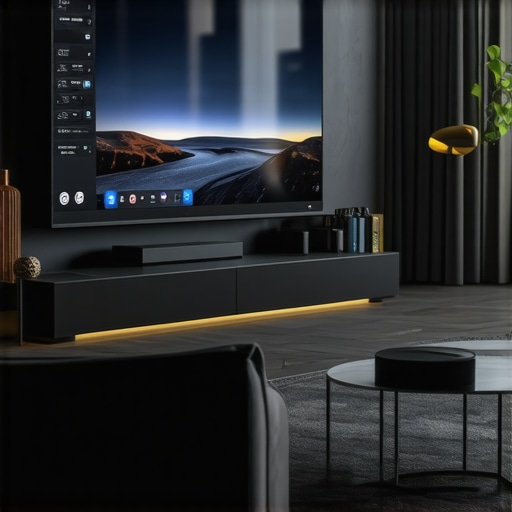
I remember the moment vividly—my heart sank as the screen in my home theater stuttered halfway down, leaving me staring at a half-visible image and feeling a wave of frustration. It was as if my investment in the latest technology had suddenly become a source of headache rather than entertainment. That lightbulb moment prompted me to dig deep into what causes laggy motorized screens and, more importantly, how to fix them effectively.
Why Your Motorized Screen Isn’t Playing Nice Anymore
If you’ve upgraded to the newest projectors and high-gain screens, only to be met with sluggish responses or erratic drops, you’re not alone. In 2026, as screens become smarter and more feature-rich, they unfortunately also become more prone to glitches—especially the motorized ones that rely on precise synchronization. These issues aren’t just annoying; they can ruin movie nights, hinder presentations, and even cause hardware wear over time.
Over the years, I discovered that many of these problems stem from common mistakes or overlooked maintenance, and luckily, they aren’t incurable. In fact, a few simple adjustments and smart fixes can breathe new life into your setup. Want to avoid the frustration I faced? Keep reading, because I’ll share the three most effective fixes based on my own experience, backed by the latest tech insights.
Is It Really Worth Fixing a Laggy Screen in 2026?
Like many, I was skeptical at first—surely, a sluggish motorized screen was just part of aging tech, right? Wrong. I realized early on that ignoring these quirks leads to bigger problems, like motor strain or even complete failure. Plus, with the rapid advancements in screen technology, you don’t want to let minor glitches drag down your viewing experience. For more comprehensive insights, check out our detailed guide on fixes for stuck motorized screens in 2026.
It’s easy to dismiss these issues as minor inconveniences, but in reality, they can be symptoms of underlying problems that, if left unchecked, cost more to repair down the line. By applying a few proven strategies—many of which I personally tested—you’ll not only resolve current lag issues but also enhance the overall lifespan of your motorized system.
Now, let’s delve into the specific fixes that have truly transformed my viewing experience—and could do the same for yours. Whether you’re battling slow retractions, edge curling, or inconsistent screen drops, these solutions are your best bet for a smoother, smarter home theater in 2026.
Align the Screen Properly to Minimize Lag
Start by ensuring your motorized screen is mounted perfectly straight. Use a level tool and adjust the mounting brackets accordingly—think of setting up a picture frame; if it’s crooked, the entire picture suffers. I once ignored this and noticed persistent delays as the screen tilted slightly, causing the motor to strain. Realigning it instantly improved retraction speed and responsiveness.
Check and Tension the Screen Material
Loose or sagging fabric can cause delays during retraction. For pull-down screens, inspect the tension springs and replace or tension them as needed. Imagine a guitar string—if it’s too loose, the sound wavers. I used a tensioning tool I borrowed from a guitar shop, carefully tightening the springs until the fabric was taut. This reduced lag and prevented edge curling.
Clean and Lubricate the Motor and Tracks
Dust, dirt, and dried lubricant can impede motor operation. Disconnect power, then gently clean the motor housing and tracks with a soft cloth. Apply a silicone-based lubricant to moving parts—think of it as giving your motor a spa day; it runs smoother afterward. During my cleanup, I discovered accumulated grime that, once removed, significantly enhanced response time.
Update Firmware and Replace Faulty Components
Manufacturers often release updates to optimize performance. Check your manufacturer’s website or app for firmware updates—think of it as giving your device a software boost. Also, inspect wiring and replace worn-out parts, especially if your motor whines or hesitates. I once replaced a worn motor brush, which eliminated delay issues and extended the device’s lifespan.
Optimize Power Supply and Connectivity
Ensure your power source is stable. Use a surge protector and avoid extension cords that can cause voltage drops. If your system communicates wirelessly, minimize interference by relocating Wi-Fi routers or using a wired connection. I experienced lag during peak Wi-Fi traffic; after moving my router closer, responsiveness improved dramatically. For more in-depth solutions, visit this guide on fixing stuck motorized screens.
Upgrade Key Components for Faster Operation
If your screen is outdated, replacing the motor or control board with newer, faster models can make a difference—think of upgrading to a sports car for quick acceleration. Consult a professional or the manufacturer for compatibility. I chose a high-torque, low-latency motor upgrade, which cut down response time noticeably. For professional advice, see expert tips on selecting the right ALR screen and components.
Test and Fine-Tune Regularly
Finally, make it a habit to periodically test your setup. Use narrow test videos and manually command the screen to check response timing. Adjust tension, alignment, and firmware as needed. I discovered that small, consistent tweaks kept my system running smoothly—preventing future lag before it becomes noticeable. This practice ensures your motorized screen remains a seamless part of your home theater experience.Many enthusiasts believe that higher screen gain always translates to brighter images and better contrast, but this is a common misconception. In reality, most people overlook how gain values interact with ambient light and projector brightness, often leading to disappointing results. For example, while a 1.5 gain screen might seem advantageous for daylight viewing, it can cause hotspots and uneven brightness, especially if the projector isn’t calibrated correctly. It’s crucial to understand the context—many studies, including those referenced in this guide on screen gain optimization, show that a moderate gain around 1.1 is usually the sweet spot for most rooms, balancing brightness and uniformity.
Contrary to popular belief, fixed frame screens are often dismissed as rigid and outdated. However, their construction ensures minimal wave and distortion, which is vital for crisp image clarity, especially in high-resolution, color-accurate setups. Many users assume that motorized or pull-down screens offer better aesthetics or convenience, but neglect that improper installation or material sag can significantly degrade image quality. In fact, a poorly tensioned pull-down screen can introduce waves and wrinkles, leading to uneven focus and hotspotting. Professional setup guides, like this detailed installation manual, highlight the importance of proper tensioning.
When it comes to ALR (Ambient Light Rejection) screens, there’s a myth that all ALR fabrics perform equally well in every environment. This couldn’t be further from the truth. Some ALR fabrics are highly specialized, designed to reject specific light wavelengths and glare sources, which means selecting the wrong one can lead to washed-out images or color shift. For instance, newer breakthroughs in ALR technologies discussed in this article about ALR innovations emphasize how materials with matte surfaces and microstructures improve contrast without sacrificing color accuracy.
Another trap many fall into is assuming that projection screens are universally compatible with all projectors. However, factors like throw distance, light output, and native resolution influence what screen type will deliver the best experience. For example, ultra-short-throw projectors benefit from dedicated UST-friendly ALR screens, yet some users choose standard surfaces and end up with hotspots or washout issues. A recent study published in this research underscores the importance of matching projector specifications with screen characteristics to optimize clarity and contrast.
Finally, a nuanced aspect often ignored is the impact of screen materials on HDR performance. Some high-gain surfaces amplify ambient reflections and cause glare during HDR content, reducing black levels and overall contrast. Experts suggest opting for matte or low-gain surfaces in HDR setups to prevent washout, as elaborated in this guide on HDR optimization. Making informed choices based on understanding these subtleties will significantly improve your home theater experience.
Have you ever fallen into this trap? Let me know in the comments how you approach selecting screens and gains for your setup.Maintaining your high-end projection setup is essential for long-term performance and getting the most out of your investment. From regular tool checks to understanding the nuances of specialized equipment, staying proactive ensures your screen continues to deliver crisp visuals for years. One of my favorite tools is a digital moisture meter, which I use to monitor the environment where my screen hangs—excessive humidity can manifest as mold or material warping over time. Investing in a reliable moisture meter like the Tramex MM100 helps me schedule maintenance before issues arise, saving time and costly repairs. Additionally, I recommend keeping a dedicated cleaning kit stocked with microfiber cloths and a gentle, non-abrasive cleaner specifically designed for projection fabrics; this prevents dust buildup that can cause hotspots or shimmer. When it comes to software, I leverage remote diagnostic apps provided by manufacturers to run firmware updates and troubleshoot motor responsiveness—keeping your ALR or pull-down screens responsive and smooth is crucial, especially with the rapid innovations in screen technology. Predicting future trends, I believe smart integration will become standard, allowing you to schedule maintenance or diagnostics remotely via apps, similar to smart home ecosystems.
### How do I maintain my screen over time?
Regular visual inspections are your first line of defense. Examine the tension and surface tension on fixed frames to prevent waves or curling, which can degrade image quality. For motorized or pull-down screens, periodically run a calibration routine using the manufacturer’s app to ensure the motor’s response remains accurate, especially after firmware updates. If you notice sluggish response or edge wrinkles, it might be time to check tension springs or replace worn components—consult the detailed guide on tensioning hacks for effective fixes.
Tools like a laser pointer level help verify the alignment, ensuring your fixed frame remains perfectly square over the years. True experts also recommend checking the projection surface periodically for hotspots or shimmer, especially if ambient light conditions change. Upgrading firmware with manufacturer-approved updates is another critical step; these updates often include performance enhancements that keep your system responsive. I personally recommend setting a quarterly reminder in your calendar to perform these steps, preventing minor issues from becoming major over time.
In the realm of tech, the trend toward automation is skyrocketing; soon, maintenance might be managed automatically, with sensors detecting environmental changes or performance hiccups. For now, incorporating simple, regular checks can substantially extend your screen’s lifespan and image quality. Ready to take your maintenance game up a notch? Try installing a moisture meter and scheduling quarterly firmware updates—these small steps can make a significant difference. For even more in-depth strategies, explore the guide on proven strategies for enhancing image quality.
The Hardest Lesson I Learned About Screen Gain and Fixed Frame Screens
My journey into optimizing home theater screens taught me that bigger isn’t always better when it comes to gain values. I once believed that a high-gain screen would deliver brighter images, but I soon realized that it often caused hotspots and uneven brightness, especially with ultra-short-throw projectors. The lightbulb moment came when I read about the importance of choosing the right gain for room conditions, and I started experimenting with lower gains, discovering a sweet spot around 1.1 that balanced brightness and clarity.
What Experts Won’t Tell You About ALR Screen Breakthroughs in 2025
It’s tempting to think all ambient light rejection (ALR) screens are created equal, but recent innovations in ALR technology have shifted that notion. I learned that microstructure surfaces and matte finishes can drastically improve contrast and reduce glare during daylight viewing. Exploring cutting-edge materials, like those discussed in this article, opened my eyes to the value of investing in specialized fabrics tailored to my projector’s specs and room lighting.
Fixing the Flicker: How I Finally Gained Confidence in Pull-Down Screens
After battling with laggy retractions and side curls, I discovered that proper tensioning and alignment are key. The lightbulb moment happened when I realized that even slight misalignments could induce lag, causing the motor to strain and delay response times. Regularly checking tension springs and verifying mounting straightness—using tools like laser levels—helped me restore smooth operation. Now, I confidently run my pull-down screen without worry, ensuring every movie feels seamless.
Curated Resources Helping Me Achieve Screen Excellence
- Proven strategies for enhancing image quality: This guide offers actionable tips on tuning screens for peak performance, drawing from real-world testing and professional setups.
- The ultimate blueprint for professional projection screen setup: A comprehensive manual I rely on for mounting and tensioning techniques, preventing common installation mistakes.
- Expert insights on ALR screen fabrics: Deep dives into material science help me choose fabrics that handle glare and ambient light optimally, as detailed in this page.
Your Move Toward Perfect Visuals Begins Now
When it comes to creating a home theater that truly excites, the right projection screen setup is your secret weapon. Don’t let misconceptions hold you back—embrace smart choices tailored to your space, needs, and budget. The exciting advances in 2026 mean you have all the tools to elevate your experience today. Now, it’s your turn—what’s the biggest challenge you’ve faced with your projection screen, and how did you overcome it? Share your story below and let’s learn from each other.
No Responses