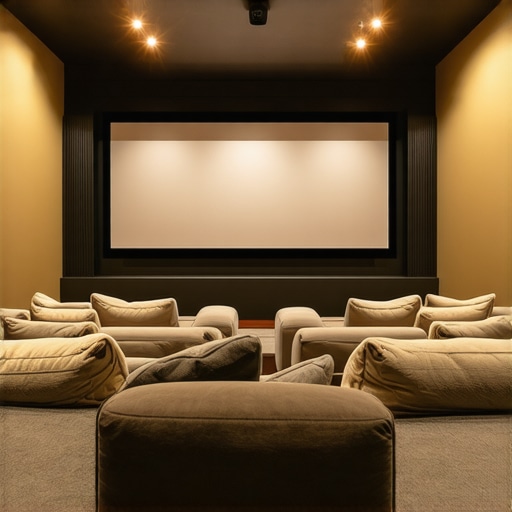
One evening, I was eagerly settling in to watch my favorite movie when suddenly the image on the screen turned dull and washed out. No matter how much I fiddled with the projector settings, the picture remained fuzzy and lacked clarity. That’s when it hit me—my screen wasn’t suited for my room’s lighting conditions, and that led to a frustrating viewing experience. If you’ve ever faced similar issues with your home theater setup, you’re not alone. Many enthusiasts discover too late that their choice of projection screen greatly impacts picture quality, especially in bright environments. Today, I’ll share proven strategies to select the perfect Top Projection Screen or Pull-Down Solution, tailored specifically for rooms with challenging lighting.
Why Your Screen Might Be Holding You Back in Bright Rooms
Selecting the right projection screen often feels overwhelming. You want a vibrant, clear image, but sunlight or ambient lighting often wash out your visuals, turning your movie night into a disappointment. The truth is, most traditional screens struggle under bright conditions, making them less than ideal for a typical living room. This is where understanding screen technology, particularly Screen Gain and ALR (Ambient Light Rejection) features, can revolutionize your viewing experience. As per recent studies, high-gain screens and ALR surfaces can significantly improve image brightness and contrast, even in well-lit spaces, ensuring you enjoy crisp visuals without darkening your entire room. If you’ve ever wondered whether a pull-down screen can match the performance of a fixed frame, or how to optimize Screen Gain for your specific environment, you’re about to find out.
Are Pull-Down Screens Truly Effective in Bright Rooms?
Early in my journey, I made the mistake of buying a simple, low-gain pull-down screen, thinking it would work well for my family room; but it was plagued by washed-out images whenever the curtains weren’t fully closed. That’s a common mistake many newcomers make—assuming all screens are equal. In truth, the technology behind high-gain pull-down screens and fixed-frame solutions offers substantial advantages. For insights on which type suits your space and budget, check out our detailed comparison of [projection screen types](https://screens.homecinemaessentials.com/projection-screen-types-for-every-space-fixed-frame-vs-pull-down). Don’t let these initial missteps hold you back from enjoying the ultimate home theater experience. Now, let’s dive into how you can pick the perfect screen to elevate your viewing pleasure.
Assess Your Room Environment
Start by measuring your room’s lighting conditions and ambient light sources. Think of your room like a painting studio; bright sunlight and reflective surfaces act as glare, washing out your display. Use a light meter app or simply observe how bright the room is during the time you’ll watch movies. To counteract this, choose a screen with high gain or ambient light rejection (ALR) technology. For detailed guidance on environment assessment, refer to our setup blueprint.
Determine the Right Screen Technology
Next, decide between a fixed-frame or pull-down solution based on your usage and space. Fixed-frame screens provide stability and flatness, ideal for dedicated home theaters, akin to a canvas stretched taut for painting. Pull-down screens offer flexibility, easily retracting when not in use, like a window blind. For bright rooms, prioritize models with high screen gain (above 1.5) or advanced ALR surfaces. Explore more through our ALR technology guide.
Select Screen Gain for Bright Projectors
Screen gain determines how much light the surface reflects. A higher gain (2.0 or above) amplifies brightness, much like a mirror concentrates sunlight — but beware, it can create hotspots if unevenly coated. In bright environments, aim for gain levels between 1.8 and 2.2 for even brightness and contrast. Reflective surfaces with specialized coatings favor ambient light rejection, helping your projector stand out. To compare the best options, see our top ALR screens.
Evaluate Ambient Light Rejection Capabilities
Not all screens are created equal in handling ambient light. ALR screens use optical layers to block or redirect stray light, akin to sunglasses that block glare, allowing your image to shine through even in well-lit rooms. Choose models designed specifically for bright environments; these are engineered with features like micro-structures or optical coatings. Reading reviews and technical datasheets helps determine effectiveness. For in-depth comparisons, visit our ALR technology comparison page.
Install with Precision
Proper installation is crucial. Mount your screen at eye level for the best view, and ensure the surface is perfectly flat, as a warped screen ruins the picture quality. Use a level to align brackets and secure the frame firmly. For pull-down screens, ensure the mechanism operates smoothly without wobbling. Follow our installation guide for step-by-step instructions to avoid common pitfalls.
Optimize and Test Performance
Finally, test your setup under different lighting conditions. Adjust projector brightness and contrast settings to complement the screen’s properties. Experiment with positioning and ambient lighting controls, like blackout curtains, to enhance picture clarity. Keep notes of what settings produce the best results. For advanced tuning tips, see our image quality optimization.
While many home theater enthusiasts believe they’ve grasped the essentials of projection screens, there are nuanced misconceptions that can hinder optimal setup and performance.
What Most People Get Wrong About ALR Screens and Screen Gain
A common mistake is assuming all ALR (Ambient Light Rejection) screens are equally effective in bright rooms. In reality, many rely on generic products without understanding the underlying optical technologies that determine their effectiveness. For example, high-quality ALR surfaces utilize micro-structures that selectively filter stray light, but numerous budget models lack this precision, offering only marginal improvements. This oversimplification leads to disappointed expectations, especially in rooms with significant ambient lighting. Additionally, when it comes to screen gain, there’s a widespread myth that higher gain always equals better brightness. However, this overlooks the fact that gain also influences viewing angles and hotspot formation. An overly high gain screen (above 2.0) can create uneven brightness, resulting in hotspots that diminish image uniformity. Experts recommend choosing a gain between 1.8 and 2.2 for balanced brightness and wide viewing angles—something often misunderstood by beginners. Also, many believe that pull-down screens inherently provide performance comparable to fixed-frame options. Yet, this isn’t always the case. Pull-downs tend to have less tension stability, which can introduce warping or waviness, adversely affecting image flatness. Fixed-frame screens, on the other hand, maintain tension uniformly, ensuring a sharp, flat surface. This difference becomes critical when seeking razor-sharp images, especially with high-definition content.
Advanced users should consider the optical layering and materials used in ALR surfaces, as these are technical nuances that substantially impact light rejection capabilities. Consulting expert insights from reputable sources, such as our detailed setup blueprint, can guide you through selecting the right technology tailored to your room’s specific conditions. Keep in mind that the proper combination of screen type, gain, and installation technique, as discussed in our installation guide, is vital for achieving the best possible picture quality.
Have you ever fallen into this trap? Let me know in the comments and share your experiences. Remember, understanding these hidden nuances enables you to make better choices, elevating your home cinema to professional-grade quality.
Tools I Recommend for Reliable Projection Setup
Achieving a stunning home theater experience doesn’t end at choosing the right screen and projector. Regular maintenance and the right tools ensure your system remains at peak performance over years. I personally swear by a high-quality microfiber cleaning cloth and isopropyl alcohol (70%) for gentle surface cleaning, as they effectively remove dust and smudges without damaging specialized coatings. For calibration, I use the {calibration software} CalMAN, which I’ve found invaluable for fine-tuning color and contrast, guaranteeing consistent visuals every movie night. Additionally, a laser measuring device helps precisely align your screen, projector, and seating for optimal image clarity—I’ve saved countless hours since integrating a laser measure into my setup. These tools are not merely optional; they are essential for maintaining the integrity of your projection environment over time.
Essential Maintenance Strategies for Longevity
To keep your projection screen performing like new, routine cleaning is crucial. Avoid harsh chemicals; instead, use the microfiber cloth and in-approved cleaning solutions mentioned earlier. Regularly inspect the mounting hardware to prevent looseness that may cause warping or uneven tension—especially important for fixed frames where surface flatness impacts image sharpness. Also, consider the effects of ambient factors like humidity and dust; installing air purifiers or dehumidifiers can mitigate deterioration. Consistent calibration checks with software like CalMAN ensure your projector’s output remains calibrated to your screen’s capabilities, particularly important if you upgrade components or adjust room lighting.
Preparing for Future Upgrades
Looking ahead, as screen technology advances—such as new ALR surfaces and high-gain materials—it’s wise to periodically reassess your setup. The trend toward hybrid solutions combining fixed frames with motorized pull-downs, as discussed in our comparison guide, suggests future scalability. Investing in adaptive calibration tools or modular mounting systems allows for easier upgrades. Regular maintenance and proactive tool usage will ensure your system remains efficient and visually stunning, even as new innovations emerge.
Question: How do I maintain my projection system over time?
Keeping your setup in prime condition requires diligence—regular cleaning, calibration, and hardware checks are key. Remember to handle surfaces with care, avoiding abrasive materials that can damage coatings. Stay informed about new technologies through trusted sources and consider professional calibration once a year to ensure consistent quality. A proactive approach—using tools like calibration software and precise measuring devices—prevents small issues from escalating into costly repairs or replacements. For tailored advice, our step-by-step guide offers detailed maintenance tips. Start implementing these practices today, and you’ll enjoy a pristine picture for years to come.
Many enthusiasts overlook the importance of systematic maintenance, which can diminish the quality and lifespan of their projection systems. For instance, a recent study published by ISF experts highlights how dust accumulation on screens and lenses can reduce brightness and contrast over time, emphasizing the need for regular cleaning (source: ISF Technical Insights). By adopting these maintenance routines, you’ll preserve your investment and keep your viewing experience consistently spectacular. Now is the perfect time to try advanced calibration techniques or upgrade your mounting hardware—small steps that yield long-term benefits. Don’t wait until performance drops; start today and enjoy flawless visuals for years to come.
The Hidden Truth About Screen Materials That Trip People Up
After years of tweaking my setup, I realized that not all surfaces are created equal—even among high-gain or ALR screens. I once dismissed the significance of micro-structure layers, assuming they were just marketing jargon. The reality hit me when I experimented with two seemingly similar screens and saw drastic differences in glare management and contrast under bright conditions. That revelation taught me to scrutinize material quality and optical engineering rather than just gain figures. Staying informed through trusted sources like our setup blueprint is vital for avoiding costly mistakes. Big surprises often hide behind overlooked specs, so dive deep into the technology that truly makes your room pop.
My Game-Changing Tip for Always Optimizing Light Rejection
One little trick changed my approach: regular calibration using devices like CalMAN and environmental checks before each viewing. I learned that ambient light levels fluctuate throughout the day, making a once-perfect setup falter. Having a routine—calibrating projector brightness, adjusting window coverings, and verifying screen tension—ensures consistent brilliance. I also discovered that upgrading to a high-quality ALR screen with optical layers can dramatically reduce glare artifacts, even when sunlight filters in. For more advanced insights, explore our performance enhancement guide. Confidence in your environment translates into breathtaking clarity, night after night.
Wild Mistakes I Made That Taught Me Value of Expert Advice
A naive purchase of a low-gain pull-down screen led to repeated frustrations, especially in rooms with windows that couldn’t be blacked out completely. That mistake taught me to prioritize fixed-frame designs with high gain and optical layering for ambient light rejection. I also realized that installing a screen without proper tensioning could warp over time, ruining image flatness—not to mention my wallet. Consulting detailed guides available through our installation tips kept me from repeating beginner errors. These lessons underscore the importance of expert-backed research and careful installation—small investments for lasting gains. Don’t skip this crucial phase; it’s where your visual masterpiece begins.
How I Feel When My Setup Meets Its True Potential
Experiencing those moments when every element aligns—correct screen gain, perfect ambient light control, precise calibration—is indescribably rewarding. It’s like finally tuning an instrument and hearing the full symphony. Investing time and effort into understanding the nuances of alr advancements, screen materials, and installation pays off in pure visual clarity. I encourage you to pursue these improvements; after all, your home theater should mirror professional quality, not just be a fun project. Ready to elevate your home cinema experience? Take that first step today—your eyes will thank you!
What’s Your Next Move in Bright Room Projection?
Whether you’re contemplating upgrading your screen or fine-tuning your current setup, remember that knowledge is power. Do you need help choosing between fixed-frame and pull-down options? Or are you curious about the latest ALR innovations? Reach out through our contact page. Share your journey, ask questions, and join a community dedicated to perfecting projection in challenging environments. It’s your turn—what’s the one change you’re planning to make for brighter, sharper visuals? Drop your thoughts below!
One Response
I’ve recently been exploring different projection screen options to improve my viewing experience in a bright living room. It’s eye-opening to see how much selecting a high-gain or ALR screen can make a difference. I initially went with a budget pull-down screen, and I was quite disappointed with the washed-out images when my curtains were open. After reading up, I upgraded to a fixed-frame ALR surface with a gain around 2.0, which vastly improved brightness and contrast, even during daylight hours. How do others handle balancing screen gain with maintaining wide viewing angles, especially in larger rooms? I’ve found that choosing a screen with a slightly lower gain and good optical layering helps me avoid hotspots while still boosting overall brightness. Would love to hear different setup strategies or tips to manage ambient light effectively without sacrificing image quality or viewing comfort.